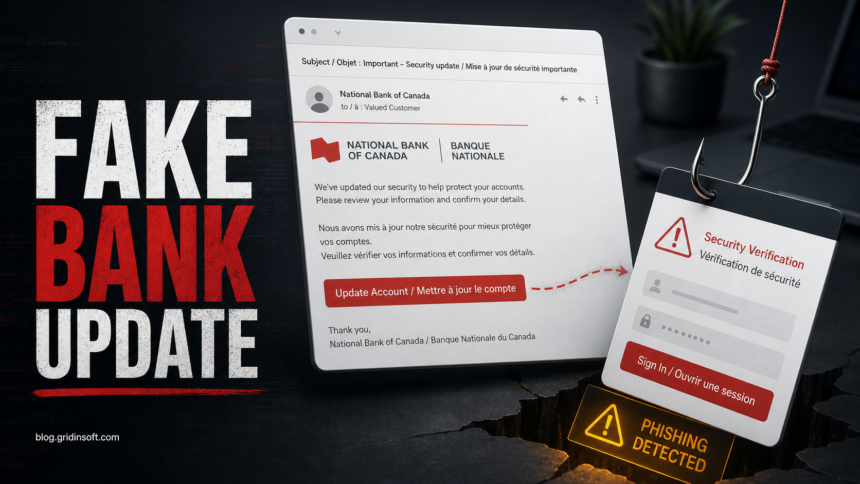
The National Bank of Canada “security update” email that says your account or card services may be limited is a phishing scam when it comes from a non-official sender and sends you to an outside update button. Do not use the button, do not enter online banking credentials from that page, and do not reply with card, password, PIN, or validation-code information. Open the National Bank app or type nbc.ca yourself, then check messages and account alerts from the real account.
The sample reviewed for this article used a bilingual subject line, a National Bank / Banque Nationale display name, and a red “Update my account now” button. The important clues were not hidden: the sender domain was natservicesbnccab.com, the message failed DMARC for that domain, and the button led to hxxps://scanned[.]page/[token] instead of a National Bank route.
What Is the National Bank Security Update Email Scam?
This scam pretends to be an emergency banking security notice. It claims that recent security rules require you to update account information and warns that account or card services may be limited if you do not act. That pressure is the hook: a real banking alert may tell you to review your account, but a phishing email tries to make the email button the only path.
National Bank’s own guidance says it will not use email or text to ask for confidential information such as a password or PIN, and its phishing guidance says it will not ask customers to connect to online banking through an email link or file [1] [2]. Treat that as the rule: verify from a trusted entry point, not from the message.
What the Fake Email Looks Like
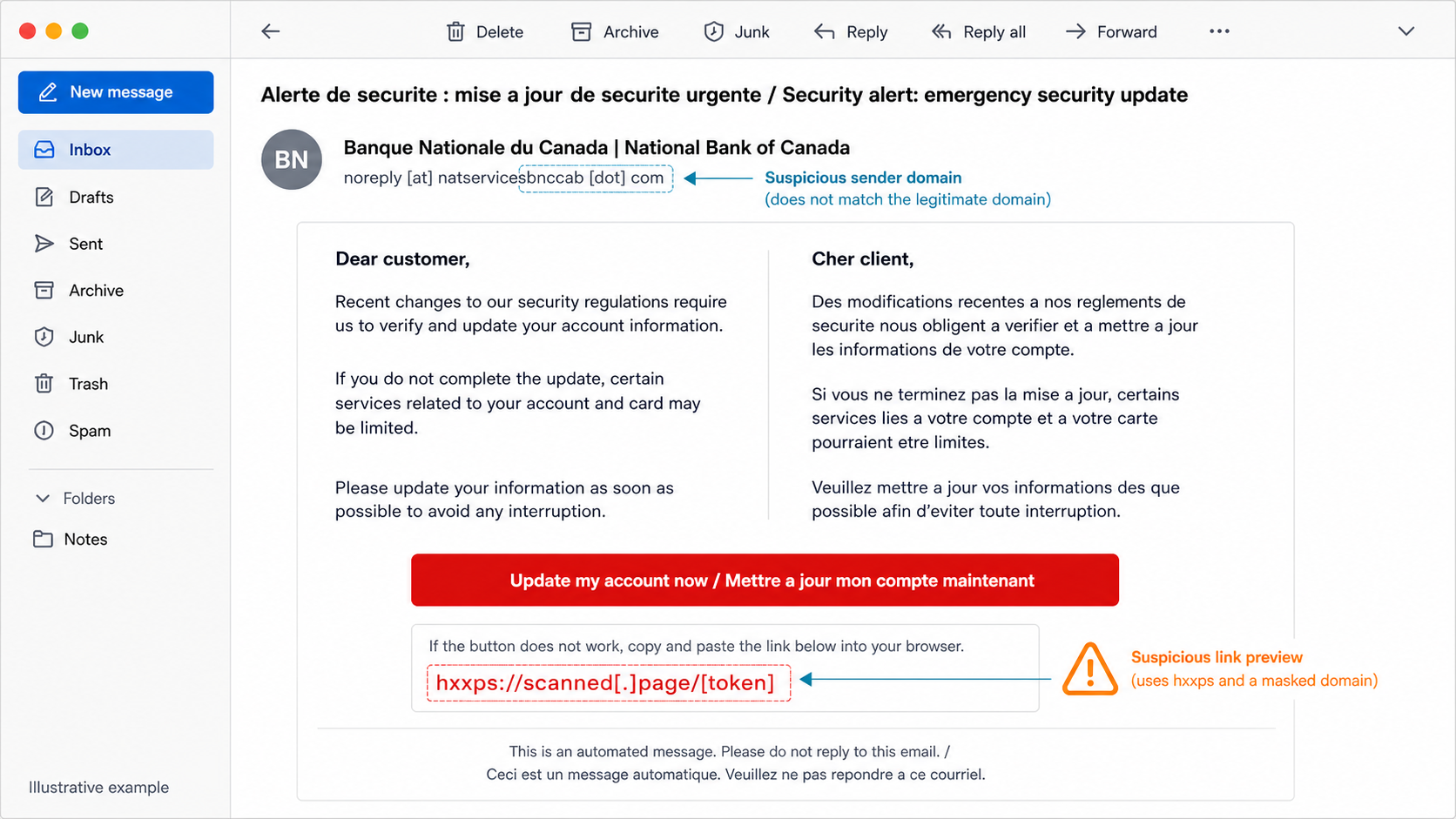
The lure may use English and French in the same message, which makes it look more plausible for a Canadian bank.
Example:
Subject: Alerte de securite : mise a jour de securite urgente / Security alert: emergency security update
From: Banque Nationale du Canada | National Bank of Canada
Sender: noreply [at] natservicesbnccab [dot] com

Dear customer / Cher client,

Recent changes to our security regulations require us to verify and update your account information.
If you do not complete the update, certain services related to your account and card may be limited.

Button: Update my account now / Mettre a jour mon compte maintenant
Link: hxxps://scanned[.]page/[token]
The exact wording may change, but the decision should not: a banking email link is not a safe sign-in path, even when the message uses a familiar brand name, bilingual text, or a security theme.
Red Flags in This Message
- The real sender domain is not National Bank. A display name can say “National Bank of Canada,” while the actual sender uses a lookalike or unrelated domain.
- The link does not go to the bank. A button that leads to
scanned[.]pageor another non-bank domain should not be used for online banking. - The message pressures you with service limits. “Your card may be limited” is meant to make you act before checking the sender and URL.
- The greeting is generic. A broad “Dear customer” is weaker than a message inside the real banking app or secure message centre.
- The security claim asks for unsafe behavior. The email says it is about security, but it pushes you toward a link instead of telling you to open the app or typed website.
What to Do If You Received It
- Do not click the button again. Do not reply, unsubscribe, scan any QR code, or open attachments from the same message.
- Open National Bank separately. Use the mobile app, a saved bookmark, or type
nbc.cainto a new tab. - Check the real account area. Look for secure messages, alerts, card status, recent transactions, profile changes, and pending security tasks.
- Report through official routes. If the message appears to impersonate National Bank, follow National Bank’s current fraud-reporting instructions from the official site, not from the email.
- Delete the message after preserving evidence if needed. Keep a screenshot, sender, timestamps, and deweaponized link text if money, credentials, or a support case is involved.
What to Do If You Clicked or Entered Details
If you only opened the page and entered nothing, close it, do not approve notifications, and delete any downloaded file. Then check your account through the app or typed website. Use our clicked phishing link checklist if the browser opened a suspicious page or asked for permissions.
If you entered your banking password, card number, validation code, security questions, or personal details, act as if the account may be exposed:
- Contact National Bank from the official app, website, or card number. Do not use phone numbers or links from the email.
- Change the banking password from a clean device. Change reused passwords on email, shopping, cloud, and other financial accounts too.
- Review account access. Check trusted devices, MFA settings, recovery phone/email, recent transfers, payees, card activity, and profile changes.
- Watch for follow-up scams. Attackers may use the same email address or phone number for fake refund, fraud-team, or identity-verification calls.
- Report fraud if money or identity data was involved. The Canadian Anti-Fraud Centre advises victims to collect details, contact financial institutions, contact police when appropriate, and report fraud or cybercrime [3].
Should You Scan Your Computer?
For a pure credential page, account recovery and bank contact are the priority. Scan the device if the email or page made you download a file, install an app or browser extension, allow notifications, run a remote-support tool, or if pop-ups and redirects started afterward. A phishing link can be paired with adware, notification spam, fake document viewers, or support-tool abuse even when the first page only asks for a login.
After deleting the message and securing the account, Gridinsoft Anti-Malware can help check for suspicious downloads, browser changes, hidden files, startup entries, scheduled tasks, and other persistence that a visible email cleanup would not remove.
How to Verify a Real National Bank Message Safely
- Use the National Bank app, typed
nbc.ca, or a saved bookmark to review account alerts. - Never use an email button as the source of truth for password, card, or validation-code requests.
- Expand the sender details before judging the message by its display name.
- Preview links without opening them, and stop if the destination is not an official National Bank domain.
- Use Gridinsoft Email Checker when you need a quick sender, link, and text-risk review before replying or opening a file.
Related Banking and Email Scams
This lure belongs to the same family as fake bank-detail, payment, and account-security messages. For general sender/link checks, use our phishing email red flags guide. If the message asks you to confirm payment details or bank information rather than update a security profile, compare it with the Bank Details email scam. For another bank-brand login lure, see the Capital One phishing email guide. The Wells Fargo Account Security Update email scam shows the same access-limit pressure and fake secure-message framing aimed at U.S. banking customers.
FAQ
Is the National Bank security update email real?
Treat it as fake if it asks you to update banking information through an email button, comes from a non-official sender domain, or sends you to a non-bank website. Open the National Bank app or typed website instead.
Is natservicesbnccab.com a National Bank domain?
No. Do not rely on a display name alone. In the reviewed sample, that sender domain did not match National Bank and the message failed DMARC for the domain shown in the header.
What if I clicked but did not type anything?
Close the page, do not approve notifications, delete any downloaded file, and check the account from the official app or typed website. If the page downloaded or installed anything, scan the device.
What if I entered my National Bank password or card details?
Contact National Bank through official channels immediately, change the password from a clean device, review account activity and recovery settings, and change reused passwords on other accounts.
Should I forward the email to National Bank?
Use National Bank’s current fraud-reporting instructions from the official site. Do not forward personal notes or click any reporting link inside the suspicious email itself.
References
- National Bank of Canada. “I received a text or email from National Bank. Could it be a scam?” National Bank Help Centre, accessed July 5, 2026. https://www.nbc.ca/personal/help-centre/security-support/fraud/email-text-fraud.html
- National Bank of Canada. “What can help me detect a phishing email?” National Bank Help Centre, accessed July 5, 2026. https://www.nbc.ca/personal/help-centre/security-support/fraud/phishing-email.html
- Canadian Anti-Fraud Centre. “What to do if you’re a victim of fraud.” Government of Canada, accessed July 5, 2026. https://antifraudcentre-centreantifraude.ca/scams-fraudes/victim-victime-eng.htm