Night Dragon RAT is an Android remote-access threat linked by researchers to the wider Flying Eagle malware ecosystem. If you installed a fake government, banking, social, or utility APK, disconnect the phone from Wi-Fi and mobile data, stop using it for passwords or payments, and begin account recovery from a separate clean device. Removing the app is important, but it may not be enough after you granted Accessibility, screen-sharing, notification, device-admin, or overlay access.
Flying Eagle and Night Dragon are not confirmed to be the same codebase. Hunt.io describes Night Dragon as a likely successor that appeared after Flying Eagle source code began circulating. The practical response is similar because both can be used to hide malicious activity behind a normal-looking app and expose sensitive phone data.
What to Do Based on What Happened
- You only saw the download page: close it. Do not sideload the APK or disable Play Protect.
- You downloaded the APK but did not install it: delete the file from Downloads and empty any messaging-app download folder. If you need to check a retained copy, open Trojan Scanner’s Menu → Check a file → Choose file and select the APK without installing it. Do not download the file again just to scan it.
- You installed it but denied every high-risk permission: uninstall it, run Google Play Protect, update Android, and review recently installed apps. The risk is lower, but installation still justifies a careful check.
- You granted Accessibility, device admin, notification access, overlay, screen capture, or SMS permissions: treat the phone as compromised. Isolate it, revoke those privileges, uninstall the app, and recover sensitive accounts from another device.
- You used banking, Alipay, WeChat, email, a crypto wallet, or a password manager afterward: contact the financial provider, review sessions and transactions, change credentials from a clean device, and consider a factory reset before trusting the phone again.
Flying Eagle and Night Dragon Explained
Flying Eagle is a Chinese-language Android RAT framework with an APK builder and a web control panel. Hunt.io and NetAskari traced matching infrastructure across 170 servers and analyzed builder functions that can change app names, icons, package identifiers, lure text, and callback settings. This means there is no single filename or icon that every victim can search for.
The analyzed builder supports Accessibility abuse, injected gestures, screen viewing, keylogging, camera and microphone access, SMS and gallery collection, and phishing overlays for payment and financial apps. Some generated samples overlap with SpyNote behavior, but a SpyNote-style detection does not prove that every sample came from the same operator.
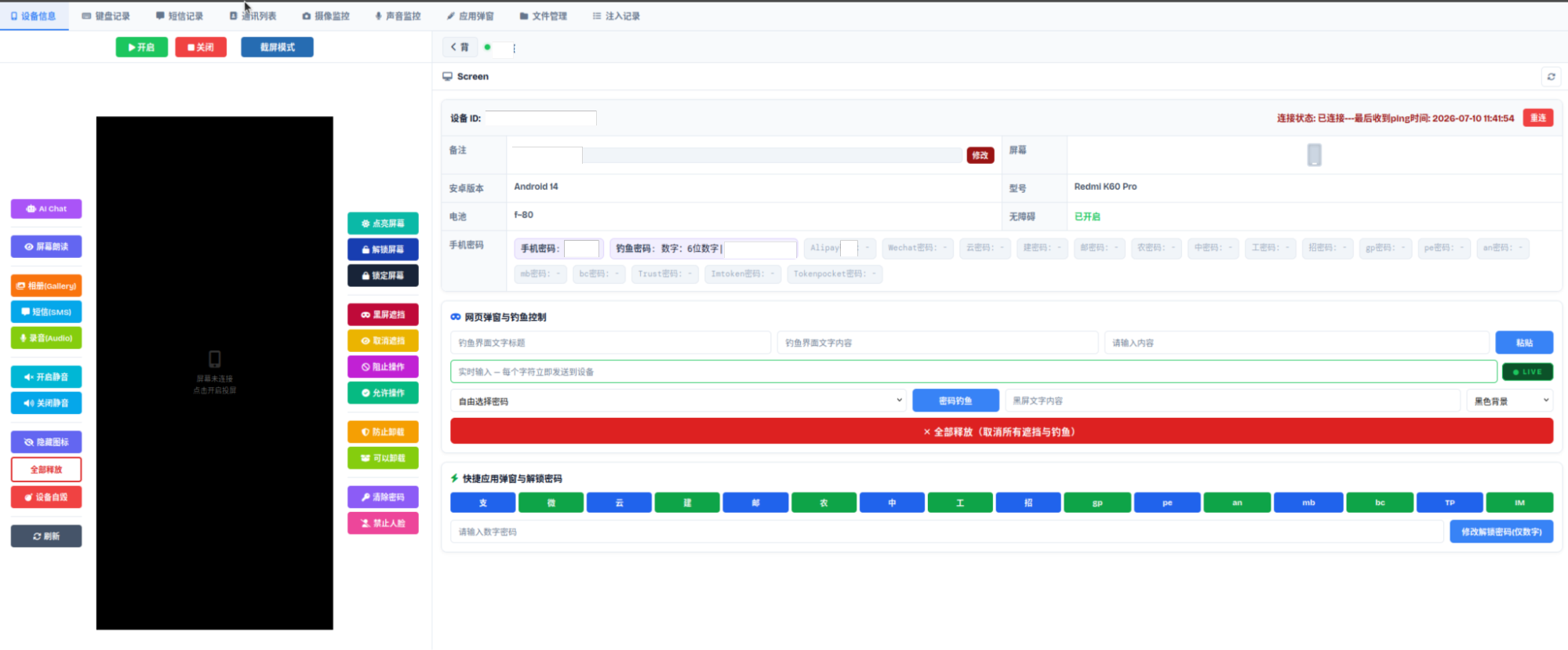
Night Dragon appeared later with its own control panel and was presented as a newer platform. The exposed interface included remote screen, message, audio, camera, file, and credential-overlay controls, plus options to hide the app icon or conceal activity behind a black screen. Researchers observed the panel, but they could not verify whether its displayed devices were real victims or test data. That uncertainty matters: the capabilities are documented, while the victim count is not.
How the Fake Android App Can Look
The investigation began with a malicious app impersonating a Chinese Public Security service. The same builder ecosystem could also produce lures styled as financial services, social apps, adult-content apps, or public-benefit projects. Treat an APK as suspicious when it arrives through a message, QR code, ad, unofficial download page, or direct file share and then asks you to override Android warnings.
Watch for these combinations:
- an app claims it needs Accessibility to “verify,” “update,” or “protect” the phone;
- the icon disappears after installation or the app is missing from the launcher;
- a black or fake update screen appears while the phone becomes warm, busy, or slow;
- banking or wallet screens show an unusual login, PIN, payment-password, or recovery prompt;
- Android reports a new device-admin, notification-access, VPN, default-SMS, or “display over other apps” permission;
- Play Protect warns about a harmful app installed outside Google Play.
A hidden icon does not mean the app is gone. Open Android Settings and inspect the full app list, recently installed apps, data use, battery use, and special access rather than relying on the home screen. Our broader Android malware removal guide covers the menu variations used by major phone vendors.
How to Remove Night Dragon or Flying Eagle from Android
- Isolate the phone. Turn on airplane mode, then manually keep Wi-Fi and Bluetooth off. If the phone is actively making unauthorized payments or sending messages, contact the bank or mobile carrier from another device.
- Use a clean device for recovery. Do not change important passwords on the suspected phone. A RAT with screen capture or keylogging could see the new credentials.
- Check the installed apps with Trojan Scanner for Android. Update its threat database, tap Start, and let the scan finish. Open each finding to see the app and the reason for the warning. Choose removal for unwanted items and confirm Android’s uninstall prompt. The scan checks installed apps even when their launcher icon has disappeared.
- If you need to identify an app that blocks removal, check its details in Settings. Open Apps and sort by recently installed or recently used. Check unfamiliar entries even if their names sound like a system service. Compare the install time with the message, site, or APK that started the problem.
- If uninstall is blocked, revoke the suspicious app’s Accessibility access. Search Settings for Accessibility and Installed services or Downloaded apps. Turn off the suspicious service. Menu names differ by Android version and phone manufacturer.
- Remove any special control privileges the suspicious app still holds. Check Device admin apps, Display over other apps, Notification access, Install unknown apps, VPN, default SMS app, and any screen-capture or companion-device access. Disable only the unfamiliar app; do not randomly remove legitimate accessibility tools you use.
- Uninstall the app. Return to the app information page and choose Uninstall. If the button was blocked before, revoking Accessibility or device-admin access should restore it. Restart in the phone maker’s Safe Mode only when the app still interferes with removal.
- Run Google Play Protect. Open Google Play, tap the profile icon, choose Play Protect, and run a scan. Keep “Scan apps with Play Protect” and harmful-app detection enabled.
- Update Android and apps. Install available system, Google Play system, and app updates. Remove the downloaded APK from Downloads and from any chat or file-manager folder.
- Restart normally and scan again with Trojan Scanner. Review any remaining findings. Revisit special-access lists, look for the app, and watch for recurring black screens, overlays, unknown VPNs, unusual SMS behavior, or battery and network activity.
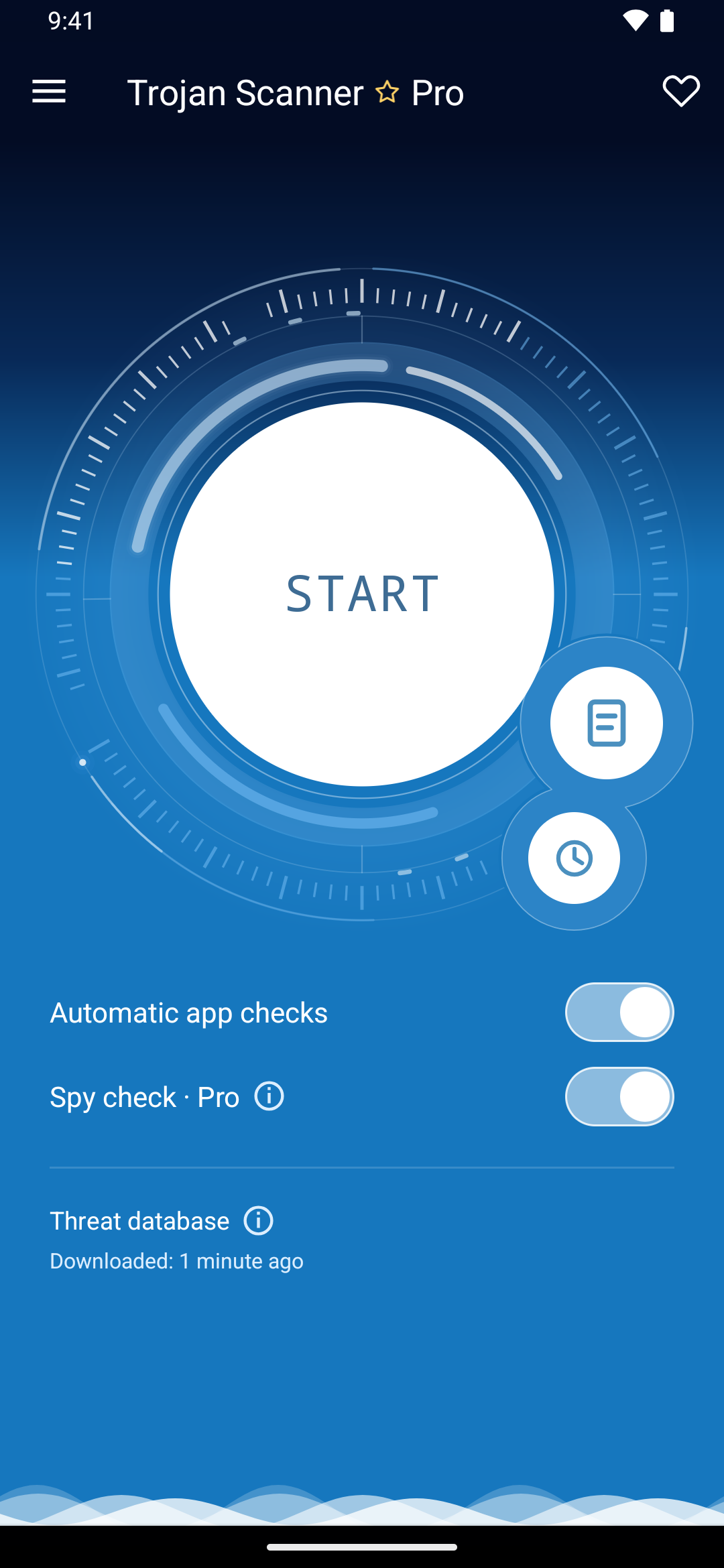
Trojan Scanner’s clear app details help you review what needs attention instead of relying on an icon or a familiar name. Anti Spy can also highlight suspicious combinations of sensitive access. Read those warnings in context: a permission-risk warning calls for review rather than proving that spying occurred.
Do not restore the app because a forum says the warning is a false positive. The exact family names are new, package names can be randomized, and the high-risk permission pattern matters more than the icon. For comparison, our Glitch SPY Android RAT guide explains the same reason Accessibility must be removed before a stubborn malicious app can be trusted as uninstalled.
Recover Accounts, Banking, and Wallets Safely
Account recovery should start on a clean computer or another trusted phone. Change the primary email password first because email can reset many other accounts. Review recent security events, signed-in devices, recovery methods, forwarding rules, and connected apps. Sign out unknown sessions and replace reused passwords with unique ones.
If you opened a banking, payment, or wallet app after granting the suspicious APK powerful access:
- call the bank or payment provider using the number from its official site or physical card;
- report the possible mobile-device compromise and review pending and completed transactions;
- change banking credentials and PINs through the provider’s approved process;
- replace SMS-based recovery where a stronger authenticator or security key is available;
- for cryptocurrency, move funds to a new wallet created on a clean device if a seed phrase, unlock code, or signing prompt may have been exposed;
- review messaging sessions because stolen SMS and notification access can expose one-time codes and account-reset links.
A malware scan or uninstall cannot recover a password, reverse a transfer, or prove that nothing was seen. It reduces the device risk; the account and financial response handles what may already have left the phone.
When a Factory Reset Is the Safer Choice
A factory reset is the safer boundary when the app had Accessibility or device-admin access, the icon disappeared, the black-screen behavior occurred, banking or wallet apps were used, removal keeps failing, or suspicious behavior returns after reboot. Back up photos and documents, but do not back up the APK or blindly restore every app and setting.
After the reset, update Android before restoring accounts, reinstall apps manually from Google Play or the phone maker’s official store, and avoid restoring the suspicious app from a cloud backup. Rotate the screen lock and sensitive credentials from a clean device. If the phone is rooted, uses an unofficial firmware image, or still behaves abnormally after a clean reset, ask the manufacturer or carrier about reflashing official firmware or replacing the device.
For a plain-language explanation of what remote control means beyond Android, see our guide to RAT malware and remote access trojans.
FAQ
Are Night Dragon and Flying Eagle the same Android RAT?
No confirmed public evidence shows that they are identical. Hunt.io describes Night Dragon as a likely successor that appeared after Flying Eagle’s code circulated, while noting that the newer platform appears to be independently built.
Can Night Dragon hide its app icon?
Yes. The observed Night Dragon control panel included icon-hiding and black-screen functions. Check the complete Apps list and special-access settings instead of relying on the launcher icon.
Is uninstalling the suspicious APK enough?
It may be enough when the APK never ran and received no privileged access. A factory reset is safer after Accessibility, device-admin, screen, SMS, notification, or financial-app exposure, especially if symptoms return.
Should I change passwords on the infected phone?
No. Use a separate clean device. A remote-access trojan may capture the screen, keystrokes, notifications, or session data while you enter replacement credentials.
SpyNote can also serve as the remote-access stage for a separate NFC fraud tool. Our report on WindRelay and SpyNote card relay fraud explains why a victim may see no screen-sharing indicator even while the phone is controlled.
References
- Hunt.io and NetAskari. “Flying Eagle Android RAT: Leaked Source Code, 170 Active Servers, and a New Platform Called Night Dragon.” Hunt.io, July 28, 2026, accessed July 29, 2026. hunt.io research report.
- Google. “Advanced and proactive Android device security.” Android, accessed July 29, 2026. Android security and Play Protect guidance.
- Google. “Secure a hacked or compromised Google Account.” Google Account Help, accessed July 29, 2026. Google Account recovery guidance.