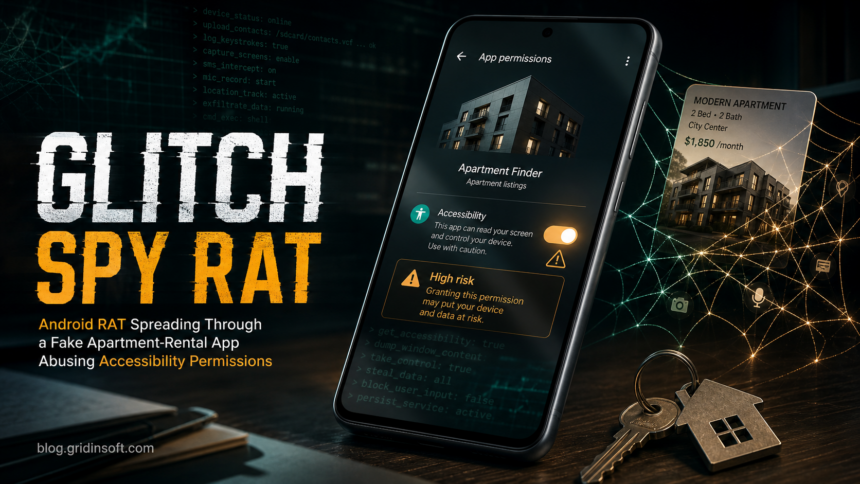
Glitch SPY is an Android remote access trojan spread through a fake Polish apartment-rental app. If you installed an APK from a rental site such as tutaj-dompl[.]com, treat the phone as compromised: disconnect it from sensitive accounts, remove the sideloaded app, revoke Accessibility and device-admin permissions, run Play Protect, and secure banking, email, crypto, and messaging accounts from a separate clean device.
The important point is not only that a suspicious app was installed. Cyble’s analysis shows that the first app can act as the Brokewell Android Loader, then install the Glitch SPY payload after pushing the user through unknown-source and Accessibility prompts. Once that happens, a normal uninstall may be blocked or incomplete until the high-risk permissions are removed first.
What Glitch SPY Does on Android
Glitch SPY is a full remote-control platform for Android devices, not a simple adware app. Public analysis describes more than 70 supported commands, including screen streaming, screenshots, keylogging, SMS and contact theft, call-log collection, location tracking, camera and microphone access, clipboard monitoring, file operations, shell execution, and a hidden remote browser that can run sessions from the victim’s own phone.
That hidden-browser feature changes the account-risk decision. If an attacker opens a bank, wallet, email, or marketplace session through the infected phone, fraud systems may see the victim’s familiar device and IP address. For that reason, cleanup should include account-session review and password changes, not just removing the APK.
How the Fake Rental-App Infection Works
The campaign has been tied to a fake apartment and house-rental site aimed at Polish-speaking users. The page presents a plausible rental workflow and encourages visitors to install a mobile app for viewing reservations, availability checks, saved listings, or confirmation updates. The download is a malicious APK rather than a legitimate store app.
| What the user sees | A rental app, fake update screen, and permission prompts that look necessary to finish setup. |
| What actually happens | The loader asks for unknown-source installation, installs the RAT payload, then pressures the user to enable Accessibility access. |
| Why Accessibility matters | Accessibility can let malware read screen content, tap buttons, grant permissions, interfere with uninstall attempts, and operate apps in the background. |
| Highest-risk follow-up | Banking, crypto, email, messaging, and two-factor authentication flows may be exposed if the phone was used after infection. |
Immediate Steps if You Installed the APK
- Stop using the phone for sensitive logins. Do not open banking, wallet, email, password-manager, or work apps on the suspected device until cleanup is complete.
- Put the phone offline if possible. Enable airplane mode, then turn Wi-Fi off. If you need internet for Play Protect or updates, use it briefly and avoid signing in to sensitive accounts.
- Use a separate clean device for account recovery. Change passwords and review sessions from another phone or computer, not from the suspected Android device.
- Preserve evidence if money or accounts were stolen. Take photos of the fake site, app name, SMS messages, suspicious transactions, and warnings before deleting everything.
Remove Glitch SPY and the Loader
Android menus differ by vendor, but the cleanup sequence should follow the permission chain used by this campaign.
- Boot into Safe Mode when uninstall is blocked. Hold the power menu, then long-press Power off on many Android builds, or follow your device maker’s Safe Mode shortcut. Safe Mode prevents most third-party apps from running.
- Disable suspicious Accessibility services. Open Settings, search for Accessibility, then turn off any unfamiliar service connected to the rental app, updater, cleaner, installer, or recently sideloaded APK.
- Remove Device Admin access. Open Settings, search for Device admin apps or Device administrators, and deactivate unknown entries before uninstalling.
- Revoke install-from-unknown-apps permission. Open Settings, search for Install unknown apps, and turn off permission for the browser, file manager, messenger, or downloader used to install the APK.
- Uninstall the suspicious app and any helper app. Check Settings -> Apps for unfamiliar rental, update, viewer, cleaner, security, or blank-icon apps installed around the same time.
- Run Google Play Protect. Open Google Play, tap the profile icon, choose Play Protect, and scan the device. Keep Play Protect and harmful-app detection enabled.
- Update Android and Google Play system components. Install security updates before signing back in to sensitive apps.
- Use a second opinion for suspicious files or URLs. If you saved the APK on a computer, scan it with the Gridinsoft Online Virus Scanner. If you still have the lure URL, check it with the Gridinsoft URL scanner. For broader Android symptoms, compare the steps with our Android malware removal guide.
If Accessibility or Device Admin permissions re-enable themselves, the app immediately returns after uninstall, or sensitive accounts were accessed while the APK was active, do not assume a normal uninstall is enough. Back up only photos, documents, and contacts you trust, then perform a factory reset. Avoid restoring a full app backup that may reinstall the same malicious or sideloaded package.
Account Recovery After Glitch SPY Exposure
Because this RAT can capture screens, SMS messages, keystrokes, clipboard content, and browser sessions, account recovery should happen from a clean device.
- Email: change the password, remove unknown forwarding rules, review recovery email/phone settings, and sign out all sessions.
- Banking and payment apps: call the bank if the phone was infected while banking apps or card wallets were used. Ask about recent device sessions, pending transfers, and card controls.
- Crypto wallets: assume copied wallet addresses may have been replaced. Review outgoing transactions and move funds to a fresh wallet from a clean device if seed phrases or wallet apps were exposed.
- Messaging accounts: check linked devices in WhatsApp, Telegram, Signal, and similar apps. Remove sessions you do not recognize.
- Two-factor authentication: regenerate backup codes and move authenticator apps only after the phone is clean or reset.
Signs the Phone May Still Be Compromised
Glitch SPY-style infections can be quiet. Look for several signals together rather than one vague symptom:
- unknown apps, blank icons, or apps with generic names such as Update, Service, Viewer, Security, or Cleaner;
- Accessibility, notification access, VPN, SMS, camera, microphone, or install-unknown-apps permission granted to an app you do not trust;
- verification codes or banking prompts appearing when you did not start a login;
- clipboard changes when copying crypto wallet addresses;
- mobile data or battery spikes while the phone is idle;
- camera, microphone, or screen-recording indicators at unexpected times;
- apps closing, security settings changing, or uninstall screens disappearing while you interact with the phone.
For a broader triage checklist, see our guide on how to tell if your phone is hacked. For another Android banker example that abuses Accessibility and remote-control flows, compare the TrickMo.C Android banker case.
How to Avoid the Next Fake APK Lure
- Install rental, banking, delivery, and marketplace apps only from Google Play or the official site listed by the real company.
- Do not enable install unknown apps for a browser or messenger just because a site says an app is required.
- Treat Accessibility requests from shopping, rental, update, cleaner, and viewer apps as high risk unless the app has a clear accessibility purpose.
- Keep Play Protect enabled and allow scans of unknown apps when Android offers that option.
- Before installing an APK, upload it from a computer to a file scanner or avoid it entirely if the source is a one-off domain, shortened link, or urgent chat message.
FAQ
Is Glitch SPY the same as Brokewell?
No. In the reported campaign, the first malicious app acts as the Brokewell Android Loader, while Glitch SPY is the payload installed afterward. For the victim, both parts matter because the loader may be the visible app while the RAT runs behind it.
Can I remove Glitch SPY without a factory reset?
Sometimes, yes, if you can disable Accessibility and Device Admin access, uninstall the sideloaded app and payload, scan with Play Protect, and no symptoms return. Use a factory reset when permissions cannot be revoked, the app returns, account theft occurred, or you cannot trust the device state.
Does Play Protect catch every sideloaded Android RAT?
No security layer catches every new APK immediately. Keep Play Protect enabled, but also avoid unknown-source installs, review high-risk permissions, and treat fake update or rental-app prompts as suspicious.
Should I change passwords from the infected phone?
No. Change passwords, revoke sessions, and move authenticator accounts from a clean device. A RAT that can capture screen content or remote-control the phone may observe password changes made on the infected device.
Can Gridinsoft remove Glitch SPY from Android directly?
Gridinsoft’s desktop tools are not a replacement for Android system cleanup. Use Android Safe Mode, permission revocation, Play Protect, and reset decisions on the phone. Gridinsoft can still help check suspicious APK files or lure URLs before they reach more devices.
References
- Cyble Research and Intelligence Labs. “Glitch SPY: An Emerging Android RAT Distributed Through a Fake Polish Rental App.” Cyble, June 30, 2026. https://cyble.com/blog/glitch-spy-rat-distributed-via-fake-polish-app/
- Zimperium. “Rapid Response: Zimperium Delivers Immediate Coverage for Emerging Glitch SPY RAT Campaign.” Zimperium Blog, July 1, 2026. https://zimperium.com/blog/rapid-response-zimperium-delivers-immediate-coverage-for-emerging-glitch-spy-rat-campaign
- Google. “Use Google Play Protect to help keep your apps safe & your data private.” Google Play Help, accessed July 2, 2026. https://support.google.com/googleplay/answer/2812853?hl=en