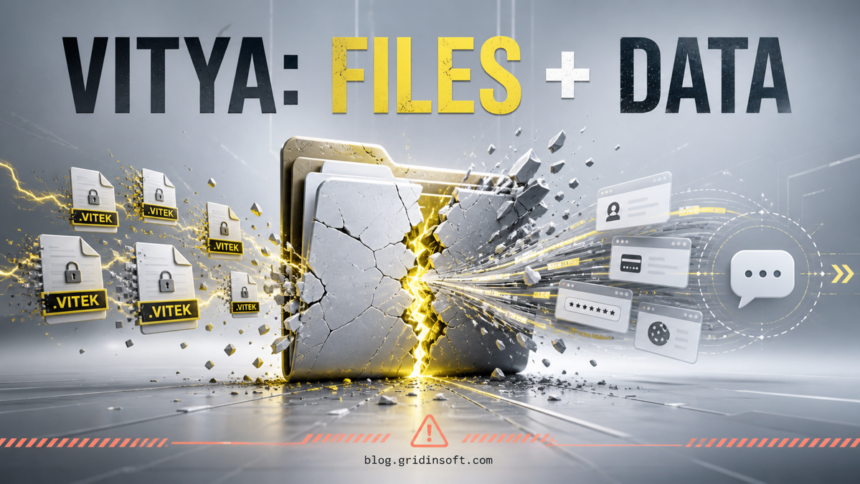
Vitya ransomware is a Windows file-encrypting threat associated with .vitek files and executables named Vitya.exe. If filenames suddenly end in .vitek, disconnect the affected PC from Ethernet, Wi-Fi, VPNs, shared folders, cloud-sync folders, and removable drives. Removing the malware can stop more damage, but it does not decrypt files that are already locked.
File recovery is only half of the incident. One public Vitya sample analyzed in February 2026 also triggered credential-theft and Telegram-based exfiltration detections. Treat a PC on which the file ran as a possible account-exposure incident, even if the most visible symptom is encrypted data.[1]
How to recognize Vitya ransomware
Match several artifacts before assigning the Vitya name. A single unfamiliar extension or executable name is not enough, because filenames can be copied and different malware builds may behave differently.
| Artifact | What it means and what to do |
|---|---|
Files end in .vitek |
This is the strongest visible Vitya clue. A file such as photo.jpg may become photo.jpg.vitek and no longer open. Renaming it back does not reverse encryption. |
Vitya.exe ran |
The name appears in public sandbox reports, but a filename is not a trustworthy identity. Record the full path, hash, time, and security-tool action before removing it. |
| Ransom screen or note | Preserve a screenshot and copy of the note. Do not use attacker contacts as a support channel, and do not run a decryptor received through chat or a video description. |
| Security settings changed | A public sample attempted to alter real-time protection, recovery settings, backup catalogs, the hosts file, and Chrome extension data. These behaviors make a persistence and account audit necessary.[1] |
| Telegram API traffic | The February sample contacted Telegram infrastructure and generated sandbox detections for possible credential theft and data exfiltration. That observation belongs to the analyzed hash; it is not proof that every Vitya-labeled file stole data.[1] |
Keep sample boundaries explicit. The public February report covers SHA-256 395bfdad0807bf4930f521e3f63c3e01c4606af017341925b6a4f09cfa1de4de. A separately reported August sample used SHA-256 5fa1a4816bfd0e729f20aac7e279044a7193a79381927acb67219d362e6e2e9f. The hashes are different, so do not automatically transfer every network, persistence, or credential-theft observation from one sample to the other.
What to do if Vitya.exe was downloaded or executed
If the file was downloaded but not opened
- Do not double-click it to “see what happens.” Keep it closed.
- Check the download path, source, digital signature, and hash. Use the safe EXE verification checklist without uploading private documents or running the file.
- Keep the file quarantined or delete it after your security tool identifies it. Emptying a download does not require changing every password when there is reliable evidence it never executed.
- Run a scan if the download came from a crack, fake update, unknown archive, or another source that may have delivered additional files.
If the file ran, files changed, or execution is uncertain
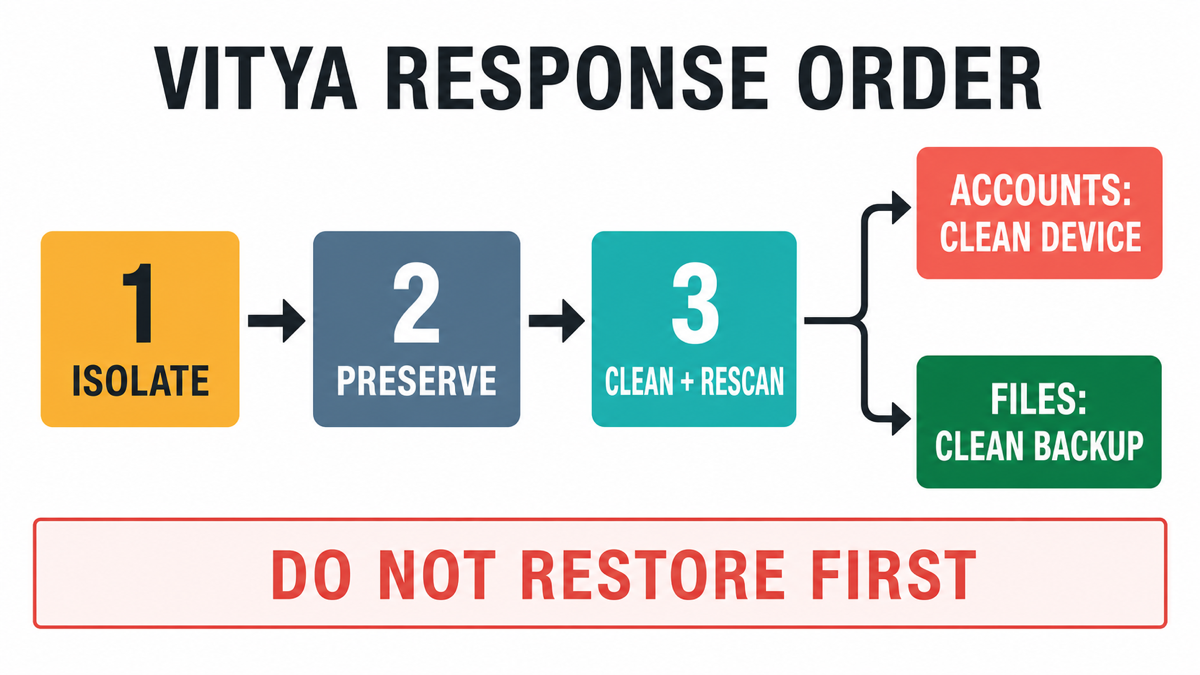
- Isolate the PC immediately. Unplug Ethernet and disconnect Wi-Fi, VPN, shared storage, backup drives, and cloud sync. If several devices are changing files, isolate the affected network segment.
- Preserve evidence. Keep the ransom note, several non-sensitive encrypted-file copies, the suspected file hash and path, Windows Security history, and the approximate first-change time. Do not upload confidential encrypted documents to public services.
- Stop using accounts on that PC. Do not sign in to email, banking, work, password-manager, gaming, or crypto accounts from the affected system.
- Clean and verify before recovery. Remove active ransomware and any loader or persistence, reboot when the initial evidence is saved, then scan again before reconnecting backups.
Remove Vitya ransomware before recovery
Deleting one visible executable is not a complete cleanup. A loader, scheduled task, startup item, service, security exclusion, modified browser extension, or secondary payload may remain and relaunch activity after reboot. Public analysis of the February sample also showed attempts to alter recovery and security settings, so verify the surrounding system rather than chasing only Vitya.exe.[1]
- Keep the system offline and preserve the evidence described above.
- Run a full security scan. Remove confirmed ransomware, loaders, scripts, startup entries, scheduled tasks, suspicious services, and bundled malware.
- Reboot only after the first scan and evidence capture are complete, then scan again.
- Review Windows Security settings, startup items, Task Scheduler, services, browser extensions, proxy/DNS settings, the hosts file, and unknown remote-access tools. The post-malware Windows audit lists the checks in a safe order.
- If security settings change back, alerts return, unknown administrators or remote tools appear, or the PC held sensitive business data, use a offline scan, rescue USB, or reinstall decision guide or professional incident response instead of repeated manual deletion.
Gridinsoft Anti-Malware can check the isolated Windows system for ransomware components, hidden files, startup entries, scheduled tasks, browser changes, and related malware. Download it from Gridinsoft, complete the scan, remove confirmed detections, reboot, and scan again if anything returns.
If a token stealer ran here, logging back in can hand the attacker your new Discord session, email cookie, Steam token, or wallet access. Scan this Windows PC first, then reset passwords from a clean device.
Scan before restoring files or accountsRecover passwords and sessions from a clean device
If Vitya.exe ran, or you cannot prove it stayed unopened, assume browser sessions and credentials used on the PC may be exposed. A ransomware incident can include a separate stealer or loader, and a password change on the infected device may simply reveal the new password.
- Use a different trusted phone or computer.
- Start with the primary email account and password manager, because they can reset other accounts.
- Change unique passwords for email, banking, cloud storage, work, remote access, gaming, and cryptocurrency services.
- Use “sign out everywhere,” revoke active sessions and app passwords, remove unknown recovery methods, and review MFA settings.
- Check email forwarding rules, cloud-sharing activity, payment history, wallet addresses, and unfamiliar connected apps.
Follow the password-stealer recovery order if the sandbox or your security tool reports credential theft. Password resets cannot restore encrypted files, and file cleanup cannot revoke stolen sessions; the two recovery tracks must both be completed.
Can .vitek files be decrypted?
There was no verified public Vitya-specific decryptor in the sources checked for this article on August 5, 2026. That can change if researchers find an implementation flaw, recover keys, or seize attacker infrastructure. Do not download a “Vitya decryptor” from a private message, video description, random file-sharing service, or attacker channel.
Use this recovery order:
- Keep original encrypted files and the note on offline storage. Work from copies.
- Use No More Ransom Crypto Sheriff with a non-sensitive encrypted sample or ransom note to check the family and legitimate decryptor availability.[3]
- Check offline backups, cloud version history, snapshots, File History, and disconnected drives that predate the encryption window.
- Restore a small test folder on a clean system before restoring the full dataset.
- Reconnect storage gradually and monitor for new
.vitekfiles, suspicious writes, or recurring detections.
CISA recommends isolating affected systems, preserving evidence, checking for persistence and precursor malware, resetting affected credentials, and restoring from clean offline backups only after containment and eradication.[2] For prevention, keep important backups offline or immutable and test restores regularly; see the 2026 ransomware protection guide.
Should you pay the ransom?
Payment does not guarantee a working key, clean files, deletion of stolen data, or the end of attacker access. It can also create legal and reporting issues for organizations. Preserve the note for identification and law-enforcement or insurer requirements, but do not treat attacker chat as a trusted recovery service.
FAQ
Does the .vitek extension prove Vitya ransomware?
No. It is a strong clue when it appears with a Vitya ransom screen, matching executable, or supporting security evidence, but extensions can be reused. Preserve the note, file hash, path, and timestamps before deciding.
Will deleting Vitya.exe restore my files?
No. Removing active malware can stop more encryption, but it does not reverse encryption that already happened. Recovery requires a legitimate decryptor, clean backup, snapshot, or older cloud version.
Did Vitya ransomware steal my passwords?
One public Vitya sample triggered credential-theft and Telegram-exfiltration detections, but that finding cannot be assigned to every file using the name. If the executable ran, treat important sessions and credentials as potentially exposed and recover them from a clean device.
Can I reconnect my backup drive after a scan?
Only after the active malware and persistence checks are clean. Reboot, scan again, restore a small test set first, and watch for new file changes before reconnecting the full backup.
Should I upload an encrypted file to identify the ransomware?
Use only a non-sensitive copy and review the service’s data-handling terms. Never upload private work documents, medical records, financial files, credentials, or the only remaining copy.
References
- ANY.RUN. “Malware analysis Vitya.exe — malicious activity,” public sandbox report for SHA-256
395bfdad0807bf4930f521e3f63c3e01c4606af017341925b6a4f09cfa1de4de, analyzed February 14, 2026, accessed August 5, 2026. Public analysis report. - Cybersecurity and Infrastructure Security Agency. “#StopRansomware Guide,” CISA, revision October 19, 2023, accessed August 5, 2026. Response and recovery guide.
- The No More Ransom Project. “Crypto Sheriff,” accessed August 5, 2026. Ransomware identification tool.