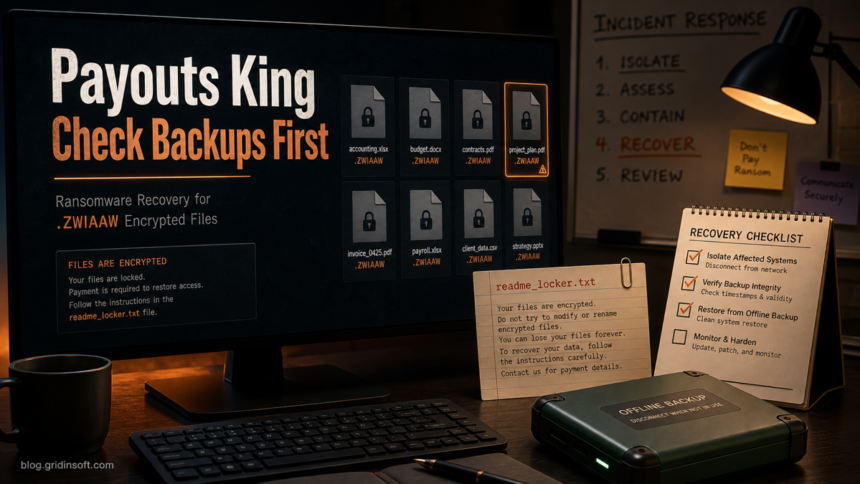
Payouts King ransomware is a file-encrypting extortion threat that can leave documents, spreadsheets, archives, and shared files renamed with the .ZWIAAW extension. If you see readme_locker.txt beside those files, treat the system as actively compromised: disconnect it from the network, preserve a copy of the ransom note and a few encrypted samples, and do not restore backups until the ransomware payload and persistence are removed.
The most important decision is not whether to pay. It is whether you can recover without making the incident worse. Payouts King activity has been linked to data theft and hands-on intrusion behavior, so cleanup should include endpoint scanning, account review, and backup validation rather than only deleting the ransom note.
What Is Payouts King Ransomware?
Payouts King, also written as PayoutsKing or Payouts Kings in search results, is a ransomware operation observed in targeted intrusions. Zscaler ThreatLabz reported that the group emerged in 2025, steals data, and can selectively encrypt files rather than behaving like a simple drive-by locker. Their technical analysis also describes evasion, scheduled-task persistence, and command-line options that can control how encryption is launched.
For a home user or small office, the visible signs are easier to recognize than the internal code: normal files stop opening, many names end with .ZWIAAW, and a note named readme_locker.txt tells the victim to contact the attackers. Those artifacts are enough to start ransomware containment even if the exact initial entry point is still unknown.
What To Do First If Files End In .ZWIAAW
- Disconnect the affected computer. Unplug Ethernet, turn off Wi-Fi, and disconnect VPN sessions. If several PCs or a file server are affected, isolate each one instead of shutting down the whole network blindly.
- Do not rename encrypted files. Keep the
.ZWIAAWfilenames, ransom note, and a few small encrypted samples. They may be needed for identification, insurance, law enforcement, or a future decryptor. - Stop shared-folder writes. Disable mapped drives, NAS access, sync clients, and cloud-drive auto-sync until you know which endpoint started the encryption.
- Copy evidence before cleanup. Save
readme_locker.txt, suspicious recently created executables, and event timestamps to offline media. Do not run attacker-provided tools. - Check backups before restoring. Use a separate clean machine to verify backup dates, snapshots, and whether the backup repository was reachable from the infected host.
If this happened in a company, involve the IT/security owner or an incident-response provider before wiping systems. A ransomware note that mentions stolen data or a leak site changes the task from file recovery to breach handling.
Is There A Free .ZWIAAW Decryptor?
At the time of this publication, there is no broadly reliable public decryptor that should be assumed to recover Payouts King .ZWIAAW files. Always check trusted decryptor repositories such as No More Ransom before making a recovery plan, but do not download “Payouts King decryptor” tools from random search ads, forums, or file-sharing pages. Fake decryptors are a common second-stage infection path.
If no legitimate decryptor exists, practical recovery usually means restoring clean files from offline or immutable backups, rebuilding compromised endpoints, and rotating credentials that may have been exposed. Keep encrypted files if storage allows; ransomware research sometimes changes, but you should not pause containment while waiting for a future tool.
Clean The Endpoint Before Restoring Files
Deleting the ransom note does not remove the intrusion. Payouts King-style incidents can involve scheduled tasks, remote-access tooling, stolen credentials, or a payload launched from a temporary folder or shared location. Before you restore data, rebuild or clean the affected endpoint and check whether the same account was used to touch file shares, cloud drives, or backup systems.
For exact-extension cases with the same cleanup-before-restore decision, compare the SquadLocker .SquadLocker recovery guide and the Doommageddon .doomag recovery guide; both use the same evidence-first workflow for ransom notes, endpoint cleanup, and backup validation.
On a personal Windows PC, start with a full offline backup of evidence, then run a full system scan from a clean administrative account. Gridinsoft Anti-Malware can help check for leftover ransomware payloads, suspicious startup entries, hidden files, bundled tools, and persistence that would reintroduce the problem after restore. Remove detections, reboot, and scan again if suspicious files or alerts return.
If the process path is wrong, the name imitates a Windows component, or high CPU started after an unknown installer, scan for hidden miners, services, startup entries, and bundled components.
Scan for ransomware leftoversRecovery Checklist
- Confirm the scope. List affected endpoints, file shares, NAS devices, cloud sync folders, and backup repositories.
- Preserve the ransom note. Keep
readme_locker.txtand sample encrypted files, but do not contact attackers from a personal email account. - Review accounts. Rotate passwords for Windows, Microsoft 365, VPN, RDP, email, backup consoles, and any admin accounts used on the affected machine.
- Restore to a clean environment. Prefer a rebuilt system or a known-clean spare machine. Restoring data onto an untrusted infected system can re-encrypt files.
- Validate restored files. Open a sample set of documents, spreadsheets, archives, and database files before reconnecting production shares.
- Monitor after recovery. Watch for new scheduled tasks, failed logins, unusual remote-access sessions, and fresh file-renaming activity.
For broader preparation, keep an offline copy of the most important data and test restores before an incident. Gridinsoft’s ransomware protection checklist explains why backups must be disconnected or immutable, not just present on another mapped drive.
How To Reduce Repeat Risk
Payouts King reporting points to targeted access and social-engineering workflows, not only random malicious attachments. Train staff to reject unexpected remote-support requests, especially when a caller or chat message claims to be internal IT and asks them to run Quick Assist, paste commands, install updates, or approve browser extensions. Restrict remote administration, review exposed RDP/VPN access, and require MFA for email, admin portals, and backup systems.
Keep backup consoles separated from normal user accounts. If ransomware can reach the backup repository with the same credentials used for daily work, it can often delete or encrypt recovery points before files are restored.
FAQ
Does .ZWIAAW always mean Payouts King ransomware?
The extension is a strong clue, especially when it appears with readme_locker.txt, but final attribution should use the ransom note, file samples, endpoint logs, and security-tool detections. Do not rely on the extension alone for legal, insurance, or breach reporting.
Should I pay the Payouts King ransom?
Payment does not guarantee a working decryptor or deletion of stolen data. Preserve evidence, assess whether data was exfiltrated, check legitimate recovery options, and involve security or legal support before any negotiation decision.
Can I remove Payouts King by deleting readme_locker.txt?
No. The ransom note is only a message. You still need to isolate the system, remove the payload and persistence, review accounts, and restore clean files from a trusted backup or verified decryptor source.
Can Windows restore points recover .ZWIAAW files?
Sometimes restore points help with system state, but they are not a dependable ransomware recovery plan and may be deleted or outdated. Treat offline or immutable backups as the main recovery source.
What should I keep for investigators?
Keep the ransom note, sample encrypted files, file timestamps, suspicious executables, recent login records, remote-access logs, and backup activity logs. Store copies offline before reinstalling or cleaning the affected machine.
References
- Zscaler ThreatLabz. “Payouts King Takes Aim at the Ransomware Throne.” Zscaler, April 16, 2026, accessed June 25, 2026. https://www.zscaler.com/blogs/security-research/payouts-king-takes-aim-ransomware-throne
- CISA. “#StopRansomware Guide.” Cybersecurity and Infrastructure Security Agency, accessed June 25, 2026. https://www.cisa.gov/stopransomware/ransomware-guide
- No More Ransom. “Decryption Tools.” No More Ransom Project, accessed June 25, 2026. https://www.nomoreransom.org/en/decryption-tools.html