
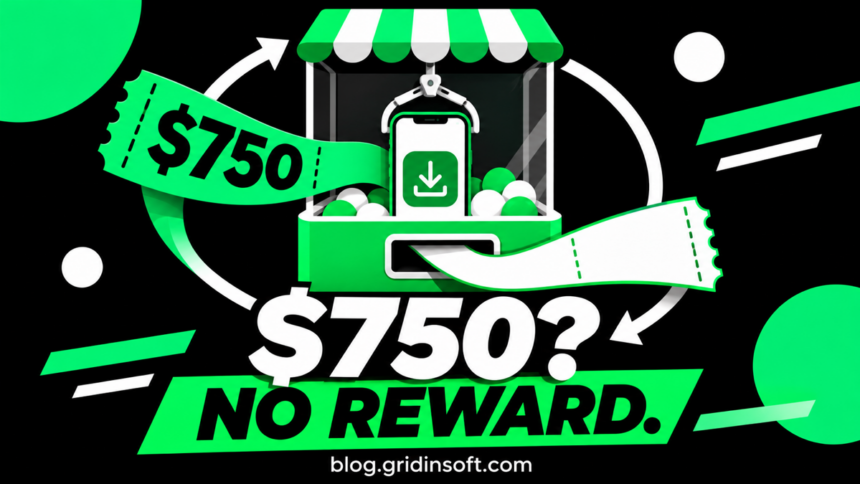
The $750 Apple Cash offer that asks you to install an app to “verify” your device is a scam. A success screen on the reward website does not establish a payment. Stop completing its tasks. If you already followed the offer, your next step depends on what you actually installed, shared, or paid—not on whether the page says your reward is ready.
The useful distinction is between the fake promise and any real account or charge created along the way. Closing the page ends your interaction with the lure. It does not cancel a subscription, remove an account, or secure a password you reused.
Choose your next step
| What you did | What to check now |
|---|---|
| Opened the page only | Close it. Review unexpected downloads or permissions if you accepted any. A click alone is not a diagnosis of infection. |
| Installed an app or created an account | Record the app and developer, review access and billing, then remove what you do not want. Treat account deletion and subscription cancellation as separate tasks. |
| Entered a password or security code | Protect the affected account through its genuine settings. If the password was reused, change it on those other accounts too. |
| Started a trial or paid money | Find the real receipt or transaction. Contact the company billing you or the payment provider through an independently verified channel. |
Fake device verification versus real Apple Cash verification
In its November 4 investigation, Malwarebytes documented a reward page with timed eligibility checks, an app-install step, and a claim button that returned visitors to the same promotional link. The displayed progress did not establish that an app had been installed or that money would arrive. The researchers did not establish that the promoted app’s developer operated the deceptive page.[1]
That last distinction matters when you report the incident: identify the website that promised the reward separately from the app it promoted. An app being available through an official store does not authenticate an outside advertiser’s promise.
For a genuine Apple Cash identity check, open Settings → Wallet & Apple Pay → Apple Cash yourself, then look for Verify Identity and follow the on-device instructions. Apple documents this account process; installing a game through a reward page is not a substitute for it.[2]
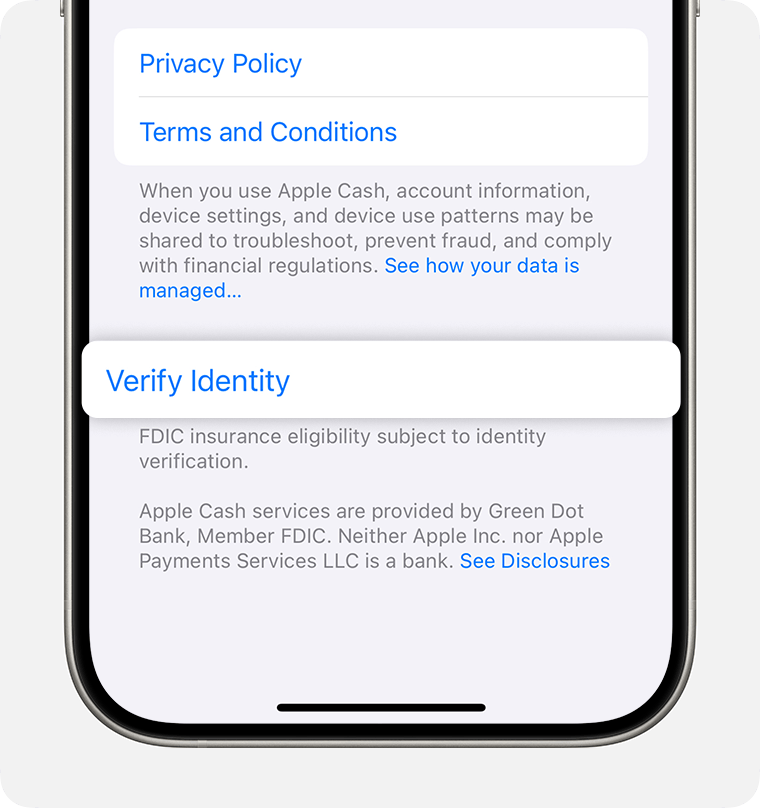
Do not give identity documents to a promotional page because you heard that Apple Cash sometimes needs verification. Begin in the account’s own settings, not through the offer’s button. If you want to assess a suspicious web address, the Gridinsoft Website Reputation Checker can provide domain-risk context without you completing the offer. A favorable result would still not validate the promised payout.
Check four separate records—not the reward counter
Build a small record of what happened before deleting receipts or accounts. You do not need to revisit the suspicious website to do this.
- The promise: keep an existing screenshot, message, or address showing the amount and requested task. This explains why you signed up; it is not a payment receipt.
- The app or service account: record the app name, developer, and email address used. This identifies where your registration went.
- The bill: check the receipt and the actual billing provider. A merchant subscription and an Apple-billed subscription may need different cancellation routes.
- The payment record: inspect your genuine Wallet or bank activity. A reward-page animation and an actual transaction are different records.
Example: you installed a game, made an account, and accepted a trial because a webpage promised $750. You now have three separate things to resolve: the misleading promotion, the game account, and the trial. Removing the game addresses only the installation. Check cancellation with the biller, decide whether to delete the account, and change any password reused elsewhere. Do not pay a second “release fee” to resolve the first promise.
If you installed an app or started a subscription
On iPhone, check Settings → your name → Subscriptions. Select the relevant subscription and use Cancel Subscription if available. Apple says an expiration message or the absence of a cancellation button can indicate that it is already canceled. If you cannot find the subscription, use the receipt to identify who billed you instead of assuming there is nothing to cancel.[3]
Keep the cancellation confirmation. Stopping renewal, requesting a refund, deleting a service account, and uninstalling an app are separate outcomes; verify the ones that apply to you. Do not label a purchase unauthorized if you approved it—describe the misleading reward promise and the actual transaction accurately.
Review the installed app’s permissions and remove access you no longer want. The app-safety checklist covers developer identity, permissions, subscriptions, and suspicious installations on different platforms. Seeing this reward page does not by itself establish that your iPhone is infected.
If you shared a password, code, or payment details
If you entered Apple Account credentials into the lure, change your password through Apple’s genuine account controls. Review account information and devices you do not recognize. If you can no longer sign in, start Apple’s account recovery process. Enable two-factor authentication if it is not already active.[4]
If you used the same password for a new app account and your email, secure the email account as well. Save the genuine security notifications you receive; do not approve an unexpected sign-in request just because someone claims it will release the reward.
For a charge, exposed card details, or money actually sent, contact the relevant provider through its app, statement, or verified support page. Explain what you authorized, what you expected, and what happened. Keep the case number and ask what action is available; a refund is not guaranteed. Our steps after an online scam cover evidence preservation, payment-provider contact, and recovery scams.
FAQ
Is Apple Cash the same as Cash App?
No. Advice or reward terms concerning Cash App do not establish that an Apple Cash promotion is genuine. Match the service, website, and exact promise before applying another offer’s explanation.
Does a countdown reaching zero prove the offer expired?
No. A webpage can display a countdown independently of any real account or offer. You do not need to test whether it resets; verify the claimed benefit through the genuine provider.
Should I contact the promoted app’s developer?
Use the developer’s verified support route for an account or charge involving its service. Include the misleading promotion if relevant, but do not assume the developer created it. Report the advertisement separately to the platform where you encountered it.
References
- Dasic, Stefan. “The fake $750 Apple Cash reward that pays out nothing.” Malwarebytes, November 4, 2026. Original investigation.
- Apple. “Verify your identity for Apple Card or Apple Cash.” Apple Support, accessed November 8, 2026. Identity verification instructions.
- Apple. “Cancel a subscription from Apple.” Apple Support, accessed November 8, 2026. Subscription cancellation instructions.
- Apple. “If you think your Apple Account has been compromised.” Apple Support, accessed November 8, 2026. Account recovery guidance.