

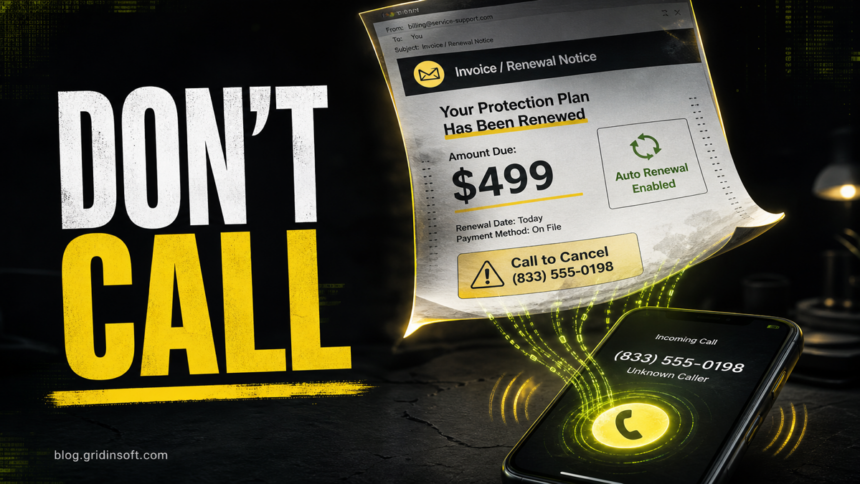
A Geek Squad email that says you were charged, your protection plan renewed, or you must call within 24 hours to cancel is usually a fake invoice callback scam. Do not call the phone number in the message, do not open attached invoices unless you can safely inspect them, and do not let anyone take remote control of your computer. Check your bank or BestBuy.com account directly, then report and delete the message.
What to do first if you got a Geek Squad invoice email
- If you only opened the email: close it, mark it as spam or phishing, and check your bank/credit-card activity from the official app or website. Opening the email alone does not mean your device is hacked.
- If you opened a PDF or clicked a link: do not enter passwords. Scan the downloaded file or URL with a security scanner, delete the attachment, and watch for browser notification prompts or new extensions.
- If you called the number: hang up. Do not follow instructions, install software, read codes, or visit a banking site while they are on the line.
- If you gave remote access: disconnect the internet, uninstall the remote-access app, change passwords from a clean device, contact your bank, and run a malware scan before using online banking again.
- If you paid: contact your bank, card issuer, gift card company, crypto exchange, or payment app immediately. Fast reporting gives you the best chance of stopping a transfer.
How the Geek Squad email scam works in 2026
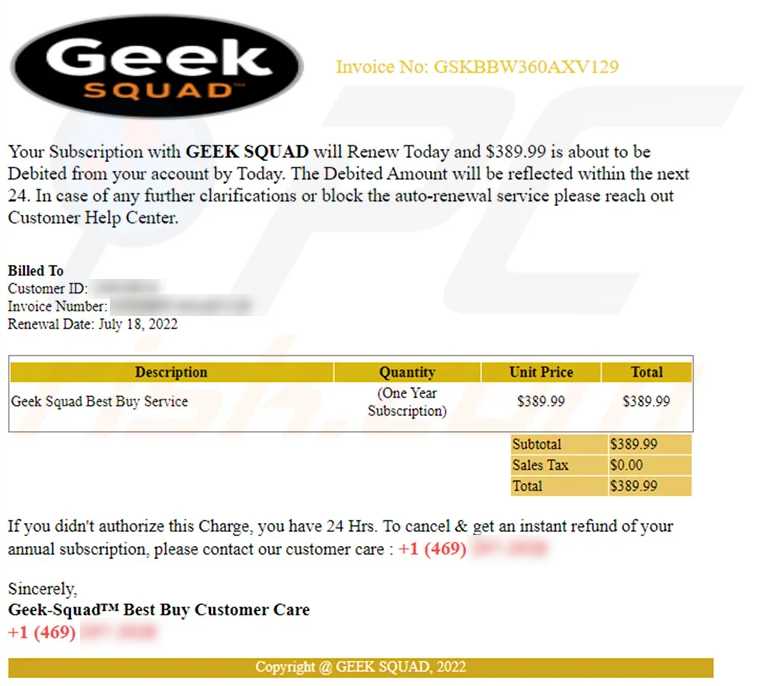
The usual lure is a fake order confirmation, renewal notice, or invoice for a service you never bought. The message may claim a charge of $299, $399, $499, or $599 for Geek Squad, Best Buy Total, antivirus protection, technical support, or a multi-year security plan. The email then tells you to call a “billing” or “cancellation” number before the charge becomes final.
The Federal Trade Commission describes the same pattern: scammers impersonate Geek Squad, claim you were or will be charged hundreds of dollars, and push you to call a number in the message. If you call, they may ask for remote access, banking information, or a refund process that ends in gift cards or stolen funds.
Current versions are often cleaner than old phishing emails. Some use PDF invoices, PayPal invoice features, sender names that look like billing departments, or AI-polished language. Poor grammar is still a warning sign, but a polished invoice is not proof that the email is real.
Signs the Geek Squad renewal email is fake
- The email says you must call within 24 hours to cancel a surprise renewal.
- The sender is not a real Best Buy or Geek Squad address, or the visible name and email address do not match.
- The invoice uses a generic greeting, random customer ID, fake order number, or a charge you cannot find in your official account.
- The message asks you to call a number printed inside the email or PDF instead of using Best Buy’s official site.
- The “support agent” asks for remote access, bank login, credit-card details, gift cards, cryptocurrency, or verification codes.
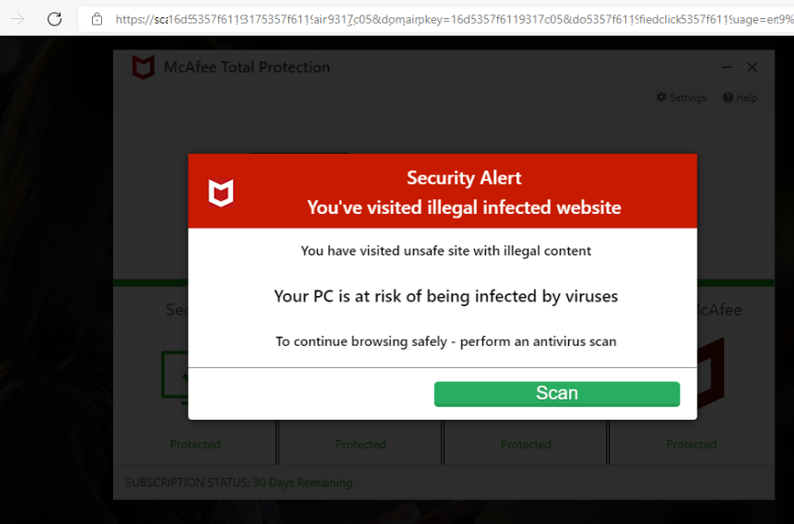
- The email claims your computer is infected and tells you to install a tool from a link in the message.
Can a real Geek Squad renewal charge exist?
Yes, real Best Buy and Geek Squad charges can exist if you bought a plan, a digital subscription, or a protection service. That is why the safest answer is not “ignore every email forever.” The safe answer is: verify through a channel you choose yourself.
Do not use the number inside a suspicious email. Open BestBuy.com manually, check your account and order history, or use the official Best Buy support and statement-charge pages. If your bank statement shows a charge you do not recognize, dispute it with the bank or card issuer directly. If the only “charge” exists inside the email, treat it as a scam attempt.
If you called the number in the fake email
Calling the number does not automatically infect your computer, but it does put you in the scammer’s script. End the call and write down what happened while it is fresh: the phone number, caller name, amount, payment method requested, software they asked you to install, and any account you opened while talking to them.
If you shared only your name or email address, watch for follow-up scams. If you shared a password, card number, bank login, one-time code, Social Security number, or ID document, treat it as an account-compromise event. Change the affected passwords from another device, enable two-factor authentication, contact the financial institution, and watch for new accounts or password reset emails.
If you gave remote access to your computer
Remote access is the high-risk version of this scam. Scammers may use AnyDesk, TeamViewer, UltraViewer, Zoho Assist, Microsoft Quick Assist, browser screen sharing, or another remote tool. They often ask you to open your bank account so they can “refund” money, then they hide the screen or edit what you see.
- Disconnect the device from the internet.
- From a clean phone or computer, change passwords for email, bank, Best Buy, PayPal, payment apps, and any account you opened during the call.
- Call your bank or card issuer and say a scammer may have seen your account while remotely connected.
- Uninstall the remote-access software and remove unknown browser extensions.
- Run a full scan with trusted security software. You can also use Gridinsoft Online Virus Scanner for suspicious files or links and Gridinsoft Email Checker to inspect sender risk.
Common Geek Squad scam variants
Fake subscription auto-renewal
This is the classic version. The email says your Geek Squad, Best Buy Total, antivirus, or protection plan renewed for a large amount. The phone number is the trap. Real support will not ask you to buy gift cards, move money, install random remote software, or keep the call secret.
Fake invoice or PayPal invoice
Some scammers send a normal-looking invoice, sometimes through a legitimate invoice platform. The goal is still the same: make you panic and call the number in the note. Check the payment platform directly instead of replying to the invoice or calling the number printed in it.
Fake antivirus or malware warning
In this version, a “Geek Squad agent” says your computer is infected and asks you to install a cleanup tool. That tool may be malware, a remote-access program, or a useless paid product. If you are worried about a file, scan it independently instead of using the link in the email.
BestBuy.com password reset or account alert
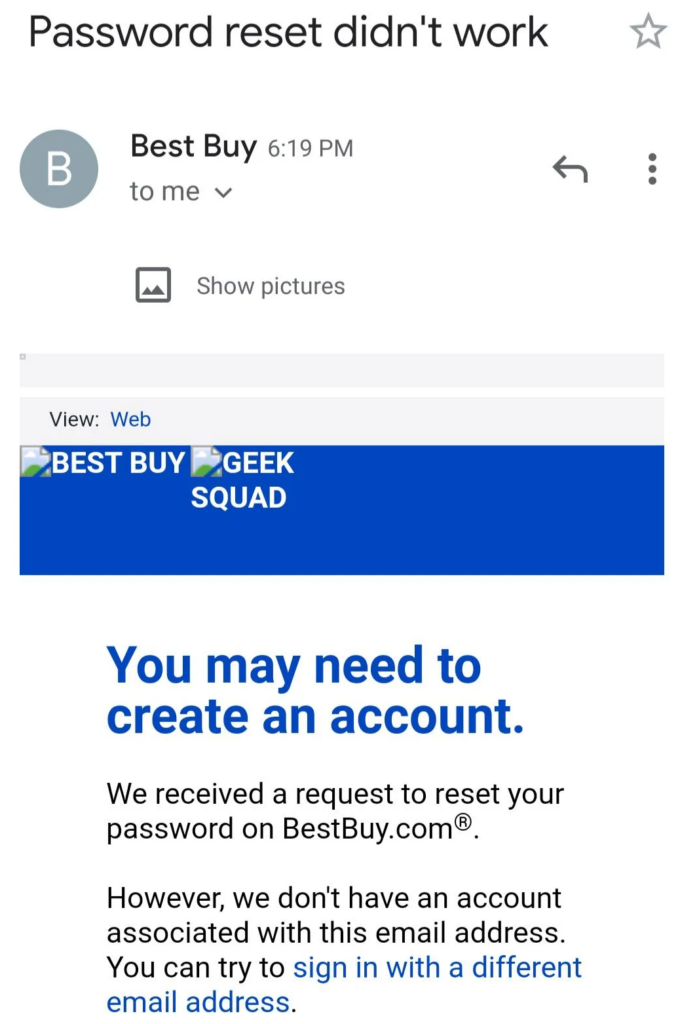
A different lure says your Best Buy account was changed, a purchase was made, or a password reset is pending. Do not use links in the message. Type the official site address yourself, check account activity, and change the password if something looks wrong.
Accidental refund or overpayment
After remote access, scammers may pretend to refund your money and then claim they sent too much. They pressure you to “return” the difference through gift cards, wire transfer, crypto, or a payment app. This is a refund scam. Stop immediately and contact your bank.
Why older adults are targeted heavily
Tech support and callback scams often target people who are likely to answer the phone, trust a support brand, or worry about a bank charge. The FBI reported in May 2026 that victims over 60 filed more than 201,000 complaints in 2025 and reported more than $7.7 billion in losses. The same FBI warning lists tech support as one of the common scams aimed at older people.
If you are helping a parent or relative, avoid blame. The scam is designed to create panic, urgency, and isolation. The most useful thing you can do is help them end the call, secure accounts, contact the bank, and report quickly.
How to report a fake Geek Squad email
- Report fraud to the FTC at ReportFraud.ftc.gov.
- If money was lost, file a complaint with the FBI Internet Crime Complaint Center at IC3.gov.
- Forward phishing emails to your email provider’s phishing-report button, and keep the original message if your bank or law enforcement asks for evidence.
- If the scam used a bank card, payment app, wire transfer, gift card, or crypto exchange, report it to that company immediately.
How to avoid Geek Squad email scams
- Use official websites and phone numbers you found yourself, not contact details inside a scary email.
- Check your actual bank or card statement before reacting to an invoice.
- Never give remote access because of an unsolicited email, text, pop-up, or call.
- Never pay a support agent with gift cards, cryptocurrency, wire transfer, or payment apps.
- Keep your email account protected with a strong password and two-factor authentication.
- Learn the broader phishing warning signs, because the same script appears with Norton, McAfee, PayPal, Microsoft, Amazon, and bank names.
FAQ
Is the Geek Squad email scam real?
Yes. Scammers commonly impersonate Geek Squad or Best Buy with fake renewal notices, invoices, and cancellation phone numbers. The FTC has warned consumers about this exact pattern.
Will I be charged if I ignore the email?
If the charge appears only in the email, ignoring the message will not create a real payment. Still, check your bank or card statement directly. If you see a real unauthorized charge, dispute it with the bank or card issuer.
I opened the PDF invoice. Am I hacked?
Opening a PDF does not always mean you are infected, but you should not click links, enable macros, enter passwords, or call the number inside it. Delete the file and scan it if you are unsure.
What if I already let them control my computer?
Disconnect from the internet, change passwords from another device, contact your bank, uninstall the remote-access app, and run a full malware scan before using the computer for banking again.
Does Geek Squad call customers about renewals?
A real company may send service or account notices, but a message that pressures you to call an unknown number, install remote software, or pay with gift cards is not normal support behavior. Verify through BestBuy.com or a known official number.
The same callback pattern appears in PayPal charge-alert lures too: a fake invoice or unauthorized transaction email tries to make you call. Compare suspicious PayPal messages with our PayPal Unauthorized Transaction email scam checklist.
References
- Federal Trade Commission. “How to recognize a fake Geek Squad renewal scam.” Consumer Advice, October 25, 2022, accessed June 7, 2026. https://consumer.ftc.gov/consumer-alerts/2022/10/how-recognize-fake-geek-squad-renewal-scam
- Federal Trade Commission. “How To Spot, Avoid, and Report Tech Support Scams.” Consumer Advice, accessed June 7, 2026. https://consumer.ftc.gov/articles/how-spot-avoid-and-report-tech-support-scams
- Best Buy. “Statement Charges.” BestBuy.com Help Topics, accessed June 7, 2026. https://www.bestbuy.com/site/help-topics/geek-squad-charges/pcmcat372900050006.c
- Federal Bureau of Investigation. “Scammers Target Older Adult Victims.” FBI, May 15, 2026, accessed June 7, 2026. https://www.fbi.gov/news/stories/scammers-target-older-adult-victims

Received an email from Ricard Burrell, email address [email protected] saying it was from the Geek Squad and that it was autorenewing a subscription for Defender for mac and window for 425.99. I don’t have Defender on my computer. I googled the phone number listed to call “within 24 hours” (804) 424-1840 and it doesn’t seem to be valid. Thank you for the info above.
They have stolen 9000.oo$ can you not stop them