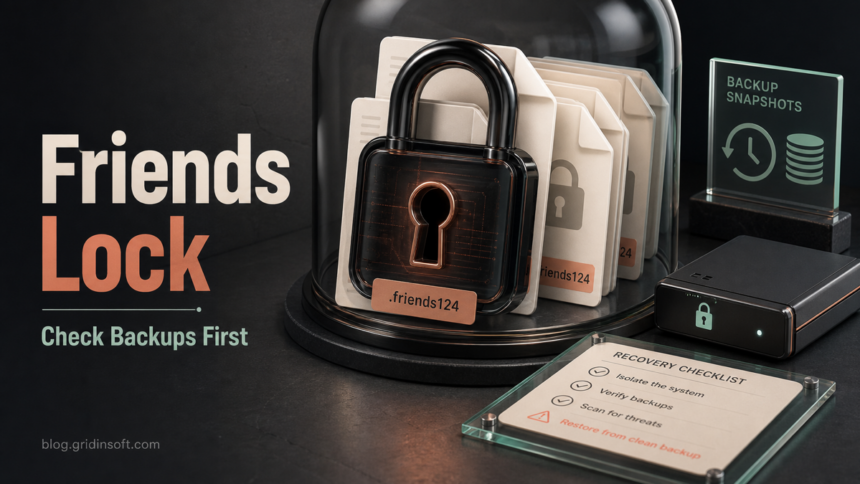
Friends ransomware is a file-locking infection that renames encrypted files with the .friends124 extension and leaves an HTML ransom note named RANSOM_NOTE.html. If you see that pattern, disconnect the affected computer from the network, preserve a copy of the encrypted files and ransom note, and check backups or reputable decryptor projects before trying any recovery tool. Removing the malware can stop more damage, but it does not decrypt files that are already locked.
What is Friends ransomware?
Friends is ransomware: malware built to encrypt user files and pressure the victim into paying for a private decryption key. Current public samples are reported to append .friends124 to filenames. For example, photo.jpg becomes photo.jpg.friends124, and the victim sees a ransom note named RANSOM_NOTE.html.
The note claims that confidential data was stolen and threatens publication or resale if the victim refuses to pay. It also lists attacker contact channels, including obfuscated addresses such as recovery1 [at] salamati [dot] vip and recovery1 [at] amniyat [dot] xyz, plus a Tor contact option. Treat these claims seriously enough to preserve evidence and review account/data exposure, but do not treat the ransom note as proof that payment will restore your files.
Do these steps before recovery
- Disconnect the device. Unplug Ethernet, turn off Wi-Fi, and remove shared drives. This helps stop encryption from reaching mapped folders, NAS shares, or backup locations.
- Do not rename or edit encrypted files. Keep several
.friends124samples and the originalRANSOM_NOTE.html. They may be needed for identification or a future decryptor. - Make a safe copy first. Copy encrypted files to an external drive that you will then disconnect. Work on copies, not the only remaining data.
- Check backup age and scope. Restore only from backups created before the encryption began, and verify that the backup location was not encrypted too.
- Search reputable decryptor lists. Check No More Ransom and reputable vendor decryptor pages for the exact family name or extension. At the time of this run, Friends was not listed in the checked public decryptor indexes, so do not assume a free decryptor exists.
- Remove malware before restoring files. If the ransomware or loader remains active, restored files can be encrypted again.
Can .friends124 files be decrypted?
There is no safe public rule that says every .friends124 file can be decrypted. Ransomware recovery usually depends on one of three things: a clean offline backup, a public decryptor for the exact ransomware variant, or a serious mistake in the ransomware’s encryption. If none of those is available, random recovery utilities may recover deleted originals in limited cases, but they cannot break strong encryption.
Avoid sites that promise instant decryption for a fee without identifying the exact ransomware and explaining what key or flaw they use. Paying the attackers is also unreliable: it can fund the operation, does not guarantee a working decryptor, and does not guarantee that stolen data will be deleted.
Cleanup checklist after Friends ransomware
Before you reconnect shared folders or restore data, check for the infection path and persistence. Ransomware often arrives with a loader, stolen-credential activity, a scheduled task, a fake installer, a malicious email attachment, or another payload that prepared the system before encryption.
- Check Downloads, Desktop, email attachments, browser downloads, and recently extracted archives for the file that ran before encryption.
- Review Startup folders, Task Scheduler, Services, and recently created files in
%TEMP%and%APPDATA%. - Remove suspicious remote-access tools or scripts you did not install intentionally.
- Reset passwords from a clean device if the affected PC stored browser passwords, VPN credentials, mail sessions, or business accounts.
- Scan the system before restoring files. Gridinsoft Anti-Malware can check for ransomware remnants, loaders, startup entries, scheduled tasks, bundled malware, and other persistence that a visible ransom note does not reveal.
If the machine held business data, domain credentials, customer files, accounting records, or shared drives, treat this as an incident rather than a single infected PC. Preserve logs, do not wipe evidence too early, and involve your IT/security provider or law enforcement reporting channel.
If the process path is wrong, the name imitates a Windows component, or high CPU started after an unknown installer, scan for hidden miners, services, startup entries, and bundled components.
Scan for ransomware leftoversWhat to restore, and what to leave alone
| Situation | Recovery decision |
|---|---|
| You have offline backups from before the attack | Clean the PC first, then restore a small test folder, verify the files open, and continue in stages. |
| Only cloud-synced folders are available | Check version history before syncing again. Do not let encrypted versions overwrite older clean versions. |
| No backups exist | Preserve encrypted files and the note, check decryptor projects periodically, and avoid destructive repair tools. |
| The note claims data theft | Review exposed accounts and business data. Change passwords from a clean device and monitor for extortion follow-ups. |
How Friends ransomware may reach a PC
Ransomware families commonly spread through malicious email attachments, fake updates, cracked software, trojanized installers, malicious ads, exposed remote-access services, or another malware loader. The exact delivery path can differ between victims, so use the incident timeline: what was downloaded or opened shortly before files changed to .friends124, which account was active, and whether shared locations were touched.
If the infection followed a suspicious installer, crack, or archive, also read our guide on how ransomware infects a PC. For a broader backup and prevention plan, use the ransomware protection checklist. If you are comparing this with another recent extension-based case, see the Hommy ransomware recovery guide.
Prevention after recovery
- Keep at least one backup offline or immutable, and test restore steps before an incident.
- Patch Windows, browsers, Office, VPN clients, remote-access tools, and backup software.
- Disable unnecessary remote access and protect required remote logins with MFA.
- Block macros from the internet and avoid opening unexpected archives or executable attachments.
- Use a standard user account for daily work, not a local administrator account.
- Keep security software active and investigate repeat detections instead of repeatedly allowing the same file.
For another current family that uses a short encrypted-file suffix, see the Payouts King .ZWIAAW recovery guide; the same backup-first rule applies even though the ransom note and indicators are different.
FAQ
Is Friends ransomware the same as a file recovery tool?
No. Friends ransomware is malware that locks files and demands payment. A legitimate recovery tool should not create .friends124 filenames or a ransom note.
Should I contact the emails in RANSOM_NOTE.html?
Do not contact the attackers from a personal or work account unless your incident-response plan and legal/security advisers require controlled communication. Save the note as evidence instead.
Will removing Friends ransomware decrypt my files?
No. Malware removal stops active components and lowers the risk of re-encryption, but already encrypted .friends124 files need a clean backup, a valid decryptor, or a future cryptographic break.
Can I delete the encrypted files?
Keep at least one copy of important encrypted files and the ransom note. A decryptor may appear later, and the note can help identify the variant.
What if only one folder was encrypted?
Still isolate and scan the machine. A partial encryption pattern can happen when ransomware is interrupted, lacks access to some folders, or starts from a mapped/shared location.
References
- Cybersecurity and Infrastructure Security Agency, Multi-State Information Sharing & Analysis Center, National Security Agency, and Federal Bureau of Investigation. “#StopRansomware Guide.” CISA, updated September 2023, accessed June 18, 2026. https://www.cisa.gov/stopransomware/ransomware-guide
- No More Ransom Project. “Decryption Tools.” No More Ransom, accessed June 18, 2026. https://www.nomoreransom.org/en/decryption-tools.html