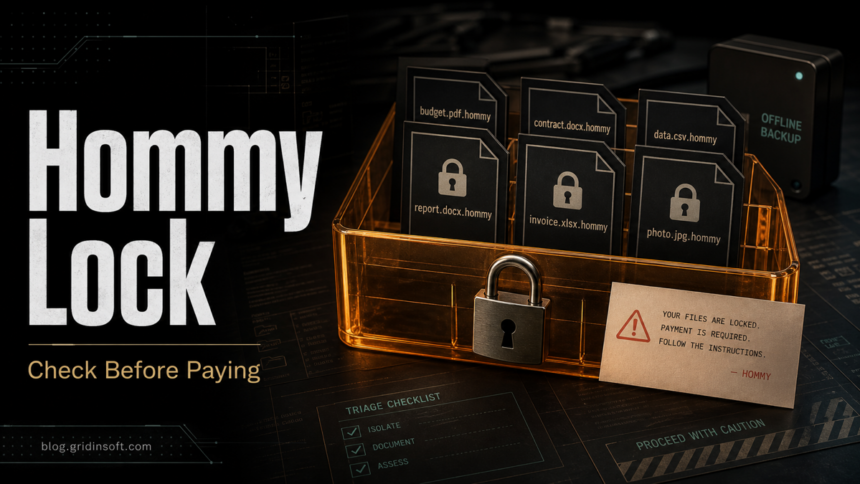
Hommy ransomware is a Makop-family encryption threat reported with the .hommy file extension, a +README-WARNING+.txt ransom note, and the contact address privatehommy [at] outlook [dot] com. If you see those signs, disconnect the affected computer or server from the network, keep the encrypted files and ransom note unchanged, and verify backups or legitimate decryptor options before touching the data. Removing the malware can stop more damage, but it does not decrypt files that were already encrypted.
How to recognize Hommy ransomware
Hommy is not just a random file-extension problem. Treat it as a ransomware incident when several of these signs appear together:
| Sign | What it means |
|---|---|
Files end with .hommy |
The files were renamed after encryption. Do not bulk-rename them back; that does not reverse encryption and can damage later recovery work. |
+README-WARNING+.txt appears in folders |
The attackers are leaving instructions and a victim ID. Save a copy for incident records. |
The note mentions privatehommy [at] outlook [dot] com |
This matches public Hommy/Makop reports. Do not send files, credentials, or personal data to the address. |
| A wallpaper or note says files were stolen | Plan for both availability loss and possible data exposure, especially on business systems. |
What to do in the first 30 minutes
- Isolate the system. Unplug Ethernet, turn off Wi-Fi, disconnect VPN, and stop shared-folder access. If you cannot isolate quickly, power the machine down to limit spread.
- Stop sync and backup jobs. Pause OneDrive, Google Drive, NAS sync, backup agents, and scheduled cleanup tasks so encrypted copies do not replace usable backups.
- Preserve evidence. Keep the ransom note, several encrypted files, the original folder paths, screenshots of the wallpaper, and the approximate time you noticed encryption.
- Do not run random decryptors. A decryptor made for another Makop variant can corrupt files or waste your only good encrypted samples.
- Check other devices. If the affected system had mapped drives, RDP access, shared admin credentials, or a connected backup disk, inspect those locations before reconnecting anything.
Can .hommy files be decrypted for free?
As of this publication, there is no broadly confirmed public free decryptor for Hommy .hommy files. That can change if researchers obtain keys or find a weakness, so keep encrypted files and the ransom note if immediate restore is not possible. Check reputable decryptor repositories such as No More Ransom by ransomware name and extension, but do not assume a Makop decryptor will work unless it specifically supports your variant and file format.
The safest recovery path is still: clean or rebuild the infected system, confirm the threat is gone, then restore from offline or versioned backups that predate the encryption. If your only backup disk was connected during the attack, treat it as potentially encrypted or tampered with until you inspect it from a clean system. If the extension pattern is unclear, Gridinsoft’s .Xyz ransomware triage guide shows how to identify a family before trying recovery tools.
Remove active malware before restoring files
Ransomware cleanup and file recovery are separate jobs. A restored backup can be encrypted again if the loader, scheduled task, remote-access entry, stolen admin session, or malicious executable remains on the machine. Before restoring production files, review startup entries, recently created services, RDP exposure, suspicious admin accounts, mapped drives, browser downloads, and unknown tools in %TEMP%, %APPDATA%, and shared folders.
If you are comparing fresh exact-extension ransomware cases, the Doommageddon .doomag guide covers the same isolation, decryptor-check, and cleanup-before-restore workflow for a different ransom note pattern.
Gridinsoft Anti-Malware can help check the affected Windows system for ransomware leftovers, droppers, suspicious startup entries, and bundled malware before you reconnect backups or log back into sensitive accounts. Run the scan from a clean admin session where possible, remove detections, reboot, and scan again if any suspicious process or ransom note activity returns.
If the process path is wrong, the name imitates a Windows component, or high CPU started after an unknown installer, scan for hidden miners, services, startup entries, and bundled components.
Scan before restoring backupsShould you contact the Hommy attackers?
Contacting or paying the attackers is risky. It confirms that the mailbox reaches a victim, can expose more personal or business details, and does not guarantee a working decryptor or data deletion. Public Makop support threads include victims reporting failed or repeated payment demands, so treat any payment path as an incident-response and legal decision, not a normal software purchase.
If business data may have been stolen, involve your IT/security lead, insurer, legal counsel, or local cybercrime reporting channel before negotiating. For a home PC, avoid sending identity documents, passwords, remote-access sessions, or additional sample files to the attackers.
How to reduce repeat ransomware risk
- Keep at least one backup offline or immutable so ransomware cannot rewrite it from the infected computer.
- Disable exposed RDP or place it behind VPN and strong multi-factor authentication.
- Patch Windows, NAS firmware, VPN appliances, and remote-management tools quickly.
- Use separate admin accounts and avoid browsing or email from privileged sessions.
- Test restores regularly; an untested backup is only a hope.
For wider prevention planning, use the ransomware protection checklist. For another recovery-focused ransomware example, compare the Dire Wolf ransomware cleanup guide; if the affected files end in .friends124, use the Friends ransomware recovery guide instead.
FAQ
Is Hommy ransomware the same as Makop?
Hommy is reported as a Makop-family variant. That matters because Makop-style incidents often use victim IDs, contact emails, custom extensions, and ransom notes, but each variant still needs its own recovery check.
Can I remove the .hommy extension to open files?
No. Renaming the file hides the visible symptom but does not decrypt the content. Keep the original encrypted names for recovery tools or forensic review.
Should I delete +README-WARNING+.txt?
Do not delete it until you have copied it to incident records. The note can contain the victim ID, contact pattern, and timing clues needed for recovery triage.
Will antivirus decrypt my files?
No. Security tools can remove malware and leftovers, but they do not recreate the private key used to encrypt files. Decryption requires a working decryptor, original backups, or a later research breakthrough.
What if my backup drive was connected during the attack?
Disconnect it and inspect it from a clean machine. If files on the backup also have .hommy, look for older offline copies, cloud version history, snapshots, or professional incident-response help.
References
- CISA. “I’ve Been Hit By Ransomware!” Cybersecurity and Infrastructure Security Agency, accessed June 18, 2026. https://www.cisa.gov/stopransomware/ive-been-hit-ransomware
- No More Ransom Project. “Free ransomware decryption tools.” No More Ransom, accessed June 18, 2026. https://www.nomoreransom.org/
- BleepingComputer Forums. “Makop-Oled Ransomware support thread.” BleepingComputer, updated 2026, accessed June 18, 2026. https://www.bleepingcomputer.com/forums/t/712395/makop-oled-ransonware-random-8-charemailmakop-tomas-mkp-support/page-14