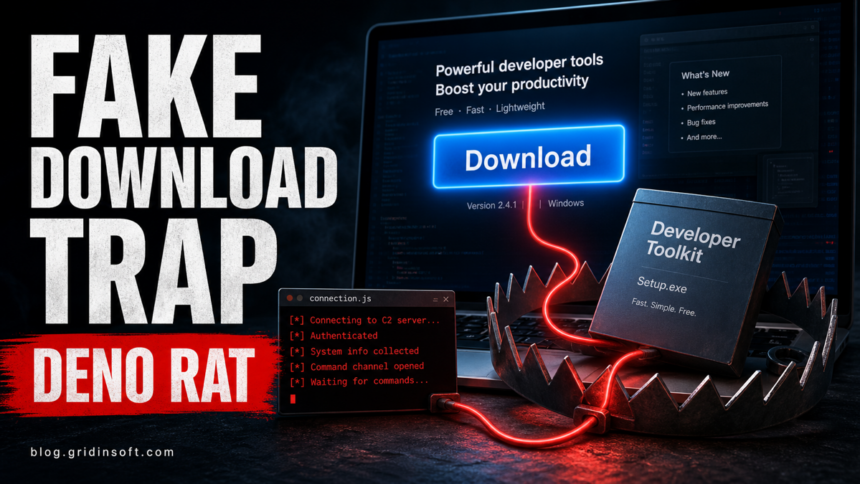
DenoRAT is a Deno-based remote access trojan and information stealer that can give an attacker control of a Windows PC, steal browser and wallet data, and deliver more malware. In a July 2026 incident analyzed by eSentire, a ClickFix command led through an MSI installer, Griffin20.ps1, DinDoor, and DenoRAT before the attackers launched NightshadeC2 [1]. If you pasted a command into the Windows Run box or opened the related installer, disconnect that PC, clean it, and recover sensitive accounts from a different trusted device.
Deno itself is a legitimate JavaScript and TypeScript runtime. The warning is an installation or deno.exe process you did not expect, especially after a copied Run command, unofficial software download, fake repository, cracked app, or plugin. This page originally covered Deno malware delivered through fake GitHub and SourceForge downloads; the newer TAG-150 chain shows that the same practical risk now includes ClickFix lures and a more capable follow-on stealer.
How DenoRAT reaches a Windows PC
| Stage | What happens |
|---|---|
| 1. Lure | The victim is persuaded to run a command or open an MSI. Viewing a page or copying text is not the same as execution; the risk rises when the command or installer runs. |
| 2. Installer | The MSI writes and starts Griffin20.ps1. The script locates Deno or installs it through WinGet or Scoop, then uses Deno to retrieve the next stage [1]. |
| 3. Loader | DinDoor fetches another launcher. The stager registers the computer with command-and-control infrastructure, establishes persistence, and retrieves DenoRAT. Earlier DinDoor research also documented abuse of the Deno runtime and active command servers [2]. |
| 4. RAT | DenoRAT receives remote tasks and can load more malware. In the investigated chain, it launched an in-memory loader for NightshadeC2, adding another RAT and information-stealing layer [1]. |
What DenoRAT can steal or control
eSentire describes DenoRAT as more than 10,000 lines of obfuscated Deno JavaScript. It can communicate by HTTP polling or WebSocket and uses campaign fields embedded in a hard-coded JSON Web Token. Its task set gives an operator several ways to control and search the infected computer:
- run commands through Command Prompt or PowerShell;
- collect system and installed-security-product information;
- capture screenshots and operate a remote VNC desktop;
- list, upload, download, or delete files;
- steal Chromium- and Firefox-family browser data, payment details, cookies, and credentials;
- target password managers, authenticator extensions, cryptocurrency wallets, Telegram data, and Discord tokens;
- download and execute additional payloads, including the NightshadeC2 stage seen in the July incident.
The code also contains a Chromium App-Bound Encryption bypass path that can inject a supplied DLL into browser processes. eSentire found this capability in the malware but did not observe it being used in the investigated incident [1]. That distinction matters: the capability raises the recovery risk, but it does not prove that every DenoRAT infection extracted every browser secret.
DenoRAT persistence and warning signs
| Clue | Why to investigate it |
|---|---|
| Unexpected Deno | The loader may install a legitimate Deno runtime so malicious JavaScript can run. Confirm whether a developer or trusted application intentionally installed it. |
| Run-key entry | The observed stager created an HKCU\Software\Microsoft\Windows\CurrentVersion\Run value that launched conhost.exe headlessly with deno.exe and a JavaScript file in the user’s roaming profile. |
| Roaming script | Deleting only the original MSI does not remove a persisted launcher stored elsewhere in the user profile. |
| New sessions | DenoRAT can terminate browser processes, access browser data, and steal session-related secrets. Treat unexplained account activity as an account-recovery issue as well as a malware issue. |
| Repeat alert | A loader, Run entry, script, or second payload may remain even after the most visible file was quarantined. |
How to remove DenoRAT safely
- Disconnect the affected PC. Turn off Wi-Fi or unplug Ethernet to reduce command-and-control traffic and further data theft. Do not use that PC to reset passwords yet.
- Record what ran. Note the lure page, command, installer name, download time, and unexpected prompts. Take a photo with another device if that is safer than reconnecting the computer.
- Remove the lure without reopening it. Delete the downloaded MSI, archive, or script, but do not assume that this removes DinDoor, DenoRAT, its Run entry, or a NightshadeC2 payload.
- Run a full malware scan. Use Gridinsoft Anti-Malware to check the visible file plus hidden scripts, startup entries, scheduled tasks, and other persistence. Remove confirmed detections, reboot, then scan again if the alert or process returns. Individual leftovers can also be checked with the Gridinsoft Online Virus Scanner.
- Review persistence after cleanup. Check Startup apps, Task Scheduler, recently installed software, unexpected Deno/Scoop folders, and the current user’s Run key. Do not delete a legitimate developer runtime until you have confirmed who installed it and what depends on it.
- Recover accounts from a clean device. Malware removal stops the current device threat; it cannot invalidate cookies, tokens, passwords, or wallet secrets that may already have left the PC.
Quarantining the original MSI may leave a Deno launcher, roaming JavaScript file, Run entry, or follow-on stealer behind. A full scan is useful because it checks more than the first visible download and can reveal persistence that recreates the activity after reboot.
If a token stealer ran here, logging back in can hand the attacker your new Discord session, email cookie, Steam token, or wallet access. Scan this Windows PC first, then reset passwords from a clean device.
Check this PC for DenoRAT leftoversRecover passwords, sessions, MFA, and wallets
Start on a separate device you trust. Secure the primary email account and password manager first because they can reset other accounts. Then use each service’s security page to sign out unknown sessions, revoke app passwords and developer tokens, change passwords to unique values, and re-enroll MFA if authenticator or recovery data may have been exposed.
Review Telegram and Discord active sessions, browser-synced accounts, cloud storage, source-code hosts, and financial services used on the affected Windows profile. If a wallet seed phrase or private key was stored in a browser extension, desktop wallet, clipboard, screenshot, or text file, create a new wallet on a clean device and move any remaining assets; changing the wallet application’s password does not replace an exposed seed.
When the PC may not be infected
If you only viewed the lure and did not paste a command, open an installer, approve a prompt, or run a downloaded file, the reported execution chain may not have started. Check Downloads and recent browser history, close the page, and remove the download without opening it. If a command or installer ran even briefly, use the full device-and-account response above rather than relying on the absence of visible symptoms.
For related exposure paths, see the Gridinsoft guides to fake AI software downloads, compromised CPU-Z and HWMonitor downloads, and account recovery after a malicious game or mod.
FAQ
Is the Deno runtime malware?
No. Deno is a legitimate development runtime. It becomes suspicious when an unknown command, MSI, or script installs or launches it without the user’s intent and then retrieves code from an untrusted source.
Does deleting deno.exe remove DenoRAT?
Not reliably. The infection can include an MSI, PowerShell stage, DinDoor launcher, roaming JavaScript file, Run entry, DenoRAT, and another payload. Clean the full chain, then reboot and verify that the alert or process does not return.
Which accounts should I secure first after DenoRAT?
Secure the main email and password manager first, then browser-saved accounts, financial and cryptocurrency services, developer tokens, Telegram, Discord, and other sessions used on the affected Windows profile.
References
- eSentire Threat Response Unit. “DinDoor, DenoRAT, and NightshadeC2: Analyzing TAG-150’s Evolving Tradecraft.” eSentire, July 15, 2026; accessed July 21, 2026. Threat research.
- Hunt.io. “DinDoor Backdoor: Deno Runtime Abuse and 20 Active C2 Servers.” Hunt.io, April 2026; accessed July 21, 2026. Technical analysis.