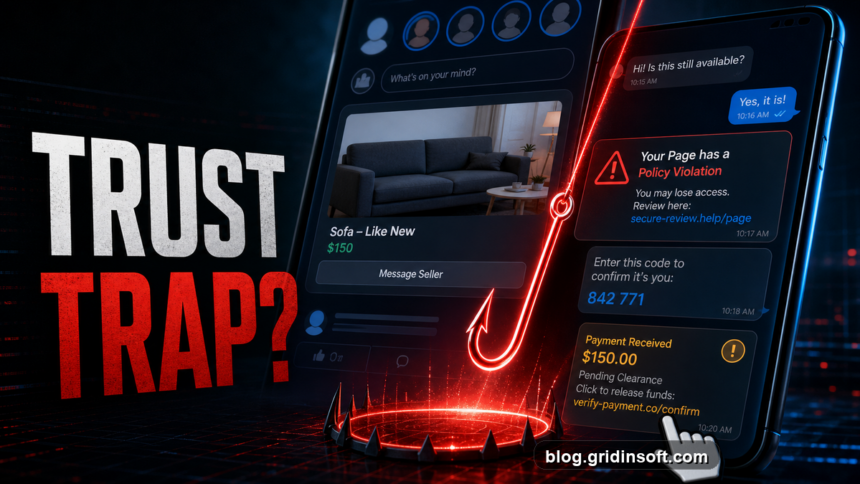
Facebook scams now move through Marketplace listings, Messenger links, fake Meta support warnings, job posts, romance messages, investment groups, and ads that look legitimate. If a message asks you to hurry, move off Facebook, send a code, pay a deposit, or review a page violation through a link, stop and verify from inside Facebook or Meta Business Suite before you click or pay.
Fast Facebook scam check
- Do not send login codes, passwords, gift cards, crypto, deposits, or “refunds” through chat.
- Do not trust a link only because it came from a friend; compromised accounts often send scam links.
- For Marketplace, keep payment and messages inside safer, traceable channels and use the Facebook Marketplace scam checklist before sending money, codes, or items.
- For page warnings, open Account Status, Page Quality, or Meta Business Suite directly instead of using the message link.
- If you entered a password or installed an app, change the password, log out unknown sessions, remove connected apps, and scan the device.
Why Facebook scams still work in 2026
The main problem is not a single “Facebook virus.” It is trust abuse at scale. The FTC says nearly 30% of people who reported losing money to fraud in 2025 said the scam started on social media, and Facebook generated more reported losses than any other social platform [1]. Meta also says scam operations are becoming more industrialized; in 2025 it removed more than 159 million scam ads and took down 10.9 million Facebook and Instagram accounts tied to criminal scam centers [2].
That is why broad advice like “do not click suspicious links” is not enough. A useful check has to match the exact situation: a fake buyer, a fake page warning, a hijacked friend, a job offer, a romance lead-in, or a payment screenshot.
Which Facebook scam are you seeing?
| What you see | Likely scam |
| A buyer overpays, sends a payment screenshot, or asks for a refund | Marketplace fake payment or overpayment scam |
| A seller wants a deposit before inspection or refuses a normal meetup | Marketplace advance-fee or fake listing scam |
| A friend sends “is this you?” or a video/link message | Messenger phishing from a compromised account |
| A message says your page will be deleted for policy violations | Fake Meta support or page-admin phishing |
| A job offer asks for ID, bank details, equipment fees, or a check deposit | Facebook job scam |
| A giveaway, pallet sale, or clearance ad asks for shipping fees | Shopping ad scam |
| A new romantic contact introduces crypto, investments, gifts, or emergencies | Romance/investment scam, often called pig-butchering |
| Someone promises to recover a hacked account or stolen money for a fee | Recovery scam after the first scam |
For a broader annual list, use our Top Facebook Scams 2026 guide. For hiring-specific messages, use the Facebook job scams red flags and recovery guide.
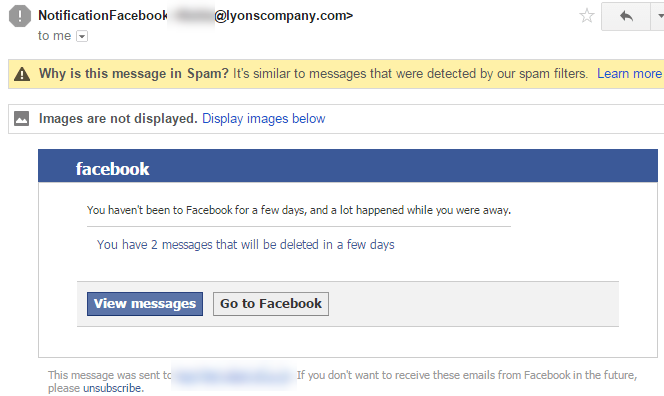
What victims search for after a Facebook scam
Search intent around Facebook scams is usually urgent and personal. People are not only asking what the scam is; they are trying to decide whether money, identity documents, business pages, ad accounts, or devices are already exposed.
- “I sent a Facebook Marketplace deposit, am I scammed?” Preserve the chat, listing, payment receipt, seller profile, and shipping claims before they disappear.
- “Facebook buyer sent me a payment screenshot.” Treat screenshots and “pending clearance” emails as untrusted until the money is visible in your own account.
- “I gave someone my Facebook code.” Change the password, enable two-factor authentication, and remove unknown sessions immediately.
- “My page got a policy violation message.” Do not use the link in the message. Open Meta Business Suite or Account Status directly.
- “Can a Facebook scam install malware?” Yes, if you installed a browser extension, remote-support tool, fake interview app, Android APK, or “viewer” file.
- “Can someone recover my hacked Facebook for a fee?” Be careful. Recovery “experts” in comments and DMs often run a second scam.
Facebook Marketplace scam signs
Marketplace scams are strong in search because buyers and sellers need practical rules before money changes hands. Meta warns that Marketplace scams can involve off-platform communication, fake emails, link manipulation, and suspicious payment behavior [3].
- The buyer wants to move to WhatsApp, SMS, email, or a “relative” who is not the account owner.
- The buyer sends a fake Zelle, Venmo, PayPal, courier, or “business account upgrade” email.
- The buyer overpays and asks you to refund the extra money.
- The seller demands a deposit before inspection or claims shipping is the only option.
- The item price is far below normal, the profile is new, and normal questions are avoided.
- The payment confirmation is only a screenshot, a forwarded email, or a link.
How to verify without feeding the scam
- Open Facebook, Messenger, Marketplace, or Meta Business Suite yourself. Do not use the link from the message.
- Check the profile age, mutual history, listing history, reviews, page roles, and whether the conversation moved away from Facebook unusually fast.
- Search the seller, company, phone number, email, and product name with words like “scam,” “complaint,” and “fake.”
- For a suspicious link, check the domain with Gridinsoft Online Virus Scanner before opening it.
- For business pages, verify page alerts in the official Account Status or Business Support area, not in chat.
What to do if you were scammed on Facebook
| What happened | Do this first |
| You clicked a link but did not enter anything | Close it, do not download anything, and check the domain if you are unsure. |
| You entered your Facebook password | Change it, enable two-factor authentication, log out unknown sessions, and review connected apps. |
| You sent a login code | Assume the account may be exposed. Secure email first, then Facebook, then page roles and ad accounts. |
| You paid by card, Zelle, PayPal, wire, crypto, or gift card | Contact the payment provider immediately, save evidence, and report the scam. Crypto and gift cards are hard to reverse, but reporting still matters. |
| You sent ID, SSN, address, or banking details | Follow identity-theft steps, monitor accounts, and consider a credit freeze. See our identity theft protection guide. |
| You installed an app, extension, remote tool, APK, or file | Disconnect from the scammer, remove the app, reboot, and run a full malware scan. |
After uninstalling the suspicious app or deleting the visible threat, use Gridinsoft Anti-Malware to check hidden files, startup entries, scheduled tasks, bundled apps, browser changes, and other persistence points that can restore malware.
Download Anti-MalwareCan Facebook scams lead to malware?
Yes. Many scams only steal money or login data, but some push malware through fake viewers, browser extensions, remote support tools, job interview apps, or Android APKs. If the scam involved a download, also review our phishing prevention guide and scan the device before you keep using saved passwords, banking sites, or business accounts.
FAQ
Can a Facebook friend send a scam link?
Yes. Their account may be compromised, or a malicious app may be sending messages from it. Verify with the person through another channel before opening the link.
Are Facebook Marketplace shipping deals safe?
Some are legitimate, but off-platform payment, overpayment, fake shipping agents, deposits before inspection, and “pending payment” emails are common scam signals.
What if I gave a Facebook login code to someone?
Change your password immediately, enable two-factor authentication, log out unknown sessions, and remove unknown devices, apps, page admins, and ad-account access.
Should I pay someone who says they can recover my Facebook account?
No. Recovery offers in comments, DMs, and search ads are often scams. Use Facebook’s official recovery flow and secure the email account tied to Facebook first.
Can a Facebook page violation warning be real?
Real account or page warnings should be visible inside Facebook or Meta Business Suite. A private message that pressures you to “appeal” through a strange link is a phishing sign.
References
- Federal Trade Commission. “Reported losses to scams on social media eight times higher than in 2020.” FTC Data Spotlight, April 2026, accessed June 7, 2026. https://www.ftc.gov/system/files/ftc_gov/pdf/social-media-spotlight.pdf
- Meta. “Fighting Scammers and Protecting People With New Technology and Partnerships.” Meta Newsroom, March 11, 2026, accessed June 7, 2026. https://about.fb.com/news/2026/03/fighting-scammers-protecting-people-with-new-technology-and-partnerships/
- Facebook Help Center. “About scams on Facebook Marketplace.” Meta, accessed June 7, 2026. https://www.facebook.com/help/2374002556073992/