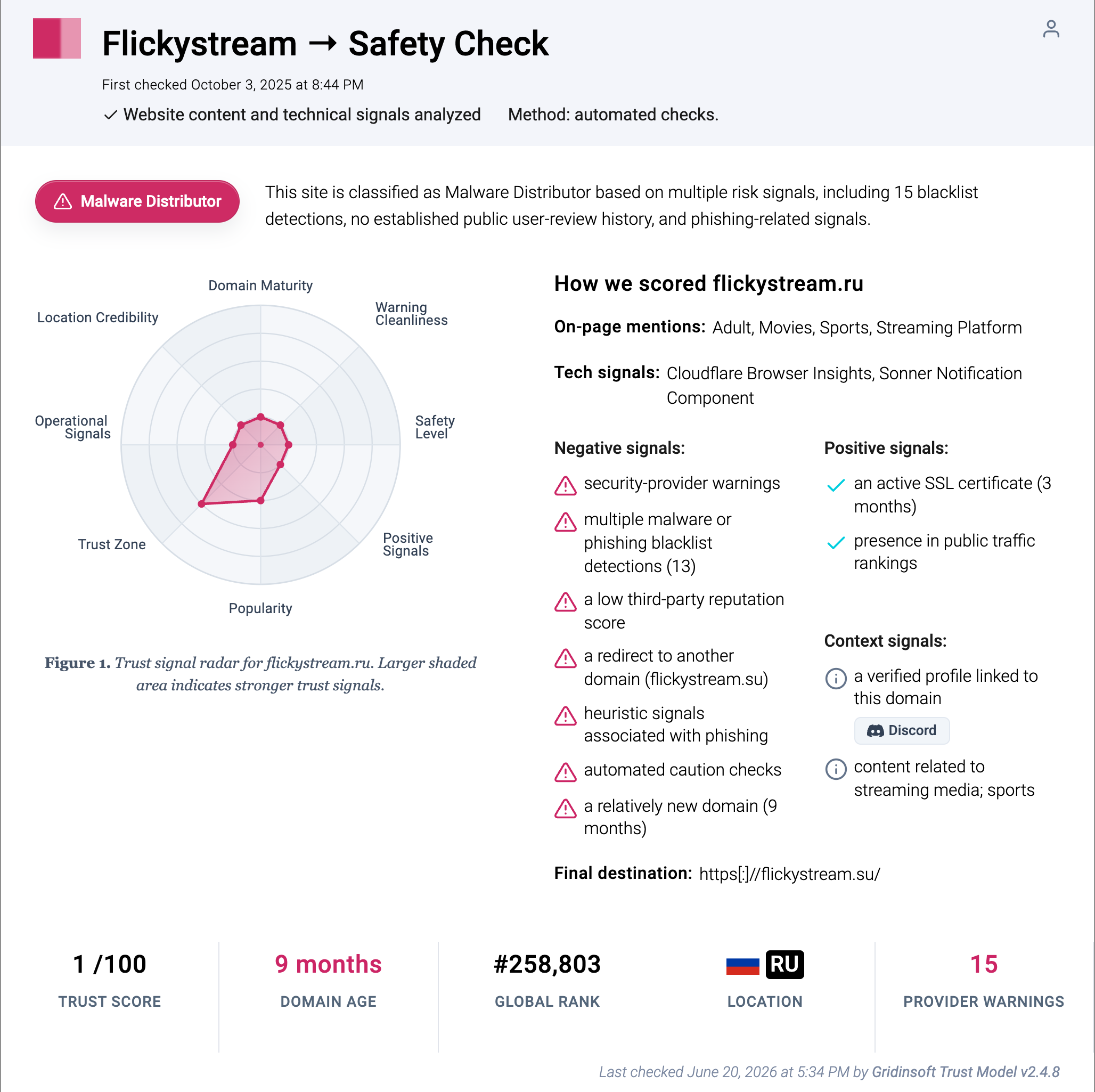
Flickystream.ru should be treated as unsafe if you landed there through a streaming result, pop-up, or shared “watch” link. The Gridinsoft Website Reputation Checker classifies the domain as a malware-distribution risk, and the practical next step is not to keep testing the stream. Close the tab, block any notification permission, delete unexpected downloads, and check the browser and Windows startup areas if anything ran.
This guide is for the post-click cleanup task: what to do after a Flickystream.ru page opened, asked for notifications, redirected to another site, or offered a player/update download. For the current URL verdict itself, use the Gridinsoft flickystream.ru safety report.
What Flickystream.ru Usually Tries to Make You Do
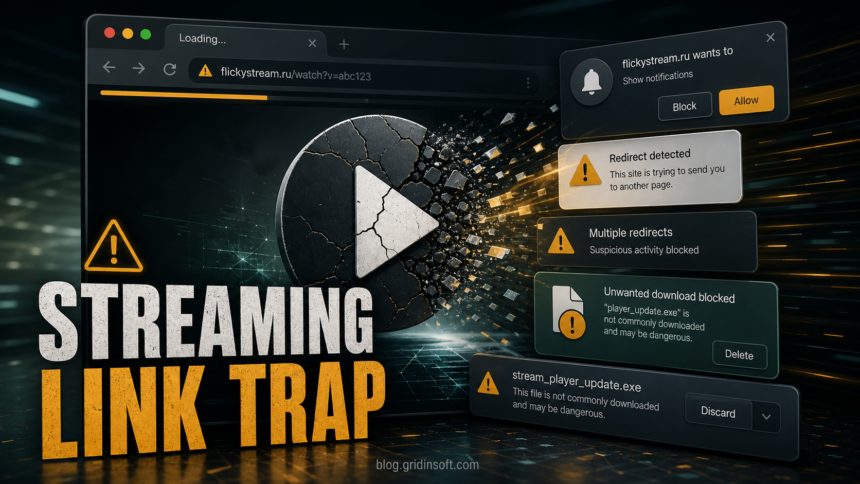
Unsafe streaming pages rarely compromise a browser just by being visible for a second. The risk usually starts when the page persuades you to grant a permission, follow a redirect, install a player, run an update, add an extension, or sign in with reused credentials. Treat the following events as meaningful:
- You clicked Allow on a browser notification prompt.
- The page redirected through several unknown domains before the video appeared or failed.
- A file such as a player update, codec, APK, archive, or browser extension downloaded.
- A fake virus alert, VPN warning, or “required verification” page appeared.
- You entered an email, password, payment card, Discord/Telegram account, or other login.
If You Only Opened the Page
If you closed the tab without allowing notifications, downloading anything, or entering data, the likely exposure is limited. Clear the site from browser history if you want, but do not install any “cleanup” tool promoted by the page itself. Then check whether the browser now shows notifications from unknown sites.
In Chrome, open chrome://settings/content/notifications and review the sites allowed to send notifications. In Edge, open Settings, then Cookies and site permissions, then Notifications. Remove or block Flickystream-related hosts and any unfamiliar domains that appeared around the same time.
If You Allowed Notifications
Browser notifications are a common way for risky streaming pages to keep sending fake antivirus alerts, prize messages, adult-site redirects, and fake update prompts after you leave the original tab. Remove the permission rather than trying to close every alert one by one.
- Open your browser notification settings.
- Find Flickystream.ru, flickystream.su, or other domains you do not recognize.
- Choose Block or Remove.
- Restart the browser and confirm the pop-ups no longer appear.
- If alerts return, check extensions and startup entries because a bundled extension or app may be restoring the permission.
For a broader notification-cleanup path, see Gridinsoft’s guide to removing fake virus alert pop-ups and browser notifications.
If a File Downloaded or Ran
Do not open a downloaded “player,” “codec,” “browser update,” APK, or archive from a streaming page. Delete the file if it is still in Downloads. If you already ran it, assume the visible file may not be the only change: bundled installers can add startup entries, scheduled tasks, browser extensions, notification permissions, or helper apps that recreate the symptoms after reboot.
Check these areas:
%USERPROFILE%\Downloadsfor recent player/update files.- Installed apps for unknown media players, VPNs, cleaners, search tools, or browser helpers.
- Chrome, Edge, Firefox, and other browsers for extensions installed around the same time.
- Startup Apps and Task Scheduler for recently added unknown entries.
- Browser homepage/search settings and default notification permissions.
If a suspicious file or extension ran, run a full Gridinsoft Anti-Malware scan after the manual cleanup. The scan can check for detections, hidden files, startup entries, scheduled tasks, browser changes, and persistence that a streaming-page installer may leave behind.
If redirects, notifications, extensions, homepage changes, or managed policies return after browser cleanup, the source is often outside the browser: an installed app, policy, scheduled task, or startup entry.
Scan for browser leftoversIf You Entered a Password or Payment Detail
If the page asked you to sign in, verify your age, claim access, or enter payment details, treat the account as exposed. Change the password from a clean browser tab, enable two-factor authentication, sign out of other sessions where the service supports it, and watch for follow-up phishing messages. If you reused the same password elsewhere, change those accounts too.
For streaming-site scams more broadly, Gridinsoft’s free movie streaming site scam guide explains the fake-player, redirect, and subscription traps that often appear around this type of page.
What Not to Do
- Do not install a “required codec,” “VPN,” “cleaner,” or “browser update” from the page.
- Do not allow notifications just to make the video load.
- Do not use the same password you use on real streaming, email, or payment accounts.
- Do not keep clicking mirror links if the first domain redirects to unknown hosts.
- Do not rely on the padlock icon alone; HTTPS does not prove the site is safe.
FAQ
Is Flickystream.ru safe?
No. Gridinsoft’s domain report classifies flickystream.ru as a malware-distribution risk. The safest response is to close the page and avoid granting permissions, downloading files, or entering account data.
Can I get infected just by opening Flickystream.ru?
A brief visit is usually less risky than allowing notifications or running a download, but risky pages can still redirect aggressively or show deceptive prompts. If you did not click Allow, download files, or enter data, focus on browser permission review.
Why do fake streaming pages ask for notifications?
Notification permission lets a site send alerts after the tab is closed. Scam pages abuse that permission for fake virus warnings, prize messages, adult-site redirects, and fake update prompts.
Should I reset my browser?
Reset the browser only if notifications, redirects, search changes, or unwanted extensions return after you remove the obvious permission and suspicious apps. Before resetting, save important bookmarks and account recovery information.
References
- Gridinsoft. “Flickystream → Safety Check.” Gridinsoft Website Reputation Checker, accessed July 5, 2026. https://gridinsoft.com/online-virus-scanner/url/flickystream-ru
- Federal Trade Commission. “Malware from illegal video streaming apps: What to know.” FTC Consumer Advice, May 2, 2019, accessed July 5, 2026. https://consumer.ftc.gov/consumer-alerts/2019/05/malware-illegal-video-streaming-apps-what-know
- Google Chrome Help. “Use notifications to get alerts.” Google Help, accessed July 5, 2026. https://support.google.com/chrome/answer/3220216