Nineteen Chrome and Edge extensions in the Superior campaign could steal crypto, passwords, browser sessions, and form data. Socket says the operator built 14 extensions and took over five established ones, then delivered up to 16 malicious modules through updates. One acquired Chrome extension had about 70,000 users when it received the malicious update; a matching Edge version had about 10,000.
Those figures describe the potential install base, not 80,000 confirmed theft victims. Installing one of the extensions also does not prove that every payload ran or that a wallet was drained. The right response depends on what you did after installation.
Check your exposure before changing anything
| What happened | What to do now |
|---|---|
| The extension was installed, but you did not enter sensitive data or approve a wallet action | Remove it from every synced browser profile, restart the browser, review other extensions, and change passwords used while it was active. |
| You typed a login, card number, or personal information into a page while the extension was active | From a clean device, change the affected password, revoke sessions, enable MFA, and contact the card issuer if payment data was exposed. |
| You entered a wallet seed phrase | Treat that wallet as permanently exposed. Create a new wallet on a clean device and transfer remaining assets; never reuse the old seed. |
| You connected a wallet or signed an unexpected transaction | Review approvals and transactions, revoke suspicious token approvals, and move assets if the wallet may be compromised. |
| You followed a “Chrome update” prompt and ran a Terminal or PowerShell command | Disconnect the device, preserve the command if possible, and run a full malware investigation. Removing the extension alone is not enough. |
Which Superior extensions were identified?
Search the extension name and ID on chrome://extensions or edge://extensions. Enable Developer mode if the ID is hidden. Names can be copied by unrelated developers, so the ID is the stronger match.
Established extensions acquired by the operator
| Extension | ID |
|---|---|
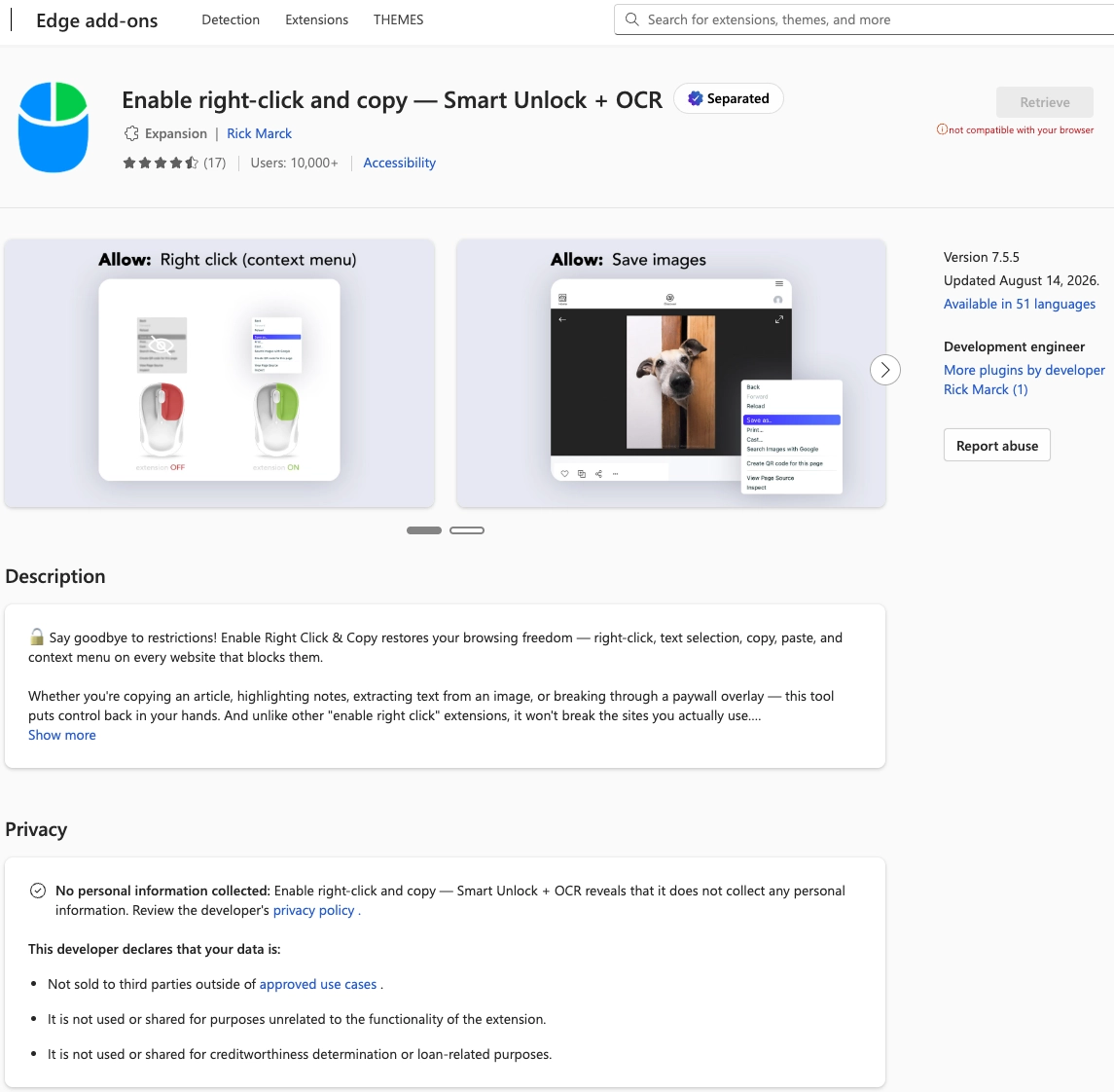
| Enable Right Click & Copy — Smart Unlock + OCR | pkoccklolohdacbfooifnpebakpbeipc |
| RapidLens – Google Lens for Screen Search & Images | fegckejpfnlmfgkfjpinlbgmeeijjkel |
| QuickLens – Search Screen with Google Lens | kdenlnncndfnhkognokgfpabgkgehodd |
| Password Protect PDF | jamminefolhgepgihbmcjjhgldbfcikp |
| Allow Copy – Select & Enable Right Click (Edge) | inmkjedjdhgpknjogbjomhnbgdccckkg |
Extensions created for the campaign
| Extension name | Claimed purpose |
|---|---|
| PixelCheck | Pixel and advertising checks |
| Creative Library – Ad Spy Tool | Advertising research |
| Website Traffic Checker: MirrorSphere SEO Stats | SEO statistics |
| Site Signal – Website Traffic & SEO Checker | Traffic and SEO analysis |
| SEO Pulse Pro – Website Traffic & SEO Analyzer | Traffic and SEO analysis |
| Private Crypto News Reader | Crypto news |
| Blockfolio: Address Monitor | Wallet monitoring |
| Crypto Rates & Fiat Converter | Exchange rates |
| Crypto Alerter: Price Alarms & Volatility Warnings | Price alerts |
| DeFi Pulse Tracker | DeFi tracking |
| Crypto Price Badge: Quick Glance | Price display |
| Multi-Chain Explorer | Blockchain exploration |
| LedgerLook: Wallet Checker | Wallet checking |
| Meta & Facebook Ad Library Spy — Save Ads, Finder, Downloader | FeedX-Ray | Advertising research |
The five IDs above are recognition aids, not a complete indicator list for all 19 extensions. Socket’s report contains the remaining IDs and technical indicators. The campaign is separate from the earlier incident in which 25 Chrome extensions were compromised, even though both abused trusted updates.
What the malicious modules could steal
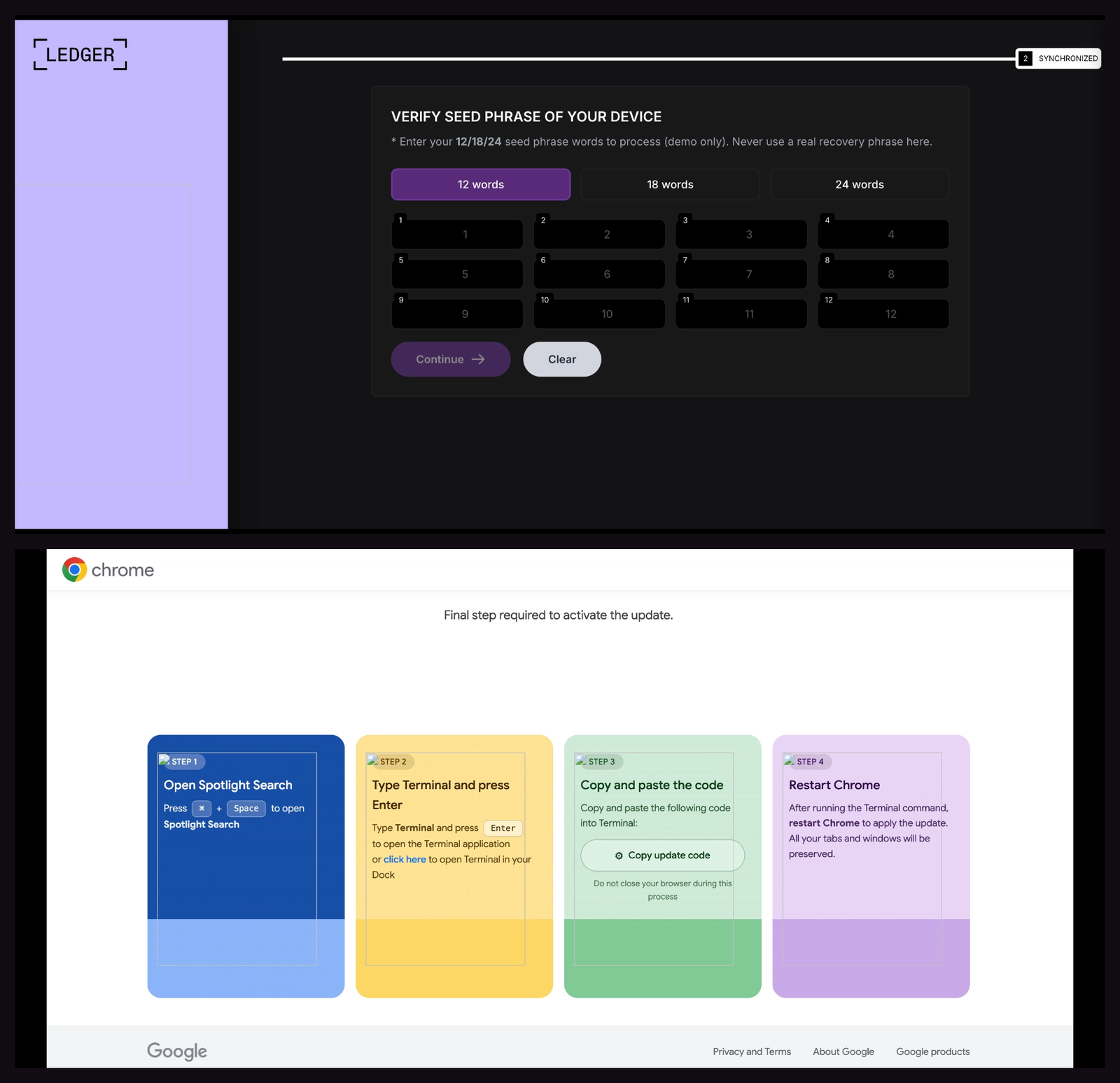
Socket found separate modules for Ethereum-compatible, Solana, and Tron wallet draining; Ledger and Trezor seed-phrase phishing; browser-session theft from exchanges and wallets; universal form and credential capture; Facebook and LinkedIn session theft; and browsing-history collection. The operator could select modules remotely rather than shipping every capability to every installation.
The ClickFix branch displayed a fake Chrome update that told the user to copy and run a command. That extra action can move the incident beyond the browser and install a system-level payload. It overlaps with the broader fake CAPTCHA and ClickFix command trap.
How to remove the extensions and recover safely
- Record the extension name and ID. A screenshot helps an incident responder identify the affected profile and campaign branch.
- Remove it from Chrome or Edge. Check every browser profile and every computer where browser sync is enabled. Remove unfamiliar extensions rather than merely switching them off.
- Restart and recheck the browser. If the extension returns, inspect managed-browser policies and follow the browser hijacker cleanup path.
- Revoke sessions and rotate passwords. Do this from a clean device, starting with email, password manager, exchanges, social networks, and financial accounts.
- Handle wallet exposure separately. A stolen seed phrase cannot be made safe with a password change. Move assets to a new seed created on a trusted device. If you only connected a wallet, review and revoke approvals.
- Investigate the operating system if a command ran. Check command history, persistence, downloads, and security alerts; perform a full malware scan before using the device for sensitive accounts again.
Browser-extension removal stops that copy from running, but it cannot retract data already stolen. It also cannot remove a payload installed after a fake-update command.
How to verify the browser is clean
After restarting, return to the extensions page and confirm the item is gone from every profile. Review browser startup pages, search settings, notification permissions, and account sign-in activity. A clean follow-up scan and no reappearing extension are reassuring, but account and wallet recovery still matter if sensitive data was entered while the extension was active.