Appsolo.xyz should not be treated as a trusted place to obtain an Android app or mod APK. On August 8, 2026, the site presented an app-store-style catalog and an “App source ready” prompt that asked visitors to continue toward a download source. That prompt does not verify the publisher, package signature, or final file. Visiting the page alone is different from downloading, installing, granting special access, or entering account details, so use the matching response below instead of assuming either that nothing happened or that the phone is automatically infected.
| Only visited the site | Close it, deny notifications and downloads, and remove any site permission you allowed. A page view alone does not prove an infection. |
| APK downloaded but was not opened | Delete the APK without installing it, check the browser’s downloads, and run Google Play Protect. |
| App was installed | Review special permissions, remove the app, run Play Protect, restart, and confirm that it did not return. |
| Accessibility, device-admin, notification, overlay, or VPN access was granted | Revoke that access before uninstalling. Treat the device as higher risk until the permissions stay off after a restart. |
| Password, code, payment detail, or social/game sign-in was entered | Use a different trusted device to secure the affected account, remove unknown sessions, and contact the payment provider if money data was exposed. |
What Appsolo.xyz Shows Right Now
The current root page uses an app-store presentation, download counts, ratings, and “GET NOW” controls. Selecting an item leads to a generic “App source ready” message and a button that starts searching for a download source. Those interface elements can make a listing feel familiar, but they do not establish who built the app, whether the displayed rating is independently verified, or whether every visitor receives the same destination.
The current Gridinsoft Website Reputation Checker report for Appsolo.xyz gives the domain a 22/100 trust score and a warning classification. Treat that as a dated risk signal, not proof that every listed APK is malicious or that every visitor was infected. The safe conclusion is narrower: do not rely on this page as the source of identity or safety for an Android package.
One current search result describes Appsolo.xyz as a Robux scam, but the root-page evidence checked for this article did not establish a Roblox-specific campaign. Do not enter a game login, recovery code, or payment detail anywhere in the flow, but do not invent a malware or fraud claim without preserving the exact page and file that produced it.
Choose the Correct Response Branch
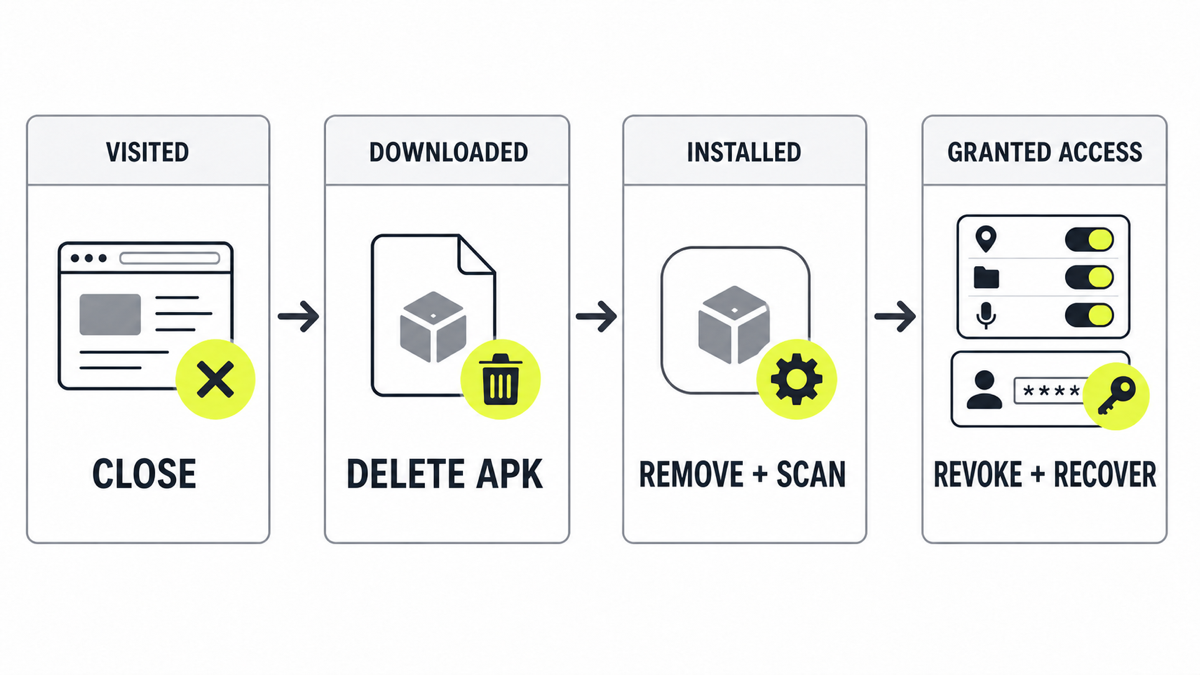
The important boundary is what the phone actually did. A browser tab cannot be cleaned with an app uninstall if no app was installed, while deleting one APK is not enough if an installed app received Accessibility or device-administrator control. Work from the furthest stage you reached.
Before Downloading Any Mod APK
- Find the official developer first. Search the developer’s own site or verified Google Play listing rather than trusting a portal’s icon, rating, or download counter.
- Compare the package identity. The app name and icon are not unique. Check the developer name, package name, update history, requested permissions, and whether the official publisher actually distributes an APK outside Google Play.
- Do not weaken Android protection. Stop if the site or file asks you to disable Play Protect, allow restricted settings, or give a browser or file manager permanent permission to install unknown apps.
- Do not use your main account to test it. A mod, follower generator, unlocker, or reward promise does not justify entering a Google, game, social, email, or payment credential into an unrelated page.
- Do not install the file to “see what it does.” If the exact APK cannot be verified without executing it, that uncertainty is the reason not to run it.
Google warns that harmful sideloaded apps may pressure users to enable restricted settings such as Accessibility. Those settings can expose screen content or allow actions on the user’s behalf. A request must match a legitimate feature and a developer you already trust; the prompt itself is not evidence of legitimacy.
If You Only Visited Appsolo.xyz
- Close the page with the browser controls. Do not press another Download, Continue, Allow, or verification button inside the page.
- Open the browser’s download list and confirm that no APK or other file appeared unexpectedly.
- Review browser site settings for Appsolo.xyz. Remove notification, pop-up, automatic-download, camera, microphone, or location permission if you allowed one.
- Clear the site’s stored data if it keeps reopening, remembering a step, or sending you back through the same prompt.
- Update the browser and Android. If nothing downloaded, installed, or received permission, a factory reset is not justified solely because the page was opened.
The broader guide to malware risk after visiting a website explains the difference between exposure, a download, and code execution.
If the APK Downloaded but Was Not Installed
- Do not open the file. Delete it from Downloads and empty the relevant browser download entry if that helps prevent an accidental tap.
- Check for an installation prompt. Cancel it. Do not approve “install unknown apps” for the browser, chat app, or file manager that handled the download.
- Run Google Play Protect. Open Google Play → profile icon → Play Protect → Scan. Keep both app scanning and improved harmful-app detection enabled when available.
- Review recently installed apps. Sort Settings → Apps by install date if the phone supports it. Confirm that no companion app or unexpected package was installed through the same flow.
- Stop there if nothing ran. Deleting an unopened APK is usually enough for that file. Do not install it for analysis, and do not reset accounts unless credentials or approvals were also exposed.
The same execution boundary applies on a computer: a suspicious file that was downloaded but never opened is a different incident from one that ran.
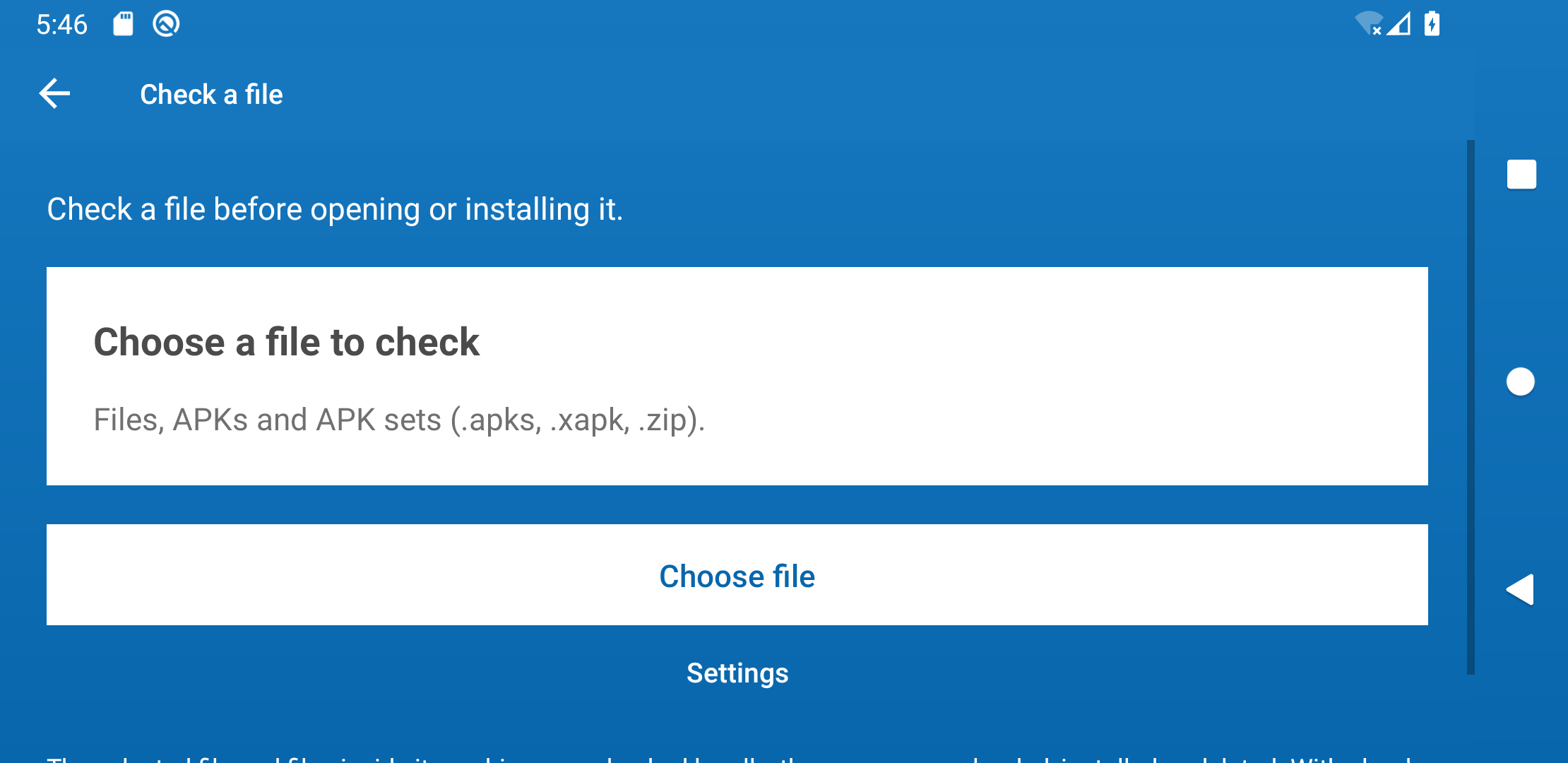
If you need to examine the download before deleting or keeping it, Trojan Scanner for Android lets you check the APK on the phone: open Menu → Check a file → Choose file and select it. Review the result without installing the app. Check the source as well as the result; a scan does not verify a mod’s reward claims.
If You Installed an App From the Flow
Settings names vary across Android versions and phone makers. Search Settings for each access type if the menu path differs.
- Stop sensitive activity. Do not use banking, email, a password manager, game accounts, or social accounts on the phone until cleanup is complete.
- Turn off Accessibility access. Check Settings → Accessibility → Installed apps/services and disable the unknown app.
- Remove device-administrator control. Search Settings for “device admin apps” and deactivate the suspicious entry before uninstalling.
- Review special app access. Check Display over other apps, Notification access, Install unknown apps, VPN, Usage access, battery optimization exclusions, and default SMS/browser roles.
- Find suspicious installed apps. Open Trojan Scanner for Android and tap Start. Review each finding and the app it identifies; the downloaded game name may not be the only app that needs attention.
- Remove unwanted findings. Choose removal and confirm Android’s uninstall prompt. For a known unwanted app, Settings → Apps → See all apps → Force stop → Uninstall is another route. If removal is blocked, recheck its device-admin and Accessibility access.
- Run Play Protect and install updates. Apply Android security and Google Play system updates, then restart.
- Verify that access stays removed. Recheck the app list and all special permissions after reboot. Returning permissions, a reappearing app, remote screen control, or persistent pop-ups justify escalation.
Do not restore the app because it has a familiar icon or because an online comment says it worked. A repackaged APK can keep the visible name while changing its code and signing certificate. The unofficial APK and account-recovery guide covers a related game-lure case without treating every sideloaded file as the same threat.
If You Entered an Account or Payment Detail
Perform account recovery from another trusted phone or computer, especially if an APK was installed or special access was granted.
- Secure the primary email or Google account first. Change its password, review recent security events, and remove devices or sessions you do not recognize.
- Change any reused password. Do not reuse the new password on another account.
- Review recovery email, phone number, connected apps, passkeys, two-step verification, and backup codes. Replace a recovery method that may have been exposed.
- Open the official game or social platform directly and remove unknown sessions, linked accounts, or authorized apps.
- If payment-card or banking data was entered, contact the issuer using the number in the official app or on the card. Monitor transactions and follow the issuer’s fraud instructions.
- Save the URL, time, and any transaction or security alert for a report, but do not revisit the flow to collect more evidence.
A clean scan cannot revoke a stolen session or reverse a password exposure. Use the account-compromise checklist to finish recovery in the correct order.
When a Factory Reset Is Reasonable
Consider a manufacturer-supported factory reset when an installed app cannot be removed, Accessibility or device-admin access returns, unknown overlays or VPN profiles reappear, Play Protect continues to warn, or the phone shows persistent remote-control behavior. Back up only irreplaceable photos, documents, and contacts; do not back up the suspect APK or automatically restore every old app and setting.
A reset is not a substitute for account recovery. Remove unknown sessions and change exposed credentials from a clean device even if the phone is reset. For an employer-managed phone or a device used for financial administration, contact the organization’s support or incident-response team before erasing evidence.
If the Download Also Touched a Windows PC
An Android APK merely stored or transferred through a Windows PC is different from a Windows program that ran. Use the Android app and permission checks above for the phone. If you also executed a Windows installer, EXE, script, or other payload from the flow—or the PC now has returning redirects, unknown startup items, browser changes, or security warnings—check that computer separately.
On that Windows PC, Gridinsoft Anti-Malware can find and remove detected malicious or unwanted software and related startup or browser components. Review the findings, remove unwanted items, restart, and recheck if symptoms return. The Windows scan does not remove an app from your Android phone or recover a stolen account.
If you ran a Windows installer, EXE or script from the Appsolo flow, or this PC has returning redirects, unknown startup items or security warnings, scan for detected threats and unwanted components. Merely storing an Android APK on the PC does not install it on Windows.
Scan this Windows PCIf a game mod or unofficial installer ran on Windows and account alerts followed, use the dedicated game/mod infostealer recovery sequence.
How to Avoid the Next APK Download Trap
- Install from Google Play or the developer’s documented official channel.
- Keep “install unknown apps” disabled for browsers, messaging apps, and file managers when it is not actively needed.
- Do not grant Accessibility, notification access, device-admin, overlay, VPN, or usage access to unlock a reward, mod, follower count, beta, or download.
- Use a password manager so a lookalike domain does not receive a saved credential automatically.
- Treat download counters, star ratings, “source ready” messages, and recent-activity pop-ups as page claims until an independent source verifies them.
FAQ
Is Appsolo.xyz a virus?
A domain is not itself a file verdict. Appsolo.xyz currently has a low Gridinsoft trust score and presents an unverified APK-source flow, but that does not prove every listing or outbound file is the same malware. Do not install a file from the flow; analyze the exact APK without executing it if a security professional needs a file verdict.
Can Appsolo.xyz infect a phone just by being opened?
Opening the page alone does not prove infection. Risk rises when a file downloads and is opened, an app is installed, notifications or special access are allowed, or credentials are entered. Use the visited-only branch when none of those actions occurred.
What should I do if Play Protect finds nothing?
Also verify that no unfamiliar app was installed and that Accessibility, device-admin, notification, overlay, VPN, and install-unknown-apps permissions are clean. A Play Protect result does not revoke stolen sessions, so complete account recovery separately if you entered a password or code.
Should I factory-reset after downloading an APK?
Usually not when the APK remained unopened and was deleted. A reset becomes reasonable when an installed app resists removal, high-risk permissions return, remote-control symptoms persist, or repeated warnings continue after uninstalling and scanning.
Is a mod APK safe if the original game is legitimate?
No. The original game’s reputation does not authenticate a modified package from another source. A mod can have a different signer, extra code, and broader permissions while keeping the original name and icon.
References
- Google. “Use Google Play Protect to Help Keep Your Apps Safe and Your Data Private.” Google Play Help, accessed August 8, 2026. https://support.google.com/googleplay/answer/2812853?hl=en
- Google. “Learn About Restricted Settings.” Android Help, accessed August 8, 2026. https://support.google.com/android/answer/12623953?hl=en
- Google. “Secure a Hacked or Compromised Google Account.” Google Account Help, accessed August 8, 2026. https://support.google.com/accounts/answer/6294825?hl=en