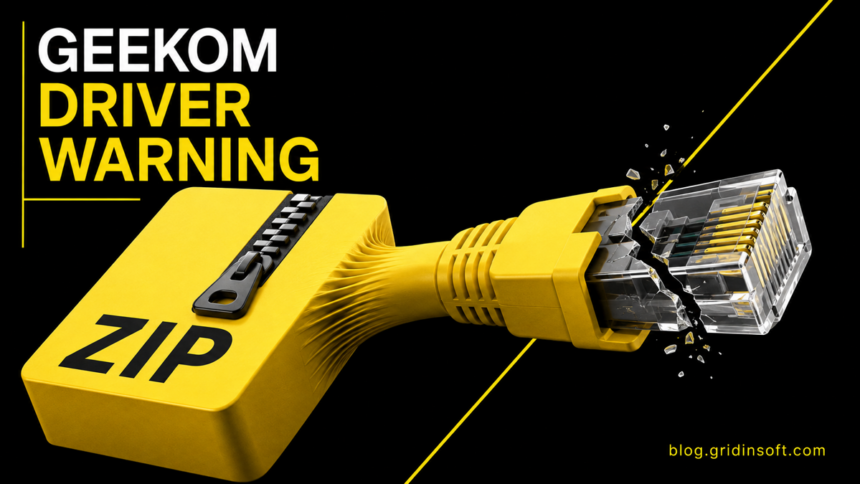
A GEEKOM driver malware warning applies to one installer inside old LAN-driver archives—not to every GEEKOM mini PC. The company said on August 18 that it removed affected legacy downloads after security products flagged a Realtek PCIe network-driver installer.
The important question is what happened on your computer. Owning one of the named models, downloading the archive, extracting it, running the installer, and no longer knowing whether it ran are different exposure states. GEEKOM says its hardware, factory-installed Windows systems, and current driver pages were not affected.
What GEEKOM confirmed about the legacy driver package
GEEKOM identified the file as Install_PCIE_Win11_11.10.0720.2022_11222022.exe. It appeared in older LAN-driver archives associated with the A7, A8, AE7, AE8, AX7 Pro, and AX8 Pro model pages. The company removed the affected old files and said a review of current driver pages found no similar anomaly.
VideoCardz independently downloaded an archive before removal and submitted the executable to several scanning services. Its report describes multiple detections, including labels in the Malware.Agentb and Asruex families. Scanner labels are useful warning evidence, but they do not by themselves prove which commands ran on a particular PC or establish a complete capability list.
This was a download-channel problem, not evidence that the malicious file shipped preinstalled. Do not treat the model list as an infection list. It identifies where the legacy archive was offered, while actual exposure depends on whether a person downloaded and executed the flagged file.
Check your exposure state before choosing a response
| What happened | Proportionate response |
|---|---|
| You own a named GEEKOM model but never downloaded the old LAN archive | No infection is implied. Use Windows Update or the current official support page for drivers and scan normally if you want reassurance. |
| You downloaded the archive but did not extract or run it | Delete the archive, empty the Recycle Bin, and run a full antivirus scan. There is no documented execution path from merely storing the ZIP. |
| You extracted the archive but did not run the flagged EXE | Delete the extracted folder and archive, then run a full scan. Check download and execution history rather than assuming the installer launched. |
| You ran the EXE or approved its UAC prompt | Disconnect the PC, preserve the file name and timing, run offline/full scans, and treat the Windows installation as potentially untrusted. |
| You cannot determine whether it ran | Use the executed/unknown path: scan offline, review recent changes, and prepare a clean reinstall if system integrity cannot be established. |
If the flagged installer was downloaded but never run
Do not double-click it to see what happens and do not disable security tools to make the driver install. Record the exact file name and download date, then remove both the ZIP and any extracted copy. A full scan should include the Downloads folder and other locations where the archive may have been copied.
Windows may hide file extensions, so verify the full name in file properties. If your security product quarantined the executable before it ran, preserve the detection record. A blocked file is evidence of exposure to the download, not proof that Windows was compromised.
If you ran the GEEKOM LAN driver installer
Disconnect Ethernet and Wi-Fi first. If this is a work device, contact the administrator before deleting files or reinstalling Windows so useful evidence is not lost. Note when the installer was run, whether Windows displayed a UAC prompt, and which security alerts appeared.
Run Microsoft Defender Offline or another trusted boot-time scan, then perform a full scan after Windows restarts. Review newly installed apps, services, scheduled tasks, startup entries, browser extensions, security exclusions, and user accounts created around the same time. Our Windows security audit after malware provides a structured inventory, while the clean-install guide explains how to rebuild from trusted Microsoft media.
If the scans find malware, security settings were changed, or the computer’s integrity cannot be established, back up documents rather than executables and perform a clean Windows installation. Change important passwords from a separate known-clean device after containment, especially if the affected PC was used for email, banking, remote work, or password management.
A second-opinion scanner can identify the downloaded installer and related suspicious files, but it cannot certify that an unknown system change never happened. Use Gridinsoft Anti-Malware as part of the scan step, not as a substitute for isolation, evidence review, or a clean reinstall when trust is lost.
If the process path is wrong, the name imitates a Windows component, or high CPU started after an unknown installer, scan for hidden miners, services, startup entries, and bundled components.
Scan after the flagged driver ranReplace the LAN driver through a trusted path
After deleting the old package, obtain the network driver through Windows Update, Realtek’s official support channel, or GEEKOM’s current support page. Do not reuse a ZIP from another download folder, a forum mirror, or a file-sharing link. The broader driver-safety checklist explains how to compare the publisher, source, and need for an update before installation.
Do not install a replacement solely because its version number looks newer. Confirm the model and Windows version, scan the download before execution, and keep full file extensions visible. GEEKOM says the affected legacy packages were removed, but that does not make third-party mirrors trustworthy.
What this warning does not prove
- It does not mean every A7, A8, AE7, AE8, AX7 Pro, or AX8 Pro computer is infected.
- It does not mean the hardware or factory Windows image contained the flagged file.
- It does not prove a downloaded archive executed by itself.
- It does not establish a precise global victim count or every action the detected file could perform.
- It does justify deleting the old package and escalating the response when execution is confirmed or uncertain.
References
- GEEKOM. “Statement Regarding Security Alerts in Historical Driver Files.” GEEKOM, August 18, 2026. Official scope, affected file, and recovery guidance.
- VideoCardz. “GEEKOM mini PC driver archive contains file flagged as malware.” VideoCardz, August 15, 2026. Independent archive download and multi-scanner results.
- Microsoft Support. “Reinstall Windows with the installation media.” Microsoft, accessed September 6, 2026. Official clean-install procedure.