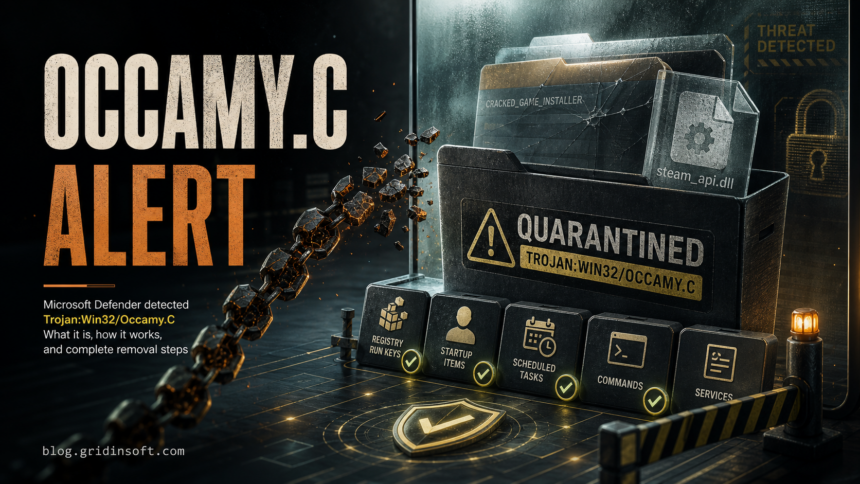
Trojan:Win32/Occamy.C is a severe Microsoft Defender detection for malware that can drop more payloads and, in Microsoft’s description, may be used in a ransomware chain. Keep the item quarantined, do not allow or restore it just because it came from a game crack or steam_api.dll, and first check the affected path, file source, and whether the file already ran.
Occamy.C searches are messy because many users see it after cracked games, repacks, miners, or copied Steam folders. Some detections may be triggered by modified game DLLs, but the safe decision is not “ignore it.” Treat the alert as real until you can prove the file is expected, signed or reputationally clean, and not returning after quarantine.
What Is Trojan:Win32/Occamy.C?
Trojan:Win32/Occamy.C is the exact label Microsoft Defender uses for one Occamy family detection. Microsoft Security Intelligence lists it as severe and says it can drop malicious files onto a device to conduct a ransomware attack. Microsoft also describes behaviors such as downloading more malware, opening remote access, collecting system and credential-related data, injecting ads, and adding registry entries for startup persistence.
That does not mean every file with an Occamy.C label has already encrypted files or stolen passwords. It means the detection is serious enough that the next step should be containment and verification, not restoring the file because a forum comment says cracks often trigger false positives.
Check the Path and Source First
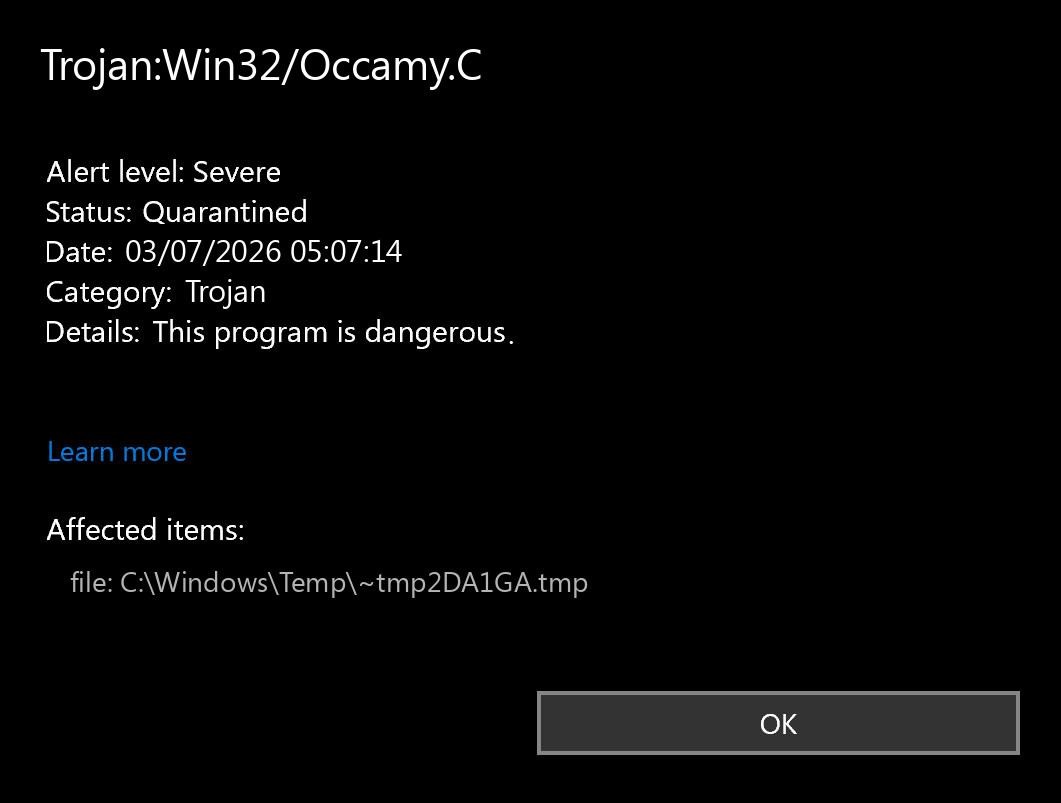
Open Windows Security > Virus & threat protection > Protection history, expand the Occamy.C card, and write down the affected item. Microsoft says Protection History shows Defender actions such as quarantine, removal, blocked threats, and action-needed events, and it also warns that allowing a threat lets the file proceed if it is actually malicious.
Use the affected path to decide the risk:
- High risk: downloads from cracks, keygens, repacks, trainers, torrent archives, unknown setup files, password-protected ZIP/RAR files, or files extracted under
%USERPROFILE%\Downloads,%LOCALAPPDATA%\Temp,C:\Windows\Temp, or a random folder. - Still suspicious:
steam_api.dll,steam_api64.dll, setup DLLs, uninstallers, patchers, or language tools bundled with pirated software. These are common in user reports, but they are also a common place to hide loaders. - Possible false positive lane: a file from a legitimate vendor, official installer, or known Steam/Proton folder that you can re-download from the original source and verify with updated definitions before restoring.
False Positive or Real Malware?
Use this decision rule before you click Allow on device:
- Keep quarantine first. Do not restore the file while you are still researching it.
- Update Microsoft Defender definitions and run another scan. If the same file is still detected, treat that as stronger evidence.
- Check the source. Official vendor download, digital signature, consistent hash, and a clean re-download support a false-positive review. A crack, repack, trainer, fake installer, or unknown archive does not.
- Check whether it executed. If you ran the file, launched the game/tool, entered passwords afterward, or saw new browser/startup behavior, handle it as a compromise-risk case.
- Do not rely on one clean scan from another tool. Loader and crack detections often vary by engine and by the exact unpacked file.
If you believe the file is a false positive and it came from a legitimate source, submit it to the vendor or Microsoft for review rather than permanently allowing a random copy. If it came from pirated software, the safer answer is to remove the software and replace it with a trusted source.
How to Remove Trojan:Win32/Occamy.C Safely
- Disconnect if the file ran. If you executed the suspicious installer, disconnect from the network while you collect the path and start cleanup.
- Remove or quarantine the detected item. In Protection History, choose quarantine or remove. Do not choose allow unless you have a verified false-positive case.
- Delete the source archive or installer. Remove the original ZIP/RAR/ISO/torrent folder, setup file, patcher, crack folder, or copied game folder that produced the alert.
- Run a full scan. Use Microsoft Defender full scan first. If Defender asks for an offline scan or the alert repeats, run Microsoft Defender Offline because it scans from outside the normal Windows environment.
- Check common persistence points. Look for unfamiliar startup items, scheduled tasks, services, browser extensions, Defender exclusions, and Run keys under
HKCU\Software\Microsoft\Windows\CurrentVersion\RunandHKLM\Software\Microsoft\Windows\CurrentVersion\Run. - Scan with Gridinsoft Anti-Malware. After removing the visible source, run a full Gridinsoft scan to look for hidden files, startup entries, scheduled tasks, bundled apps, browser changes, and related detections that can recreate the alert.
- Reboot and scan again if symptoms return. A clean reboot plus a clean follow-up scan is more useful than clearing Protection History early.
Cracks and repacks often leave more than the one DLL Defender reported. If the Occamy.C alert came from a crack, patcher, fake setup, or modified game DLL, remove the source first, then use a full scan to check the places where loaders usually persist.
Cracks, repacks, and activators can add Defender exclusions, startup tasks, services, browser changes, stealers, or miners outside the folder you meant to install. Scan for those changes before trusting the PC.
Scan before restoring any crack or DLLIf You Already Ran the File
If the detected file executed, treat cleanup as more than a file-removal task. Change passwords from a clean device for accounts you used after the suspected run, especially email, browser sync, Steam, Discord, Microsoft, Google, and financial accounts. Sign out other sessions where the service allows it, and enable multi-factor authentication if it was not already on.
You do not need to reinstall Windows automatically after every Occamy.C alert. Consider reinstalling from clean media if Defender or Gridinsoft keeps finding related items after cleanup, security settings are disabled again after reboot, unknown administrator tools appear, accounts show suspicious logins, or you cannot trust what ran.
Why Occamy.C Keeps Coming Back
A returning Occamy.C alert usually means one of these is still present:
- the original archive or mounted ISO is still on disk;
- a launcher, crack, or patcher extracts the DLL again;
- a scheduled task or startup entry runs a helper from
AppData,Temp, or a game folder; - Defender history is showing an old entry, but the current file is already gone;
- a cloud sync folder or external drive restores the same suspicious file.
Do not clear Protection History until you know which case applies. Save the affected path, remove the source, scan local drives and recently connected drives, then confirm the alert does not reappear after reboot.
Related Gridinsoft Checks
If your Occamy.C alert came from a modified game or crack, read our HackTool:Win32/Crack safety guide before restoring anything. For repack-specific decisions, see DODI Repacks safety checks and FitGirl Repacks safety checks. For other Microsoft Defender labels, the Microsoft Defender detections guide explains how to read severity, path, and action status; if the alert names Ymacco instead, use the Trojan:Win32/Ymacco cleanup guide before restoring or allowing the file.
FAQ
Is Trojan:Win32/Occamy.C always malware?
It is a severe Defender malware detection and should be treated as dangerous until verified. A false positive is possible, but the burden of proof is higher when the file came from a crack, repack, trainer, unknown archive, or fake installer.
Can I allow Occamy.C if it is in steam_api.dll?
Do not allow it just because the file name is steam_api.dll or steam_api64.dll. Those names are common in legitimate Steam software and in modified cracked-game folders. Keep quarantine, verify the source, and replace the software with a trusted copy.
Does quarantine mean my PC is already safe?
Quarantine blocks the detected file, but it does not prove there are no leftovers. If the file ran, came from a risky source, or the alert returns, check startup locations, scheduled tasks, browser changes, and run a full scan.
Should I change passwords after Occamy.C?
Change passwords from a clean device if the file executed or if you used important accounts after running the suspicious program. Prioritize email, browser sync, gaming, chat, banking, and Microsoft or Google accounts.
Should I reinstall Windows?
Not as the first step. Reinstall if detections or security-setting changes keep returning after cleanup, if there are signs of remote access or account compromise, or if an unknown administrator-level tool ran and you cannot trust the system state.
References
- Microsoft Security Intelligence. “Trojan:Win32/Occamy.C threat description.” Microsoft, updated April 14, 2025, accessed July 3, 2026. https://www.microsoft.com/en-us/wdsi/threats/malware-encyclopedia-description?Name=Trojan%3AWin32%2FOccamy.C&ThreatID=2147726780
- Microsoft Support. “Protection History in the Windows Security App.” Microsoft Support, accessed July 3, 2026. https://support.microsoft.com/windows/protection-history-f1e5fd95-09b4-46d1-b8c7-1059a1e09708
- Microsoft Learn. “Run and review the results of a Microsoft Defender Offline scan.” Microsoft Defender for Endpoint, accessed July 3, 2026. https://learn.microsoft.com/en-us/defender-endpoint/microsoft-defender-offline