
Trojan.Spy.Win32 in a browser warning that tells you to call “Microsoft Support” is a tech-support scam, not a trustworthy malware diagnosis. The version that combines “SmartScreen – Preventive Block,” “Windows Firewall has locked your session,” and an “Unlock Key” form is designed to frighten you into contacting an impostor. Do not call, pay, or type into the page. Its appearance alone does not establish that your PC is infected.
Close the fake warning first: press Alt + F4. If the browser will not close, press Ctrl + Shift + Esc, select your browser in Task Manager, and choose End task. This can discard unsaved work in other tabs. Reopen without restoring the suspicious page.
Closing the tab removes the warning, but it does not remove software that may be bringing it back. Adware, a bundled application, an unwanted browser extension, or a startup component can remain after the visible page disappears. Use Gridinsoft Anti-Malware to scan your Windows PC for these threats and remove detected components—especially if the warning returns, redirects appear on unrelated sites, or you installed anything offered by the supposed support agent.
Why this Trojan.Spy.Win32 warning looks convincing
A November 2026 Reddit report titled “Was I hacked?” describes a warning that appeared while the person was browsing. It told them not to restart and to call Microsoft. The accompanying picture shows a convincing support-site backdrop almost buried beneath overlapping warnings. That combination matters more than the threat name alone.
The layout gives several apparent authorities the same story: a firewall has locked the session, SmartScreen has found a trojan, Windows has suspended access, and a support agent is already waiting in a chat. Those are not necessarily separate programs confirming one infection. A single webpage can draw all those panels. Their agreement is part of the presentation.
- The “Authentication Required” panel introduces an email field and an “Unlock Key.” It frames access to your own computer as something a technician must sell or grant back to you.
- The fake SmartScreen panel places Trojan.Spy.Win32 alongside claims about identity theft and system errors. A familiar security name lends authority to an unverified diagnosis.
- The suspended-PC notice adds a session identifier, an IP address and an error code. These details make the page feel personalized, but they do not demonstrate a scan of your files.
- The support chat repeats the call request. The screenshot does not establish that a real person is responding, much less a Microsoft employee.
Researchers at Pixm have documented the same combination of counterfeit Microsoft pages, cascading error dialogs, Trojan.Spy.Win32 wording, a firewall-lock prompt and a scripted support chat. In their observed campaign, the callback number changed between otherwise similar deployments. Recognize the design and the demand to call; a list of particular phone numbers will quickly become incomplete.
Microsoft’s guidance is clear: its genuine error messages do not provide a phone number to call for a fix. A webpage asking for an unlock payment is not an alternative Windows recovery procedure.
Is Trojan.Spy.Win32 ever a real antivirus detection?
Real spyware detections use similar names. For example, Microsoft documents TrojanSpy:Win32/Agent, while other vendors use their own punctuation and family labels. That does not validate the browser warning. Equally, learning that this support page is fake is not a reason to dismiss a detection inside your installed security application.
Check the source of the message independently. Open Windows Security from the Start menu, then Virus & threat protection and Protection history. If another antivirus manages your protection, open that application yourself. Do not use a button in the suspicious page to reach either tool.
A real event should give you details to investigate: the complete detection name, affected item, time and action taken. Keep an unfamiliar detected file quarantined while checking those details. The short label on the scam page cannot tell you which file to delete, which malware family is present, or whether a password was stolen.
Also avoid searching for ways to disable SmartScreen just because the fake panel uses its name. Changing a genuine Windows protection setting will not make the impersonation trustworthy. Our broader Windows Defender Security Warning guide explains related browser imitations.
Check for the cause with Gridinsoft Anti-Malware
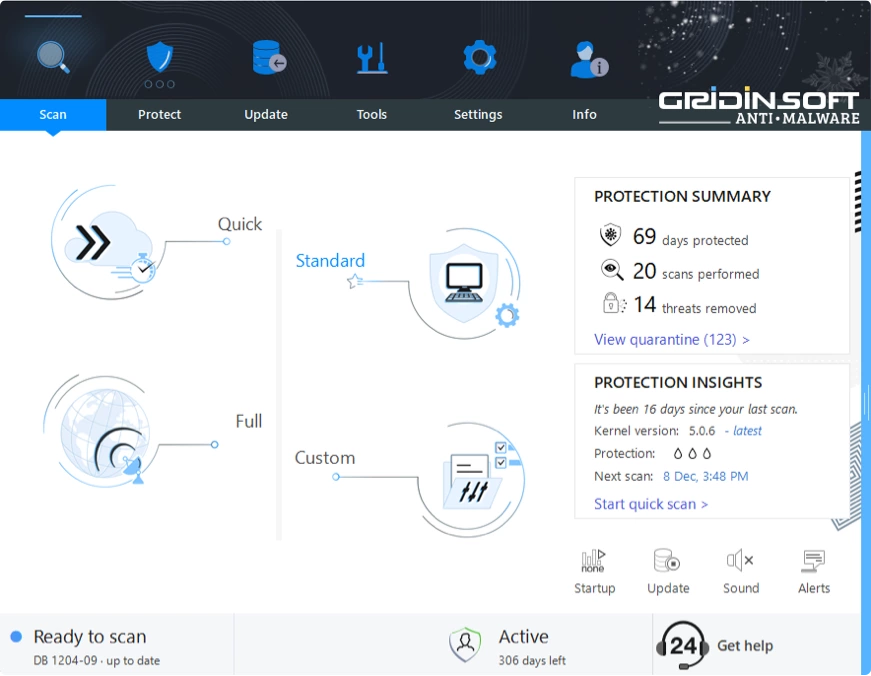
The useful next question is not “How do I buy an unlock key?” It is “Was this one bad page, or is something on my PC reopening it?” A system scan gives you evidence about files and unwanted software that closing a browser cannot provide.
- Download Gridinsoft Anti-Malware from the official link above. Do not install a “repair tool” offered by the warning or by someone on its phone line.
- Let the application update its detection databases, then run a Full scan. This is particularly useful after an unexpected download, a support-tool installation, or repeated redirects.
- Review the detected items and apply the recommended cleanup. Detections may point to adware, potentially unwanted applications, malicious files or persistence components rather than to a threat literally named Trojan.Spy.Win32. Do not ignore a relevant finding merely because its label differs from the fake page.
- Restart if the cleanup requests it, then check the browser normally. Open a trusted page without restoring the scam tab. If the problem returns, note whether it is a restored tab, a notification or a redirect, and follow the matching check below.
Gridinsoft’s role is to find and clean detected threats and unwanted components on the PC. It does not reverse a payment, revoke stolen account sessions, or prove that no data was accessed. If somebody already controlled the machine, account recovery is a separate part of the response.
If the warning keeps coming back
Recurrence is useful evidence, but it has more than one explanation. Match the behavior before deleting unrelated settings or applications.
The same tab returns when the browser opens
Decline session recovery and inspect the browser’s startup pages. Restoring yesterday’s tab can restore yesterday’s scam without a new infection.
Small alerts show a website name
If they appear while you use another page, check that site’s notification permission. Block the sender in browser settings rather than clicking the alert.
Unrelated pages redirect or browser settings change again
Review extensions and recently installed applications, and complete the Gridinsoft scan. A browser reset alone may leave a system component that reapplies changes.
A security application reports a file after every restart
Use its full detection details and scan report. This needs malware investigation; it is not explained away by the existence of a fake webpage.
In Chrome, notification permissions are under Settings → Privacy and security → Site settings → Notifications. Remove the suspicious site’s permission. For other browsers, follow our browser notification instructions. A notification and a full-page fake support screen are different surfaces, although one can lead you to the other.
Review extensions you recently added and remove unwanted ones. Check Windows Settings → Apps → Installed apps for software installed around the time the problem began. If unwanted settings persist after cleanup, use the browser’s built-in reset and re-enable only extensions you trust. Keep Windows and the browser updated; keep their protection features enabled.
If you called, paid, or allowed remote access
Only seeing the page does not automatically call for wiping Windows. The more important boundary is what you allowed the caller or webpage to do afterward.
- You called but shared nothing and installed nothing: end the call and ignore follow-up contact. Simply speaking to someone does not grant them remote control.
- You entered a password or approved a sign-in: use another trusted device to change that account’s password, end unfamiliar sessions and review its recovery settings. Protect your email account first if it can reset other accounts.
- You installed a remote-support tool or let the caller control the PC: disconnect that PC from the network and end the session. Do account recovery on a separate trusted device. Remove the tool they requested, check for unattended access, and arrange a malware scan and review of changes before trusting the PC again. For a work computer, contact your IT team.
- You paid or supplied card details: contact the payment provider using its official app or the number on your card. Keep receipts and call details. Do not pay another person who promises to “recover” the money.
A scan is an important part of cleanup after remote access, but an attacker may have used legitimate tools or changed settings that are not classified as malware. If their access was extensive or you cannot establish what changed, get trusted technical help to decide whether reinstalling Windows is appropriate.
How to tell whether you have finished
You should be able to reopen your browser without the fake page, identify and remove any abusive notification permission, and review the outcome of your system scan. If detections or redirects return, preserve the scan report and investigate the recurrence instead of repeatedly dismissing it. For other warning designs, use our fake virus alert cleanup guide.
The useful response to Trojan.Spy.Win32 is to close the fabricated warning, check the actual system and address any exposure. Calling the number on the screen does none of those things.
References
- Reddit, r/computer. Was I hacked? November 2026. Accessed November 4, 2026. User report used for the warning’s wording and appearance.
- Pixm. Verify You are Human: How Legitimate CAPTCHAs are Concealing Phishing Attacks. Accessed November 4, 2026. Includes a documented Trojan.Spy.Win32 support-scam template.
- Microsoft Support. Protect yourself from online scams and attacks. Accessed November 4, 2026.
- Microsoft Support. Virus and Threat Protection in the Windows Security App. Accessed November 4, 2026.
- Microsoft Security Intelligence. TrojanSpy:Win32/Agent threat description. Accessed November 4, 2026.