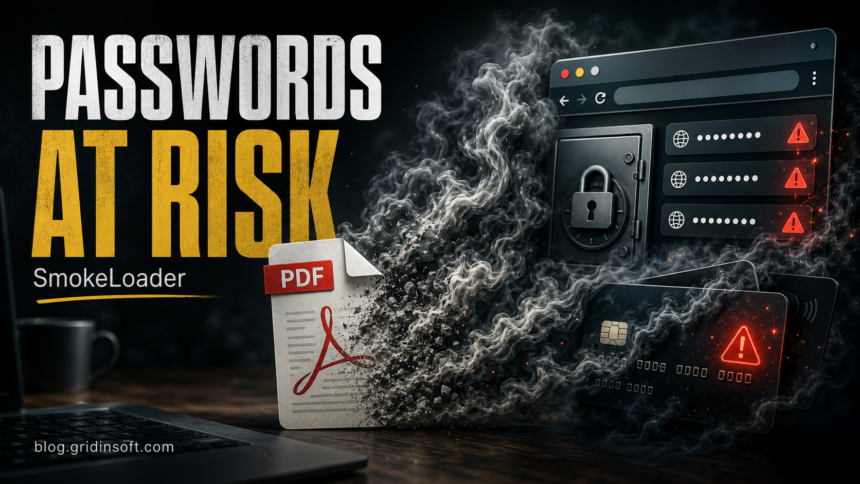
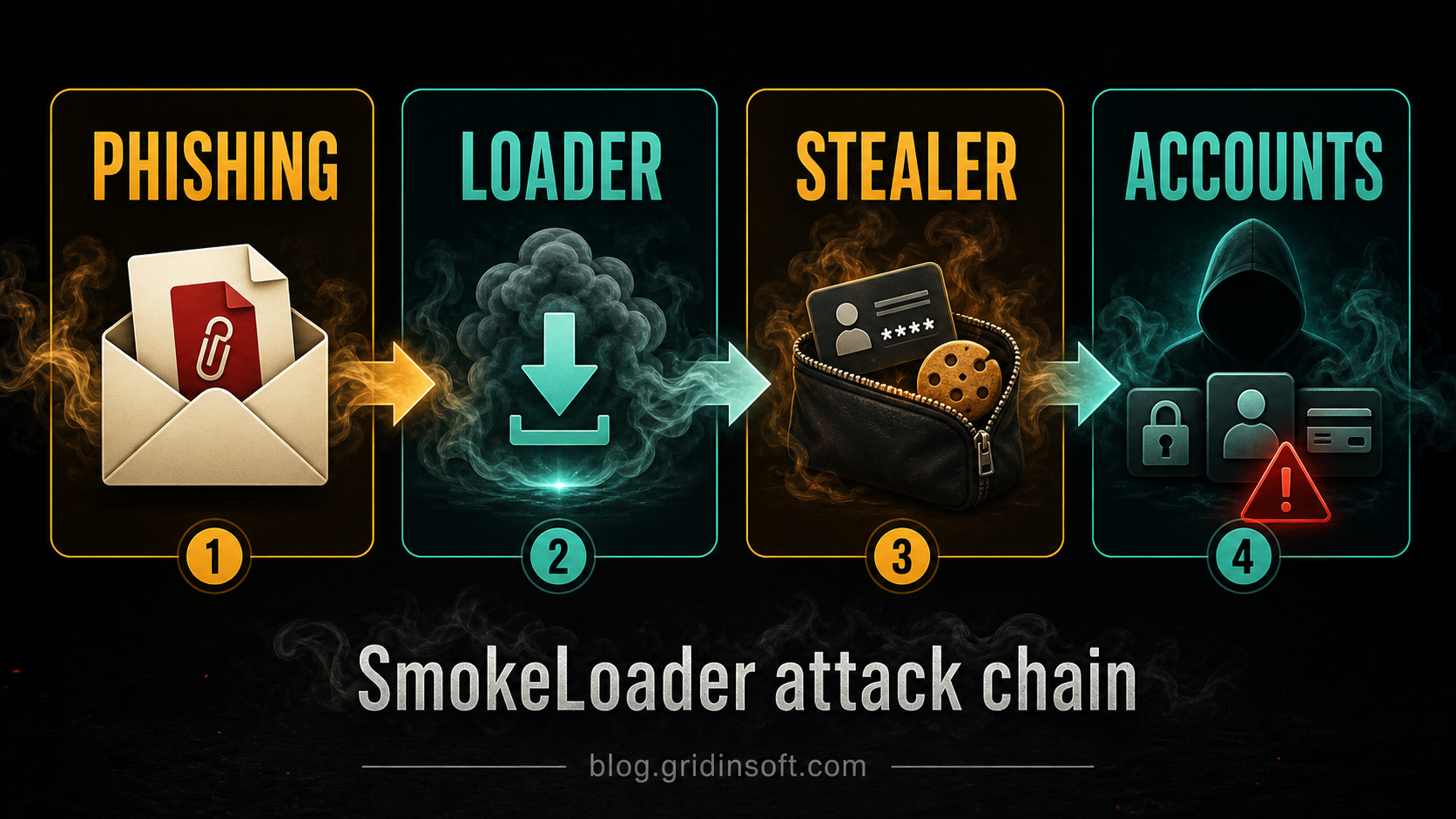
SmokeLoader is not dangerous only because of the first file you opened. It is a loader: after a phishing attachment, fake PDF, cracked installer, or malicious download runs, it can pull in a second payload that steals browser passwords, cookies, saved payment data, crypto-wallet data, or account sessions. If you suspect SmokeLoader reached your PC, disconnect the computer from the network, scan and remove the malware first, then change important passwords from a clean device.
This page focuses on the password-stealing risk after a SmokeLoader infection. If your main question is a Microsoft Defender alert such as Trojan:Win32/SmokeLoader, use our SmokeLoader detection and removal guide alongside the steps below.
What Changed in SmokeLoader Attacks?
SmokeLoader, also known as Smoke or Dofoil, has been active for years and is tracked by MITRE ATT&CK as malware that loads other threats, uses deception and self-protection, and has been seen with multiple payloads and plug-ins [1]. The practical problem for home users is simple: the item you notice may be only the entry point.
Modern campaigns commonly start with social engineering. The lure may look like a document, invoice, archive, software update, game cheat, cracked installer, or a download linked from spam. Once it runs, SmokeLoader can establish a foothold and fetch additional malware. Security researchers have documented recent SmokeLoader variants designed to deliver second-stage malware such as trojans, ransomware, and information stealers, with modular capabilities that can include credential harvesting and browser hijacking [3].
First Actions If You May Be Infected
- Disconnect the infected PC from the internet. Unplug Ethernet or turn off Wi-Fi. Do not keep browsing, shopping, banking, or logging in from the suspected machine.
- Do not enter new passwords on that PC yet. If a stealer is still running, new credentials can be captured immediately.
- Run a full malware scan before password recovery. A security tool may quarantine the visible file while a loader, scheduled task, startup item, browser change, or bundled stealer remains.
- Change important passwords from a clean device. Start with email, Microsoft/Google/Apple accounts, banking, password manager, crypto wallets, Steam/Discord, and work accounts.
- Revoke sessions and enable MFA. Password changes are not enough if attackers already stole cookies or active sessions.
For this type of infection, Gridinsoft Anti-Malware is useful as a concrete cleanup step because it checks detections, hidden files, startup entries, scheduled tasks, bundled malware, browser changes, and persistence points that can recreate symptoms after the first quarantine.
If a token stealer ran here, logging back in can hand the attacker your new Discord session, email cookie, Steam token, or wallet access. Scan this Windows PC first, then reset passwords from a clean device.
Scan for SmokeLoader leftoversWhy SmokeLoader Can Lead to Password Theft
SmokeLoader is best understood as a delivery platform. Depending on the campaign, attackers can use it to install a password stealer, banking trojan, remote-access tool, ransomware, crypto miner, or another backdoor. MITRE lists browser credential access and credential-file discovery among observed Smoke Loader behaviors [1].
That is why a SmokeLoader alert should not be treated like a single unwanted file. If the malware executed, the cleanup question becomes broader: what did it download, what did it change for persistence, and which accounts were exposed while the PC was infected?
| What you noticed | Risk and what to do |
|---|---|
| Security alert for SmokeLoader or Dofoil | Keep the item quarantined, disconnect the PC, run a full scan, then check whether the alert returns after reboot. |
| Fake PDF, archive, invoice, crack, or update opened | Assume the first file may have been a loader. Remove the download source and scan before logging in again. |
| Browser passwords, cookies, or cards were saved | Change passwords from a clean device and revoke sessions. Consider saved browser data exposed until proven otherwise. |
| Slow PC, crashes, changed settings, or new files | These are compatible with Microsoft-listed malware symptoms and should trigger a full cleanup check [2]. |
Signs SmokeLoader May Still Be Present
SmokeLoader infections do not always show a clear pop-up. Look for clusters of signs instead of one single symptom:
- the antivirus alert returns after reboot or after opening the same browser profile;
- new files appear in Downloads, Temp, AppData, Startup, or a browser profile folder;
- Task Scheduler, Startup Apps, or the registry shows unfamiliar entries;
- browser search, extensions, notification permissions, or proxy settings changed;
- accounts show new sign-ins, MFA prompts, password-reset messages, or unknown devices;
- the PC is slower, unstable, or security software is disabled or blocked.
Microsoft’s malware encyclopedia notes that this SmokeLoader detection can perform actions chosen by a malicious actor and lists possible symptoms such as slow performance, added or modified files, changed desktop settings, freezing, crashing, and reduced storage space [2]. Those signs do not prove SmokeLoader by themselves, but they are strong reasons to scan and review account activity.
How to Clean the PC Safely
Use this order. It prevents the common mistake of changing every password while the stealer is still active.
- Isolate the computer. Disconnect it from the internet and stop using it for sign-ins.
- Remove the original lure. Delete the fake PDF, archive, installer, crack, script, or email attachment that started the incident. Empty the browser download queue too.
- Run a full Gridinsoft Anti-Malware scan. Remove detections, reboot, and scan again if the same alert or behavior returns.
- Check persistence points. Review Startup Apps, Task Scheduler, installed apps, browser extensions, notification permissions, and proxy/DNS settings. Do not keep unknown entries just because they have a normal-looking name.
- Use the dedicated removal guide if Defender named the threat. The Trojan:Win32/SmokeLoader removal guide explains the Defender-style detection path in more detail.
- Only then recover accounts. Change passwords from a clean device and revoke sessions from each account’s security page.
If the system still shows outbound-connection blocks, recurring detections, disabled security tools, or unknown scheduled tasks after cleanup, treat the PC as not fully trusted. Back up personal files carefully, avoid backing up executables/scripts, and consider professional remediation or a clean Windows reinstall for high-risk cases such as banking or business account exposure.
Account Recovery Checklist
SmokeLoader-related password theft can affect more than the password typed into one form. Browser cookies and active sessions may let an attacker stay logged in even after a password change. Work through this checklist from a clean phone or computer:
- change the email account password first, because email controls password resets;
- sign out of all sessions in email, Microsoft, Google, Apple, Discord, Steam, banking, crypto, and work accounts;
- enable or reset multi-factor authentication, especially if MFA prompts appeared unexpectedly;
- remove unknown recovery emails, phone numbers, app passwords, OAuth apps, and mail-forwarding rules;
- replace reused passwords everywhere they were used;
- monitor banking and card activity and contact the provider quickly if you see unauthorized transactions.
For broader recovery after a password stealer, see our password stealer response guide and infostealer detection and prevention guide.
How to Avoid the Next SmokeLoader Lure
- Do not run attachments or archives from unexpected invoices, delivery notices, HR messages, or document-share emails.
- Avoid cracks, keygens, game cheats, and repacked installers. They are common loader delivery routes because users expect security warnings.
- Keep Windows, browsers, Office, PDF readers, and archive tools updated.
- Do not store every important credential only in the browser. Use a password manager with MFA where possible.
- Scan suspicious files before opening them. If a file already ran, scan the whole system rather than only the file.
FAQ
Can SmokeLoader steal passwords by itself?
SmokeLoader is mainly a loader, but campaigns can use modules or second-stage payloads that steal browser credentials, cookies, email data, or other sensitive information. Treat password exposure as possible if the malware executed.
Should I change passwords before removing SmokeLoader?
No. Change passwords from a clean device, but do not type new passwords on the infected PC until it has been scanned and cleaned. A still-running stealer can capture the new credentials too.
Is a quarantined SmokeLoader alert enough?
Not always. Quarantine may stop the visible file, but a loader can leave persistence, scheduled tasks, bundled payloads, browser changes, or downloaded malware. Reboot, scan again, and watch for recurring alerts.
What is the difference between this page and the Trojan:Win32/SmokeLoader guide?
This page is about password and account risk after a SmokeLoader infection. The Trojan:Win32/SmokeLoader guide is the broader detection and removal page for users who saw that exact security-tool alert.
References
- MITRE ATT&CK. “Smoke Loader, Software S0226.” MITRE, last modified April 11, 2024, accessed June 20, 2026. https://attack.mitre.org/software/S0226/
- Microsoft Security Intelligence. “Trojan:Win32/Smokeloader.GZD!MTB.” Microsoft, published February 14, 2024, accessed June 20, 2026. https://www.microsoft.com/en-us/wdsi/threats/malware-encyclopedia-description?Name=Trojan%3AWin32%2FSmokeloader.GZD%21MTB&ThreatID=2147902264
- Zscaler ThreatLabz. “SmokeLoader Rises From the Ashes.” Zscaler, September 15, 2025, accessed June 20, 2026. https://www.zscaler.com/blogs/security-research/smokeloader-rises-ashes