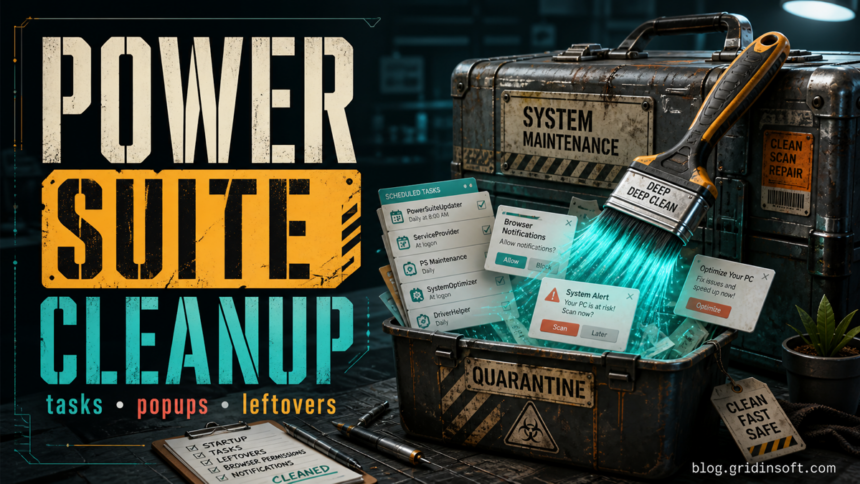
simplitec Power Suite is a PC optimizer from simplitec, so its presence alone does not prove a malware infection. Remove it when it appeared without clear consent, keeps returning through startup tasks, shows aggressive cleanup or notification prompts, or is being detected as a potentially unwanted program in your cleanup workflow. The safest approach is to uninstall the app first, then remove leftover scheduled tasks, browser notification permissions, startup entries, and folders only after you confirm they belong to simplitec.
What is simplitec Power Suite?
simplitec Power Suite is marketed as an all-in-one PC optimization tool that can clean, update, and speed up a computer.[1] That means it can install normal application components, but it may also leave behind startup helpers, scheduled tasks, firewall exceptions, and browser-facing prompts that feel unwanted when the software was bundled, forgotten, or only partly removed.
Public file inventory pages identify ServiceProvider.exe as a simplitec Power Suite tray component signed by simplitec GmbH, so treat that and nearby PowerSuite* names as triage clues rather than automatic proof that every copy is malicious.[2]
Should you remove it or keep it?
| Situation | Risk and what to do |
|---|---|
| You installed it intentionally and still use it. | Keep it only if it came from the official source, you understand the subscription or trial terms, and no security tool flags unrelated bundled items. |
| It appeared after another installer, driver updater, or optimizer bundle. | Uninstall it and check startup tasks, because bundled optimizers often create recurring launch points. |
You see PowerSuite.exe or ServiceProvider.exe after uninstalling. |
Remove leftover tasks and startup entries only after confirming the path points to a simplitec or simpliclean folder. |
| Chrome, Edge, or Firefox shows fake security alerts or ad notifications. | Revoke notification permissions for suspicious sites. Browser notification spam can survive even after the desktop app is removed. |
| A scanner labels related files as PUP or unwanted. | Do not restore files blindly. Review the source, path, signature, and symptoms, then scan for leftovers before deciding. |
1. Uninstall simplitec Power Suite from Windows
- Open Settings > Apps > Installed apps.
- Search for simplitec, simpliclean, Power Suite, and related optimizer names.
- Choose Uninstall. If the uninstaller asks to keep settings, decline unless you are intentionally reinstalling it.
- Restart Windows before judging whether it is gone. Some tray helpers only disappear after reboot.
If the entry is missing from Installed apps, check Control Panel > Programs and Features. Older versions and bundled editions can use different display names.
2. Remove startup entries and scheduled tasks
After uninstalling, open Task Manager > Startup apps and disable entries that clearly point to simplitec or simpliclean. Then open Task Scheduler and look under Task Scheduler Library for tasks with names such as:
simplitec Power Suitesimplitec Power Suite (Tray)simplitec Power Suite (Autopilot.exe)- Tasks that launch
PowerSuite.exe,PowerSuiteStart.exe,Autopilot.exe, orServiceProvider.exefrom a simplitec or simpliclean folder.
Power users can inspect tasks with PowerShell before deleting anything:
Get-ScheduledTask | Where-Object {
  $_.TaskName -match 'simplitec|Power Suite|simpliclean'
}
If the task is clearly a leftover, remove it from Task Scheduler. Microsoft documents Unregister-ScheduledTask as the PowerShell cmdlet that unregisters a scheduled task; use the exact task name and avoid broad wildcard deletion.[3]
Unregister-ScheduledTask -TaskName "simplitec Power Suite" -Confirm:$false3. Stop browser notification spam
Fake virus alerts and ad notifications often come from browser permissions, not from the optimizer executable itself. Removing the app will not revoke permissions that were granted to a suspicious website.
Chrome and Edge
- Open Settings > Privacy and security > Site settings > Notifications.
- Review Allowed to send notifications.
- Remove or block sites you do not recognize, especially random domains, fake CAPTCHA pages, fake antivirus pages, and domains that appeared around the same time as the optimizer prompts.
- Enable quieter prompts or block new notification requests if you keep clicking Allow by mistake.
In Chrome, use Privacy and security, Site settings, and Notifications to review per-site block and allow lists for domains you do not recognize.
Firefox
- Open Settings > Privacy & Security.
- In Permissions, click Settings next to Notifications.
- Set suspicious sites to Block, or remove them from the list so they must ask again.
- Use Block new requests asking to allow notifications if notification prompts keep returning.
Firefox uses a similar per-site permissions list where sites can be set to Allow or Block, or removed so they must request permission again.[4]
For exact-domain notification spam, compare this cleanup with our Matrixgrowthforge.com notification removal guide. If the issue is a security pop-up that continues after uninstalling a PC cleanup tool, the TotalAV pop-up cleanup guide covers the same permission-first pattern.
4. Check leftover folders and files carefully
Only delete leftovers after the normal uninstaller and reboot. Look for simplitec or simpliclean folders in common locations:
C:\Program Files\simplitec\C:\Program Files (x86)\simplitec\%ProgramData%\simplitec\%LOCALAPPDATA%\simplitec\%APPDATA%\simplitec\
Do not delete unrelated optimizer backups, license records, or personal export files unless you know what they are. If you plan to reinstall from a trusted source, keep purchase emails and account records outside the program folder before deleting application leftovers.
5. Scan for bundled apps and persistence
If simplitec Power Suite arrived with another installer, or if pop-ups and startup entries return after reboot, the visible optimizer may not be the only item to remove. A bundled app, browser extension, scheduled task, service, or notification permission can recreate the symptoms.
Run a full Gridinsoft Anti-Malware scan after manual cleanup. Review detections tied to optimizer folders, browser profiles, startup entries, scheduled tasks, and recent downloads, then reboot and scan again if the same alerts or notifications return.
Browser reset can remove visible symptoms, but adware may keep a desktop app, extension source, notification permission, or startup task that brings pop-ups and redirects back.
Scan for optimizer leftoversCould this be a false positive?
Yes. A PUP label is a risk decision, not the same thing as saying the vendor is a Trojan operator. The context matters: where the file came from, whether it is signed, whether you installed the app intentionally, what it changes, and whether it returns after removal.
For another optimizer example with the same keep-or-remove decision, see the Ashampoo WinOptimizer PUP cleanup and false-positive guide.
Be more cautious when the files run from a temporary folder, a random user-profile path, an unknown downloader, or a folder that does not match the vendor name. Be more tolerant when the file is from a deliberate official installation and the only issue is that you no longer want the optimizer.
How to avoid this happening again
- Choose Custom installation when installing free tools, driver updaters, video converters, or PC cleaners.
- Decline optional optimizer, browser, notification, and support-tool offers.
- Keep browser notification prompts blocked unless you trust the site and need alerts from it.
- Review Task Manager Startup apps after installing utilities.
- Keep a restore point before testing cleanup or optimizer software.
FAQ
Is simplitec Power Suite a virus?
Not by name alone. It is a PC optimizer, but it can still be unwanted if it was bundled, aggressive, detected as PUP, or leaves startup tasks and notification spam behind.
Why do PowerSuite.exe or ServiceProvider.exe still run after uninstall?
A startup entry, scheduled task, service, or leftover folder may still point to the old executable. Check the path first, then remove only entries that clearly belong to simplitec or simpliclean.
Will uninstalling simplitec remove browser notification ads?
Not always. Browser notifications are site permissions stored in Chrome, Edge, Firefox, or another browser. You must remove suspicious allowed sites separately.
Should I restore a file that my antivirus quarantined?
Do not restore it until you confirm the source, path, signature, and behavior. If the file came from a bundle, temporary folder, or unknown downloader, leave it quarantined and scan for related items.
References
- simplitec. “Scan, Solve, Perfect – simplitec Power Suite.” simplitec, accessed June 24, 2026. https://services2.simplitec.com/simplitecpowersuite/trial/download/eset
- FreeFixer. “What is ServiceProvider.exe?” FreeFixer, accessed June 24, 2026. https://www.freefixer.com/library/file/ServiceProvider.exe-200649/
- Microsoft. “Unregister-ScheduledTask.” Microsoft Learn, accessed June 24, 2026. https://learn.microsoft.com/en-us/powershell/module/scheduledtasks/unregister-scheduledtask
- Mozilla. “Web Push notifications in Firefox.” Mozilla Support, accessed June 24, 2026. https://support.mozilla.org/en-US/kb/push-notifications-firefox