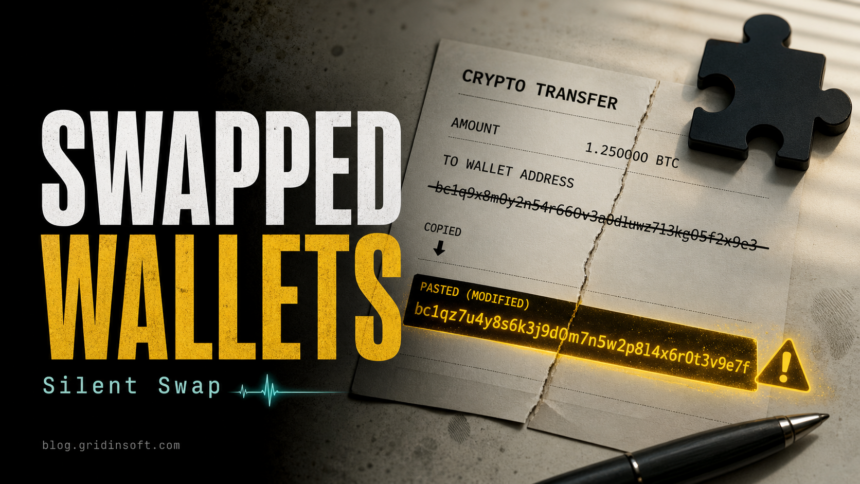
McAfee Labs has reported a cryptocurrency-stealing campaign called Silent Swap that installs a fake “Google Notes” extension into Chromium-based browsers and changes wallet addresses copied to the clipboard. The practical risk is simple: a crypto transfer can look normal on screen while the pasted recipient address has already been replaced.
The campaign is not described as a normal Chrome Web Store install. McAfee says unsigned installers, seen in .NET and Golang variants, deploy the extension by tampering with Chromium profile preference files. That matters for Chrome, Edge, Brave, Vivaldi, and similar browsers because removing only a visible extension may not be enough if the installer also changed browser settings or left startup traces.
How Silent Swap Works
The installer looks for Chromium browser profiles, terminates browser processes, and modifies files such as Secure Preferences and Preferences so the malicious extension loads as if it were legitimate. McAfee also describes EtherHiding-style command lookup, where blockchain data helps the operator rotate command-and-control infrastructure.
| Threat name | Silent Swap crypto clipper |
| Disguise | Fake “Google Notes” Chromium extension |
| Targeted action | Copied cryptocurrency wallet addresses |
| Browsers to check | Chrome, Edge, Brave, Vivaldi, Opera, and other Chromium-based browsers |
| Main user risk | Funds sent to an attacker-controlled wallet after address substitution |
Who Should Check Their Browser
Check immediately if you recently ran an unsigned installer for a notes utility, browser add-on, crypto tool, VPN, or “productivity” helper and then copied wallet addresses on the same computer. Also check if a browser extension appeared without a normal store install, if developer mode was enabled unexpectedly, or if copied wallet addresses do not match after pasting.
If you are investigating a broader extension problem, use the Gridinsoft guide to extensions that keep returning. If the main symptom is crypto address replacement after files or shortcuts were opened, compare it with the CryptoBandits.A USB clipper pattern and the MassJacker malware wallet-swap behavior.
What To Do Now
- Pause crypto transfers from the affected computer. Use a clean device to verify wallet addresses before sending funds.
- Open each Chromium browser and review extensions. Remove anything named like Google Notes or any extension you did not install intentionally.
- Disable developer mode if you did not enable it yourself, then restart the browser and check whether the extension returns.
- Inspect browser sync. If the extension synced through a profile, remove it from the account and review other signed-in devices.
- Check Windows startup locations, Task Scheduler, recently downloaded installers, and browser profile folders for unknown files connected to the install time.
- Assume copied secrets may be exposed while the extension was active. Rotate wallet-related passwords, seed-storage passwords, exchange passwords, API keys, and active sessions from a clean device.
If the installer already ran or the extension reappears after removal, run a full Gridinsoft Anti-Malware scan before using the PC for crypto activity again. A browser extension may be only the visible part; the original installer, a scheduled task, browser policy change, or hidden startup item can reinstall it or keep monitoring the clipboard.
If redirects, notifications, extensions, homepage changes, or managed policies return after browser cleanup, the source is often outside the browser: an installed app, policy, scheduled task, or startup entry.
Scan for hidden extension leftoversWhat Not To Assume
Do not assume a transaction is safe because the copied address looked correct before you pressed paste. Clippers act between copy and paste. Do not assume the browser is clean just because the extension list is empty once; Silent Swap’s delivery chain is specifically about loading a Chromium extension outside the normal store flow.
FAQ
Is Google Notes a legitimate Google extension?
This campaign used “Google Notes” as a disguise. Treat any unexpected extension with that name as suspicious until you verify where it came from and whether it was installed through a trusted source.
Can Silent Swap steal money without stealing my wallet password?
Yes. A crypto clipper can replace the destination address at paste time. If you confirm and broadcast the transaction, the funds can go to the attacker’s address even if your wallet password was not directly stolen.
Which browsers are affected?
McAfee describes Chromium-profile tampering, so Chrome, Edge, Brave, Vivaldi, Opera, and similar Chromium browsers are the main places to check.
Should I change passwords after removing the extension?
Change crypto-exchange passwords, wallet-related account passwords, API keys, and active sessions from a clean device if you copied secrets, seed phrases, passwords, or authentication codes while the extension was active.
References
- McAfee Labs / Neil Tyagi. “Crypto Clipper: Wallet Swapping Browser Extension Malware.” McAfee Labs, June 30, 2026, accessed June 30, 2026. https://www.mcafee.com/blogs/other-blogs/mcafee-labs/crypto-clipper-wallet-swapping-browser-extension-malware/
- Socket / Kirill Boychenko and Kush Pandya. “Chrome and Firefox Extensions Posing as Free VPNs Add Clipboard Stealers.” Socket, June 30, 2026, accessed June 30, 2026. https://socket.dev/blog/chrome-and-firefox-extensions-free-vpns-add-clipboard-stealers