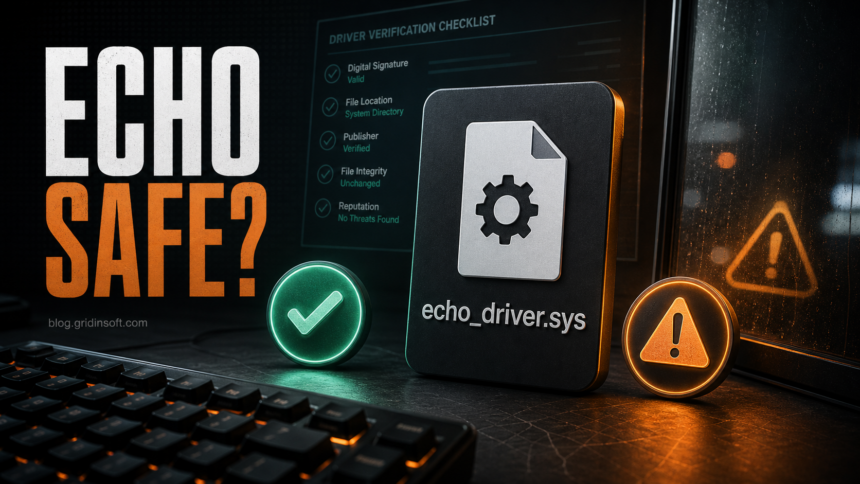
Echo.ac is not automatically malware, and Echo Anti-Cheat can be part of a legitimate game or server anti-cheat check. The part worth verifying is echo_driver.sys: older Echo driver builds are associated with CVE-2023-38817, a local privilege-escalation vulnerability. If you installed Echo intentionally for a server, tournament, or game community, check the source, file path, digital signature, and current Windows driver-blocking settings before deciding it is malicious. If it appeared after a cheat, cracked tool, unknown installer, or without your consent, treat it as suspicious and scan the PC.
What Is Echo.ac and Echo Anti-Cheat?
Echo.ac is tied to Echo, a commercial anti-cheat and computer inspection service used by some gaming communities and servers to review whether a player is running cheat tools or suspicious modifications. That context matters: a file or driver related to an anti-cheat tool is not automatically a virus just because it is unfamiliar.
At the same time, anti-cheat tools often need deeper Windows access than a normal game launcher. A driver such as echo_driver.sys can look alarming because drivers run close to the operating system kernel. That makes verification more important than guessing from the name alone.
Why echo_driver.sys Raises Concern
The main safety concern is not that every Echo install is fake. The concern is that older Echo driver versions have been documented under CVE-2023-38817. Vulnerable drivers are useful to attackers because they may allow local code that is already running on the machine to gain higher privileges. For a normal user, that means the driver is a risk amplifier if it is old, misplaced, left behind, or installed by something untrusted.
Do not use public exploit writeups as instructions. The practical question is simpler: did this driver come from a legitimate Echo workflow, is it the current expected file, and is Windows configured to block known vulnerable drivers?
Quick Safety Check for Echo Anti-Cheat
| Check | What it means |
|---|---|
| You knowingly used Echo for a server, league, or anti-cheat review | This supports a legitimate explanation, but still verify the downloaded source and driver details. |
The file is named echo_driver.sys and sits in an expected Echo folder |
Less suspicious than a random copy in %TEMP%, Downloads, an archive extraction folder, or another app’s directory. |
| The file has a valid digital signature from the expected publisher | A good sign, but not a full guarantee. Signed drivers can still be vulnerable or outdated. |
| Windows Memory Integrity and the vulnerable driver blocklist are enabled | This helps Windows block many known risky drivers, including vulnerable non-Microsoft drivers documented by Microsoft and researchers. |
| Echo appeared after a cheat loader, crack, mod menu, fake update, or unknown installer | Treat the install as suspicious. Remove the parent app and scan for leftovers. |
How to Verify echo_driver.sys on Windows
- Check why Echo is present. Ask yourself what server, launcher, tournament, or support process asked you to run it. If you cannot connect it to a real action you took, do not trust it yet.
- Check the folder. A driver under the expected Echo installation path is easier to explain than a copy in
%USERPROFILE%\Downloads,%TEMP%, a random ZIP extraction folder, or a folder created by a cheat/mod tool. - Check the signature. Right-click the file, open Properties, and review the Digital Signatures tab. If the tab is missing, the signer is unexpected, or Windows reports the signature is invalid, treat the file as suspicious.
- Check the install time. Compare the file creation time with the moment you installed or ran Echo. A driver created after an unrelated download or browser redirect deserves more scrutiny.
- Check Windows Security settings. In Windows Security, review Core isolation / Memory Integrity where available. Microsoft also maintains recommended vulnerable-driver block rules for Application Control and related Windows protections.
- Scan suspicious copies. If the source, path, or signature does not make sense, upload the file to the Gridinsoft Online Virus Scanner before running it again.
When Should You Remove Echo Anti-Cheat?
Remove Echo or ask the server/community for a clean reinstall link when the original anti-cheat check is finished, you no longer use the related server, the driver is old, or you cannot verify the publisher and path. You should also remove it if Windows blocks the driver as vulnerable or if the driver keeps loading after you uninstall the parent tool.
If Echo appeared after a cheat loader, cracked game tool, keygen, suspicious mod menu, or fake update, do not only delete echo_driver.sys. First remove the parent app, then check startup entries, scheduled tasks, browser extensions, and recent downloads. A driver can be only one part of a bigger unwanted install.
If You Ran a Suspicious Copy
When a driver or anti-cheat tool came from an untrusted download, the useful response is containment, not panic. Disconnect from risky sessions, close the game or tool, uninstall the suspicious parent app, and scan the system. If the file was part of a crack, cheat, or mod loader, also change passwords for game, Discord, Steam, email, and other accounts from a clean device if you saw browser pop-ups, token theft warnings, or unknown login alerts.
Gridinsoft Anti-Malware can help check for the leftovers that often matter after a suspicious driver install: hidden files, startup entries, scheduled tasks, bundled apps, browser changes, and persistence. Use it after the manual uninstall if the driver appeared unexpectedly, security warnings repeat after reboot, or other symptoms continue.
If the process path is wrong, the name imitates a Windows component, or high CPU started after an unknown installer, scan for hidden miners, services, startup entries, and bundled components.
Scan for driver leftoversHow This Differs From Other Driver Risks
Echo is a narrower case than generic driver-update malware. The article is not saying every third-party driver is unsafe, and it is not saying every anti-cheat driver is malware. The safer mental model is the same one used for other Windows driver checks: verify the source, path, signature, purpose, and current vulnerability status.
For broader driver-install decisions, see our guide to whether Plug-and-Play Windows drivers are safe. If your concern is a known low-level driver used by hardware tools, compare the situation with the WinRing0x64.sys safety guide. For gaming anti-cheat abuse in attacks, the older Genshin anti-cheat driver case is a useful reminder that legitimate driver components can become attractive to attackers.
FAQ
Is Echo.ac malware?
Not by default. Echo.ac is associated with Echo Anti-Cheat, which can be used legitimately by gaming communities and servers. The risk depends on where you got it, whether the driver is current, and whether echo_driver.sys appears in an expected location with a valid signature.
Is echo_driver.sys dangerous?
It can be risky if it is old, vulnerable, unsigned, misplaced, or installed by an untrusted tool. Older Echo driver versions are associated with CVE-2023-38817, so you should verify the file instead of blindly allowing it.
Should I delete echo_driver.sys?
Delete or uninstall it if you no longer need Echo, cannot verify its source, Windows blocks it as vulnerable, or it appeared after a suspicious download. Prefer uninstalling the parent Echo tool or related app instead of deleting one driver file and leaving services or tasks behind.
Can Windows block vulnerable drivers automatically?
Windows can block many known vulnerable drivers when supported security features and recommended block rules are enabled. Availability depends on your Windows version, hardware support, and security configuration.
What if a server requires Echo Anti-Cheat?
Use only the server’s official instructions and the official Echo download path. If the requested file, signature, or domain does not match, stop and ask the server staff before running it.
References
- Echo. “The Ultimate Solution.” Echo.ac, accessed June 29, 2026. https://echo.ac/
- National Institute of Standards and Technology. “CVE-2023-38817 Detail.” National Vulnerability Database, accessed June 29, 2026. https://nvd.nist.gov/vuln/detail/CVE-2023-38817
- Microsoft. “Microsoft recommended driver block rules.” Microsoft Learn, accessed June 29, 2026. https://learn.microsoft.com/en-us/windows/security/application-security/application-control/app-control-for-business/design/microsoft-recommended-driver-block-rules