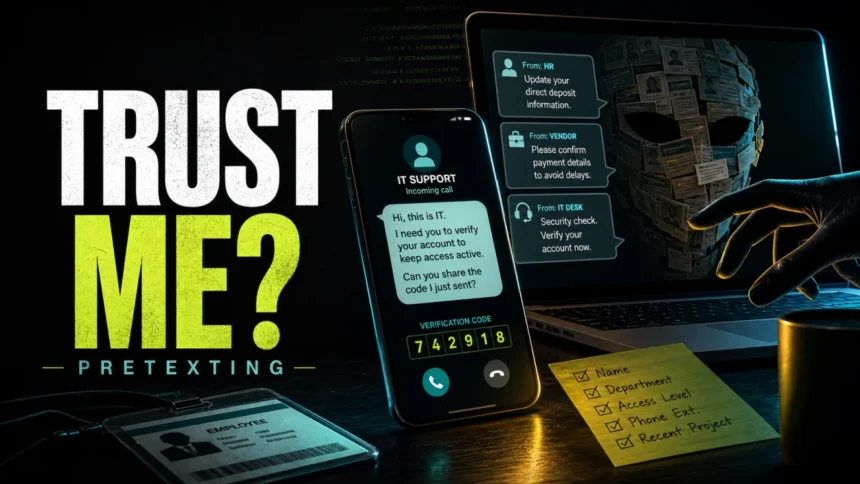
Pretexting is a social engineering attack where a scammer invents a believable story so you will trust the request before you verify it. The attacker may pretend to be HR, IT support, a vendor, a bank, a government office, a delivery company, a recruiter, or even someone inside your own company. The goal is usually to make you share a password or MFA code, change payment details, install remote access, send money, or reveal personal data.
This matters more in 2026 because pretexting is no longer limited to awkward phone calls. Attackers now blend email, SMS, voice calls, chat apps, compromised mailboxes, AI-written messages, and sometimes voice-clone pressure. Verizon’s 2026 DBIR summary says mobile social engineering success is up 40%, while the FBI’s 2025 IC3 report shows business email compromise remains a multibillion-dollar fraud category. In practice, the safest response is simple: slow the request down and verify it through a separate trusted channel.
What is pretexting in cybersecurity?
In cybersecurity, pretexting means building a false identity or situation to manipulate the victim. A phishing email may only need a click. A pretexting attack tries to make the whole story feel normal: the fake HR form, the “vendor” bank update, the “IT support” verification call, or the “manager” asking for a quick payment before a deadline.
Pretexting often sits behind other attacks. A vishing call can use a bank-fraud pretext. A business email compromise attempt can use a vendor-payment pretext. A fake job interview can use a recruiter pretext. A fake buyer can use a purchase-inquiry pretext, as in the LinkedIn Purchase Inquiry email scam. The channel changes, but the core trick is the same: the attacker wants you to trust the role they are playing.
Common pretexting examples
| Pretext | What the attacker wants |
|---|---|
| HR asks to update direct deposit or payroll details | Bank account data, tax details, employee identity data, or a payment redirection. |
| IT support says your account must be verified | Password, MFA code, remote access, browser session, or a fake support-tool install. |
| Vendor sends new bank details for an invoice | A wire transfer or ACH payment to an attacker-controlled account. |
| Executive asks for gift cards or a secret payment | Fast money transfer before normal approval checks catch up. |
| Bank or fraud team calls about suspicious activity | One-time passcodes, card data, account login, or approval of a fraudulent transaction. |
| Recruiter or client sends a document, test task, or meeting app | Credential theft, malware download, or access to a work device. |
Why pretexting works
Pretexting works because it abuses normal trust. People expect HR to handle payroll, IT to ask security questions, vendors to send invoices, and banks to call about fraud. A good pretext also borrows real context: names from LinkedIn, recent invoices from a compromised mailbox, a supplier relationship, a job application, or details from a data breach.
Modern attacks also move across channels. An email may ask for a phone number, then the real pressure happens on SMS or WhatsApp. A fake support message may move into a voice call. A vendor email may be followed by a “verification” call from a number that looks familiar. That cross-channel movement is a warning sign, not a reason to trust the request.
Warning signs of a pretexting attack
- The request bypasses normal procedure. Examples include “do not tell anyone,” “I need this before the meeting,” or “use this new account just this once.”
- The person asks for an MFA code, password, remote access, gift card, crypto, wire transfer, or payroll change. These are high-risk actions even when the story sounds polite.
- The conversation changes channel. Moving from email to SMS, WhatsApp, Telegram, a personal address, or an unscheduled call can be an attempt to escape monitoring.
- The identity feels almost right but not fully verifiable. Look for look-alike domains, changed signatures, unusual grammar, caller-ID spoofing, or a request from a personal account.
- The request uses real details to lower your guard. Real invoice numbers, colleague names, project names, or job titles can be stolen from compromised mailboxes or public profiles.
How to verify a suspicious request
- Pause before acting. Treat any request for money, access, credentials, codes, or sensitive data as high-risk until verified.
- Use a separate trusted channel. Call the person or company using a number from your records, the official website, or your internal directory. Do not use the number in the suspicious message.
- Verify the exact action. For payments, confirm the recipient name, bank, routing/account details, amount, invoice, and reason for change.
- Check the message path. Inspect the sender domain, reply-to address, links, attachment names, and whether the thread unexpectedly moved outside company systems.
- Escalate instead of improvising. Finance, HR, legal, and IT requests should have a known approval path. If the sender pressures you to skip it, stop.
If the request arrived by email, compare it with the red flags in our phishing email checklist. If the request is about an invoice, vendor payment, or executive transfer, use the stricter steps in our business email compromise guide. If the pressure happens by phone or SMS, review smishing vs. vishing.
What to do if you already responded
Do not waste time arguing with the scammer. Start containment based on what you shared:
- If you sent money or changed payment details: call the sending bank or payment provider immediately and ask for a recall, fraud hold, or reversal. Preserve transaction IDs, account details, phone numbers, and messages.
- If you shared an MFA code or password: change the password from a clean device, revoke active sessions, review login history, and reset MFA where possible.
- If you installed software or allowed remote access: disconnect from the network, uninstall the tool only after preserving evidence when needed, and scan the device. Use Gridinsoft Anti-Malware if you need a malware cleanup check after a suspicious download or remote-support session.
- If you shared personal data: watch for identity-theft attempts, account recovery messages, SIM-swap attempts, and new credit or financial activity.
- If the attack targeted a workplace: notify IT/security, finance, HR, or management immediately. A pretexting message may be one piece of a larger mailbox compromise or vendor-fraud attempt.
For consumer scams in the United States, the FTC recommends reporting scams at ReportFraud.ftc.gov. For business email compromise, wire fraud, and internet-enabled crime, report to IC3 as soon as possible, especially when a bank transfer may still be recoverable.
Pretexting vs phishing vs impersonation
| Term | Difference |
|---|---|
| Pretexting | The attacker creates a believable story or role to make the request feel legitimate. |
| Phishing | The attacker sends a deceptive message, usually to steal credentials, payment data, or deliver malware. |
| Impersonation | The attacker pretends to be a real person, brand, vendor, executive, or authority figure. |
| Business email compromise | A targeted payment or data-theft scam that often uses pretexting, spoofing, or a compromised mailbox. |
These terms overlap. A fake CEO email can be phishing, impersonation, BEC, and pretexting at the same time. The useful question is not “which label is perfect?” but “what action is the attacker trying to make me take?”
How to prevent pretexting
- Create verification rules for money and payroll changes. Require out-of-band confirmation for vendor bank changes, direct deposit changes, wire transfers, and gift-card requests.
- Train people on scenarios, not only definitions. Use examples such as fake HR, IT support, vendor-payment changes, executive pressure, recruiter lures, and bank-fraud calls.
- Limit public context attackers can reuse. Review exposed staff lists, direct phone numbers, executive travel details, vendor pages, and social-media oversharing.
- Harden email identity. Use SPF, DKIM, DMARC, mailbox alerts, and clear reporting buttons so suspicious messages are easy to escalate.
- Protect accounts after one suspicious contact. Enforce MFA, conditional access, session reviews, and alerting for mailbox forwarding rules or unusual logins.
- Make security reporting low-friction. People should be able to report “I think I might have shared something” without fear of blame. Early reporting is often the difference between a blocked attempt and a paid invoice.
FAQ
Is pretexting the same as phishing?
No. Phishing is usually the deceptive message or link. Pretexting is the invented story behind the request. Many phishing attacks use pretexting, but pretexting can also happen by phone, SMS, chat, video call, or in person.
What is the most common pretexting example?
Common examples include fake IT support asking for a verification code, HR payroll-change requests, vendor bank-detail changes, bank fraud calls, and executives asking for urgent payments or gift cards.
Can caller ID prove a pretexting call is real?
No. Caller ID can be spoofed. If a caller asks for money, account access, a one-time code, remote access, or personal data, hang up and call the organization through a number you already trust.
What should I do first if I gave a scammer an MFA code?
Change the affected account password, revoke active sessions, reset MFA, review recent login activity, and notify the service or your workplace security team. If the same password was reused, change it anywhere else it appears.
References
- Federal Bureau of Investigation. “2025 IC3 Annual Report.” Internet Crime Complaint Center, 2026, accessed June 7, 2026. https://www.fbi.gov/file-repository/2025_ic3report.pdf
- Verizon. “Vulnerability exploitation top breach entry point, 2026 industry-wide DBIR finds.” Verizon News, May 19, 2026, accessed June 7, 2026. https://www.verizon.com/about/news/breach-industry-wide-dbir-finds
- Federal Trade Commission. “What To Do if You Were Scammed.” Consumer Advice, accessed June 7, 2026. https://consumer.ftc.gov/articles/what-do-if-you-were-scammed