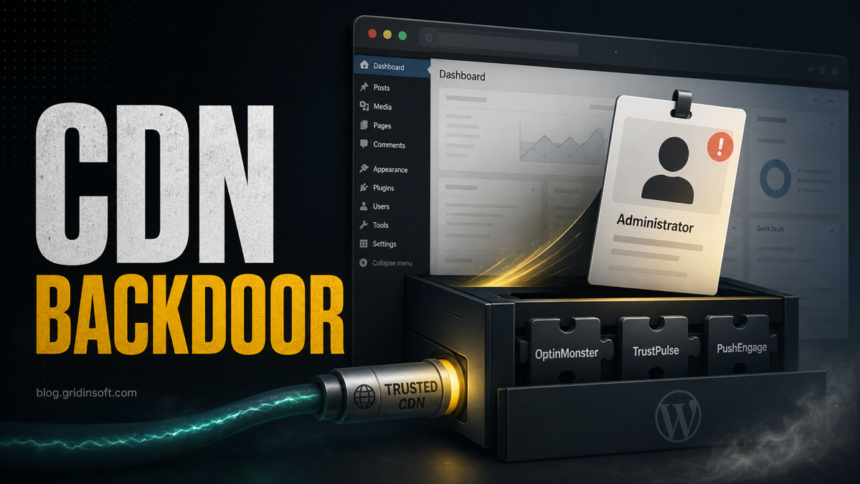
WordPress site owners who used OptinMonster, TrustPulse, or PushEngage in June 2026 should not stop at updating a plugin. The reported compromise happened through tampered CDN-served JavaScript, and the dangerous case was a logged-in WordPress administrator loading the affected script. If that happened on your site, check the server for rogue administrator users, hidden plugins, modified files, and suspicious outbound indicators before assuming the site is clean.
The useful response is a focused compromise check, not panic. Public reporting and vendor notices say the malicious code was designed to act in an administrator context, create a hidden administrator account, install a concealed backdoor plugin, and send site details to attacker infrastructure. Ordinary visitors were not the main trigger, but a site with a planted backdoor can later be abused against visitors, customers, or stored data.
What Happened
Sansec reported an active supply-chain attack involving JavaScript served for three Awesome Motive products: OptinMonster, TrustPulse, and PushEngage. Instead of a normal local WordPress plugin vulnerability, the risk came from trusted scripts that customer sites loaded from vendor/CDN infrastructure.
| Service | What site owners should understand |
|---|---|
| OptinMonster | The incident notice says sites with OptinMonster active should act if a WordPress administrator was logged in during the exposure window. |
| TrustPulse | The same OptinMonster notice covers TrustPulse and gives the same server-side check guidance. |
| PushEngage | PushEngage published a separate notice and said some CDN edge locations could have served affected files beyond the initial June 12 window. |
The key distinction is the trust boundary. Your local plugin files may not look suspicious because the page loaded remote JavaScript at runtime. That makes dashboard-only checks weak. If the malicious script already ran for an authenticated admin, a clean CDN file today does not remove a rogue user or a hidden plugin that may already be on your server.
Who Should Check Their Site Now?
Check your site if all three conditions are plausible:
- Your WordPress site used OptinMonster, TrustPulse, or PushEngage during the incident window.
- A WordPress administrator was logged in while pages using the affected script loaded.
- You cannot prove from logs that the site avoided the affected CDN responses.
For OptinMonster and TrustPulse, the official notice describes a limited window on June 12, 2026 UTC while precise timing was still being confirmed. PushEngage describes several hours on June 12, with a subset of users potentially receiving affected files until June 14 from some CDN edge locations. If you are unsure whether an administrator was logged in, treat the check as worthwhile.
Immediate WordPress Compromise Checklist
Start with server-side evidence. The backdoor was reported to hide from normal dashboard views, so a clean-looking Plugins screen is not enough.
- Review administrator users. Look for unknown administrator accounts, especially
developer_api1and randomizeddev_xxxxxxaccounts. Remove accounts you did not create after preserving evidence your incident process requires. - Inspect the filesystem under
wp-content/plugins. Look for unexpected plugin folders such ascontent-delivery-helperordatabase-optimizer. The reported backdoor could disguise itself and hide from the dashboard. - Search logs for attacker infrastructure. Check web server, WAF, CDN, and outbound proxy logs for
tidio.cc,/cdn-cgi/paths, and suspicious requests around June 12-14 UTC. - Compare recent file changes. Review plugin, theme, mu-plugin, and upload directories for files created or changed during the window. Do not trust timestamps alone if the server is already suspected to be compromised.
- Rotate secrets if any indicator appears. Change WordPress admin passwords, application passwords, API keys, database credentials, SFTP/hosting credentials, and WordPress salts in
wp-config.php. - Do not restore blindly. A backup from after compromise can preserve the rogue account or plugin. Restore only after you understand the timeline and have removed the upstream exposure path.
- Review visitor impact. If you find injected scripts, redirects, payment-page changes, or unfamiliar JavaScript after the initial backdoor, check logs and customer-facing pages separately. The reported initial payload targeted admins, but a compromised site can later be changed to target visitors.
Indicators Worth Searching
| Indicator | Why it matters |
|---|---|
developer_api1 |
Reported fixed rogue administrator account name. |
dev_xxxxxx |
Pattern for randomized rogue administrator accounts. |
content-delivery-helper |
Reported backdoor plugin disguise. |
database-optimizer |
Reported rotating backdoor plugin disguise. |
tidio.cc |
Reported attacker-controlled lookalike infrastructure, not the legitimate tidio.com. |
WPM File Manager & Shell |
Reported backdoor shell interface string. |
If you see one of these indicators, assume the site may have had server-side code execution and escalate the response. Removing only the visible account is not enough when a hidden plugin or additional persistence may exist.
What This Is Not
This incident should not be reduced to “update the plugin.” Updates are still important, but the reported issue involved a tampered remote script path. A site could load clean local plugin code and still have received malicious JavaScript while the CDN response was altered.
It is also not evidence that every Awesome Motive product was confirmed compromised. Sansec named OptinMonster, TrustPulse, and PushEngage as confirmed affected code paths and advised users of other Awesome Motive products to stay alert. Keep the investigation tied to actual script loading, logs, users, files, and official incident updates.
How Gridinsoft Fits The Response
This is primarily a WordPress server incident. A Windows endpoint scan will not remove a hidden PHP plugin from a web server. Gridinsoft tools can still help with adjacent checks: use the Online Virus Scanner for suspicious files you download during triage, use the URL scanner to review unfamiliar domains found in injected scripts, and scan administrator workstations if an admin account also handled suspicious downloads, browser extensions, or unexpected remote-support tools.
For adjacent reading, compare this with the Polyfill.io login prompt case for third-party JavaScript trust, the Kirki admin takeover write-up for local WordPress compromise response, and the older 3CX supply-chain attack coverage for how trusted software paths can change the response model.
An August 2026 incident used a different remote-data path: seven BdThemes plugins loaded a poisoned promotional JSON feed that could create rogue administrators and webshells. Because the official plugin files stayed unchanged, affected sites need a database and must-use-plugin audit rather than only a file-integrity check.
FAQ
Was every site using OptinMonster, TrustPulse, or PushEngage compromised?
No. The important condition is whether the site loaded the affected script while a WordPress administrator was logged in during the exposure window. If that is unclear, run the checks anyway.
Can I rely on the WordPress dashboard to find the backdoor?
No. The reported backdoor plugin was designed to hide from normal dashboard views. Check the filesystem, users table, logs, and server-side scan results.
Do ordinary visitors need to reset passwords?
The reported initial payload targeted logged-in WordPress administrators, not ordinary visitors. Visitor impact depends on whether your site was later modified after compromise. Check for injected scripts, redirects, payment-page changes, or unfamiliar customer-facing code before making user-facing claims.
Is this the same as a normal WordPress plugin vulnerability?
No. A normal plugin vulnerability usually lives in code installed on your server. This incident involved trusted JavaScript served from a remote CDN path, which means local plugin file checks alone may miss the original exposure.
References
- Sansec Forensics Team. “OptinMonster supply chain attack hits 1.2 million sites.” Sansec, June 13, 2026, accessed June 16, 2026. https://sansec.io/research/optinmonster-supply-chain-attack
- OptinMonster. “Security Incident: Tampered Script Served via OptinMonster and TrustPulse.” OptinMonster, June 14, 2026, accessed June 16, 2026. https://optinmonster.com/security-incident-tampered-script-served-via-optinmonster-and-trustpulse/
- PushEngage. “Security Incident: Tampered Script Served via PushEngage.” PushEngage, June 14, 2026, accessed June 16, 2026. https://www.pushengage.com/security-incident-tampered-script-served-via-pushengage/