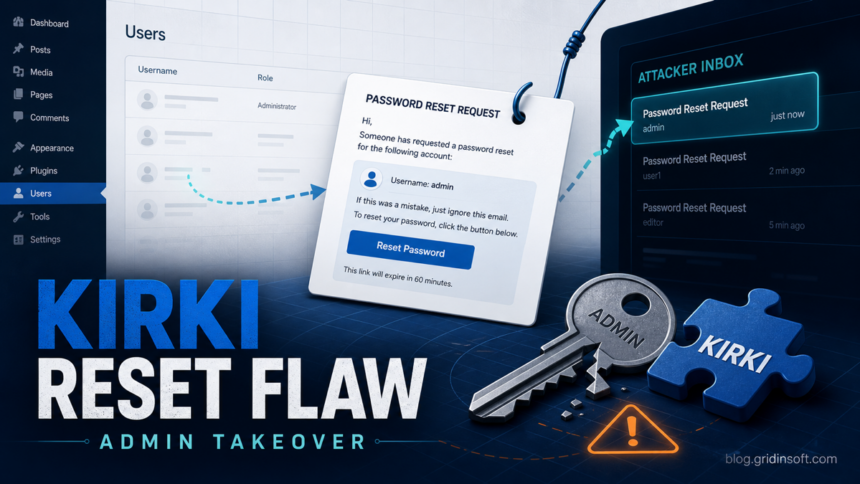
Kirki site owners should check plugin versions and administrator accounts after CVE-2026-8206 was disclosed as a critical account-takeover flaw. Wordfence says Kirki versions 6.0.0 through 6.0.6 can accept an attacker-supplied email address during the password-reset flow, letting an unauthenticated attacker receive a reset link for another user, including an administrator. The fixed line is 6.0.7 or later, and the public WordPress plugin page now lists a newer 6.0.9 stable release.
This is not the same pattern as the recent WP Maps Pro admin-account creation bug. Kirki’s risk is quieter: the attacker does not need to create a visible user first. They can target a known username, route the password reset link to their own mailbox, then sign in as that account if the vulnerable endpoint is reachable.
Who Is Affected
The affected range is Kirki 6.0.0 through 6.0.6. Wordfence estimates that the vulnerable branch may affect about 150,000 sites, while WordPress.org lists Kirki at more than 500,000 active installations. Sites that never upgraded into the 6.0 branch are not in the same affected range, but administrators should still verify the installed version instead of assuming theme-bundled components are current.
| Check | What it means |
|---|---|
| Kirki 6.0.0-6.0.6 | Vulnerable. Update to 6.0.7 or later immediately. |
| Kirki 6.0.7+ | Patched for the reported password-reset flaw. Still review logs if the site was exposed before updating. |
| Unexpected admin reset mail | Treat it as a compromise signal, not just a nuisance notification. |
| New admin user, plugin, theme file, or redirect | Assume the attacker may have moved from account takeover to persistent site compromise. |
What Attackers Can Do After Takeover
An administrator account is enough to turn a WordPress site into a malware-delivery point. After signing in, an attacker can install a malicious plugin, alter theme files, add a webshell, inject JavaScript redirects, or change content for phishing and SEO spam. That is why the response should not stop at a plugin update when the site ran a vulnerable Kirki version during the disclosure window.
Gridinsoft has seen the same post-compromise pattern in other site-owner incidents, including WordPress malware that hid command data in Steam profile comments and ClickFix WordPress attacks that pushed Vidar Stealer. The practical question is whether a password-reset weakness was only exposed, or whether it already led to a changed account, plugin, file, or redirect.
What To Do Now
- Open the WordPress Plugins page and update Kirki to 6.0.7 or later. If the site cannot be updated quickly, disable Kirki until the theme or site owner can test the update.
- Review administrator users. Remove unknown accounts, demote users that do not need administrator rights, and reset passwords for all privileged accounts.
- Check recent password-reset mail and server logs for repeated Kirki-related reset requests, especially requests that pair a known username with an unfamiliar email address.
- Inspect recently changed plugins, theme files, mu-plugins, and uploads. Look for unexpected PHP files, obfuscated JavaScript, new redirect snippets, and modified login or checkout pages.
- Rotate credentials that a compromised administrator could access: WordPress passwords, hosting panel passwords, FTP/SFTP keys, database users, API tokens, and payment or form-integration keys.
- Scan the site and endpoints used by administrators. A webshell or injected script can reinfect the site even after the vulnerable plugin is patched.
If visitors report warnings, redirects, fake update prompts, or downloads from your domain, treat the site as compromised. Use server-side file review plus a malware scan, and check suspicious URLs or files with Gridinsoft tools before restoring public traffic.
FAQ
Is Kirki CVE-2026-8206 already fixed?
Yes. Wordfence says the fully patched version was released as Kirki 6.0.7 on May 18, 2026. WordPress.org currently lists 6.0.9 as the stable release, so update to the latest available version rather than stopping at the minimum fixed version.
Do I need to rotate passwords if I already updated?
Rotate privileged passwords if the site ran Kirki 6.0.0 through 6.0.6 while the vulnerability was public, if you see suspicious reset activity, or if any administrator account, plugin, theme file, or redirect changed unexpectedly.
Can two-factor authentication stop this bug?
Two-factor authentication can reduce the impact after a reset link is abused, but it does not replace patching. Update Kirki first, then verify that 2FA is enabled for administrator accounts.
References
- Wordfence. “Unauthenticated Privilege Escalation Vulnerability Patched in Kirki WordPress Plugin.” Wordfence Blog RSS, published June 2, 2026, accessed June 3, 2026. https://www.wordfence.com/blog/2026/06/unauthenticated-privilege-escalation-vulnerability-patched-in-kirki-wordpress-plugin/feed/
- Tenable. “CVE-2026-8206.” Tenable CVE Database, published June 2, 2026, accessed June 3, 2026. https://www.tenable.com/cve/CVE-2026-8206
- WordPress.org. “Kirki – Freeform Page Builder, Website Builder & Customizer.” WordPress Plugin Directory, accessed June 3, 2026. https://wordpress.org/plugins/kirki/