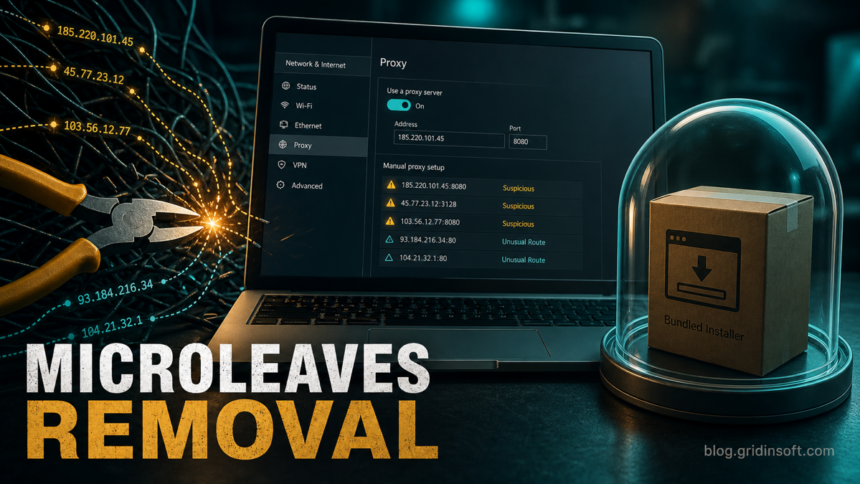
Microleaves removal matters when you did not intentionally install a proxy-sharing app, you see PUP.U.Microleaves or PUP.Optional.Microleaves, or Windows keeps showing unknown proxy settings after a bundled installer. Microleaves is not the same as a classic file-infecting virus, but unwanted proxyware can route other people's traffic through your connection, affect your IP reputation, and leave scheduled tasks, startup entries, browser changes, or proxy settings behind. Remove the visible app first, then check Windows for leftovers before signing back in to sensitive accounts.
What is Microleaves?
Microleaves was known as a residential proxy service and has also been tied to the Shifter.io name. In a clean, fully informed setup, proxy software should be obvious: you know why it is installed, what account controls it, and how to stop it. The problem begins when Microleaves-related components appear after a free installer, utility bundle, cracked download, or generic "optimizer" prompt that did not clearly explain that your PC might be used as a proxy node.
Security vendors have treated Microleaves-related software as a potentially unwanted program. Malwarebytes documents PUP.Optional.Microleaves as a PUP family associated with Microleaves LTD and notes symptoms such as scheduled tasks, changed proxy settings, and unsolicited ads. KrebsOnSecurity also reported on Microleaves/Shifter as a proxy service and described long-running concerns around affiliate distribution and bundled installs.
When should you remove it?
Remove Microleaves or investigate it as unwanted proxyware when any of these signs fit your PC:
- You see a security-tool alert such as PUP.U.Microleaves or PUP.Optional.Microleaves.
- An installed app, folder, task, service, or shortcut references
Microleaves,microleaves.com, proxy sharing, or Shifter, and you do not recognize it. - Windows proxy settings turn on again after you disable them.
- Websites show more CAPTCHA prompts, "unusual traffic" warnings, or blocks from your home IP address.
- Unwanted ads, browser notifications, homepage/search changes, or suspicious extensions appeared around the same time.
- The app arrived with a free video tool, optimizer, codec pack, browser extension, crack, repack, or fake update.
Do not call every proxy-service mention malicious automatically. If you installed a business VPN, developer proxy, testing tool, or privacy product on purpose, verify the publisher and settings first. If the name appeared without clear consent, treat it as a PUP cleanup case.
Microleaves removal steps for Windows
- Disconnect from sensitive accounts first. If unknown proxy traffic is active, close banking, work, email, crypto, and admin sessions before cleanup. Do not enter new passwords until the machine is checked.
- Uninstall the visible app. Open Settings > Apps > Installed apps or Control Panel > Programs and Features. Remove entries that clearly reference Microleaves, Shifter, proxy sharing, unfamiliar optimizers, or the bundle that installed it.
- Check running processes and services. Open Task Manager and sort by publisher, network, and startup impact. Then open
services.mscand look for recently added proxy, updater, optimizer, or randomly named services. Stop only entries you can tie to the unwanted app or bundle. - Review common folders. Look for Microleaves-related leftovers under
C:\Program Files,C:\Program Files (x86),%ProgramData%,%LOCALAPPDATA%, and%APPDATA%. Do not delete unrelated Windows or vendor folders just because they contain the word proxy. - Disable unwanted proxy settings. Go to Settings > Network & Internet > Proxy. Turn off unknown manual proxy entries and review any script URL you do not recognize. If a proxy returns after reboot, assume a service, scheduled task, browser policy, or startup item is restoring it, then use the recurring Windows proxy diagnostic to identify the owner before resetting it again.
- Reset DNS and browser changes. Check adapter DNS settings, browser extensions, search engine, homepage, notification permissions, and managed browser policies. Remove extensions and notification permissions you did not add yourself.
- Inspect scheduled tasks and startup. Open Task Scheduler and Task Manager's Startup tab. Disable tasks that launch the unwanted app, updater, proxy executable, browser helper, or script from user-writable folders such as
%APPDATA%,%LOCALAPPDATA%,%TEMP%, orDownloads. - Scan, quarantine, reboot, and scan again. After manual cleanup, run a full security scan, remove detections, reboot, and scan again if proxy settings, ads, or alerts return.
If Microleaves arrived from a bundle, the visible uninstall entry may remove only the main app. A proxy service, scheduled task, browser extension, or startup entry can still recreate the setting after reboot. Use Gridinsoft Anti-Malware after the manual checks to look for PUP detections, hidden files, startup entries, scheduled tasks, bundled apps, browser changes, and proxyware persistence.
Browser reset can remove visible symptoms, but adware may keep a desktop app, extension source, notification permission, or startup task that brings pop-ups and redirects back.
Scan for proxyware leftoversWhat to check after removal
- Proxy settings: no unknown manual proxy server or script URL turns back on after reboot.
- Scheduled tasks: no Microleaves, Shifter, updater, proxy, or random task launches from user-writable folders.
- Browsers: no unfamiliar extensions, forced search engine, homepage change, or unwanted notification permission remains.
- Network symptoms: CAPTCHAs and unusual-traffic warnings stop increasing after cleanup and reboot.
- Security scan: no repeated PUP or proxyware detection returns after quarantine and restart.
Does Microleaves mean your passwords were stolen?
A Microleaves or proxyware alert does not automatically prove that passwords were stolen. The main risk is that your PC or home IP may have been used as a proxy without informed consent. Change important passwords and revoke sessions if the same installer also dropped a browser hijacker, fake update, crack, credential stealer, remote-access tool, or suspicious extension, or if you logged in to important accounts while the unwanted software was active.
If your main symptom is stolen bandwidth or home-IP abuse, the broader proxyjacking guide explains how abused devices and IP reputation problems happen. If you found exact proxyware executables such as upWire.exe Trojan.Proxy, use that process-specific guide as a companion check. If Microleaves appeared after a codec bundle, the K-Lite Infatica removal guide shows how to separate a legitimate media tool from an unwanted proxy component. Browser symptoms should be handled with the PUA browser hijacker cleanup guide.
FAQ
Is Microleaves a virus?
Microleaves is better treated as a potentially unwanted proxyware/PUP case unless a scanner identifies a specific Trojan payload. It can still be risky because unwanted proxy software may route traffic through your connection and leave persistence behind.
Why do I see microleaves.com terms or privacy links?
Installers and shortcuts sometimes include terms, privacy, or EULA URLs as recognition artifacts. Their presence does not prove a legal conclusion by itself, but it can help identify the software family you need to uninstall and check.
Should I delete every proxy setting in Windows?
No. Remove only unknown proxy entries or scripts. Some work VPNs, developer tools, and enterprise networks use proxy settings intentionally. If the setting returns after reboot and you did not configure it, look for a service, scheduled task, browser policy, or startup item restoring it.
Can I just reset the browser?
A browser reset can remove extensions, search changes, and notifications, but it will not remove a Windows service, scheduled task, installed app, or proxy component. Clean Windows first, then reset affected browsers.
References
- Malwarebytes. "PUP.Optional.Microleaves." Malwarebytes Threat Center, published August 16, 2023, updated September 26, 2023, accessed June 28, 2026. https://www.malwarebytes.com/blog/detections/pup-optional-microleaves
- Brian Krebs. "Breach Exposes Users of Microleaves Proxy Service." KrebsOnSecurity, July 25, 2022, accessed June 28, 2026. https://krebsonsecurity.com/2022/07/breach-exposes-users-of-microleaves-proxy-service/