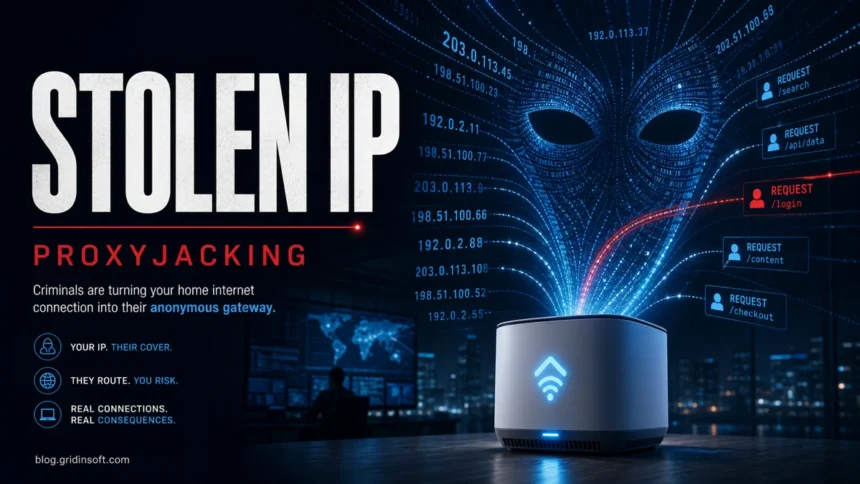
Proxyjacking is the unauthorized use of your internet connection as a proxy node. Instead of stealing only CPU power like cryptojacking, the attacker sells or uses your IP address and bandwidth so other people's traffic appears to come from your home, router, phone, or server. That makes the threat easy to miss: the device may still look normal while your IP is used for scraping, credential attacks, fraud, spam, or hiding another intrusion.
The important question is not only “what is proxyjacking?” It is whether a device on your network is forwarding traffic without consent. If your ISP warns about botnet traffic, websites suddenly block your IP, your router is old and exposed, or you found suspicious proxyware such as a fake VPN, treat proxyjacking as a real cleanup problem rather If the suspicious proxyware name is Microleaves, follow the Microleaves proxy PUP removal steps first, then return to this broader proxyjacking checklist. than a harmless bandwidth issue.
What is proxyjacking?
Proxyjacking happens when criminals enroll a device into a proxy network without the owner's clear consent. The device becomes a residential proxy: traffic from another customer or attacker is routed through a normal household, mobile, office, or small-business IP address. NCSC describes residential proxies as connections from consumer equipment such as routers and mobile devices that can make third-party traffic look like it came from a legitimate internet user.[1]
Legitimate proxy and VPN services can exist, but proxyjacking crosses the line when the device is added by malware, hidden app terms, a bundled “free VPN,” a compromised router, or an attacker who abused SSH, Docker, IoT firmware, or another exposed service. Akamai's 2023 research showed attackers targeting vulnerable SSH servers and launching Docker-based proxy services to monetize victims' bandwidth.[2] More recent law-enforcement alerts show the same idea applied to home routers and IoT devices at much larger scale.[3]
How proxyjacking works
- Initial access. The attacker gets onto a device through malware, a weak SSH password, an exposed router flaw, pirated software, a bundled app, a malicious browser extension, or an old IoT device that no longer receives security updates.
- Proxy component installation. The device starts a proxyware agent, Docker container, SOCKS proxy, tunneling service, or malware module that can forward traffic.
- Enrollment and persistence. The attacker links the node to an account or criminal proxy service, then adds startup entries, scheduled tasks, router changes, or remote shell access so it comes back after reboot.
- Traffic resale or abuse. Buyers route scraping, password spraying, ad fraud, account takeover attempts, spam, or other activity through the victim's IP. The victim may only see slower internet, higher data use, CAPTCHAs, or reputation problems.
This is why proxyjacking is often quieter than cryptojacking. A coin miner usually creates obvious CPU heat and fan noise. A proxy node can sit idle most of the day, then forward traffic in bursts that look like ordinary encrypted web sessions.
Why criminals want residential IPs
Residential IP addresses are valuable because many sites trust them more than data-center VPNs or known proxy ranges. Criminals use that trust to blend into normal traffic. The FBI warned in March 2026 that AVrecon-infected routers were sold through the SocksEscort residential proxy service, with compromised devices spread across about 163 countries and roughly 369,000 devices believed to have been compromised and sold since 2020.[3]
For a victim, the risk is not only a slower connection. The abuse may damage the reputation of your IP address, trigger account security checks, involve your router in password spraying, or make your home network a stepping stone for attacks against other people. Our coverage of the Dutch 17-million-device botnet takedown shows how broad this residential-proxy problem has become.
Signs your device or router may be proxyjacked
| Sign | What it may mean |
|---|---|
| Your ISP sends a botnet or abuse warning | A router, PC, phone, camera, TV box, or other device may be forwarding malicious traffic. |
| Websites show constant CAPTCHAs or block your IP | Your IP may be listed as a residential proxy, spam source, scraper, or suspicious login source. |
| Unknown VPN, proxy, “bandwidth sharing,” or passive-income app appears | Proxyware may have been installed directly or bundled with another download. |
| Router CPU, bandwidth, or data use spikes while nobody is active | An IoT or router-level proxy component may be active. |
| Security software detects Trojan.Proxy, proxyware, dropper, or suspicious tunneling | Treat it as a network-risk alert, not just a single file cleanup. |
| Unknown startup tasks, containers, services, or firewall rules appear | The proxy node may be trying to survive reboot or hide from manual removal. |
If you found a specific Windows proxyware alert, compare it with our upWire.exe Trojan.Proxy cleanup guide. If the case involves a broader proxy botnet, the Socks5Systemz proxy botnet and 400,000 proxy nodes reports show common malware-driven patterns.
What to check first
- Check the router first. Log in to the router admin panel, install firmware updates, disable remote administration from the internet, turn off UPnP if you do not need it, remove unknown port forwards, and change the admin password.
- Inventory every connected device. Include Android TV boxes, cameras, DVRs, NAS devices, smart plugs, old phones, and guest devices. Old “set and forget” equipment is often the weak point.
- Look for proxyware and fake VPN apps. On Windows, review installed apps, browser extensions, startup items, services, scheduled tasks, Docker containers, and unusual proxy settings. A Program Files
RuntimesHostfolder withnode.exeand a RuntimesHost_user scheduled task is one exact cleanup pattern to check. - Review outbound connections. Unknown long-lived connections, SOCKS services, repeated traffic to proxyware platforms, or traffic while the device should be idle deserve investigation.
- Scan the likely endpoint. Use a reputable anti-malware scan after you disconnect suspicious devices from important accounts. Gridinsoft Anti-Malware can help check Windows for proxyware, droppers, persistence entries, and related malware.
After uninstalling the suspicious app or deleting the visible threat, use Gridinsoft Anti-Malware to check hidden files, startup entries, scheduled tasks, bundled apps, browser changes, and other persistence points that can restore malware.
Download Anti-MalwareHow to remove and prevent proxyjacking
- Remove the proxyware or malware from Windows. Uninstall the suspicious app, stop unknown services, remove scheduled tasks, reset browser proxy settings, and run a full malware scan.
- Reset the router if it looks compromised. If firmware updates fail, unknown accounts remain, DNS settings keep changing, or port forwards return, back up only essential settings, factory-reset the router, update firmware, and rebuild settings manually.
- Replace end-of-life routers and IoT devices. The FBI notes that routers without regular security updates are exposed to known unpatched vulnerabilities, and even patched devices may need remediation if malware already landed on them.[3]
- Use unique passwords and MFA. Reused router, NAS, SSH, and cloud passwords make enrollment easier. Rotate passwords after cleanup if the device may have been compromised.
- Avoid “free money for bandwidth” apps on work or family devices. Even when a service is technically legitimate, the risk changes if other people's traffic can route through the same network you use for banking, work, or personal accounts.
- Segment risky devices. Put IoT devices on a guest network or VLAN when possible so a compromised camera or TV box cannot easily reach laptops and work machines.
Proxyjacking vs cryptojacking
| Threat | Main stolen resource |
|---|---|
| Proxyjacking | Your IP address, bandwidth, and network reputation. |
| Cryptojacking | Your CPU/GPU power and electricity for cryptocurrency mining. |
Both are monetization attacks, but the symptoms differ. Cryptojacking usually creates heat, battery drain, fan noise, and high CPU/GPU load. Proxyjacking may create reputation damage, suspicious network sessions, CAPTCHAs, abuse complaints, and intermittent bandwidth spikes. If you suspect mining rather than proxy abuse, see our coin miner malware guide.
Recent proxyjacking example: The NetNut/Popa seizure shows how residential proxy networks can rely on smart TVs, streaming boxes, and bandwidth-sharing apps as exit nodes.
FAQ
Is proxyjacking the same as using a VPN?
No. A VPN is something you choose to use for your own traffic. Proxyjacking means someone else is using your device or internet connection as their proxy without clear consent.
Can my router be proxyjacked if my PC is clean?
Yes. Many residential proxy botnets target routers, cameras, DVRs, TV boxes, and other IoT devices. A clean Windows scan does not automatically prove that the router or another device is clean.
Why do websites keep asking for CAPTCHAs after proxyjacking?
Your IP may have been used for scraping, spam, credential attacks, or other suspicious traffic. After cleanup, rebooting the router may get a new dynamic IP, but you should first remove the device or router problem that caused the reputation hit.
Does reinstalling Windows fix proxyjacking?
Only if the infected component was on that Windows device. Reinstalling Windows will not clean a compromised router, Android TV box, camera, NAS, or another device on the same network.
References
- Netherlands National Cyber Security Centre. “Residential proxies en hun grote impact op de digitale veiligheid in Nederland.” NCSC, accessed June 6, 2026. https://www.ncsc.nl/asset-management/residential-proxies-en-hun-grote-impact-op-de-digitale-veiligheid-in-nederland
- Allen West. “Proxyjacking: The Latest Cybercriminal Side Hustle.” Akamai Security Research, June 29, 2023. https://www.akamai.com/blog/security-research/proxyjacking-new-campaign-cybercriminal-side-hustle
- Federal Bureau of Investigation. “AVrecon Malware-Infected Routers Exploited as Residential Proxies by SocksEscort.” FBI FLASH 20260312-001, March 12, 2026. https://www.fbi.gov/file-repository/cyber-alerts/avrecon-malware-infected-routers-exploited-as-residential-proxies-by-socksescort.pdf