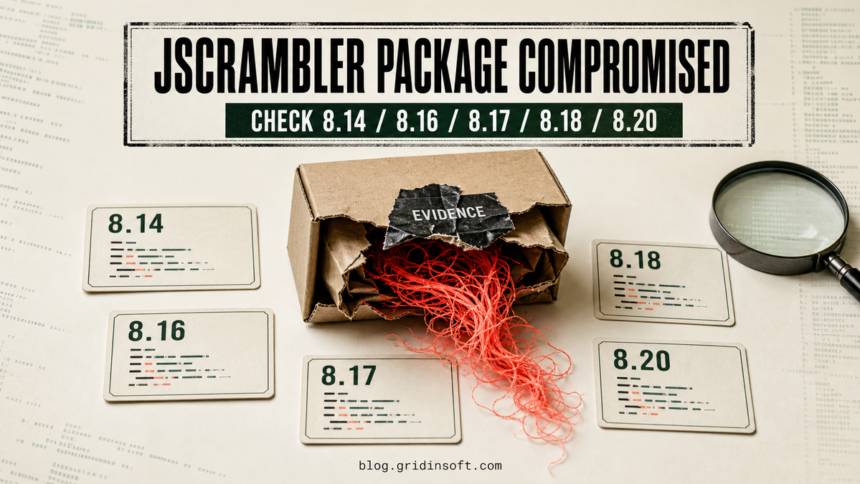
Five releases of the official jscrambler npm package were published with a cross-platform infostealer on July 11, 2026. SafeDep identified versions 8.14.0, 8.16.0, 8.17.0, 8.18.0, and 8.20.0 as malicious. The current clean line is 8.22.0, but upgrading does not undo credential theft if an affected version already ran [1] [2].
The important distinction is how execution happened. The first three malicious releases used npm’s preinstall lifecycle hook. Versions 8.18.0 and 8.20.0 moved the same dropper into normal package code, so importing or running the module could execute it even when install scripts were disabled [2].
Which Jscrambler Versions Are Affected?
| Version | Status | Trigger |
|---|---|---|
8.14.0 |
Malicious | preinstall hook |
8.15.0 |
Clean research baseline | No malicious dropper found |
8.16.0 |
Malicious | preinstall hook |
8.17.0 |
Malicious | preinstall hook |
8.18.0 |
Malicious | Normal runtime code |
8.20.0 |
Malicious | Normal runtime code |
8.22.0+ |
Current safe line | Upgrade and verify the advisory |
Jscrambler’s advisory currently lists 8.14, 8.16, 8.17, and 8.20 as affected and 8.22+ as safe [1]. SafeDep’s package-by-package comparison also classifies 8.18.0 as malicious because the dropper was moved into the runtime path [2]. The vendor investigation is ongoing, so teams should keep the advisory under review rather than treating the first version list as final.
How the npm Package Ran the Infostealer
StepSecurity found that the package grew from about 38 KB to 7.9 MB. A file named dist/intro.js was not ordinary JavaScript: it was a binary container holding Linux, Windows, and macOS executables. The loader selected the matching payload, decompressed it to a randomly named hidden file in the system temp directory, and launched it as a detached process [3].
Static analysis points to theft of Chrome, Edge, Brave, Chromium, and Firefox profile data, Bitwarden browser-extension data, Steam sessions, and cryptocurrency-wallet material. The Windows build can create a hidden scheduled task; the macOS build uses a LaunchAgent. Researchers also observed direct connections to attacker IP addresses and Tor infrastructure [2] [3].
Check Whether Your Workstation or CI Runner Was Exposed
- Search every lockfile and build record. Check
package-lock.json,npm-shrinkwrap.json,yarn.lock,pnpm-lock.yaml, container build logs, CI logs, and local npm history for all five malicious versions. - Separate install from runtime exposure. Installing
8.14.0,8.16.0, or8.17.0on a client that ran lifecycle scripts is enough. For8.18.0and8.20.0, also determine whether the package was imported or its CLI was executed. - Look for the payload container. A suspicious
node_modules/jscrambler/dist/intro.jsaround 7,837,238 bytes is a strong indicator. Check temp directories for randomly named hidden executables created at the same time. - Review persistence and egress. On Windows, inspect Task Scheduler for unfamiliar hidden tasks. On macOS, check
~/Library/LaunchAgents. Search network records for37.27.122[.]124,57.128.246[.]79,check.torproject[.]org, andarchive.torproject[.]org.
What to Do If a Malicious Version Ran
- Isolate the workstation or runner and preserve the relevant install, process, and network timeline.
- Move to
8.22.0or later, remove the affected package from lockfiles, and clear package-manager and build caches that may retain the tarball. - From a clean device, revoke browser sessions and rotate GitHub, npm, cloud, signing, SSH, AI-tool, MCP, and CI secrets that the process could reach.
- Move cryptocurrency from any wallet used on the affected host to a fresh wallet created on a clean device. Changing only a wallet password is not enough if seed material was reachable.
- Rebuild CI runners from a trusted image. For developer workstations, remove scheduled tasks or other persistence only after evidence collection, then run a full endpoint scan.
Removing node_modules does not remove a detached payload or a scheduled task. On an affected Windows workstation, use Gridinsoft Anti-Malware after dependency cleanup to check for the dropped executable, persistence, and related malware remnants. A clean scan cannot restore stolen credentials, so token and session rotation remains mandatory.
If a token stealer ran here, logging back in can hand the attacker your new Discord session, email cookie, Steam token, or wallet access. Scan this Windows PC first, then reset passwords from a clean device.
Scan this PCIndicators Worth Preserving
dist/intro.jsSHA-256:a41a523ef9517aab37ed6eea0ec881821bdcb7aefcb5c5f603adc7907f868c86- Windows payload SHA-256:
b7ca95d1b23c8e67416a25cedf741de0917c2096bbc9d24649eea7853d054903 - Linux payload SHA-256:
fbbcf4d8f98168f78f5c0c47a9ae56d59ec8ac84a7c9ca6b797fedfb8d62d2bd - macOS payload SHA-256:
c8fd47d36bdf7c825378593ab82ed8c24d1dc52e26b507812393e24e1d5201fd
This incident is narrower than the multi-ecosystem TrapDoor package campaign, but its response logic is similar: lockfile review is only the first step. Gridinsoft’s earlier node-ipc compromise guide also explains why familiar package names and CI credentials require host-level triage. For a PyPI example, use the mrmustard 0.7.4 credential-theft cleanup to check cron, shell, and Python persistence after the package is removed.
Lucide Proxy shows a different npm abuse model: the package hosted a browser proxy whose visitors generated DDoS traffic without running an install-time hook.
References
- Jscrambler. “Security Advisory: Unauthorized Publication of a Malicious npm Package affecting the product Code Integrity.” Jscrambler, July 11, 2026, accessed July 11, 2026. https://jscrambler.com/blog/security-advisory-malicious-npm-package
- SafeDep Team. “Official jscrambler npm Package Compromised Across Multiple Releases.” SafeDep, July 11, 2026, accessed July 11, 2026. https://safedep.io/jscrambler-npm-supply-chain-compromise/
- Rohan Prabhu. “jscrambler npm package publishes malicious preinstall binary.” StepSecurity, July 11, 2026, accessed July 11, 2026. https://www.stepsecurity.io/blog/jscrambler-npm-package-publishes-malicious-preinstall-binary