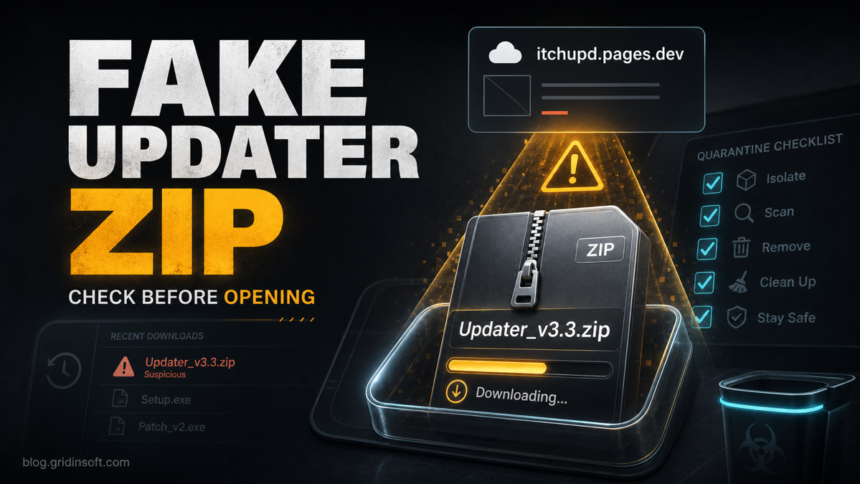
Itchupd.pages.dev is a suspicious Cloudflare Pages-hosted site that has been reported in connection with an automatic Updater_v3.3.zip download. If the download only started and you canceled it before the ZIP finished, the risk is lower, but you should still remove the partial file and check browser permissions. If the ZIP completed, was extracted, or anything inside it ran, treat it as a fake updater incident and clean the PC before signing back in to important accounts.
Fast decision: do not open Updater_v3.3.zip. Delete or quarantine it, review browser download history, remove any permission for itchupd.pages.dev, and scan Windows if the archive completed or any file inside it was launched.
What happened with itchupd.pages.dev?
The reported flow is simple: a user visits itchupd.pages.dev, and a file named Updater_v3.3.zip begins downloading without a clear software update request. That is a different problem from a normal browser notification pop-up. A ZIP file can contain an installer, script, shortcut, or packed executable that only becomes dangerous after the user opens or runs it.
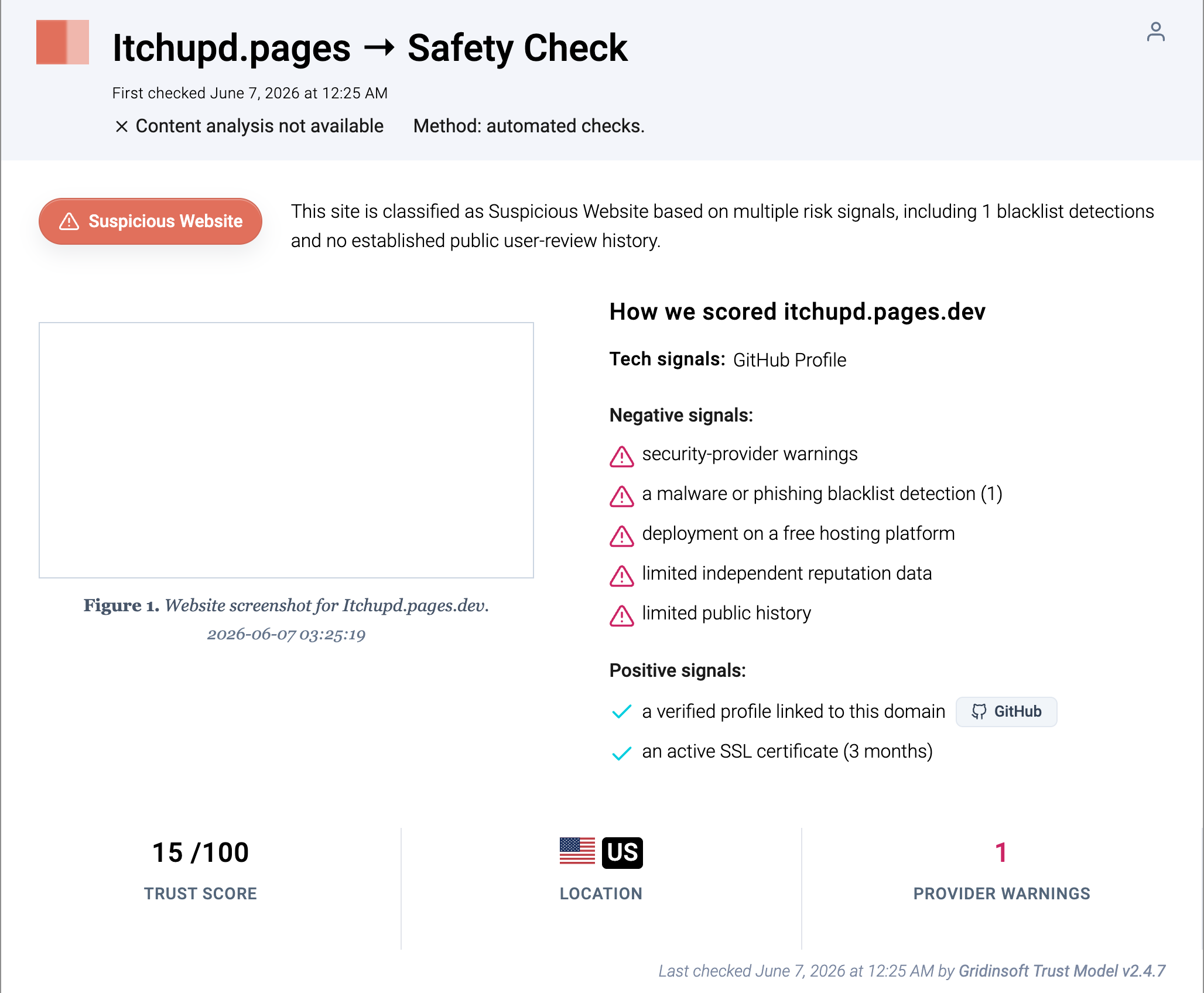
Gridinsoft’s Website Reputation Checker currently classifies itchupd.pages.dev as a suspicious website with a low trust score and risk signals around blacklist detection, free-hosting deployment, and limited public reputation data. That does not prove what was inside every downloaded archive, but it is enough reason not to trust the file as a legitimate updater.
How risky is Updater_v3.3.zip?
| What happened | Risk and what to do |
|---|---|
| The download prompt appeared, but no file was saved. | Lower risk. Close the tab, clear the site from history if needed, and avoid returning to the page. |
A partial or complete ZIP is in %USERPROFILE%\Downloads. |
Do not open it. Delete it or quarantine it, then scan the download folder. |
| You extracted the archive but did not run anything. | Remove the extracted folder, empty the Recycle Bin, and scan the extracted location because archives can hide scripts and executables. |
| You ran a file from the ZIP. | Treat the device as potentially exposed. Disconnect if suspicious windows appear, scan the system, check startup items, and change passwords from a clean device after cleanup. |
What to do before opening or after running the ZIP
- Stop the download path. Close the tab that opened
itchupd.pages.dev. Do not click fake update, allow, verify, or captcha prompts on the page. - Remove the archive. Open your browser downloads list and Windows Downloads folder, then delete
Updater_v3.3.zip, partial download files, and any extracted folder created at the same time. - Check browser permissions. In Chrome, Edge, Firefox, or Brave, remove
itchupd.pages.devfrom notification, pop-up, and automatic download permissions. If tabs keep reopening, use the browser multiple-tabs cleanup guide. - Look for new extensions or policy locks. Disable extensions installed around the same time. If an extension returns after removal, follow the extension keeps reinstalling guide.
- Scan the file or the system. If the ZIP completed, upload only the archive or extracted file to a scanner you trust, or run a full local scan. If anything ran, scan the whole PC, not just the ZIP.
- Review persistence if anything executed. Check Startup Apps, Task Scheduler, recently installed apps, browser shortcuts, and common run keys such as
HKCU\Software\Microsoft\Windows\CurrentVersion\Run. - Protect accounts after execution. If a file from the ZIP ran, change passwords and revoke sessions from a clean device, especially for email, banking, browser sync, Steam, Discord, and work accounts.
If the fake updater completed or you launched something from the archive, a visible file removal may not be enough. Fake update chains can leave scheduled tasks, startup entries, browser changes, or bundled modules that recreate alerts later. Gridinsoft Anti-Malware can check for detections, hidden files, startup entries, scheduled tasks, browser changes, and other persistence after you remove the obvious ZIP.
If the page or email made you download an invoice, coupon, tracking app, browser extension, or support tool, scan the PC before opening it again or logging into sensitive accounts.
Downloaded the ZIP? Scan before openingRemove itchupd.pages.dev from browser permissions
Even if the ZIP never ran, check browser permissions because malicious pages often pair downloads with notification spam or redirect permissions. Remove the site from these areas:
- Chrome or Edge: Settings > Privacy and security > Site settings > Notifications and Automatic downloads.
- Firefox: Settings > Privacy & Security > Permissions > Notifications.
- Brave: Settings > Privacy and security > Site and Shields Settings.
If the page used fake update wording or the browser opened a command window, compare the incident with our fake Chrome update virus cleanup. If the page arrived from a suspicious message, the phishing link response guide explains when the risk moves from a bad click to credential and device cleanup.
What not to do
- Do not open
Updater_v3.3.zipto “see what it is”. - Do not trust the file because it uses a generic updater name.
- Do not restore the ZIP from quarantine unless you are deliberately submitting it for analysis.
- Do not enter passwords on any page that opened after the download.
- Do not assume the PC is clean if the only scan was a quick scan immediately after running a file.
Should you report the page?
Yes, if the page is still live or still starts a suspicious download. Use Cloudflare’s abuse form for phishing or malware reports and include the full URL, the file name, the time of the download, and any safe screenshot of the page or browser download entry. Do not upload private files or credentials as evidence.
FAQ
Is itchupd.pages.dev definitely malware?
The domain is suspicious and the automatic updater ZIP behavior is unsafe. The exact risk depends on whether the ZIP completed and whether any file inside it ran.
What if the download was canceled?
Delete any partial file, clear the download entry, and remove the site from browser permissions. A canceled download is usually lower risk than running the archive.
Can a ZIP infect Windows without opening it?
Normally the risk starts when the archive is opened, extracted, or a file inside it runs. Still, do not keep suspicious ZIP files in Downloads because they can be opened later by mistake.
Should I reset my browser?
Reset only if suspicious tabs, extensions, search changes, or notifications continue after removing the site permissions. Start with permissions, extensions, and download cleanup first.
Should I change passwords?
Change passwords from a clean device if you ran anything from the ZIP or noticed suspicious browser, account, or startup behavior afterward. If the file never completed or ran, password theft is less likely.
References
- Gridinsoft. “Itchupd.pages.dev Scam Check: Blacklist Warning (15/100 Trust Score).” Gridinsoft Website Reputation Checker, accessed June 18, 2026. https://gridinsoft.com/online-virus-scanner/url/itchupd-pages-dev
- Cloudflare. “Phishing & Malware – Cloudflare’s Abuse form.” Cloudflare, accessed June 18, 2026. https://abuse.cloudflare.com/phishing
- Malwarebytes. “pages.dev.” Malwarebytes Labs detections, accessed June 18, 2026. https://www.malwarebytes.com/blog/detections/pages-dev