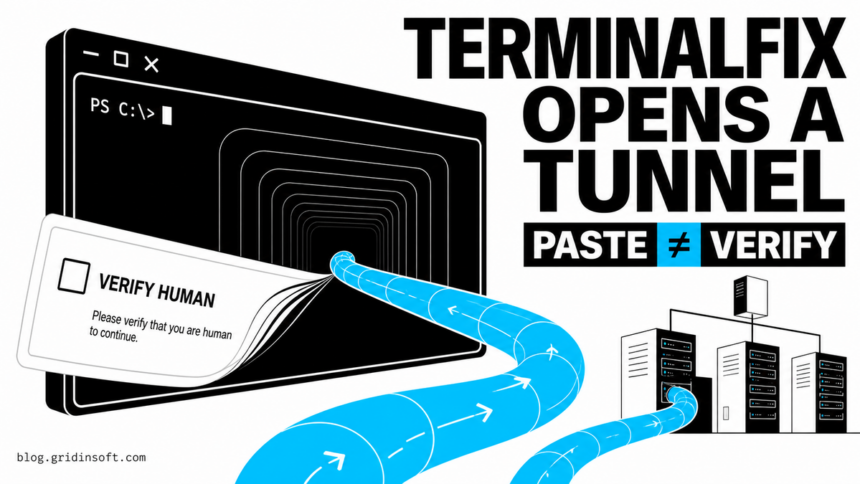
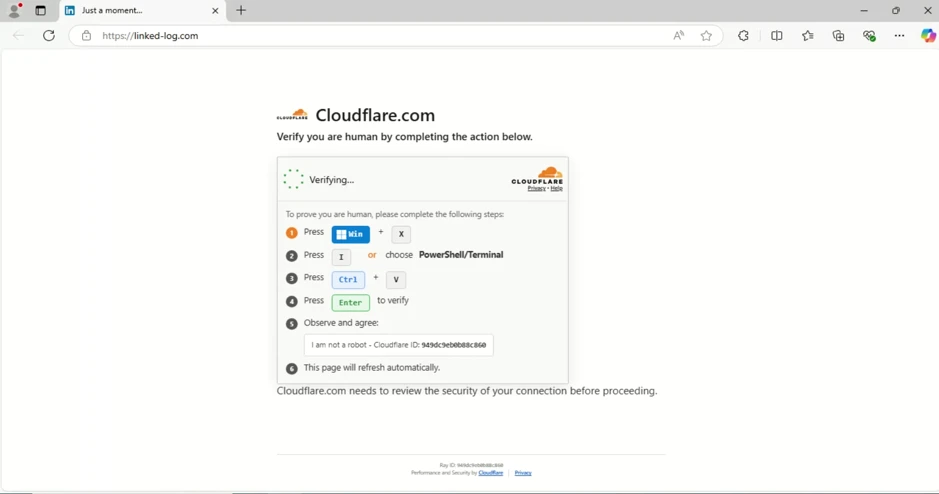
Microsoft has documented an active TerminalFix campaign that turns a fake CAPTCHA into a route through a victim’s internal network. Compromised websites display a counterfeit Cloudflare-style check, copy a PowerShell command to the clipboard, and tell the visitor to open Windows Terminal or PowerShell and paste it. If the command runs, the chain can establish persistence, inventory an Active Directory environment, and deploy an encrypted reverse tunnel.
The important boundary is that Microsoft did not observe the later data theft, privilege escalation, or ransomware actions that this access could enable. Still, a computer that ran the command should be treated as a potential network pivot rather than as a browser-only incident.
Who should check for TerminalFix activity
Act if a website asked you to open Windows Terminal, PowerShell, or the Run dialog as part of a CAPTCHA or “human verification” step. A real browser challenge does not need an operating-system command. Clicking the checkbox or copying text alone does not execute the payload, but pressing Enter in a terminal does.
The risk is highest on a work computer joined to a company domain. Microsoft observed reconnaissance for domain trusts, administrators, servers, user descriptions, and other systems before the tunnel was started. A home PC can still be infected, but the reported chain is designed to learn and reach more of an organization’s network.
How the fake CAPTCHA becomes a reverse tunnel
The pasted command prints reassuring Cloudflare-themed status text while it downloads and opens a ZIP archive under C:\ProgramData. The archive contains a legitimate signed Windows binary, LockScreenContentServer.exe, beside a malicious dui70.dll. That placement makes the trusted executable load the attacker’s DLL instead of the normal Windows copy.
The next stage hides payload data inside PNG images, rebuilds the files on disk, and creates two persistence paths: a Registry Run value and a scheduled task that repeats every 60 minutes. It then performs domain reconnaissance and deploys a Python-based implant that connects outward over TLS/WebSocket. The implant can proxy arbitrary TCP connections, letting the operator reach systems visible from the compromised device.
September 21 analysis: the PNG pixels carried Windows files
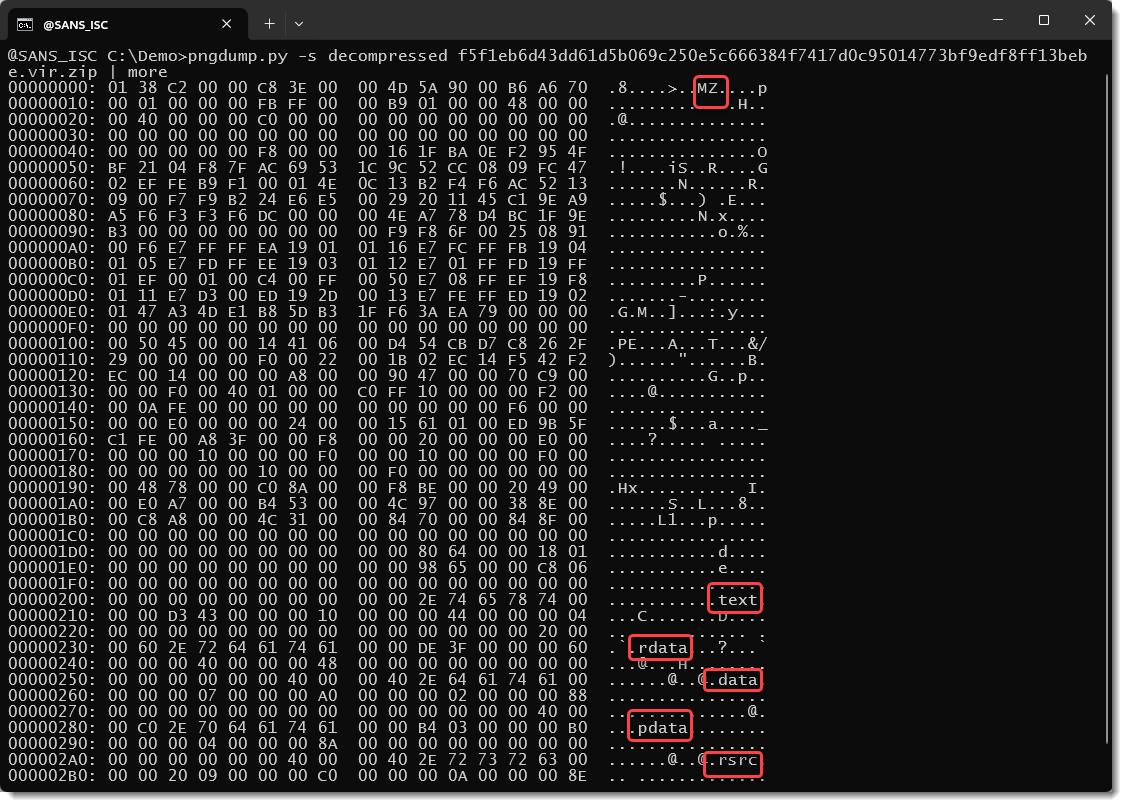
Didier Stevens at SANS Internet Storm Center examined PNG indicators shared by Microsoft’s researchers. He found valid PNG files, with no payload appended after the image or hidden in metadata. The data was in the pixels: one image reconstructed the genuine LockScreenContentServer.exe; two others supplied pieces of the malicious DLL.
The operators used all available pixel bits, rather than only the least significant bits that would preserve an ordinary-looking picture. This explains how an image-shaped download becomes another file in the intrusion chain; it does not establish an image-viewer exploit. The execution boundary remains the loader that rebuilds and launches those files. A valid signature on the reconstructed Microsoft program says nothing about the neighboring DLL it loads.
| Place to check | TerminalFix evidence |
|---|---|
| ProgramData | An unexpected folder containing LockScreenContentServer.exe, dui70.dll, batch files, or a Python runtime. The legitimate executable normally belongs under Windows SystemApps, not a random ProgramData folder. |
| Persistence | A Run value or scheduled task using a name such as LockScreenContentServer_MuODG5yBM, especially when it points outside normal Windows directories. |
| Processes | LockScreenContentServer.exe loading a nearby dui70.dll, or pythonw.exe starting client.py with tunnel-related arguments. |
| Network | Connections to gitnow[.]dev, bestsocialmedianewspapper[.]com, or offlineupdater[.]com. Treat these as investigation indicators, not as proof that every matching historical lookup is malicious. |
What to do after a TerminalFix prompt
- If you only saw the page: close the tab, clear the clipboard, and do not paste the copied text anywhere. Our fake human-verification checklist explains the browser signs that separate a ClickFix lure from a normal CAPTCHA.
- If you pasted but did not press Enter: close the terminal and preserve a screenshot or the site address for the site owner or security team. Do not run the command later to “test” it.
- If the command ran: disconnect the device from wired and wireless networks. On a company computer, contact the security team before deleting files; the host may contain evidence of reconnaissance and tunnel activity.
- Check the full chain: review PowerShell logs, new ProgramData folders, Task Scheduler, Run keys, process history, security alerts, and outbound traffic. A signed
LockScreenContentServer.exeis not reassuring when it runs from an abnormal folder besidedui70.dll. - Scan and contain: keep existing detections quarantined, run a complete trusted security scan, and use Gridinsoft Anti-Malware to check for dropped files and persistence. Security software may remove the visible DLL while a task, Run value, hidden folder, or tunnel component remains, so verify again after reboot.
- Protect accounts and the network: rotate credentials used on the affected device from a clean system. For domain-joined hosts, investigate accessible administrator credentials, nearby servers, and lateral movement rather than returning the PC to service after one clean scan.
If the page or email made you download an invoice, coupon, tracking app, browser extension, or support tool, scan the PC before opening it again or logging into sensitive accounts.
Scan this Windows PC for TerminalFix leftoversIf PowerShell continues to open or connect outward after cleanup, follow the PowerShell outbound-connection investigation. Organizations should also complete the broader Windows post-malware security audit before restoring normal access.
A later conference-themed lure moved the same user-assisted execution pattern into a real Google Doc with a fake update, delivering macOS stealers or Windows remote access only after the recipient ran the offered command or installer.
A separate ClickFix investigation shows why stopping a tunnel is only one part of recovery: RemotePanel and BoundSiphon split persistent access from browser-data theft, so endpoint cleanup and account-session recovery need separate attention.
A separate October 28 SANS observation shows a fake Cloudflare check with Windows Installer and macOS Terminal instructions. Its final payloads were not retrieved, so the shared verification disguise does not establish that it deploys TerminalFix’s tunnel.
False assumptions to avoid
- A green “verification complete” message is output from the attacker’s script, not proof that Cloudflare approved anything.
- A valid signature on the sideloading host does not validate the adjacent DLL or the folder from which it ran.
- The observed reverse tunnel creates access, but Microsoft’s report does not establish that every infected organization suffered data theft or ransomware.
- Blocking the three published domains helps with this observed infrastructure, but it does not replace endpoint review because campaign infrastructure can change.
References
- Microsoft Security Research. “TerminalFix campaign deploys a reverse tunnel through multistage intrusion.” Microsoft Security Blog, August 28, 2026. Microsoft campaign analysis.
- Microsoft Security Intelligence. “TrojanDownloader:PowerShell/FakeCaptcha.PQR!MTB threat description.” Microsoft, updated May 23, 2025; accessed August 29, 2026. Microsoft detection guidance.
- Didier Stevens. “TerminalFix: PNG Steganography.” SANS Internet Storm Center, September 21, 2026; accessed October 5, 2026. PNG pixel analysis and reconstructed files.