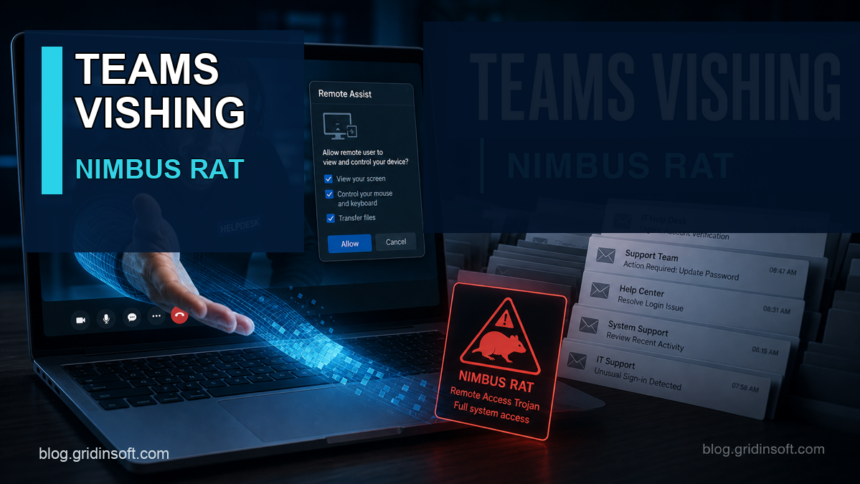
eSentire’s Threat Response Unit reported a Microsoft Teams vishing chain in which attackers flooded a mailbox, posed as IT support in Teams, convinced the user to start Windows Quick Assist, and then deployed the Java-based Nimbus RAT. The useful lesson is not just “watch for Teams messages”: the inbox flood, Quick Assist prompt, SharePoint download, Pastebin instructions, and unusual javaw.exe execution all give defenders places to stop the intrusion before a remote-access trojan settles in.
The campaign is aimed mainly at organizations, but the same pattern matters for any Windows user or small business that uses external Teams chat. If someone contacts you after a sudden email flood and asks you to open Quick Assist, treat the request as suspicious unless you initiated the support case through a known internal channel.
Who is affected
- Organizations that allow external Microsoft Teams chats or calls from unknown tenants.
- Windows users who can launch Quick Assist without helpdesk verification.
- Teams administrators who still allow broad external access where an allow-list would be enough.
- Anyone who sees a sudden wave of subscription or account-confirmation emails followed by a support-themed Teams message.
How the attack works
| Stage | What to watch for |
|---|---|
| Email flooding | Hundreds of legitimate-looking registration, newsletter, or confirmation emails arrive in a short window. The flood creates panic and gives the fake helpdesk persona a reason to contact the user. |
| Teams vishing | An external Teams account uses IT support, helpdesk, admin, or security-themed naming and offers to “fix” the mailbox problem. |
| Quick Assist access | The user is told to start Quick Assist, enter a code, share the screen, and eventually allow remote control. Microsoft warns that unsolicited support access is a tech-support-scam pattern. |
| Payload setup | In the reported case, the user was guided to Pastebin instructions and a SharePoint-hosted archive before InboxCorePro.reg and InboxCorePro.jar activated the Nimbus RAT. |
| RAT execution | Look for javaw.exe running a JAR from a non-standard directory such as C:ProgramDataInboxCorePro, especially after a remote-support session. |
What to do if this happened
- Disconnect the remote session immediately. Do not keep following chat or voice instructions from the same contact.
- Report the Teams account, call time, email-flood window, and Quick Assist code/session details to IT or the service owner.
- Check browser history and downloads around the support call for Pastebin, SharePoint, OneDrive, Google Drive, ZIP/JAR files, or unfamiliar support tool downloads.
- Review
C:ProgramData, Startup folders, recent.regimports, and non-standard Java executions. Ajavaw.exe -jarprocess outside a normal Java application path deserves immediate investigation. - From a clean device, rotate passwords and revoke sessions for email, Microsoft 365, cloud storage, messaging, banking, and admin accounts if the attacker had screen control or file access.
- Scan the affected PC with a trusted endpoint tool. Gridinsoft Anti-Malware can be useful as a second-opinion cleanup check for suspicious archives, startup entries, and remote-access remnants, but a business endpoint that had hands-on-keyboard activity may need full re-imaging.
- For organizations, restrict Teams external access, block trial-only tenants where possible, and disable or remove Quick Assist on endpoints that do not need it.
This attack also overlaps with common post-infostealer cleanup questions: an email flood can be a cover for account changes, payment alerts, password resets, or hidden forwarding rules. If the mailbox was flooded, search it carefully before deleting the noise in bulk. Our infostealer recovery checklist covers the account-session side, while the remote admin alert guide explains why remote-control tools are risky when they appear unexpectedly.
Admin hardening points
- Move from broad Teams federation to trusted-domain allow lists where the business can tolerate it.
- Review whether communication with unmanaged or trial Teams tenants is needed.
- Disable Quick Assist or block its required service endpoint on devices where a managed remote-help product is already used.
- Alert on sudden mailbox-volume spikes, especially before an external Teams contact.
- Correlate
QuickAssist.exe,cmd.exereconnaissance, browser visits to paste sites, archive downloads,regedit.exeimports, andjavaw.exeJAR execution.
FAQ
Is Quick Assist malware?
No. Quick Assist is a legitimate Microsoft remote-help app. The risk appears when a stranger or unverified support contact convinces you to start a session and grant control.
Does this only affect companies?
The eSentire case and telemetry are organization-focused, but the social-engineering pattern can hit small businesses and home users too: a mailbox flood, fake support message, remote-control request, then a download.
What is the first sign to watch for?
A sudden flood of registration or subscription emails is a strong early warning. If a support-themed Teams message or call appears shortly after, verify it through a separate known channel before opening Quick Assist.
Should I reinstall Windows after a remote-support scam?
If the attacker only viewed your screen and no files or commands ran, a careful account and endpoint review may be enough. If tools, registry files, JAR archives, or unknown commands ran, a clean reinstall or business re-image is the safer path.
References
- eSentire Threat Response Unit. “Nimbus RAT: How Threat Actors Are Abusing Microsoft Teams and Google Drive to Deploy a Java RAT.” eSentire, May 28, 2026, accessed June 5, 2026. https://www.esentire.com/blog/nimbus-rat-how-threat-actors-are-abusing-microsoft-teams-and-google-drive-to-deploy-a-java-rat
- Microsoft Learn. “Use Quick Assist to help users.” Microsoft, updated September 30, 2025, accessed June 5, 2026. https://learn.microsoft.com/en-us/windows/client-management/client-tools/quick-assist
- Microsoft Learn. “Manage external meetings and chat with people and organizations using Microsoft identities.” Microsoft Teams documentation, accessed June 5, 2026. https://learn.microsoft.com/en-us/microsoftteams/trusted-organizations-external-meetings-chat