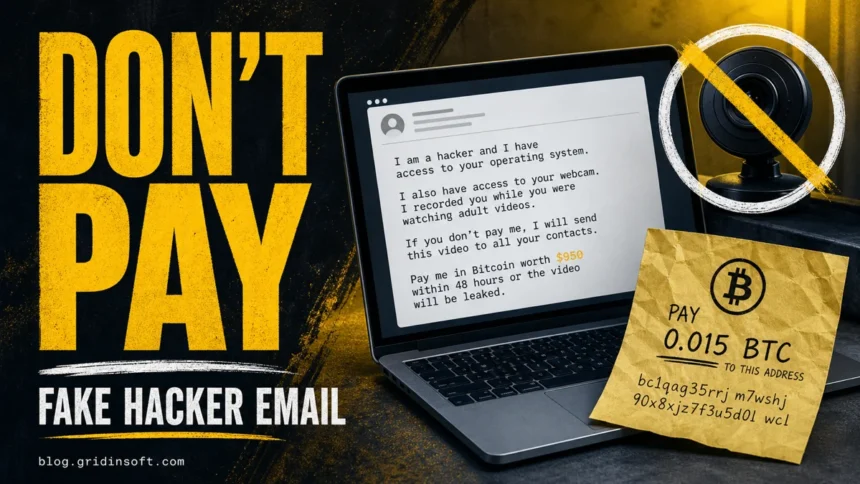
If you received a “Hacker Who Has Access To Your Operating System”, “I hacked your operating system”, or “LAST WARNING !!!” email, do not pay it. This is usually a mass sextortion scam, not proof that someone controls your webcam, messengers, files, or social accounts. The message uses shame, fake technical language, a Bitcoin demand, and a short deadline to make you panic before you check the evidence.
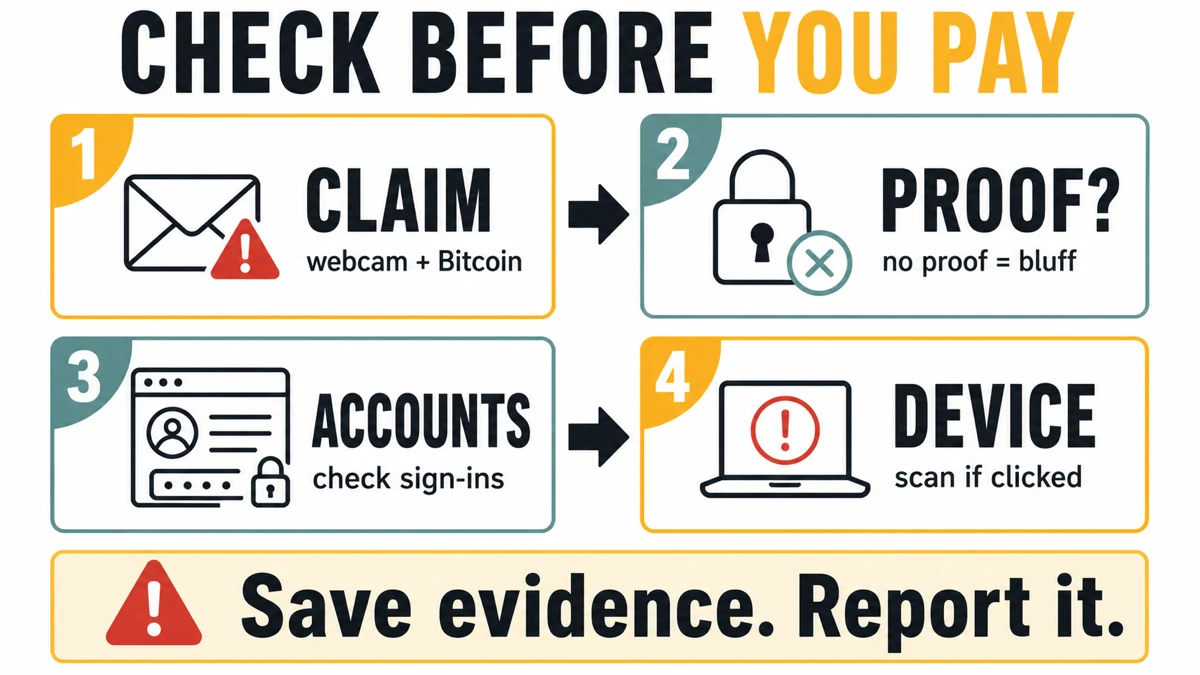
- Most likely risk: social-engineering extortion, not a live hack.
- Common demand: Bitcoin or another cryptocurrency within 48 hours, 50 hours, 2 working days, or 3 days.
- What counts as real proof: a current private file, a fresh screenshot, a real account login, or direct contact with people you know.
- Best first move: do not reply, do not pay, save the message, and check account/security activity calmly.
| Email wording this page covers | I am a hacker who has access to your operating system, I hacked your operating system, and LAST WARNING !!!. |
| Safe verdict | No private proof usually means a mass sextortion bluff, even when the email sounds technical. |
| When to scan the PC | Scan if you clicked a link, opened an attachment, installed a tool, or see suspicious device symptoms. |
Hacker Who Has Access To Your Operating System Email Scam
The “Hacker Who Has Access” email is a sextortion spam template that pretends the sender hacked your operating system, copied personal data, and recorded webcam footage. Use this page for messages that say I am a hacker who has access to your operating system, I hacked your operating system, or LAST WARNING !!!. Similar sextortion variants have their own checks, including the “I am a professional hacker” email and Pegasus-themed scam emails, but this page is the owner for the operating-system-access script and its newer wording.
2026 “LAST WARNING !!!” variant
A July 2026 sample uses the subject LAST WARNING !!! and opens with I hacked your operating system. It claims all personal data was copied, says a “driver-based” virus is invisible to antivirus software, demands 1000 USD in Bitcoin, and says a timer started when the email was opened.
| Subject line | LAST WARNING !!! |
| Main claim | The sender says they hacked the operating system, copied data, and recorded webcam footage. |
| Payment pressure | 1000 USD in Bitcoin with a 3-day deadline. |
| Technical trick | The email claims a “driver-based” virus updates signatures to stay invisible. |
| Reality check | Generic claims, no private proof, and no attachment or link in the reviewed message. |
This wording is a pressure script. Mail authentication can pass for a sender domain the scammer controls, but that only says the message was authorized by that domain’s mail setup. It does not prove the sender hacked your computer, copied your files, or recorded anything through the webcam.
What to Do First
- Do not pay and do not reply. A reply confirms that your inbox is active, and payment can invite more threats.
- Save the message if you want to report it. Keep the sender address, full headers, date, subject, Bitcoin wallet, and any attachment or link name.
- Look for real proof. A current private file, a recent screenshot, an actual mailbox rule, or an unfamiliar account login matters more than a generic webcam threat.
- Secure accounts that show risk. Change reused passwords, enable multi-factor authentication, review sign-ins, and remove unknown forwarding rules or app passwords.
- Scan the device only when there is a device reason. Reading the email is not malware by itself. Scan after clicking, downloading, installing, seeing pop-ups, browser changes, repeated alerts, or suspicious startup items.
- Report the extortion attempt. Use your mail provider’s phishing/report option and your national cybercrime reporting channel when you want an official record.
All the threats revolve around the claim that the victim’s computer was allegedly hacked, the attacker gained full access to it and caught the victim watching 18+ content. Additionally, the scammer claims to have a webcam recording of the moment when the victim watched adult content. And even if the victim has a computer without a webcam, the “hacker” convincingly claims that he has the video. To confirm the authenticity of his words, the attacker absurdly uses technical jargon incomprehensible to the average user, such as “successfully managed to hack your operating system” or “the malware it uses integrates at driver level” and the like. In reality, this is simply a lie meant to intimidate the victim.
How Does This Scam Work?
So, let’s dissect the “Hacker Who Has Access” email and understand why it’s not true. While it’s theoretically possible, there are too many red flags that expose this scam. The entire email relies on social engineering techniques. Let’s analyze the beginning of the text.
Worrying Claims At The Very Beginning
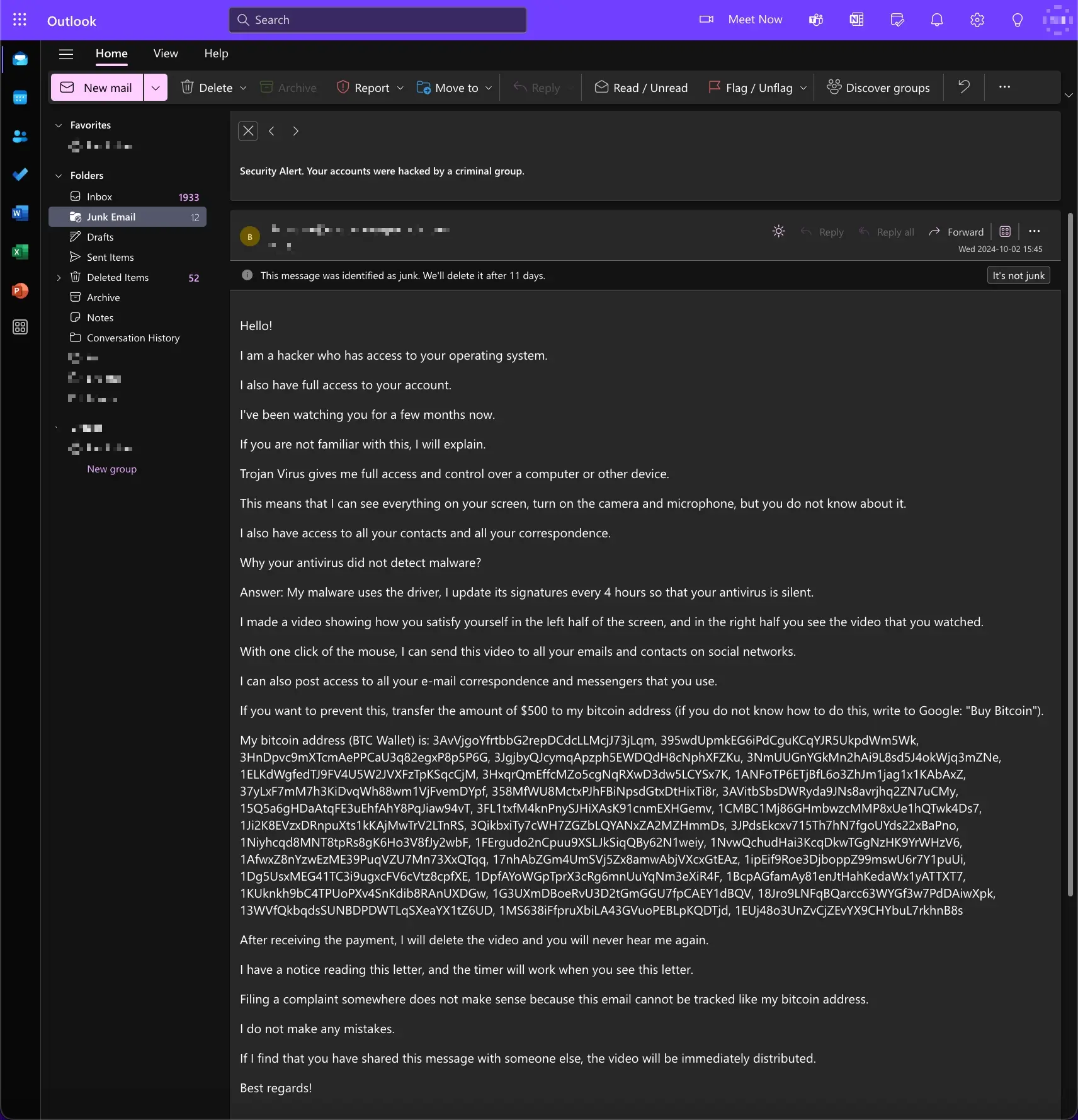
Subject: Security Alert. Your accounts were hacked by a criminal group.
Hello!
I am a hacker who has access to your operating system.
I also have full access to your account.
I’ve been watching you for a few months now.
The first thing to notice is the inconsistency of information. The subject line claims that a criminal group hacked the victim’s accounts. But further, the author goes on to say that he is acting on behalf of one person. Although it is a small thing, this is what helps with identifying the “Hacker Who Has Access” email as fraudulent. But let’s set that aside for now and move on.
Fake Hacker Activities Description
The fact is that you were infected with malware through an adult site that you visited.
If you are not familiar with this, I will explain.
Trojan Virus gives me full access and control over a computer or other device.
This means that I can see everything on your screen, turn on the camera and microphone, but you do not know about it.
I also have access to all your contacts and all your correspondence.
Why your antivirus did not detect malware?
Answer: My malware uses the driver, I update its signatures every 4 hours so that your antivirus is silent.
And now for the best part – infection through adult sites, which was once a popular tactic for attackers. Though, this was so long ago only a few people remember porn viruses as a real threat. Although modern adult sites have their dangers, they are not about malware injection. And sure enough, there are different tricks on making the user download and run the malware. But most of such attacks are large-scale, and the attackers do not email individual victims that they have been hacked. On the contrary, they collect stolen data and sell it on the Darknet, and any notifications will even disrupt the possibility of using hacked accounts.
That difference matters: real malware or account compromise leaves checkable signs, while this email tries to collect money before showing evidence. Use the checklist above before treating the message as proof of a live hack.
Next, the most ridiculous part of the “Hacker Who Has Access” email is the description of how the “malware” bypasses the protection. While some viruses really install themselves on the driver level, this trick still requires a user action to install it. Meaning, the user must run the file with administrator privileges, which is not the case according to the letter text. Overall, the description of how the malware operates is fundamentally inconsistent with how such malware actually works.
Claims On Compromised Video Being Recorded
I made a video showing how you satisfy yourself in the left half of the screen, and in the right half you see the video that you watched.
With one click of the mouse, I can send this video to all your emails and contacts on social networks.
I can also post access to all your e-mail correspondence and messengers that you use.
If you want to prevent this,
transfer the amount of $500 to my bitcoin address (if you do not know how to do this, write to Google: “Buy Bitcoin”).
The culmination of the scam starts with claims about possessing a video that captures the victim watching 18+ content. Clearly, this is meant to further convince the unsuspecting victim of the scam’s authenticity. While this claim is actually difficult to prove or disprove, given all the red flags in the letter, there is ample reason to believe the sender is lying. As I mentioned earlier, some devices are equipped with a special physical lens blocking. This shutter physically covers the camera which cannot be opened by software.
In addition, some devices lack a camera entirely, which further undermines such claims. For the devices that do have a camera, most modern laptops and webcams feature an indicator light directly wired to the camera’s power circuitry. This ensures that whenever the camera is in use (whether by the user or by malware), the indicator light will turn on. This security feature cannot be bypassed, at least without physical access to the device or some specific wiring used inside the camera.
Ransom Demands & Publishing Threats
After receiving the payment, I will delete the video and you will never hear me again.
I give you 50 hours (more than 2 days) to pay.
I have a notice reading this letter, and the timer will work when you see this letter.
Filing a complaint somewhere does not make sense because this email cannot be tracked like my bitcoin address.
I do not make any mistakes.
If I find that you have shared this message with someone else, the video will be immediately distributed.
Best regards!
At the end, the scammer demands payment within 50 hours (the value may vary from one email to another) and promises to disappear from your life if you pay. While it is theoretically possible to track the moment of email being read and count 50 hours from that point in time, the probability of this working as intended is fairly low. Thus, this is yet another point where hackers’ theory falls apart.
Newer variants often say the timer starts when you open the message. Email tracking pixels can sometimes confirm that a message was loaded, but that is not webcam access, file theft, or proof of malware. Treat the timer as pressure unless the sender shows current, specific evidence.
An important point is the statement that if the victim shares the “Hacker Who Has Access” email with someone, the scammer will publish the available videos. This is actually impossible, as the recipient can share the email by other means, for example in messenger. Lastly, the claim “I do not make any mistakes” sounds laughable, as the letter is pouring the mistakes one over another.
What if it came from your own address or shows a password?
A fake hacker email can look more convincing when the visible sender address matches your own address or when the message includes an old password. The sender line can be spoofed, and old passwords often come from unrelated data breaches. Do not assume the mailbox or operating system is hacked from that clue alone.
Check the account instead: recent sign-ins, active sessions, forwarding rules, filters, recovery email, recovery phone, app passwords, and connected apps. If the password is still used anywhere, change it everywhere and enable multi-factor authentication. If the message really came from your mailbox account, or if you see rules you did not create, follow our scammer has your email address checklist before sending more mail from that account.
FAQ
Is the “LAST WARNING !!!” email real?
Usually no. If it repeats generic claims about adult websites, a hidden virus, webcam footage, contacts, and Bitcoin but shows no current private evidence, treat it as sextortion spam.
Does SPF, DKIM, or DMARC pass mean the threat is real?
No. Those checks say whether the message was allowed to use the visible sender domain. A scammer can send authenticated mail from a domain they control. Authentication does not validate the blackmail story.
What if the email came from my own address?
That is usually sender spoofing, not proof of mailbox access. Still, check recent sign-ins, forwarding rules, filters, recovery contacts, and connected apps. If anything changed without you, secure the mailbox immediately.
What if the email shows an old password?
An old password usually means the address and password appeared in a breach list. Change it anywhere it is still used, stop reusing passwords, and enable multi-factor authentication on important accounts.
Should I pay the Bitcoin demand?
No. Paying does not prove the sender will delete anything, and it can mark your address as a paying target. Save the email, report it as phishing or extortion, and secure any account that shows real suspicious activity.
Should I change passwords after receiving this email?
Change passwords if the email includes a password you still use, if you see unfamiliar sign-ins, or if your mailbox rules and forwarding settings were changed. Use unique passwords and enable multi-factor authentication on email, banking, cloud, and social accounts.
Scan your PC for malicious programs
If you only opened or read the email and did not click, download, or install anything, the message itself is not proof of malware. Run a full scan if you opened an attachment, followed a link, installed a “viewer” or “security” tool, see unknown sign-ins, or notice pop-ups, browser changes, suspicious startup items, or repeated security alerts. Gridinsoft Anti-Malware can check hidden files, startup entries, scheduled tasks, bundled apps, browser changes, and other persistence points that a scare email cannot prove by itself.
After uninstalling the suspicious app or deleting the visible threat, use Gridinsoft Anti-Malware to check hidden files, startup entries, scheduled tasks, bundled apps, browser changes, and other persistence points that can restore malware.
Download Anti-Malware