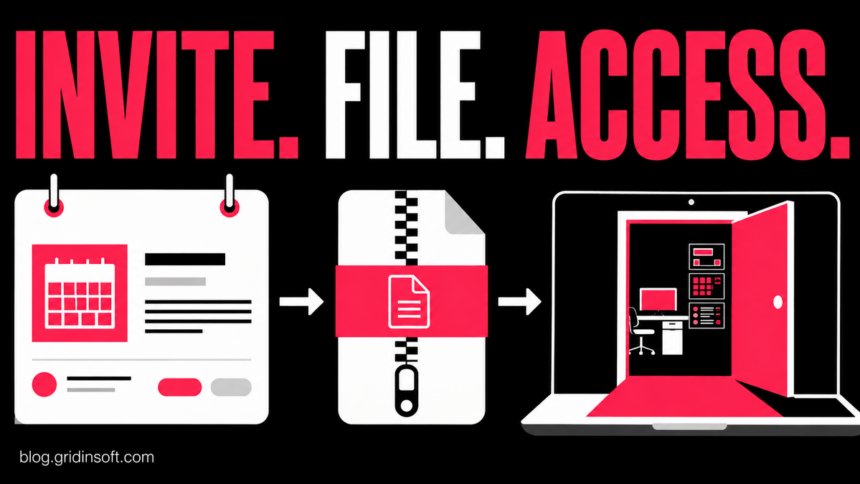
A Google Calendar phishing campaign is placing authentic invitations from compromised Workspace accounts onto employees’ calendars, then using a fake DocuSign viewer to push remote-access software. AegisAI reported the campaign on September 3 after seeing its malicious-invite volume rise tenfold in the company’s own telemetry during the week of August 23.
The calendar event itself does not infect a computer. The dangerous boundary comes later: a recipient follows the bid-document link, passes an attacker-controlled verification page, downloads what looks like a document viewer, and runs it. Another branch asks for Google credentials instead. Receiving the invitation, opening its details, downloading a file, running that file, and entering a password require different responses.
Why an authentic Calendar invitation can still be phishing
AegisAI traced the invitations to real business mailboxes that attackers had already compromised. Google generated and authenticated the messages through its own infrastructure, so a valid DKIM result proved that the sending account was real—not that its owner still controlled it.
Calendar delivery also gives the lure a second chance. An event can appear without the recipient accepting it, and reminders may resurface after the original email has been quarantined or deleted. AegisAI said about one in seven invitations in its dataset repeated daily. The company observed close to 200 compromised sending mailboxes, but that is vendor telemetry, not a global victim or infection count.
The repeated campaign strings included procurement-style subjects and fictional RFI numbers. That matters because people who handle bids and vendors routinely receive unsolicited documents; an unfamiliar sender is not automatically disqualifying in their job. The safer test is whether the organization, project, and request can be confirmed through contact details found independently.
How the bid invitation led to remote access
| Stage | What happened and what it means |
|---|---|
| Calendar invitation | A compromised business account sent a real invitation with a bid-document lure. The event could appear without a click, but it carried no executable payload by itself. |
| Verification gate | The link passed through Google’s redirector and reached an attacker-run human-verification page intended to frustrate automated scanners. A familiar first hostname did not validate the final page. |
| Fake viewer | A copied DocuSign-style page claimed that encrypted documents required a desktop viewer. The unavailable preview manufactured a reason to download software. |
| Script execution | The site assembled a ZIP in the browser. A double-extension script could appear as DocuSignLevelViewerX64.zip when Windows hid the final .vbs extension. |
| Remote enrollment | After execution and elevation, the script added Microsoft Defender exclusions and installed a legitimately signed Level.io agent enrolled to the attacker’s tenant. |
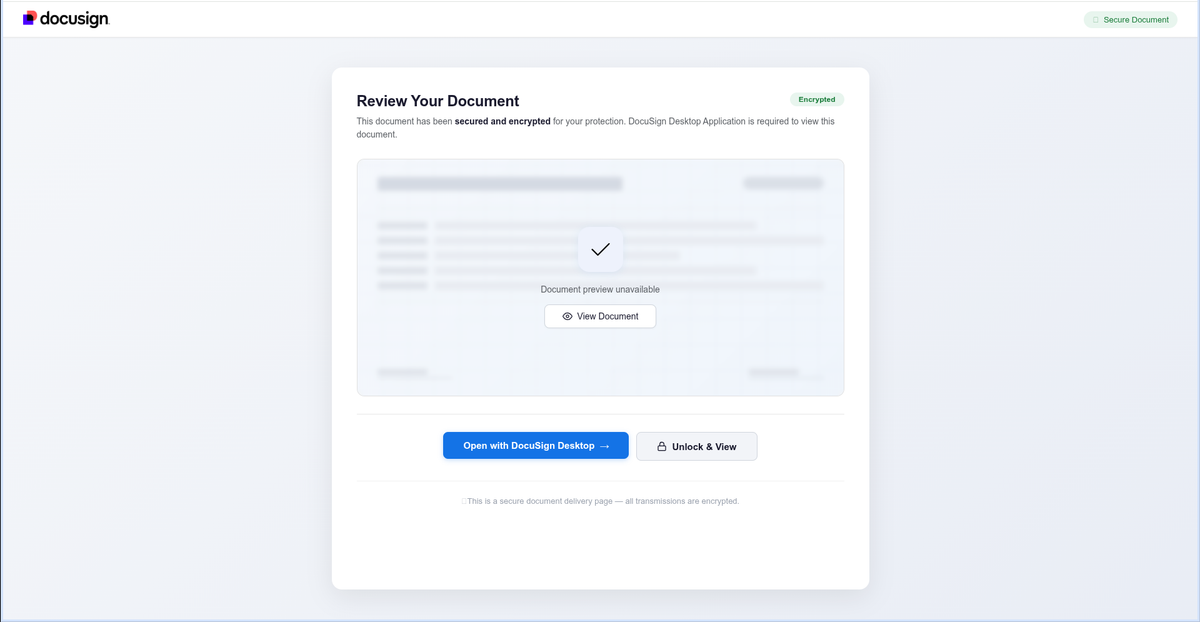
Level.io is a legitimate remote monitoring and management platform. Its presence is not automatically malicious, and the vendor’s normal download infrastructure is not an indicator of compromise. The decisive question is whether the agent and its tenant are authorized by the organization that owns the computer. Attackers abuse the administrative capability; they do not turn every Level installation into malware.
AegisAI also saw a credential-phishing ending. One invitation could therefore lead to unauthorized endpoint control while another stole a Google login. Do not assume that every recipient received the same payload, and do not treat a password reset as endpoint cleanup when a file was executed.
September 17 follow-up: a credit note delivered ScreenConnect
A separate case published by Sublime Security on September 17 shows how little this delivery route depends on the DocuSign disguise. A Gmail calendar invitation claimed a recent $1,109.08 payment. Its link led through Google’s redirector to a Framer page offering a credit note, then a roughly 10 MB ScreenConnect.ClientSetup.msi download.
The installer bundled configuration that pointed the legitimate remote-management tool at the attacker’s control infrastructure. The key substitution was therefore not just a fake document: the recipient was being asked to install a remote-access client instead of reading a credit note. Sublime observed some Microsoft environments blocking the download; that is not a reason to override a warning or assume every environment will block it.
The report’s September growth figures mixed observations with projections. Its headline-grabbing increase of about 33,000% from May to September was a projection, not a completed September total or a worldwide infection count. This is a dated follow-up to the earlier AegisAI case, not evidence that the two campaigns share an operator.
If you ran the credit-note installer, preserve the invitation, downloaded filename and installation time for IT. Have the response team check whether the ScreenConnect installation, service and remote-control destination were authorized, rather than looking only for Level.io. A legitimate product name or signed installer cannot establish who controls its deployment. The received/clicked/downloaded/executed response branches below still apply; a password change alone does not remove unauthorized remote access.
Example
From: Project Desk <projectdesk [at] example-contractor [dot] com>
Subject: Invitation to Bid — RFI-31-7614-124
Body: You have been invited to review bid documents. Project meeting details are in this calendar event. Open the secure document viewer to continue.
Button: VIEW BID DOCUMENTS
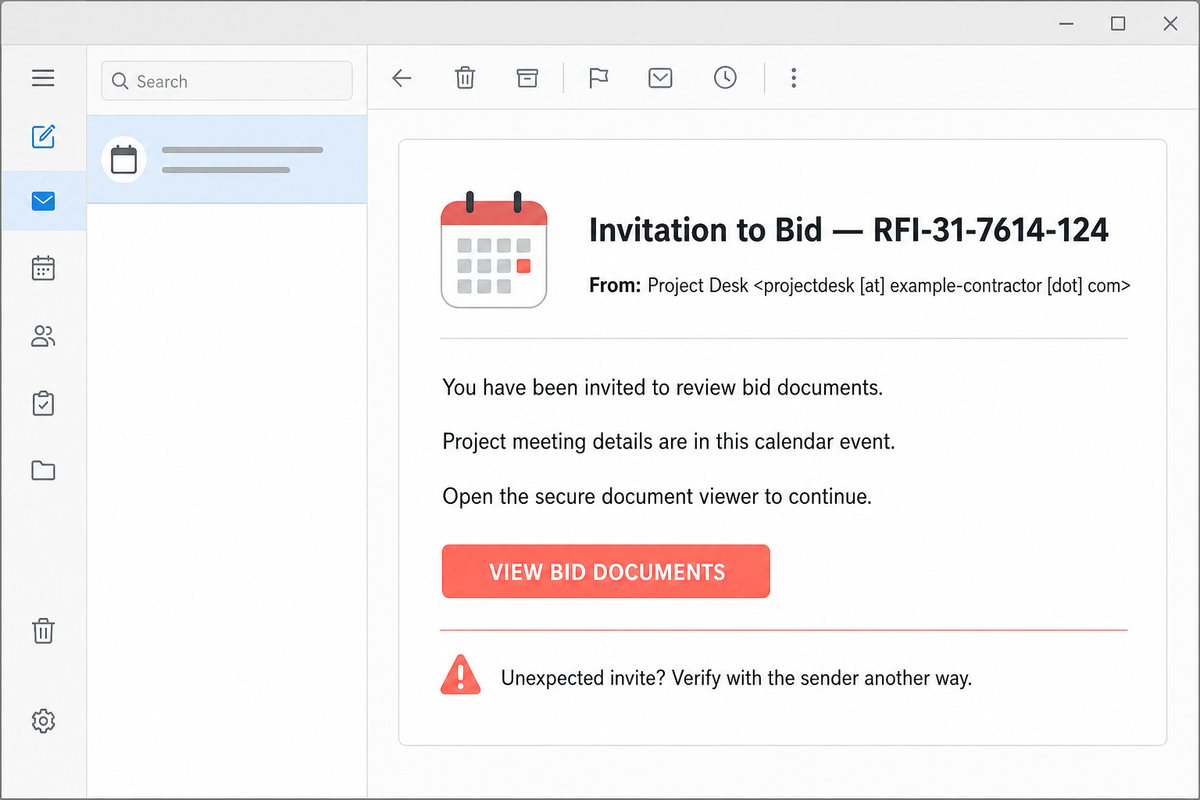
This is an illustrative reconstruction using a reserved example address; the button is not active. A real invitation may use another compromised company, subject, RFI number, or page. Verify the project with the sender through a phone number or site you locate separately. Do not reply to the same invitation as the only check, because the mailbox itself may be under attacker control.
What to do based on what happened
You only received or opened the invitation
Do not follow its links, call numbers from the event, or accept the meeting to investigate. In Google Calendar, open the event menu and choose Report as spam. Google says reporting removes the event and, for a recurring invitation, the entire series. Report the email to your security team as well. Merely seeing the event is not the execution path AegisAI documented.
You opened the link but downloaded nothing
Close the page and do not revisit it. Check the browser’s download list for an unexpected ZIP, VBS, MSI, or provisioning package. If nothing downloaded and no password was entered, a click alone does not prove the computer or account was compromised. Preserve the invitation and destination shown in browser history for your organization’s incident team.
You downloaded the viewer but did not run it
Keep the file quarantined and do not extract or double-click it. Record its displayed name and full extension, then give it to IT or your security team through the organization’s approved process. Delete it only after evidence needs are settled. A file that looks like .zip may still end in .vbs when extensions are hidden.
You ran the file or approved a UAC prompt
Disconnect the Windows computer from Wi-Fi and wired networking. On a work device, contact IT before uninstalling the agent or removing exclusions, because those actions can destroy useful evidence. The response team should determine whether Level.io is authorized, which tenant enrolled the endpoint, when the agent appeared, whether Defender exclusions were added, and whether other startup, scheduled-task, service, browser, or account changes followed.
After evidence collection, remove unauthorized remote-management enrollment and exclusions, run a full malware scan, reboot, and scan again. Our Windows security audit after malware covers persistence and clean-reinstall decisions. A scanner can find the downloaded script and related leftovers; it cannot revoke an attacker-controlled RMM tenant or restore stolen credentials.
If the page or email made you download an invoice, coupon, tracking app, browser extension, or support tool, scan the PC before opening it again or logging into sensitive accounts.
Scan this PC after the fake viewerYou entered a Google password or verification code
Use a known-clean device to change the password, review recent security events and signed-in devices, remove unfamiliar recovery methods and third-party access, and sign out unknown sessions. If it is a Workspace account, notify the administrator immediately so they can review mailbox rules, OAuth access, sent invitations, and other affected users. The account-compromise checklist helps separate account recovery from device cleanup.
How to reduce recurring Calendar phishing
- Set Add invitations to my calendar to Only if the sender is known in Calendar settings. This cuts unsolicited auto-added events but is not complete protection against a compromised contact.
- Report the event itself, not only the email. Deleting the message may leave the calendar series and reminders behind.
- Require independent confirmation for unexpected bids, contracts, policy reviews, payroll requests, and document-viewer installations.
- Show full file extensions on Windows and treat
.vbs,.ppkg, unexpected MSI installers, and double extensions as executable content. - Maintain an approved RMM inventory. A signed tool is safe only when its tenant, deployment, and administrator are authorized.
- Investigate unexpected Defender exclusions instead of adding more exclusions to make an installer run.
Calendar phishing also appears as fake subscription renewals and callback fraud. If an event claims a charge and tells you to call a number rather than download a viewer, use the separate Google Calendar renewal-warning response. Do not merge the two interaction paths: phone access, credential theft, and executed software require different containment.
References
- AegisAI Threat Intelligence. “Google Calendar Phishing: The Invite That Installs an RMM Agent.” AegisAI, September 3, 2026. Campaign analysis and redacted recognition evidence.
- Google Calendar Help. “Report inappropriate calendar invitations and events.” Google, accessed September 6, 2026. Event reporting and invitation-setting guidance.
- Google Account Help. “Secure a hacked or compromised Google Account.” Google, accessed September 6, 2026. Account activity, device, and recovery checks.
- Mark Morris. “Sublime observes massive uptick in ICS phishing and calendar-based malware attacks.” Sublime Security, September 17, 2026; accessed October 12, 2026. Calendar credit-note lure and ScreenConnect delivery.