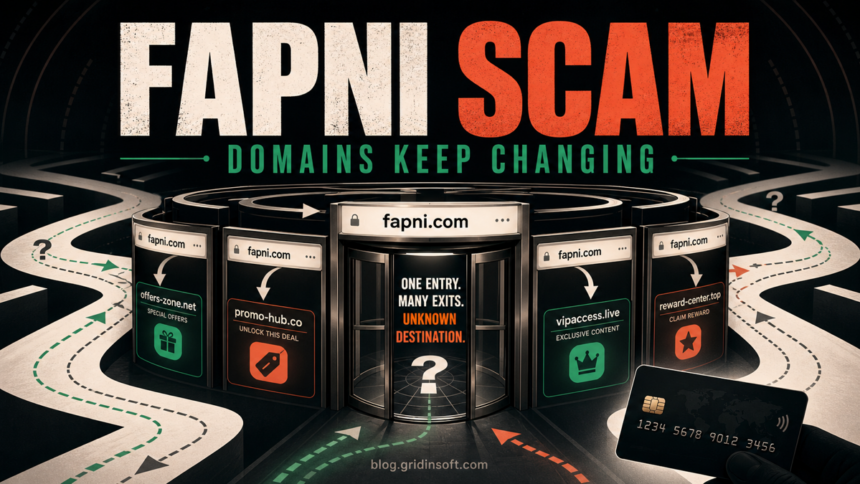
Fapni.com is a scam entry point, not a normal dating service. The address stays recognizable while its server sends visitors to changing destination domains. Gridinsoft recorded a redirect to risquebelle8[.]com on June 27, 2026; a non-following check on July 19 returned a new 302 destination, fapni[.]top. That rotation is the important warning: an old review may name a destination that is already gone. Do not sign in, pay, allow notifications, or download anything through this funnel.
What to do now
- If you only opened the page, close it and do not follow the redirect again.
- If you allowed notifications, remove the permission in your browser settings.
- If you reused a password, change it on the real service and enable multi-factor authentication.
- If you entered card details or paid, contact the card issuer immediately and review recent transactions.
- If you downloaded or ran a file, remove it and scan the device before signing back into important accounts.
Why Fapni is a scam
Fapni presents one stable entry name, but the page does not behave like a transparent dating platform with a durable service address. It issues an HTTP redirect to a different domain, and that destination can be replaced without changing the Fapni links already circulating in search, social posts, messages, or ads.
| Observed date | What the Fapni entry domain did |
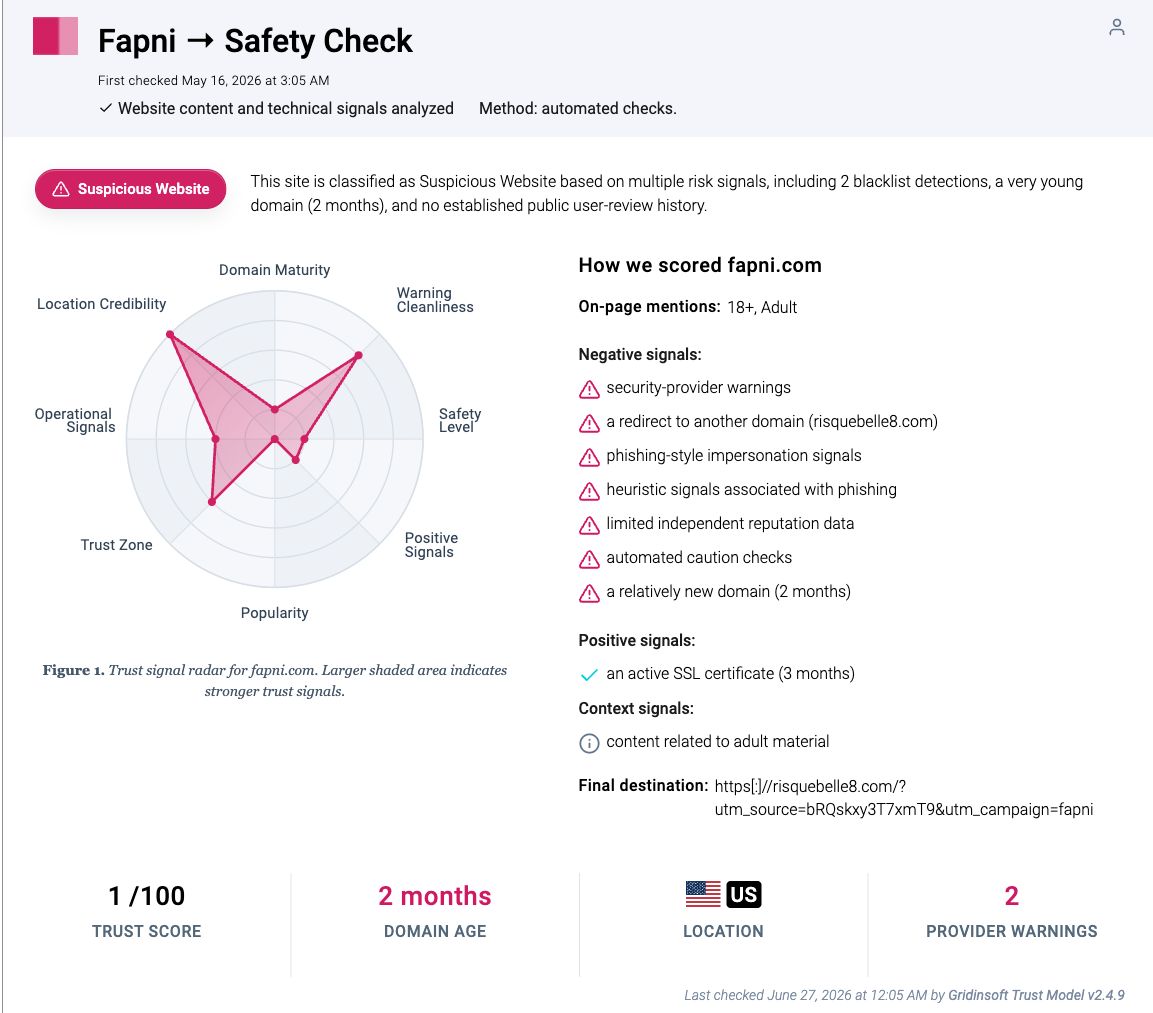
| June 27, 2026 | The Gridinsoft Fapni report recorded HTTP 302 forwarding to risquebelle8[.]com, a 1/100 trust score, and two provider warnings. |
| July 19, 2026 UTC | A HEAD request that did not follow the destination returned HTTP 302 with fapni[.]top in the Location header. |
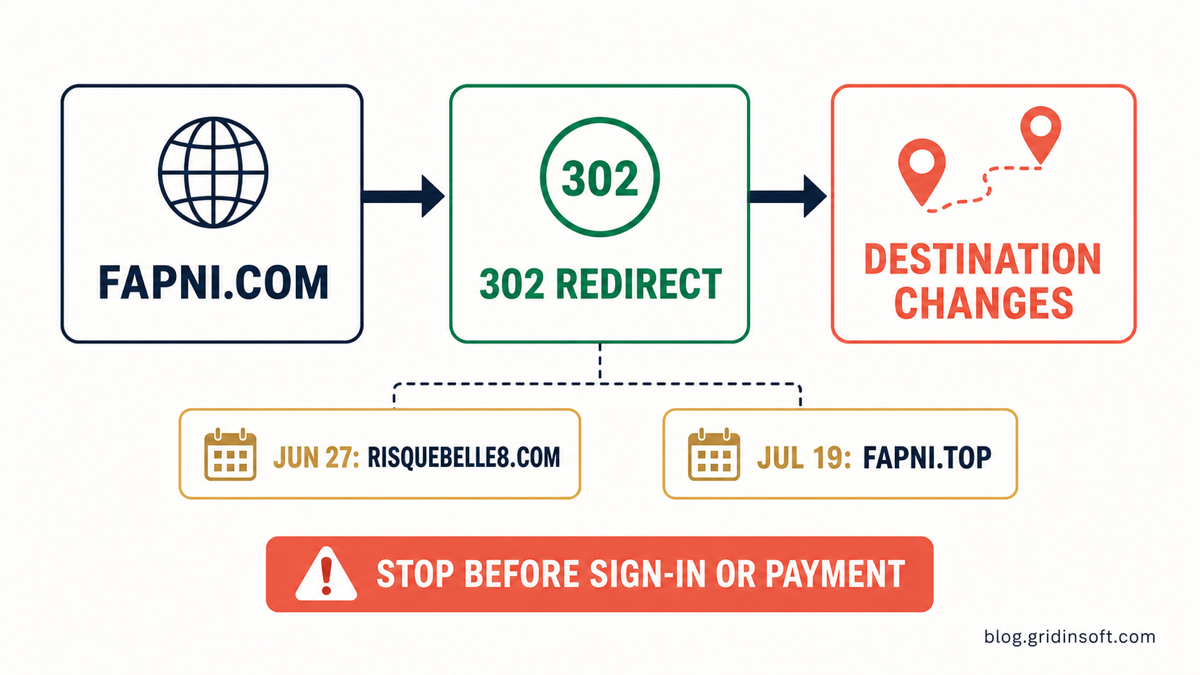
The two dated checks prove why the final domain should never be treated as Fapni’s permanent identity. The entry point can remain the same while the operator swaps the destination behind it. This also means blocking one destination is useful but incomplete; the Fapni entry address and any newly observed destination should both remain untrusted.
What the evidence proves — and what it does not
The evidence supports a direct scam verdict for the Fapni redirect campaign: a newly registered entry domain, phishing-style signals, provider warnings, a very low trust score, and confirmed destination rotation. It also supports a simple safety decision: do not give the funnel credentials, payment data, notification permission, or downloaded-file trust.
It does not prove that every profile image, chat message, subscription term, or card descriptor shown after every possible redirect is identical. Those details can change with the destination, location, device, and campaign configuration. Treat any promise of nearby matches, free chat, instant access, or verification as part of the current landing page unless it can be independently verified through a real company and durable terms.
How the rotating redirect funnel works
- The campaign promotes one memorable entry address. Links can keep using Fapni even after a downstream page stops working or gets blocked.
- Fapni answers with an HTTP 302 redirect. The browser is told to open another domain instead of serving a stable service at the original address.
- The destination hosts the current lure. It may ask questions, show adult-dating promises, request registration, or push another action.
- The operator changes the destination. A new domain can replace a reported or blocked one while old Fapni links continue to send traffic.
- Old screenshots become stale. The entry-domain behavior remains the durable signal; any destination name must be paired with the date it was observed.
This is different from a legitimate company redirecting an old brand to one disclosed official domain. Here, the entry address is young, the final host changed between checks, ownership is not transparent, and security signals already tell visitors not to trust the funnel.
What to do after opening Fapni
| What happened | Risk and next action |
| You opened it and closed it | Do not return. Check the download list and site permissions if the page prompted you to allow, install, or save anything. |
| You allowed notifications | Remove Fapni and the destination domain from the browser’s allowed-notification list. Also block their pop-ups and redirects. |
| You entered an email or phone number | Expect targeted spam or follow-up lures. Do not trust verification links, payment reminders, or support contacts that arrive afterward. |
| You entered a password | Change it immediately on the real account, change every account that reused it, enable MFA, and revoke unknown sessions. |
| You entered card details or paid | Contact the issuer using the number on the card or official banking app. Ask about locking or replacing the card and disputing fraudulent charges. Keep screenshots and transaction details. |
| You downloaded or ran a file | Disconnect from sensitive accounts, delete the download, and run a full malware scan. If it ran, also review startup items, scheduled tasks, browser extensions, and recent installations. |
Remove notification and redirect permission
In Chrome, open Settings → Privacy and security → Site settings → Notifications and remove any Fapni-related or unfamiliar destination entry. Then check Pop-ups and redirects. Other browsers have equivalent site-permission lists. Removing permission stops browser-level prompts; it does not cancel payments or secure a reused password.
Secure passwords and sessions
Change a submitted password from the official website or app, not through a Fapni link. Start with the email account because it can reset other services. Enable MFA, sign out unknown devices, and review recovery email addresses, forwarding rules, and recent login history. If you only clicked but are unsure what was exposed, use the broader clicked-phishing-link checklist.
Act quickly on card or payment exposure
Do not wait for a charge to settle. Tell the issuer that the card details were entered into a scam funnel, ask what protective action is appropriate, and monitor statements for small test charges or unfamiliar descriptors. The issuer decides whether to lock, replace, reverse, or dispute a transaction. Never pay a recovery service that promises guaranteed refunds.
Check downloads and the device
A redirect alone does not prove that malware was installed. The risk changes if a file, extension, mobile app, remote-support tool, or fake update was downloaded or run. In that case, run a full Gridinsoft Anti-Malware scan to check downloads, browser changes, startup entries, scheduled tasks, and other persistence. A clean scan cannot reverse stolen credentials or card exposure, so complete the account and payment steps separately.
How to avoid the next rotating dating scam
- Do not treat HTTPS or a padlock as proof that a dating site is legitimate.
- Check whether the address remains on one disclosed company domain instead of jumping through unrelated hosts.
- Search the exact entry domain and the current destination, but attach a date to every result.
- Do not pay to verify age, unlock messages, confirm identity, or prove that you are human.
- Do not allow notifications or install a video player, codec, extension, or app to continue.
- Use a unique password and a virtual or limited card only with services whose company, terms, cancellation path, and reputation are independently verifiable.
For the wider pattern, see the online dating scam red flags and the investigation into fake dating-site networks. If the redirect led to adult content, the adult-site malware and redirect guide separates simple exposure from notification, download, and execution risk. The Ivyof.com redirect analysis also shows how an anti-bot branch can make a scanner see Google while a visitor reaches a dating page.
FAQ
Is Fapni legit?
No. Fapni is a scam entry domain in a rotating dating redirect campaign. Its destination changed between dated checks, and its security report shows a 1/100 trust score and provider warnings.
Why does Fapni redirect to a different domain?
The stable Fapni address can keep attracting traffic while the operator replaces the destination behind it. Rotation helps a campaign move away from a blocked, reported, or expired landing domain without changing every existing link.
Is risquebelle8.com still the Fapni destination?
It was the destination recorded on June 27, 2026, but a July 19 check returned fapni.top instead. Treat every destination as a dated observation, not a permanent endpoint.
Can opening Fapni alone infect my device?
Opening and closing a page does not by itself prove infection. Risk rises if you allowed notifications, installed an extension or app, downloaded a file, ran a fake update, or entered account or payment data.
What should I do if I entered my card on Fapni?
Contact the issuer through the number on the card or official banking app. Explain that the details were entered into a scam funnel, ask whether the card should be locked or replaced, and review recent transactions for anything unfamiliar.
Should I trust a new Fapni destination if it looks professional?
No. A polished page, HTTPS certificate, or different domain does not remove the campaign-level risk. Stop before registration, payment, notification permission, or download.
References
- Federal Trade Commission. “What To Know About Romance Scams.” Consumer Advice, August 2022; accessed July 19, 2026. https://consumer.ftc.gov/articles/what-know-about-romance-scams
- Federal Trade Commission. “What To Do if You Were Scammed.” Consumer Advice, accessed July 19, 2026. https://consumer.ftc.gov/articles/what-do-if-you-were-scammed
- Google. “Use notifications to get alerts.” Google Chrome Help, accessed July 19, 2026. https://support.google.com/chrome/answer/3220216?hl=en-US