A fake Claude AI download can install malware even when the first page is on claude.ai. In July 2026, the FakeAgent campaign used a Bing ad that opened a public, user-generated Claude Artifact and then sent visitors to attacker-controlled download domains. The resulting ClaudeDesktop.exe chain delivered SectopRAT. Anthropic’s official Claude software was not reported compromised, and the reported Artifact was removed. If you only viewed the page, your response is different from someone who downloaded or ran the file.
Was the official Claude desktop app compromised?
No compromise of Anthropic’s official Claude Desktop app was reported. Huntress found that the sponsored result led to a public Claude Artifact hosted on the legitimate service. That content was user-generated and unverified; its Download button redirected away from Anthropic to attacker infrastructure.[1]
The distinction matters: a legitimate platform hostname can host content created by a third party. Check the final download hostname and obtain Claude Desktop through Anthropic’s official download page rather than a sponsored result, shared Artifact, mirror, or “Pro” package.[4]
How the FakeAgent SectopRAT campaign worked
- Search ad: victims searched Bing for the Claude desktop app and saw sponsored results.
- Trusted-looking first page: one ad opened a public Claude Artifact on
claude.ai, which visually imitated a Claude Desktop download page. - External redirect: the Download button led through
claude.ai.download-app[.]usanddownloading-api.it[.]com/html/claude/win. - Malicious installer: the downloaded
ClaudeDesktop.exeused a signed JetBrains Chromium helper alongside a tamperedlibcef.dll. The filename or signed host alone is therefore not enough to decide that a file is safe. - Persistence and theft: an identical
DockerDesktop.exewas used in a scheduled task, while another sideloading chain under the user’s EdgeUpdate folder led to SectopRAT. Huntress linked the payload to browser logins, cookies, autofill data, payment-card data, files, FTP credentials, and messaging applications.[1]
This is a search-malvertising problem as much as a fake-app problem. The ad and the first hostname reduced suspicion, but the executable ultimately came from infrastructure outside Anthropic.
What should you do after viewing, downloading, or running it?
| What happened | Risk and next step |
|---|---|
| You only viewed the Artifact | Viewing the removed page is not evidence that Windows malware executed. Close it and do not use its buttons. If you typed a password or payment detail into any linked page, change that data from a clean device. |
| You clicked Download but no file arrived | Close the external page and review the browser’s download list. Do not run anything that appears later. A security scan is reasonable if you are unsure whether the browser saved or launched a file. |
| You downloaded the file but did not run it | Do not open it. Quarantine or delete it, empty the recycle bin, and run a full scan. The reported malware chain required execution; keep the file isolated if your organization’s security team needs a sample hash. |
You ran ClaudeDesktop.exe or approved a prompt |
Disconnect the PC from the network and treat it as a remote-access and credential-theft incident. Continue with the persistence checks, cleanup, and account recovery below. |
What to check if ClaudeDesktop.exe ran
Do not flag every file named ClaudeDesktop.exe, DockerDesktop.exe, jcef_helper.exe, or libcef.dll by name alone. Huntress noted that the two executable samples were copies of a legitimate signed JetBrains helper; the malicious context came from their source, location, companion DLLs, scheduled-task persistence, hashes, and behavior.
| Indicator or location | Why to review it |
|---|---|
claude.ai.download-app[.]us |
Redirect used after the public Artifact. |
downloading-api.it[.]com/html/claude/win |
Path that served the malicious Windows download. |
2.24.131[.]246 |
SectopRAT command-and-control address recovered by Huntress. |
26bae4d7012bf59847ab4036a065419c3d4ca47e020479f55b3b2c6d0d21394a |
SHA-256 reported for the tampered libcef.dll. |
C:\Users\{user}\AppData\Roaming\Microsoft\EdgeUpdate\Install\ |
Reported location of the secondary sslconf.exe, tempdir.dll, and appcfg.dat chain. |
| Recent scheduled tasks and security exclusions | Look for a task launching the unexpected DockerDesktop.exe copy and for exclusions created near the execution time. |
On a business device, preserve the file hashes, task action, exclusion list, process tree, and relevant endpoint or proxy logs before removing them. A signed file can be abused for DLL sideloading, while a common filename can belong to unrelated legitimate software.
Remove the fake Claude malware safely
- Isolate the device. Disconnect Wi-Fi and Ethernet. If it is managed by an employer, contact IT or the incident-response team before deleting evidence.
- Review persistence. In Task Scheduler, inspect tasks created around the download time and their full Actions paths. In Windows Security, review exclusions added at the same time. Record suspicious entries before removing them.
- Run a full malware scan. Quarantine confirmed detections, including the tampered DLL or payload, rather than deleting only the visible fake installer.
- Remove the persistence mechanism. Delete a malicious task or exclusion only after its path and timing match the incident. Do not remove legitimate Docker, JetBrains, IBM SPSS, EdgeUpdate, or Claude components merely because a filename overlaps.
- Update, reboot, and scan again. Apply Windows and browser updates, restart the PC, and run another scan. If the task, exclusion, process, or alert returns, escalate to a clean reimage or professional incident response.
Deleting ClaudeDesktop.exe alone may leave a scheduled task, sideloaded DLL, Defender exclusion, or credential-stealing payload behind. Gridinsoft Anti-Malware can check for those related files and persistence entries after the visible installer is quarantined.
If a token stealer ran here, logging back in can hand the attacker your new Discord session, email cookie, Steam token, or wallet access. Scan this Windows PC first, then reset passwords from a clean device.
Scan before logging back inFor a broader sequence, use the Windows infostealer removal guide. If the executable came from another fake software page, the same source-versus-file-versus-persistence decision also applies to fake browser downloads.
Recover accounts and sessions after execution
Because the reported SectopRAT payload targeted browser and account data, do the following from a separate clean device after isolating the affected PC:
- Change the primary email or SSO password first and revoke existing sessions.
- Reset passwords for accounts saved or used in the affected browser, prioritizing password managers, work portals, banking, payment, shopping, developer, cloud, VPN, and messaging accounts.
- Rotate API keys, browser tokens, SSH keys, repository credentials, and other developer secrets that were accessible from the PC.
- Enable or re-enroll MFA where available. Do not rely on a password change alone if session cookies may have been stolen.
- Review payment-card activity and account login history. Contact the issuer if card data was stored in the browser or suspicious transactions appear.
A malware scan cannot invalidate stolen passwords, cookies, tokens, or payment data. The post-infostealer recovery guide explains the clean-device order in more detail.
FakeAgent SectopRAT vs the earlier Beagle campaign
| Campaign | Distinctive route and artifacts |
|---|---|
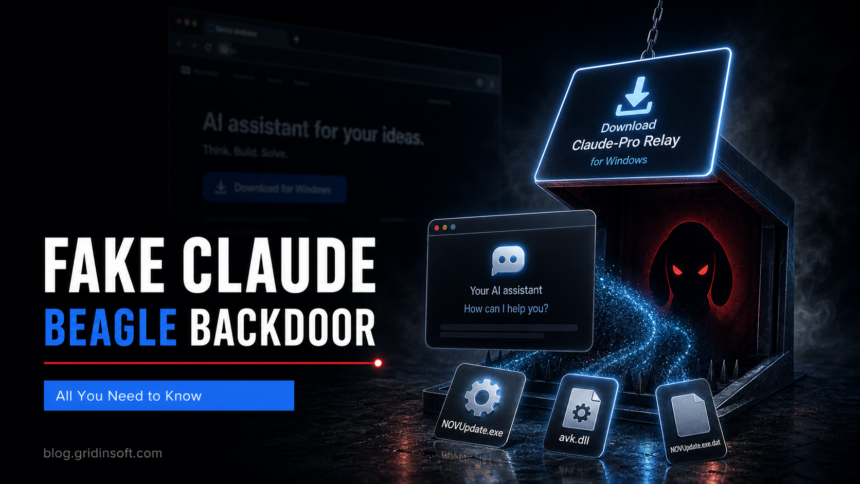
| April-May 2026: PlugX and Beagle | A cloned fake Claude site offered Claude-Pro-windows-x64.zip. The MSI installed to a misspelled Cluade path and placed NOVUpdate.exe, avk.dll, and NOVUpdate.exe.dat in Startup. Malwarebytes documented the PlugX-style chain, and later analysis identified the Beagle backdoor.[2][3] |
| July 2026: FakeAgent and SectopRAT | A Bing ad led to a public Claude Artifact, then external domains served ClaudeDesktop.exe. The chain used libcef.dll sideloading, a persistent DockerDesktop.exe task, a second EdgeUpdate-folder chain, and SectopRAT. |
The campaigns should not be blended into one indicator list. Match the download date, source, file path, task, companion files, and hashes to the correct branch. The separate fake Claude Code MacSync campaign targets macOS and has a different response path.
How to avoid fake Claude downloads
- Open the vendor’s known download address directly instead of using a sponsored search result.
- Treat published Artifacts, shared pages, repositories, community posts, and ads on legitimate platforms as third-party content.
- Check the final hostname before clicking Download; a subdomain-shaped attacker domain such as
claude.ai.download-app[.]usbelongs todownload-app[.]us, notclaude.ai. - Verify both the source and the Windows digital signature. A valid signature on a helper executable does not make its adjacent DLLs or the whole package trustworthy.
- Keep browser download protection, Windows security controls, and endpoint monitoring enabled.
FAQ
Was Claude AI hacked in the FakeAgent campaign?
The official Claude app was not reported compromised. Attackers placed user-generated public content on the legitimate Claude platform and used it to redirect visitors to external malware-download domains.
Is ClaudeDesktop.exe always malware?
No. A filename is not a verdict. Check where the file came from, its full path and signer, its hash, the neighboring DLLs, and whether it created a scheduled task or security exclusion. A copy obtained through the reported ad and external redirect should be treated as malicious.
Can viewing a Claude Artifact infect a PC?
In this incident, Huntress described a redirect and executable-download chain. Merely viewing the Artifact is not evidence that the Windows payload ran. Risk rises if you downloaded or executed the file, approved a prompt, entered credentials, or followed the external page.
References
- Michael Tigges. “Inside FakeAgent: How a Claude Desktop Malvertising Campaign Hit 29 Organizations with SectopRAT.” Huntress, July 22, 2026; accessed July 23, 2026. Primary analysis
- Stefan Dasic. “Fake Claude site installs malware that gives attackers access to your computer.” Malwarebytes, April 10, 2026; accessed July 23, 2026. Campaign analysis
- Bill Toulas. “Fake Claude AI website delivers new ‘Beagle’ Windows malware.” BleepingComputer, May 7, 2026; accessed July 23, 2026. Beagle report
- Anthropic. “Download Claude.” Claude, accessed July 23, 2026. Official download page