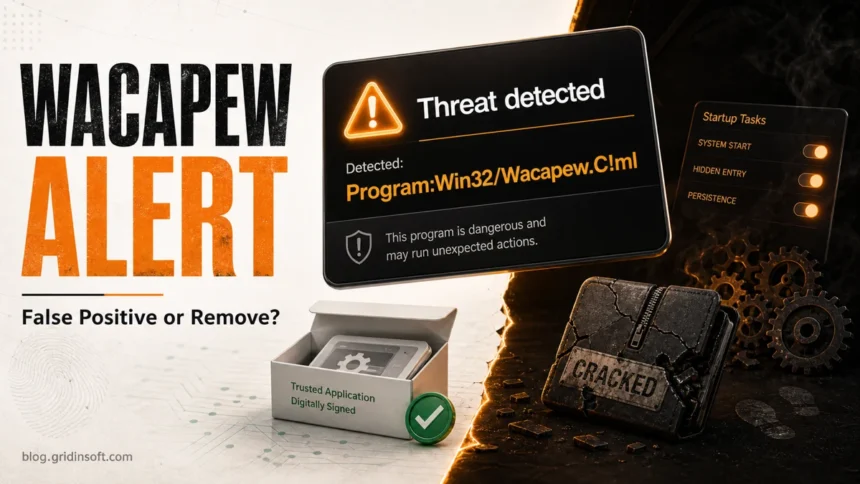
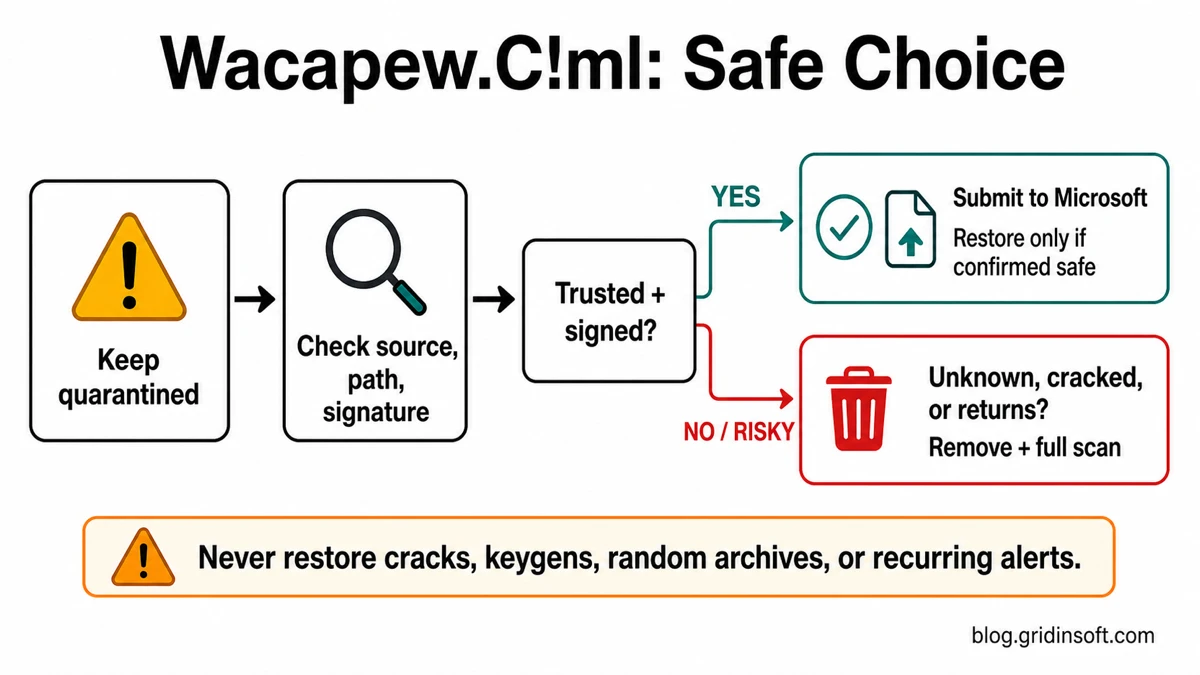
Program:Win32/Wacapew.C!ml is a Microsoft Defender heuristic detection for a program that looks close to a potentially unwanted app or malware. Do not restore the file just because the name looks vague. Keep it quarantined, check the file source, path, signature, and behavior, then decide: a trusted signed app may need a false-positive review, while a crack, keygen, unknown installer, or alert that returns after reboot should be removed and followed by a full cleanup scan.
What Program:Win32/Wacapew.C!ml means
Wacapew.C!ml is not one specific virus family. Microsoft describes it as a heuristic Defender detection for programs with suspicious behavior commonly associated with potentially unwanted applications or malware. The !ml suffix usually points to machine-learning-assisted detection, so the alert can appear before Defender has a neat family name for the file.
That uncertainty is exactly why the alert needs triage. A Wacapew.C!ml item can be a borderline but legitimate installer, a developer-built executable, or a real unwanted/malicious file that tries to change the system, download components, rename itself, or write data through Windows tools such as regedit.exe.
What to do first
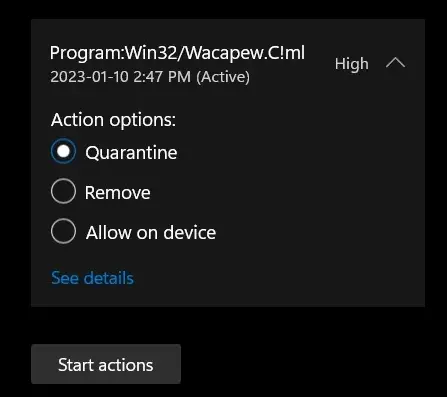
- Leave the file in quarantine. Do not click Allow or Restore until you know where the file came from.
- Open Windows Security > Virus & threat protection > Protection history. Note the detected file name, folder path, and action status.
- Update Defender security intelligence and run a full scan. A stale or borderline detection can change after definitions update.
- Check the source. Was it downloaded from the official vendor, a developer build, a game mod site, a crack/keygen, an email attachment, or a random archive?
- Check the location. Files in
%USERPROFILE%\Downloads,%TEMP%,%APPDATA%, Startup folders, or a browser cache need more caution than files in a known program folder. - Check the signature. Right-click the file, open Properties, and review Digital Signatures when the file is still available outside quarantine.
False positive or real threat?
The safest answer depends on the file’s origin and what happened before the alert. Use the table below before restoring, deleting, or adding an exclusion.
| Situation | Risk and what to do |
|---|---|
| A file from the official vendor, signed by the expected publisher, and downloaded from the official site | Possible false positive. Keep it quarantined, download a fresh copy, scan again, and submit it for review before restoring. |
| A self-built app, PyInstaller/Inno Setup installer, unsigned tool, or beta build | False positive is possible, but do not assume. Compare the hash/build source, scan the file, and avoid distributing it until reviewed. |
| A crack, keygen, activator, repack, cheat loader, or unknown archive | Treat as risky. Remove it, delete the source archive/installer, and scan for additional payloads. |
The detected file is in %TEMP%, %APPDATA%, Startup, Task Scheduler, or a browser profile |
Higher persistence risk. Let Defender quarantine it and scan for startup entries, scheduled tasks, services, and browser changes. |
| Defender says the item was removed, but the alert returns after reboot | Likely leftover persistence or a recreated file. Run a full cleanup scan and check what starts with Windows. |
| The file path no longer exists, scans are clean, but Protection history still shows an old entry | May be a stale history/remnant notification. Confirm with fresh scans before clearing history or changing settings. |
How to remove Program:Win32/Wacapew.C!ml safely
If the alert came from an unknown download, cracked software, a suspicious archive, or a file that keeps returning, treat the case as an active cleanup task.
- In Windows Security, choose Remove or Quarantine for the Wacapew.C!ml item.
- Uninstall the app or bundle that delivered it, especially if it arrived with a browser extension, downloader, crack, repack, or fake update.
- Delete the original installer/archive from Downloads, Desktop, browser downloads, and temporary folders.
- Restart Windows and run a full Defender scan after updating security intelligence.
- Check Startup apps, Task Scheduler, installed services, browser extensions, notification permissions, and proxy/DNS settings if pop-ups, redirects, or alerts continue.
- Run Gridinsoft Anti-Malware to make the cleanup easier: it checks detections, hidden files, startup entries, scheduled tasks, services, bundled apps, browser changes, and other persistence that can recreate the alert after Defender removes the visible file.
- Reboot and scan again if Defender or another security tool reports the same file path or a new file in the same folder.
Defender can quarantine the visible Wacapew.C!ml file, but repeated alerts often mean something else is still launching it or dropping it again. A Gridinsoft scan is useful after the first Defender action because it gives you a second cleanup pass focused on leftovers and persistence, not just the one quarantined file.
Defender can quarantine the visible file, but repeated alerts may mean a loader, scheduled task, service, browser change, or bundled component is recreating it. Scan the PC before trusting the cleanup.
Scan for Wacapew leftoversIf you think it is a false positive
A false positive is possible when the file is from a trusted vendor, a known open-source project, or your own build process. Still, restoring it immediately is the wrong first move.
- Download the file again from the official source instead of using the quarantined copy.
- Verify the digital signature, publisher, and hash if the vendor provides one.
- Scan the file with Defender after updating definitions.
- Upload the file to the Gridinsoft Online Virus Scanner for an additional verdict before you run or restore it.
- If you are the developer or you are confident the file is legitimate, submit it to Microsoft for malware analysis and wait for a verdict before adding exclusions.
Only restore or allow the file when the source is trusted and the review path supports that decision. Never whitelist Wacapew.C!ml when the file came from a crack, keygen, unsupported mod menu, random archive, or unknown email/download.
When the alert keeps coming back
Recurring Wacapew.C!ml alerts usually fall into two groups: the threat is being recreated, or Windows Security is showing a stale Protection history entry. The first case needs cleanup; the second needs confirmation before you touch Defender history.
- Same file path returns: check the parent app, Startup apps, scheduled tasks, services, and browser extensions.
- New random file names appear: suspect a loader, downloader, or bundled app still running on the PC.
- The file was in a browser cache: clear the browser cache and downloads, then scan again.
- The file came from a crack or game/mod loader: remove the whole package and scan for account/session stealers before signing back into Steam, Discord, email, or banking sites.
- The file path is gone and repeated scans are clean: it may be a stale notification. Do not delete Defender history until you have confirmed no matching file or startup item remains.
If you accidentally allowed the item in Windows Security, undo that first. The guide on removing an allowed Defender threat explains where to reverse that decision. For broader Defender-name context, see our Microsoft Defender detection names guide.
Prevention tips
- Download installers only from the official vendor or a trusted store.
- Avoid cracks, keygens, unofficial repacks, and loaders. If this alert followed a crack, read the HackTool:Win32/Crack guide before restoring anything.
- Keep Microsoft Defender cloud-delivered protection and security intelligence updates enabled.
- Scan unknown installers before running them, not after setup finishes.
- Use Safe Mode malware cleanup if the PC blocks security tools or the alert returns immediately after boot.
- Compare similar Defender detections carefully. For example, Wacatac is a different detection family and should not be handled by name alone.
FAQ
Is Program:Win32/Wacapew.C!ml always malware?
No. It is a heuristic Microsoft Defender detection, so it can be a false positive. But it can also flag unwanted or malicious software, especially when the file is unsigned, packed, downloaded from an unsafe source, or connected to persistence behavior.
Should I restore a Wacapew.C!ml file?
Restore it only after you verify the source, signature, path, and review result. Do not restore files from cracks, keygens, unknown archives, fake updates, or suspicious email/download sources.
Why does the Wacapew.C!ml alert return after reboot?
The visible file may have been quarantined while a startup entry, scheduled task, service, browser change, or downloader remains. Scan for persistence and remove the source app or package that recreates the file.
Can Gridinsoft Anti-Malware remove Wacapew.C!ml?
Gridinsoft Anti-Malware can scan for malicious files and related leftovers such as startup entries, scheduled tasks, bundled apps, browser changes, and persistence. It helps confirm cleanup after Defender’s first action, but no tool should be described as proving that a PC was never exposed.
How do I report a false positive?
Use Microsoft’s file submission portal when the file is legitimate and you can explain its source. Developers should include publisher/signature details and build context. Home users should keep the file quarantined while waiting for a verdict.
References
- Microsoft Security Intelligence. “Program:Win32/Wacapew.C!ml threat description.” Microsoft, updated April 21, 2025, accessed July 3, 2026. https://www.microsoft.com/en-us/wdsi/threats/malware-encyclopedia-description?Name=Program%3AWin32%2FWacapew.C%21ml
- Microsoft Security Intelligence. “Submit a file for malware analysis.” Microsoft, accessed July 3, 2026. https://www.microsoft.com/en-us/wdsi/filesubmission