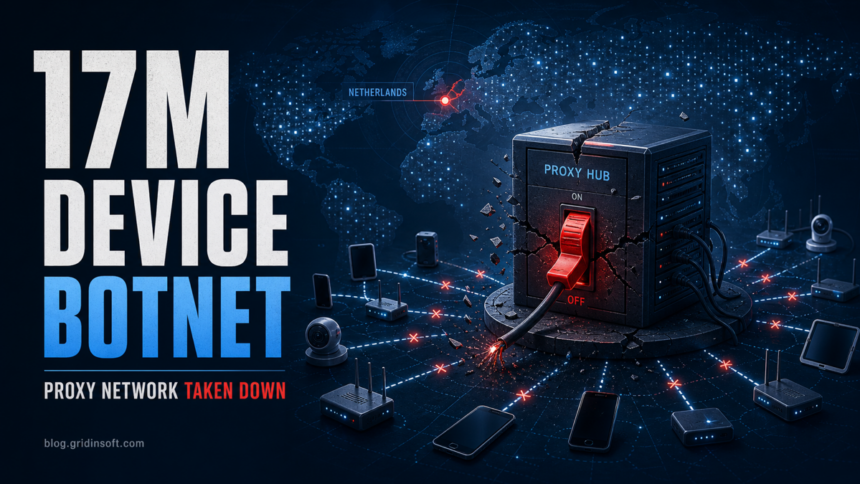
Dutch police and the Netherlands National Cyber Security Centre (NCSC) say they have taken a large botnet offline after identifying about 200 servers in the Netherlands that controlled at least 17 million infected devices. The affected pool included computers, tablets, smartphones, routers, and other connected devices that could be abused for cyberattacks.
The practical point is easy to miss: a takedown can cut off command infrastructure, but it does not automatically clean every infected home router, phone, camera, or Windows PC. If a device was enrolled into a residential proxy botnet, the owner may still have outdated firmware, weak remote access, or malware that needs to be removed.
What Dutch authorities took down
The case started with a security researcher report to the NCSC. Dutch police and NCSC investigated the infrastructure, seized several servers from a hosting provider, and the provider took the botnet offline because it was being used for criminal purposes. The agencies did not publicly name the botnet service, so the confirmed facts are the scale, the Dutch-hosted backend, and the criminal use of infected devices.
| Scale | At least 17 million infected devices and about 200 backend servers. |
| Device types | Computers, tablets, smartphones, routers, and other IoT devices. |
| Possible abuse | DDoS attacks, spam, phishing emails, online fraud, and proxying traffic through victim IP addresses. |
| What the takedown does not do | It does not prove that every infected endpoint or router has been cleaned. |
Readers who want the core concept first can use our proxyjacking explainer, which covers stolen residential IPs, symptoms, router checks, and removal steps.
Why residential proxy botnets matter
NCSC describes proxyjacking as the abuse of a victim’s unused internet bandwidth or device as a proxy without the owner’s knowledge or consent. For the victim, that can mean more than a slow connection. Their residential IP address may be used in login attacks, spam, scraping, or fraud that looks like ordinary home traffic to the target service.
That is why this story is not just a law-enforcement headline. It connects directly to practical botnet symptoms, including strange outbound traffic, IP reputation problems, and proxyware dropped by fake installers. Gridinsoft has covered these adjacent risks in the botnet signs checklist, the upWire.exe Trojan.Proxy guide, and earlier Socks5Systemz proxy malware coverage.
What to check now
- Update routers and IoT devices. Install firmware updates and replace devices that no longer receive security fixes.
- Remove default passwords. Change router, camera, NAS, and smart-device admin passwords; enable MFA where the device or account supports it.
- Review connected devices. Unknown phones, cameras, extenders, or smart-home gear should be disconnected until identified.
- Look for proxy behavior. Warning signs include unusual outbound traffic, repeated CAPTCHA prompts, IP reputation blocks, spam complaints, or unfamiliar proxy/VPN services.
- Scan Windows PCs that touched suspicious downloads. Fake installers and bundled utilities can add proxyware or stealers. Use Gridinsoft Anti-Malware as a second-opinion scan if a PC shows proxy settings, strange services, or recurring outbound connections.
- Check internet-exposed network gear. Do not leave router admin panels, old VPN services, or device dashboards open to the internet unless they are patched and intentionally exposed. Router botnets such as NoaBot show why exposed edge devices remain attractive targets.
Related update: The later NetNut/Popa botnet seizure shows why residential-proxy botnet checks should include cheap Android TV boxes, sideloaded streaming apps, and bandwidth-sharing tools, not only desktop proxyware.
FAQ
Does the takedown mean my device is clean?
No. Taking backend servers offline can disrupt attacker control, but it does not remove malware, weak credentials, or vulnerable firmware from every affected device.
How can I tell if my device was in the botnet?
The authorities did not publish a victim list. Practical clues include unknown devices in your network, odd outbound traffic, IP reputation blocks, repeated CAPTCHA prompts, spam complaints, or proxy services you did not install.
Should home users care about a residential proxy botnet?
Yes. Home routers, phones, tablets, cameras, and PCs are exactly the kind of devices residential proxy botnets try to recruit because their traffic looks like normal household activity.
References
- Politie. “Politie en NCSC halen groot botnetwerk offline.” Politie.nl, published May 28, 2026; updated May 29, 2026; accessed May 31, 2026. https://www.politie.nl/nieuws/2026/mei/28/06-politie-en-ncsc-halen-groot-botnetwerk-offline.html
- Nationaal Cyber Security Centrum. “Wat is een Botnet?” NCSC.nl, accessed May 31, 2026. https://www.ncsc.nl/malware/botnet
- Nationaal Cyber Security Centrum. “Proxyjacking en cryptojacking.” NCSC.nl, accessed May 31, 2026. https://www.ncsc.nl/malware/proxyjacking-en-cryptojacking