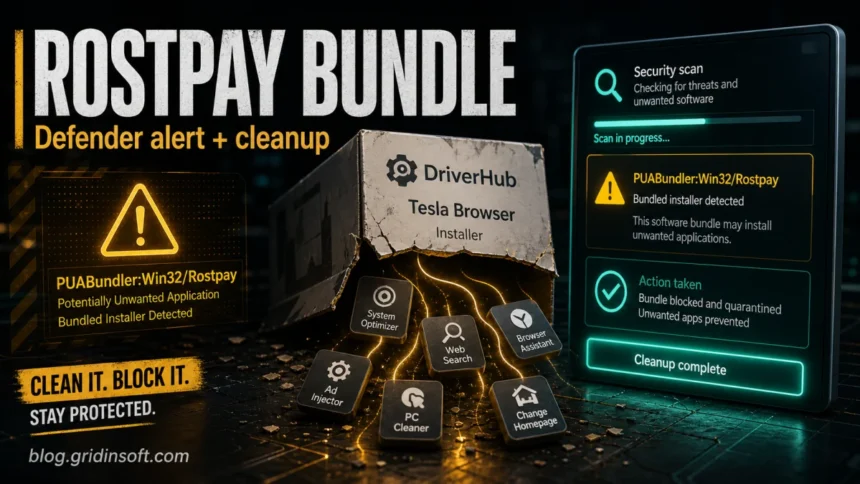
PUABundler:Win32/Rostpay is a Microsoft Defender detection for a potentially unwanted software bundle connected with Rostpay apps such as DriverHub and Tesla Browser. Treat it as a real cleanup warning on a normal Windows PC. The detected app is usually not a classic file-encrypting virus, but the bundle can add unwanted programs, browser changes, startup entries, or driver-related components you did not clearly choose.
What to do when Defender flags Rostpay
- Do not restore or allow the detection just to finish installing DriverHub, Tesla Browser, or another free utility.
- Choose Remove or Quarantine in Windows Security, then delete the original installer from Downloads, Temp, or the archive you opened.
- Uninstall recently added Rostpay apps and check browsers for new extensions, search changes, notifications, or proxy settings.
- Run a full cleanup scan if the alert returns, the app was already launched, or you see pop-ups, redirects, slow performance, crashes, or new startup items.
| Detection name | PUABundler:Win32/Rostpay |
| Detected by | Microsoft Defender Antivirus |
| Likely category | Potentially unwanted application bundler |
| Often seen with | DriverHub, Tesla Browser, optional offers, adware, browser helpers, updater components |
| Best action | Remove the bundle, check added apps and browsers, then scan for leftovers after reboot |
What is PUABundler:Win32/Rostpay?
PUABundler:Win32/Rostpay is Defender’s name for a bundle that can bring Rostpay-related software and additional offers onto a Windows system. Microsoft lists both PUA:Win32/Rostpay and PUABundler:Win32/Rostpay as Defender detections, and its threat page says affected devices may show slow performance, added or modified files, desktop-setting changes, freezing, crashes, or reduced storage space [1].
The important word is bundler. Defender is not only judging the visible app name. It is warning that the installer workflow can add extra components or change settings in ways many users do not expect. Gridinsoft’s scanner report classifies a Rostpay sample as PUP.Win32.Rostpay.vl!c and ties it to Rostpay publisher metadata [2]. A public ANY.RUN sandbox report for driver-hub-install__28.exe also shows ROSTPAY LTD metadata, a Temp-folder execution path, registry writes, and network contact with api.az-partners.net [3].
Is Rostpay a virus or a false positive?
On a normal home PC, handle the alert as a real PUA warning rather than a harmless false positive. A PUA is not always as destructive as a trojan, but it can still create a messy system: extra apps, advertising components, unwanted browser settings, updater tasks, or driver changes that are hard to undo.
A false positive is possible only in a narrow case: the affected item path points to an old quarantined installer you already removed, you can verify the file source, and there are no added apps, browser changes, pop-ups, or repeated alerts. If the path is in %USERPROFILE%\Downloads, %TEMP%, an extracted archive, or a third-party driver/tool installer, remove it first and verify the system before considering any restore.
Rostpay detection name variants
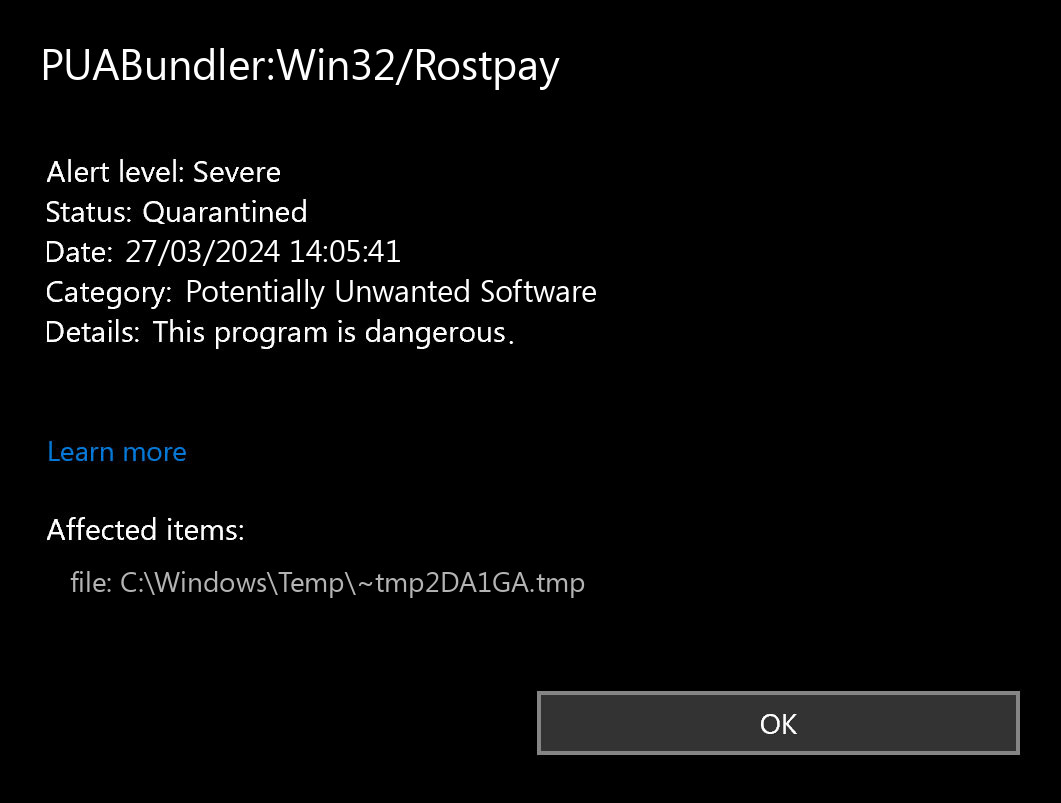
Different security tools do not always show the exact Microsoft Defender name. If the alert points to the same installer, publisher, path, or DriverHub/Tesla Browser context, treat these names as the same Rostpay cleanup lane rather than separate problems.
- Microsoft Defender:
PUABundler:Win32/RostpayorPUA:Win32/Rostpay. - Gridinsoft:
PUP.Win32.Rostpay.vl!con a scanned Rostpay sample. - Other antivirus labels: detections may use forms such as
PUA.Win32.RostPay.L,PUP.Optional.Rostpay,Downloader.Win32.DriverHub, or other DriverHub/Rostpay bundle names.
Do not decide only by the label. Check the affected item path, file publisher, source URL, and install time. A file in %TEMP%, %USERPROFILE%\Downloads, or an extracted archive needs removal and a follow-up scan even if another antivirus uses a softer PUP/PUA name.
Why DriverHub and Tesla Browser trigger Rostpay alerts
Rostpay-related installers often promise a useful utility, but the setup flow can include extra offers. The practical user problem is consistent across the reports: people install one tool and then discover additional programs, changed browser behavior, registry changes, or security warnings.
DriverHub
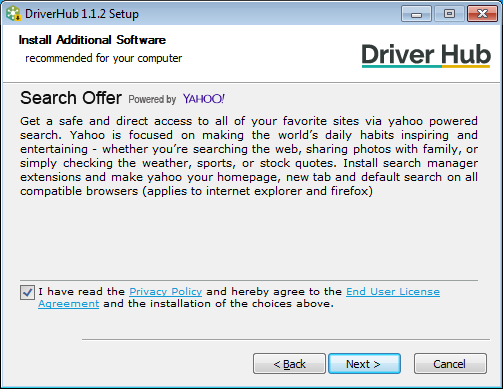
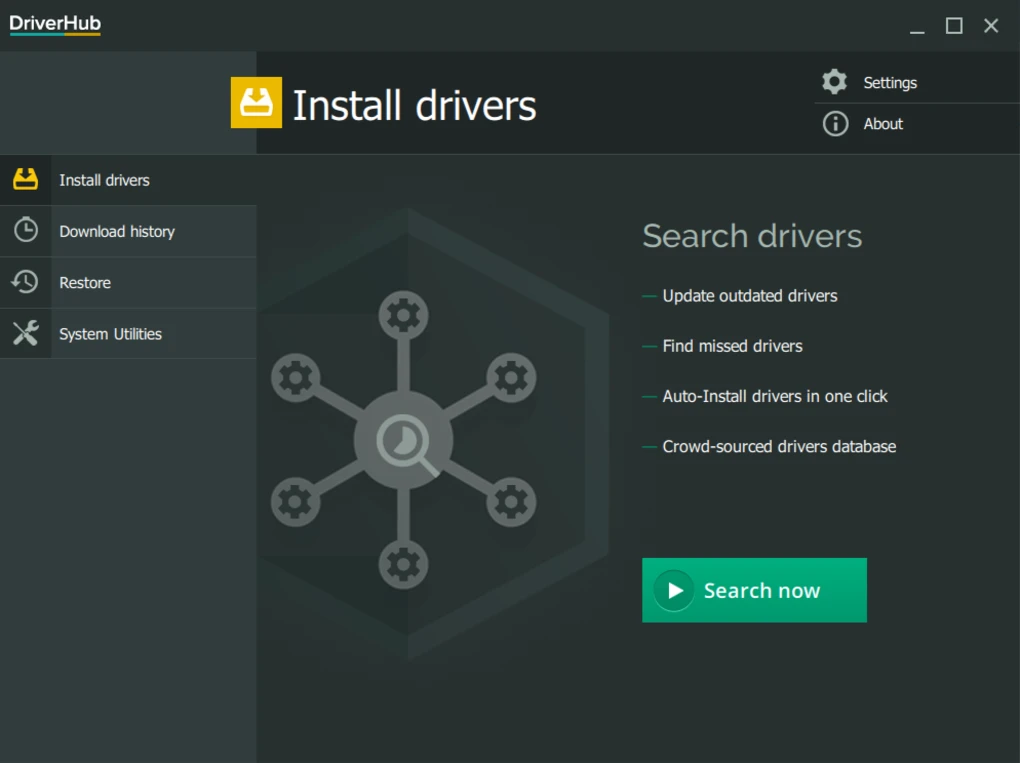
DriverHub is the most common name users connect with Rostpay. The risk is not only the driver-updater idea. The installer can be wrapped with optional offers, and driver utilities can also create system trouble if they install the wrong driver or leave updater components behind.
Tesla Browser
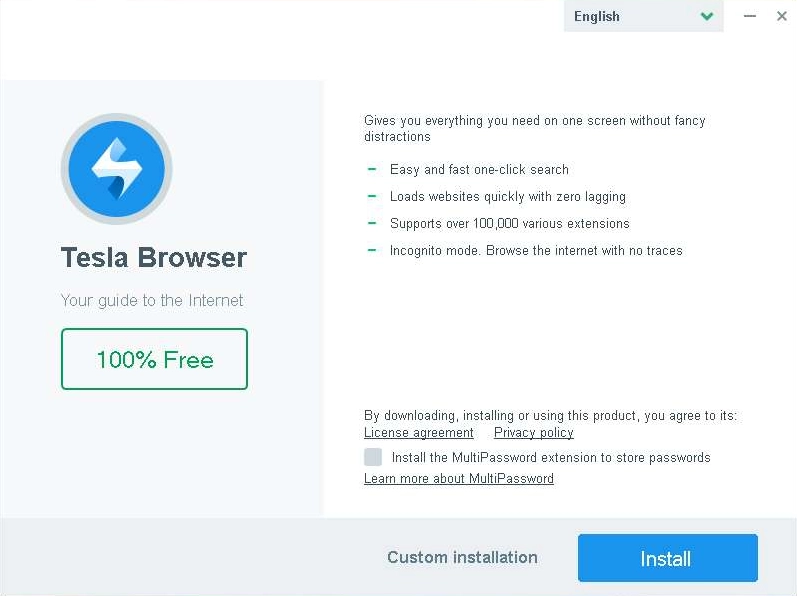
Tesla Browser is another Rostpay-related example. A browser bundled through an unwanted installer deserves extra caution because it may affect search, homepage, extensions, notifications, or the way web links open. Even if the browser itself looks ordinary, the installation path and bundled offers are the reason Defender users search for this detection.
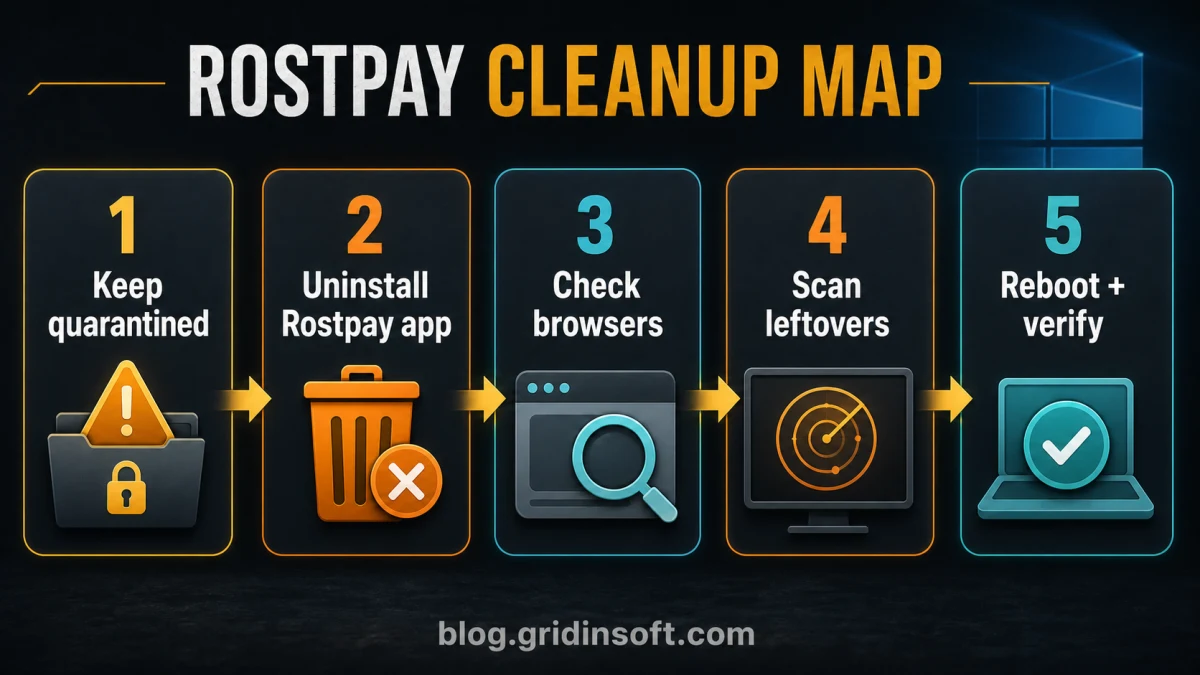
How to remove PUABundler:Win32/Rostpay
- Open Windows Security. Go to Virus & threat protection, then Protection history, and open the Rostpay entry.
- Copy the affected item path. The cleanup decision is different for a file in Downloads, Temp, an archive, a browser cache, or an installed app folder.
- Choose Remove or Quarantine. Do not allow the detection unless you are intentionally analyzing the sample in a lab.
- Delete the original installer. Remove the downloaded EXE, ZIP, or archive that triggered the alert so it cannot recreate the same detection.
- Uninstall Rostpay-related apps. In Windows Settings, remove DriverHub, Tesla Browser, unknown optimizers, browser assistants, search helpers, and other apps installed at the same time.
- Check browsers. Remove unknown extensions, reset default search and homepage, review site notification permissions, and check whether a proxy was added.
- Check Startup Apps and Task Scheduler. Disable unknown updater tasks or startup entries connected with the same install time.
- Reboot and scan again. If Defender reports the detection again, the original bundle or a leftover component is still present.
If the Rostpay installer already ran, Defender may quarantine the visible file while a bundled app, browser change, updater task, or leftover startup entry remains. Gridinsoft Anti-Malware is useful at this point because it checks detections, hidden files, startup entries, scheduled tasks, bundled apps, browser changes, and other persistence that can recreate the symptoms after reboot.
Browser reset can remove visible symptoms, but adware may keep a desktop app, extension source, notification permission, or startup task that brings pop-ups and redirects back.
Scan for Rostpay leftoversWhat to check after removal
- Installed apps: sort by install date and remove utilities you did not intentionally choose.
- Browser extensions: remove unfamiliar search, coupon, PDF, password, or assistant extensions.
- Search and homepage: set them back manually in Chrome, Edge, Firefox, or another browser.
- Notifications: revoke notification permission for unknown sites that appeared after the bundle.
- Startup and tasks: look for updaters or helpers with names connected to the bundle, DriverHub, Tesla Browser, or random vendor folders.
- Network/proxy settings: remove proxy settings you did not configure yourself.
If browser redirects continue after you remove the app, use our PUA and browser hijacker cleanup guide for the browser side of the problem. If the alert was tied to a driver utility, our guide on safe Windows driver sources explains when a third-party driver installer is worth avoiding.
Why the Rostpay alert keeps coming back
A repeated PUABundler:Win32/Rostpay alert usually means one of four things:
- the original installer is still in Downloads, Temp, or an extracted archive;
- a bundled app remains installed and keeps updating itself;
- a browser extension, notification permission, or proxy setting was left behind;
- Protection History still shows an old event, but no file is currently active.
Do not clear Protection History first. Record the affected item path, remove the source file or app, reboot, and then scan again. If the path changes after reboot, treat it as an active leftover rather than a stale Defender entry.
How to avoid Rostpay-style bundles
- Download drivers from Windows Update, the PC maker, or the hardware vendor whenever possible.
- Avoid driver updaters, repacks, download mirrors, and ad-driven installers when a vendor source exists.
- Use custom installation options and decline optional offers.
- Keep Microsoft Defender PUA protection enabled.
- Scan unknown installers before running them with the Gridinsoft Online Virus Scanner.
FAQ
Should I remove PUABundler:Win32/Rostpay?
Yes. On a normal PC, remove or quarantine it. Do not restore it just to finish installing DriverHub, Tesla Browser, or another bundled utility.
Is Rostpay malware?
It is usually classified as a potentially unwanted application or bundler rather than a classic virus. It can still add unwanted apps, advertising components, browser changes, or updater tasks, so it should be cleaned up.
Can I keep DriverHub if Defender flags Rostpay?
It is safer to remove the flagged installer and any related apps. If you need drivers, use Windows Update, the device maker, or the hardware vendor instead of restoring a quarantined bundle.
Why does Defender still show PUABundler:Win32/Rostpay after removal?
It may be a stale Protection History event, but it can also mean the source installer, a bundled app, or a startup/browser component remains. Check the affected item path and scan again after reboot.
Can Gridinsoft Anti-Malware remove Rostpay leftovers?
Gridinsoft Anti-Malware can scan for detections, hidden files, startup entries, scheduled tasks, bundled apps, browser changes, and other leftovers that may remain after the visible installer is quarantined.
References
- Microsoft Security Intelligence. “PUA:Win32/Rostpay threat description.” Microsoft, published November 14, 2019, accessed June 20, 2026. https://www.microsoft.com/en-us/wdsi/threats/malware-encyclopedia-description?Name=PUA%3AWin32%2FRostpay
- Gridinsoft Online Virus Scanner. “Zipsoft install [19342].exe PUP Rostpay file analysis.” Gridinsoft, accessed June 20, 2026. https://gridinsoft.com/online-virus-scanner/id/607ecc28700d13e5d97737ad600f95c108f963dc47f727c7507f3ac2ebe10f69
- ANY.RUN. “Malware analysis driver-hub-install__28.exe.” Public sandbox report, analysis date June 26, 2023, accessed June 20, 2026. https://any.run/report/a1f6905b424b2e1479dc823688f3eaffddd8c7537abe9c5ada4a1bcbca25c79c/e1edf029-9855-46e7-b64d-3b84e41b6568