
AUEPDU.exe is usually tied to AMD’s User Experience Program components, but a Bitdefender Online Threat Prevention alert or an AT&T Smart Home Manager / ActiveArmor blocked URL should not be dismissed automatically. Treat it as a verification task: keep the connection blocked, confirm that the file is in an AMD folder, check the digital signature, update or disable the AMD telemetry component, and scan the PC if the path, signature, or surrounding symptoms look wrong.
The recent alerts people report have a very specific shape: a security product or router app blocks a cloud configuration URL, and the process listed as the requester is AUEPDU.exe. That does not prove the executable is malware. It means a local process tried to make an outbound request that a filter did not like. The right response is to verify the process before creating an exception.
What Is AUEPDU.exe?
AUEPDU.exe is commonly associated with AMD’s User Experience Program / telemetry components installed with AMD Software. AMD says its User Experience Program is an opt-in way to share product and usage information so AMD can improve products and services. AMD’s own preferences documentation also describes a user preference for allowing AMD to collect usage data.
That background matters because a legitimate telemetry component can make network requests. It also does not make every AUEPDU.exe safe. Malware can use similar names, run from the wrong folder, or abuse an allowed process path. The decision depends on the file location, signature, parent software, recent driver changes, and whether the alert is only a blocked URL or part of a broader compromise pattern.
Why Bitdefender or AT&T May Block the URL
A blocked URL alert is about the destination or reputation of the connection, not always about the executable itself. In this case, users have reported alerts where AUEPDU.exe attempts to reach an AWS-style configuration endpoint. That can look suspicious to web-protection systems because cloud-hosted endpoints are shared infrastructure and can be abused by many unrelated services.
AT&T says its ActiveArmor internet security can block malicious sites and suspicious activity across connected devices, and its support page notes that a safe page can sometimes trigger a blocked notification. That is why the first step is not to allow the URL immediately. Leave the block in place until the local executable passes the checks below.
Quick Verdict: Safe, False Positive, or Malware?
| What you see | Risk and what to do |
|---|---|
AUEPDU.exe runs from C:\Program Files\AMD\ or an AMD software subfolder and is signed by Advanced Micro Devices. |
Likely AMD telemetry. Keep the URL blocked for now, update AMD Software, then decide whether to opt out of telemetry. |
The file is unsigned, signed by an unknown publisher, or runs from %TEMP%, %APPDATA%, Downloads, Startup, or a random user folder. |
Treat it as suspicious. Do not allow the URL. Scan the system and review startup entries. |
| The alert started right after an AMD driver update and there are no other symptoms. | Likely driver/telemetry behavior or a reputation false positive. Update AMD Software from AMD’s site and monitor. |
| You also see browser redirects, new extensions, new scheduled tasks, account logins, or repeated alerts after reboot. | Do a full cleanup pass. The visible AMD-looking process may not be the only issue. |
AUEPDU.exe Check Flow
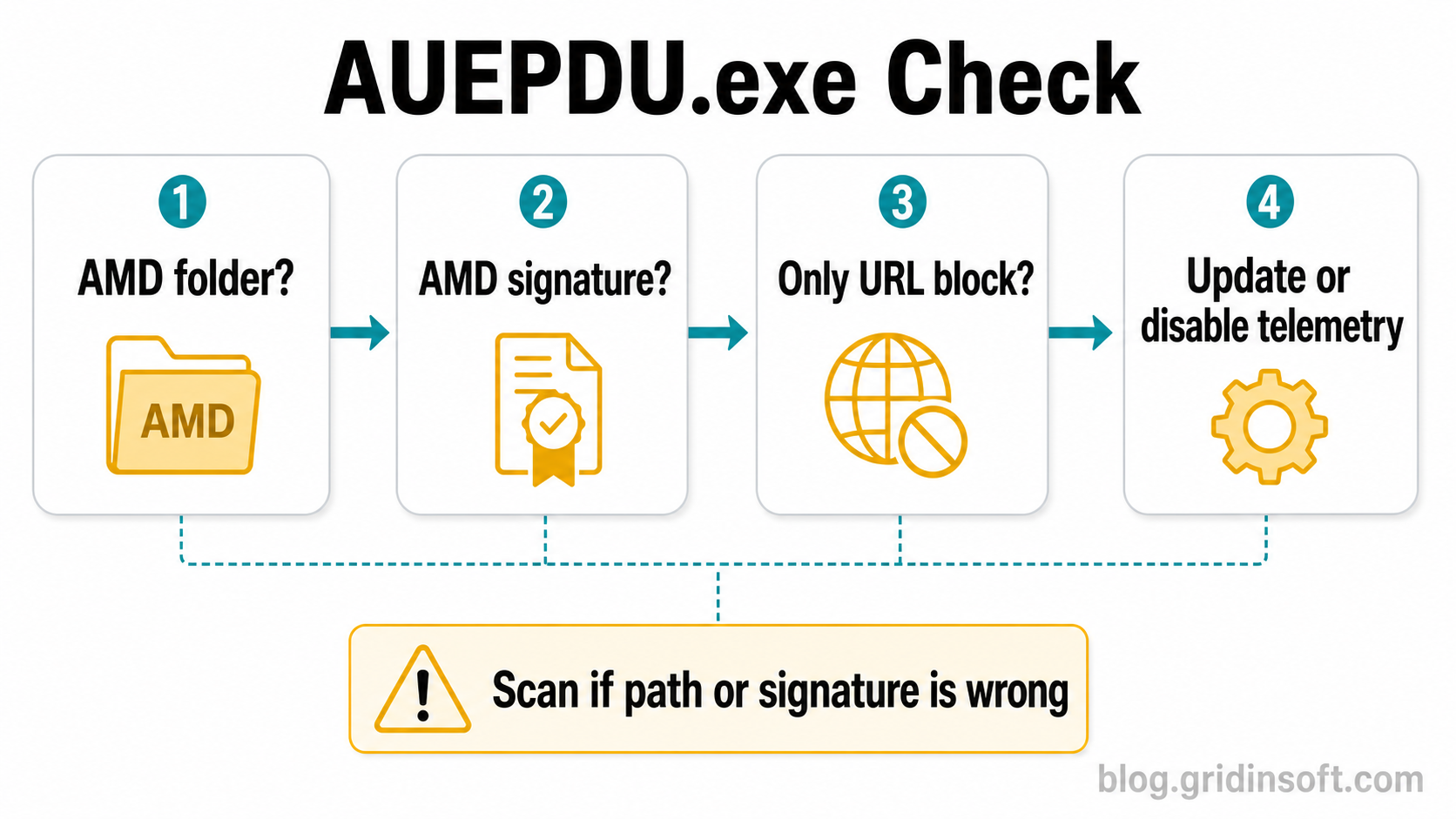
How to Check AUEPDU.exe Before Allowing Anything
- Keep the block active. Do not click Allow Access or add an exception just because the process name looks familiar.
- Open Task Manager. Find
AUEPDU.exe, right-click it, and choose Open file location. A normal AMD install should point to an AMD program directory, not a temporary or random user-profile path. - Check the signature. Right-click the file, open Properties, and inspect Digital Signatures. A legitimate AMD component should be signed by Advanced Micro Devices or AMD.
- Look at the parent software. If you recently updated AMD Software: Adrenalin Edition, the timing supports a driver/telemetry explanation. If the file appeared after a crack, fake driver updater, or unknown installer, raise the risk level.
- Update AMD Software from AMD only. Do not download a replacement
AUEPDU.exefrom file libraries. Use AMD Software or AMD’s official driver download page. - Decide on telemetry. If you do not want the component making telemetry requests, use AMD Software preferences or services management to opt out or disable the related AMD User Experience Program component where appropriate.
- Scan if anything is off. If the path or signature is wrong, or the alert returns with other symptoms, run a full malware scan before allowing any blocked connection.
When Gridinsoft Anti-Malware Helps
Gridinsoft Anti-Malware is useful here when the alert is not a clean AMD telemetry case. A security product can block the outbound request while a leftover loader, scheduled task, startup entry, browser change, or bundled component keeps trying again. A full Gridinsoft scan helps check files, hidden startup entries, scheduled tasks, browser changes, and persistence points that a simple process-name check will not cover.
If the process path is wrong, the name imitates a Windows component, or high CPU started after an unknown installer, scan for hidden miners, services, startup entries, and bundled components.
Scan before allowing AUEPDU.exeUse the scan result as one input, not as permission to ignore the original warning. If Gridinsoft finds detections, remove them, reboot, and check whether the Bitdefender or AT&T alert returns. If no detections appear and the file is signed by AMD in the expected folder, the remaining decision is usually whether you want AMD telemetry enabled.
What Not to Do
- Do not download
AUEPDU.exefrom a random process library or “DLL fixer” site. - Do not create a Bitdefender or router exception until you have checked the file path and signature.
- Do not delete random AMD folders by hand. Use AMD Software, Windows Apps, or AMD’s official installer/cleanup workflow instead.
- Do not assume every blocked cloud endpoint is malware. Also do not assume every AMD-looking file is safe.
If the Alert Keeps Coming Back
If the alert returns every 30-60 minutes, after reboot, or after you disabled AMD telemetry, collect more evidence before changing security settings:
- Write down the exact blocked URL and the process path shown by the alert.
- Check Task Scheduler and Startup apps for AMD entries and unknown entries created recently.
- Reinstall AMD Software from the official AMD package if the component looks damaged.
- Run a full scan and remove detections before restoring or allowing anything.
- If you use AT&T ActiveArmor, review the Smart Home Manager security event details instead of globally disabling protection.
FAQ
Is AUEPDU.exe malware?
Usually not by name alone. AUEPDU.exe is commonly linked to AMD’s User Experience Program components, but the safe answer depends on the file path, digital signature, and surrounding symptoms.
Should I allow the blocked URL?
Not immediately. First confirm that AUEPDU.exe is signed by AMD and located in an AMD program folder. If either check fails, keep the block and scan the system.
Can I disable AUEPDU.exe?
You can usually opt out of AMD User Experience Program data collection through AMD Software preferences or disable the related telemetry service, but avoid deleting individual files manually.
Why does AT&T Smart Home Manager show the same warning?
Router-level security tools see outbound traffic from the device, so they may flag the same destination that endpoint security products block. The router warning still needs local process verification on the PC.
When should I treat it as an infection?
Treat it as suspicious if the file is unsigned, outside AMD folders, appeared after an unknown installer, or comes with browser redirects, new startup entries, repeated pop-ups, or account compromise symptoms.
References
- Advanced Micro Devices, Inc. “AMD User Experience Program.” AMD, accessed June 20, 2026. https://www.amd.com/en/legal/privacy/user-experience-program.html
- Advanced Micro Devices, Inc. “Customize User Preferences for AMD Software: Adrenalin Edition.” AMD Support, accessed June 20, 2026. https://www.amd.com/en/resources/support-articles/faqs/DH3-001.html
- AT&T. “Learn About AT&T ActiveArmor Internet Security.” AT&T Support, accessed June 20, 2026. https://www.att.com/support/article/u-verse-high-speed-internet/KM1399140/