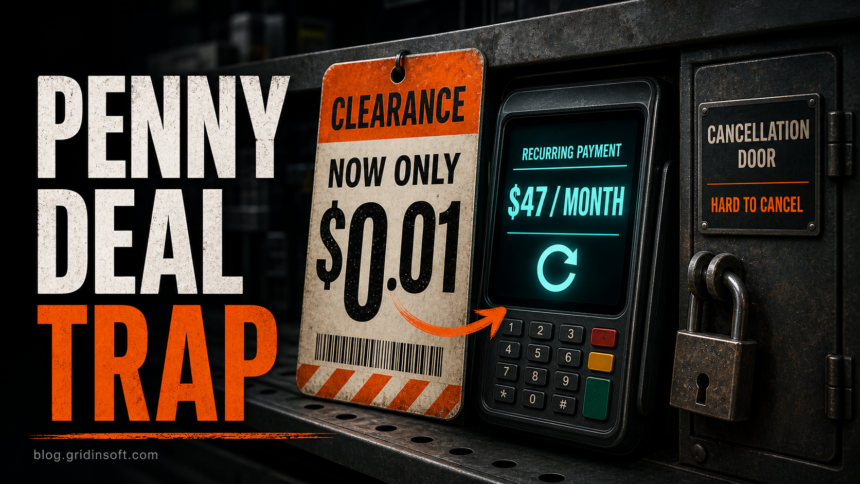
Scavenger.ai should be treated as a high-risk subscription offer, not as a normal free penny-deal finder. A June 11, 2026 report describes a $1 three-day trial that could turn into a $47/month recurring charge, plus complaints about login loops, broken cancellation paths, and unresponsive support [1]. If you already entered card details, focus on cancelling through the billing platform, saving proof, watching the card statement, and disputing any charge you did not authorize.
This does not mean every similarly named company is the same business. The domain scavenger.ai presents a consumer penny-deal finder, while scavenger-ai.com redirects to a separate business-data company site. The safety question in this article is about the consumer penny-deal offer at scavenger.ai, not every brand using the words Scavenger AI.
What the June 2026 report said about Scavenger.ai
ScamAdviser reported on June 11, 2026 that Scavenger.ai advertises access to $0.01 clearance items, asks for payment before the user can verify the deals, and lists a $1 trial that converts to $47/month [1]. The same report summarizes user complaints about being unable to cancel or log in after signup.
The important pattern is not one isolated bad review. It is the combination of a very low entry price, a paid gate before value is proven, recurring billing, and cancellation friction. That is the same risk pattern we warn about in other reward and small-fee scams, including fake gift-card claims and “shipping fee” promotions.
| Signal | Why it matters |
|---|---|
| Reported June offer: $1 trial before seeing real deal value | A tiny charge lowers caution while still collecting a live payment method. |
| Reported June offer: $47/month renewal after three days | The real cost is the recurring plan, not the first dollar. |
| Reports of login or support problems | If you cannot access the account, cancellation and evidence collection become harder. |
| Retailer-name lure without official retailer domain | A penny deal page can mention Home Depot-style clearance, but that does not make it a retailer-backed service. |
Is Scavenger.ai a scam?
The safest wording is this: Scavenger.ai has enough public complaint and billing-risk signals that you should avoid entering payment details unless you can verify the subscription terms, cancellation route, support contact, and real deal value before paying. Gridinsoft has not independently proven that every advertised penny deal is fake, but the documented complaint history is enough to treat the signup flow as high risk.
If you are checking the site before paying, do not rely on countdowns, social-proof popups, or screenshots of supposed savings. Open the terms, confirm who bills you, check whether cancellation is available from the billing account, and search the exact domain rather than a generic “Scavenger AI” name. For a broader checklist, use our guide on how to spot a scam website before entering card data.
Current offer versus the June complaint history
Checked September 12, 2026: Scavenger’s public site now advertises a free preview without signup. Its billing help, updated August 21, says web purchases use Whop and app purchases use Apple or Google Play. It directs customers to checkout and their billing account for the trial terms, price and next renewal date [5]. The June $1 / three-day / $47-monthly terms above are historical reporting, not a verified universal price today.
Save the offer and renewal terms shown to you before paying. A public help page or advertised free preview does not establish that the deals work, that a particular cancellation succeeds, or that earlier complaints have been resolved. Gridinsoft checked the public pages; we did not purchase a plan or test a cancellation. The listed support address is [email protected]; its availability on the site is not proof of response time [6].
How to cancel or stop future charges
If the checkout used Whop or another billing platform, start there instead of clicking random support links from emails or ads. Whop’s current instructions distinguish stopping renewal from requesting a refund, and say cancellation generates a confirmation email [2]. That means your practical goal is to find the order in the billing account, cancel future renewal, and keep proof of the cancellation screen or email.
- Search your email for
Whop,Scavenger,trial,receipt, and$47. Save the receipt and any cancellation or support replies. - Log in directly through the billing platform or payment wallet, not through a link from a suspicious ad.
- Look for orders, memberships, subscriptions, or recurring payments connected to Scavenger.ai.
- Cancel the renewal and take screenshots of the cancelled status, date, and account email.
- If the site or billing platform does not cancel, contact the card issuer or payment provider and ask about stopping future recurring charges.
- Keep a timeline: signup date, trial terms shown, cancellation attempts, errors, emails sent, and charges posted.
Use the receipt to choose the cancellation route
Worked example (illustrative, not a tested purchase): You use Scavenger on an iPhone, but the receipt identifies Whop and your web-checkout email. Open Whop directly, sign in with that email, match the Scavenger order and renewal date, then cancel that membership. An empty Apple subscriptions list would not settle a Whop purchase. If the receipt instead identifies Apple, use the Apple Account named on it [7]; for Google Play, check the Google Account that bought the subscription [8]. Save the receipt, amount, date, account and cancellation confirmation together. Do not send a full card number or password to support.
| Receipt provider | Where to stop renewal |
|---|---|
| Whop web checkout | Sign in with the checkout email. Open Profile → Orders, choose the Scavenger subscription, then Cancel membership. In Whop’s app, use your profile → Manage Orders. Keep the confirmation email [2]. |
| Apple / App Store | On iPhone: Settings → your name → Subscriptions → Scavenger → Cancel Subscription. Check the end date. Apple advises cancelling a trial at least 24 hours before it ends [7]. |
| Google Play | Open Play Store → profile → Payments & subscriptions → Subscriptions, select Scavenger and choose Cancel subscription. Complete the confirmation steps with the purchasing Google Account [8]. |
Scavenger’s help calls the Whop area “Memberships”; Whop’s own current guide calls it “Orders” [2, 6]. If the purchase is missing, check the receipt’s account and provider before trying another route. Deleting the app does not cancel the subscription [6, 8].
Cancellation, refund and card replacement are separate
- Cancellation: stops future renewal. Save the status and effective end date; do not assume a support request alone has cancelled it.
- Refund: asks for money already charged. Scavenger says it reviews requests case by case at
[email protected]; cancellation is not an automatic refund [6]. For an Apple- or Google-billed purchase, use that provider’s refund process. If a charge was unauthorized or the merchant will not resolve it, preserve the evidence for your card issuer [3]. - Card protection: discuss a freeze, replacement or recurring-merchant block with your issuer if needed. Replacing a card does not cancel the subscription record; still document the billing-platform cancellation attempt.
Do not pay a “recovery agent” who claims they can cancel or refund the charge for an upfront fee. Subscription-trap victims are often targeted again by refund, chargeback, or account-recovery scammers.
An unexpected subscription demand is different from a charge already visible on the card statement. For a current EUR299 brand-invoice example, the Astrolonova invoice response guide explains how to preserve the demand, dispute an unrecognized contract, and distinguish reminders from formal court mail.
What to do if you were charged
If you were charged after trying to cancel or if the charge was not disclosed clearly, act quickly. The FTC’s consumer guidance on free trials and negative-option subscriptions recommends disputing charges with the card company when you are charged without consent and the company will not refund the money [3]. Use your bank or card issuer’s official app, website, or phone number from the card.
- Freeze or replace the card if you see repeated or unexpected attempts.
- Dispute the transaction and upload screenshots of the trial terms, cancellation errors, emails, and receipt.
- Ask the card issuer to block future merchant attempts if the charge keeps recurring.
- Report the pattern to ReportFraud.ftc.gov if you are in the United States [4].
- Watch for follow-up phishing emails that mention refunds, chargebacks, or “subscription cancellation support”.
If you entered the same email and password you use elsewhere, change that password. If the page led you to install a browser extension, APK, desktop helper, or “deal finder” download, remove it and scan the device. You can check suspicious files or URLs with the Gridinsoft Online Virus Scanner, and use Gridinsoft Anti-Malware if a download, extension, or browser notification started after the signup.
Is Scavenger.ai malware?
A subscription trap and malware are different problems. A site can be risky because it collects payment details and makes cancellation difficult without installing malware on the device. In the current Scavenger.ai case, the stronger evidence is billing and cancellation risk, not a confirmed executable infection.
Still, scan the device if any of these happened:
- you downloaded a “deal finder”, browser extension, APK, ZIP, installer, or desktop tool;
- the page asked for notification permission and now opens popups or ads;
- your browser homepage/search changed after visiting the page;
- you entered a Microsoft, Google, Apple, retailer, or banking password into a page reached from the offer.
For payment-only exposure, your card issuer, billing platform, and account security steps matter more than antivirus alone.
Do not confuse Scavenger.ai with Scavenger AI
Name confusion is part of the risk. Search results show scavenger.ai, the penny-deal site, near scavenger-ai.com, a separate site describing an AI research and business-data product. When you investigate a complaint, copy the exact domain from the receipt, browser history, or card statement. Do not assume a hyphenated domain, a similar logo, or another company profile belongs to the same operator.
This is the same rule we use for fake reward pages: verify the exact domain, not only the brand words. For more examples of small-payment lures, see our fake Adidas fan kit scam and BoxGifted.com reward scam breakdowns.
FAQ
Should I enter my card on Scavenger.ai?
No, not unless you can verify the billing company, exact renewal price, cancellation route, support contact, and real deal value before paying. The documented complaints warrant checking the current offer before signup.
Can I get the $47 charge reversed?
Maybe. Start with the merchant or billing platform, then dispute through your card issuer if the company will not refund or if you could not cancel. Keep screenshots and emails because the dispute team will ask for evidence.
Does cancelling the card cancel the subscription?
Replacing a card can stop some future charges, but it is not the same as cancelling the subscription record. Cancel through the billing platform when possible, then ask the card issuer to block future merchant attempts if needed.
Is the Home Depot penny deal real?
Retailers can have clearance markdowns, but a third-party page promising access to secret penny deals is not the same as an official retailer promotion. Verify any deal through the retailer’s own website, store app, or customer service before paying a third party.
References
- ScamAdviser. “Is Scavenger.ai Legit or a Scam?” ScamAdviser Scam Alerts, June 11, 2026, accessed June 11, 2026. https://www.scamadviser.com/articles/is-scavengerai-legit-or-a-scam
- Whop. “Cancel a Subscription.” Accessed September 12, 2026. Whop cancellation instructions
- Federal Trade Commission. “Getting in and out of free trials, auto-renewals, and negative option subscriptions.” FTC Consumer Advice, accessed June 11, 2026. https://consumer.ftc.gov/articles/getting-and-out-free-trials-auto-renewals-and-negative-option-subscriptions
- Federal Trade Commission. “ReportFraud.ftc.gov.” FTC, accessed June 11, 2026. https://reportfraud.ftc.gov/
- Scavenger. “How Scavenger Billing and Renewal Work.” Updated August 21, 2026; accessed September 12, 2026. Vendor description, not independent verification. Billing and renewal terms
- Scavenger. “How to Cancel Your Scavenger Subscription.” Updated August 21, 2026; accessed September 12, 2026. Vendor instructions. Scavenger cancellation and support
- Apple. “If you want to cancel a subscription from Apple.” Accessed September 12, 2026. Apple subscription and receipt help
- Google Play Help. “Cancel, pause, or change a subscription on Google Play.” Accessed September 12, 2026. Google Play cancellation help