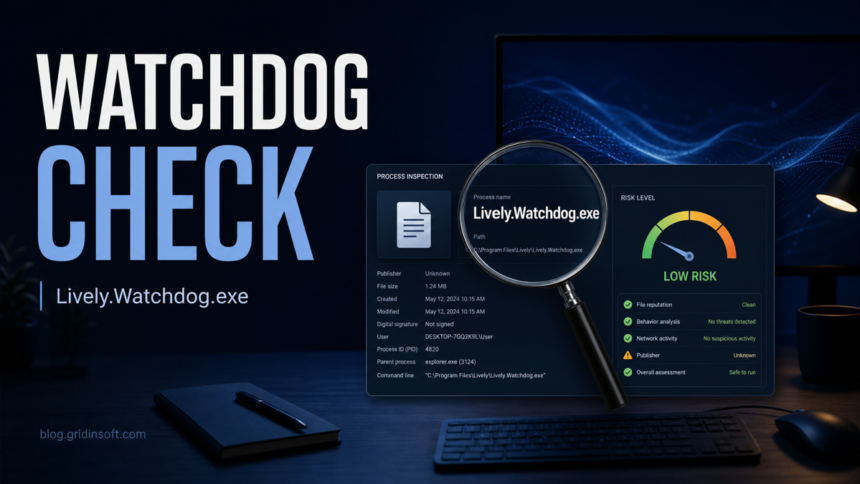
Lively.Watchdog.exe is usually connected to Lively Wallpaper, a free and open-source animated wallpaper app, when it sits inside the official Lively install folder or the Microsoft Store app package. It is not a Windows system file, though, and the same filename can be abused by a malicious file or flagged when a specific copy has a suspicious hash, path, or behavior.
Do not delete the file just because it appears in Task Manager. First check where it runs from, whether you intentionally installed Lively Wallpaper, and whether the file hash matches a clean current build or a suspicious sample.
What Is Lively.Watchdog.exe?
Lively.Watchdog.exe is a helper process associated with Lively Wallpaper. Lively itself is an open-source Windows wallpaper application hosted on GitHub and distributed through official channels such as the Microsoft Store and the project releases page.13 A watchdog helper normally exists to keep the main wallpaper app responsive or restart/check parts of the app when needed.
The important distinction is simple: legitimate does not mean every file with that name is safe. A real copy should be tied to a Lively installation. A random copy in Downloads, Temp, Startup, or an unrelated user profile folder deserves a security check.
| Check | Usually OK | Suspicious |
|---|---|---|
| Install source | Microsoft Store, official GitHub release, or official Lively site | Crack site, bundle installer, ad download page, unknown ZIP |
| Folder | Under the Lively app package or Lively install folder | %TEMP%, random AppData folder, root of Downloads, Startup folder |
| Behavior | Appears only while Lively Wallpaper is installed/running | Runs after uninstall, restarts alone, high CPU/network use, creates new startup entries |
| Security result | Clean or only a clearly explained low-confidence detection | Multiple detections, packed unknown file, different hash than expected, blocked outbound traffic |
How To Check Whether Your Copy Is Safe
- Open the file location. In Task Manager, right-click
Lively.Watchdog.exeand choose Open file location. A normal copy should clearly belong to Lively Wallpaper, not a random temporary folder. - Confirm that you installed Lively. If you do not use Lively Wallpaper, uninstall it from Windows Settings. If the process remains after uninstalling, treat the remaining file as suspicious.
- Check the download channel. Prefer the Microsoft Store version or the official GitHub release page. The Lively wiki notes differences between the Store and installer distributions, so paths can vary by version.2
- Scan the exact file, not only the filename. Upload the file to Gridinsoft Online Scanner or scan the PC with a trusted security tool. Two different files can share the same name but have different hashes.
- Watch for persistence. A helper that keeps coming back from Startup, Scheduled Tasks, or a random user folder after Lively is removed is no longer a normal Lively helper.
Why Can It Be Flagged?
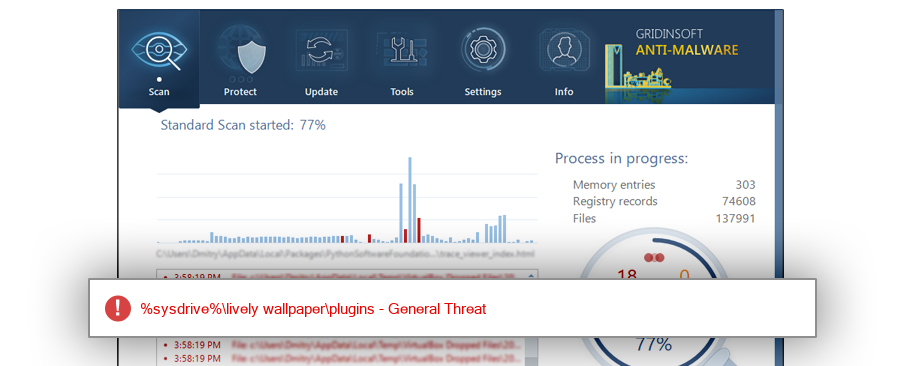
There are two common reasons. First, watchdog-style helper files can look unusual to generic process databases because they run quietly in the background and are not Windows core components. Second, security tools judge the actual file hash and behavior, not the friendly filename. Gridinsoft ThreatInfo, for example, records a specific Lively.Watchdog.exe sample with MD5 3fab1bcdd7dd8b99783b9c0d2ca8dd7e as a General Threat detection.4 That does not prove every official Lively copy is malicious; it means that exact sample should be treated as suspicious evidence and compared against the file on your PC.
When To Remove It
Remove or quarantine Lively.Watchdog.exe when at least one strong red flag is present: you never installed Lively Wallpaper, the file is outside the expected Lively folder, it launches from Startup or a Scheduled Task after uninstalling Lively, it has a different suspicious hash, or a security warning repeats after a full reboot and scan.
If the path is legitimate but the file is still detected, update Lively from the official source first. If the detection remains, submit or scan the exact file and avoid adding exclusions until you understand why it was flagged. The same cautious process applies to other “safe-or-threat” Windows helpers such as AggregatorHost.exe or drivers like WinRing0x64.sys: path, publisher/source, hash, and behavior matter more than the filename alone.
How To Clean Up A Suspicious Copy
- Disconnect from risky downloads and close Lively Wallpaper if it is running.
- Uninstall Lively Wallpaper from Windows Settings if you no longer use it.
- Reboot and check whether
Lively.Watchdog.exereturns. - Inspect Startup apps, Task Scheduler, and the file location for leftover entries.
- Run a full system scan if the file came from
Temp,Downloads, a cracked installer, or an unknown archive. - After cleanup, reinstall Lively only from the Microsoft Store or the official GitHub release if you still want the app.
After uninstalling the suspicious app or deleting the visible threat, use Gridinsoft Anti-Malware to check hidden files, startup entries, scheduled tasks, bundled apps, browser changes, and other persistence points that can restore malware.
Download Anti-MalwareHow To Avoid False Alarms And Real Copies
- Keep Lively Wallpaper updated from its official channel.
- Avoid “portable” repacks, activation cracks, and download mirrors that wrap the installer.
- Do not whitelist a file only because its name looks familiar.
- Keep a note of the exact path and hash when asking for help.
- If a wallpaper app, browser extension, or helper process asks for unusual permissions, review it the same way you would review browser extension safety.
- If the issue is a Steam Workshop wallpaper rather than Lively Wallpaper, use our Wallpaper Engine malware guide to check subscribed items and account-theft risk.
FAQ
Is Lively.Watchdog.exe malicious?
Not by default. It is usually a helper process for Lively Wallpaper, but a suspicious copy with a copy with the same filename can be malicious. Check the folder, install source, hash, and behavior.
Should I delete Lively.Watchdog.exe?
Delete or quarantine it only if it is outside the Lively install folder, appears after uninstalling Lively, or is confirmed by a scan as malicious. If it belongs to your legitimate Lively install, update or reinstall Lively instead.
Why is it running in the background?
A watchdog helper can run quietly to support the wallpaper app. Background execution alone is not enough to call it malicious, but high CPU, unknown startup entries, or random locations are warning signs.
Can threat hide as Lively.Watchdog.exe?
Yes. Threat can copy names from legitimate software. That is why the file path and hash are more reliable than the filename alone.
References
- rocksdanister. “Lively Wallpaper.” GitHub repository, accessed May 29, 2026. https://github.com/rocksdanister/lively
- rocksdanister. “Getting Started.” Lively Wiki on GitHub, accessed May 29, 2026. https://github.com/rocksdanister/lively/wiki/Getting-Started
- Microsoft. “Lively Wallpaper.” Microsoft Apps, accessed May 29, 2026. https://apps.microsoft.com/detail/9ntm2qc6qws7
- GridinSoft. “Lively.Watchdog.exe Threat Detection Report.” ThreatInfo, accessed May 29, 2026. https://threatinfo.net/products/Lively.Watchdog