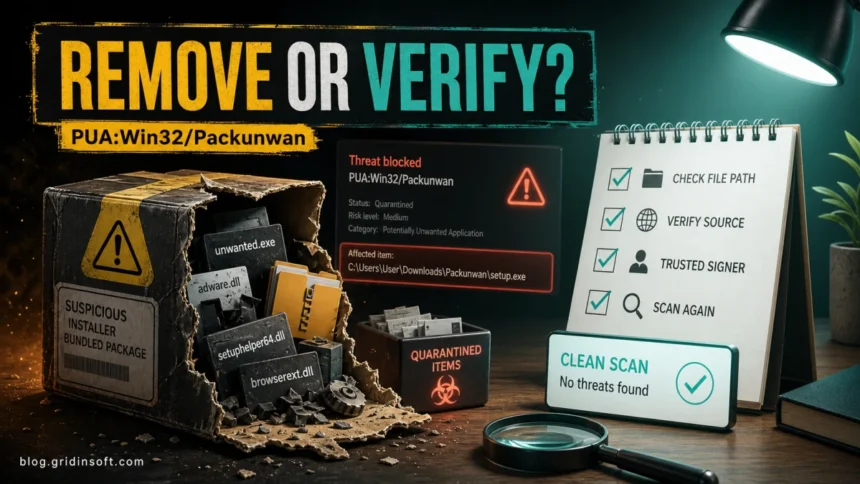
PUA:Win32/Packunwan is a Microsoft Defender PUA alert that should be removed unless the affected path clearly belongs to a trusted installer, game mod, or vendor file you expected. Check Protection History first: cracks, repacks, fake installers, cheat tools, suspicious archives, Downloads, Temp, and browser-cache paths are removal cases. A signed official installer or known mod file needs verification before restore. If the alert says PUA:Win32/Adsunwan, use the same workflow: keep the exact name, copy the path, delete the source package when risky, and rescan after reboot.
What to do with Packunwan
- Do not allow it just because Defender labels it as a PUA instead of a Trojan.
- Check the affected item path in Windows Security before deleting random files.
- Remove the source package, such as the crack, repack, fake installer, game cheat, archive, or bundled utility that created the alert.
- If it returns, check Downloads, Temp, browser cache, startup entries, scheduled tasks, and allowed threats.
| Detection | PUA:Win32/Packunwan |
| Related search | PUA:Win32/Adsunwan, Adsunwan, Win32/Packunwan |
| Category | Microsoft Defender potentially unwanted application/package |
| Common source | Cracks, repacks, fake installers, bundled utilities, game cheats, suspicious archives |
| Best first action | Remove in Defender, delete the original source package, restart, and scan again |
What is PUA:Win32/Packunwan?
Microsoft Security Intelligence lists Packunwan as a Defender PUA detection. Its public description is generic, but it says Defender detects and removes the threat and warns that affected devices may show slow performance, added or modified files, desktop setting changes, freezes, crashes, or reduced storage space [1].
For a home user, the important part is not only the one file Defender quarantined. Packunwan often appears around packages: a downloaded installer, extracted archive, setup wrapper, mod, activator, or bundled utility. If the source package remains on disk, the alert can return when Windows scans the same folder again.
Packunwan vs Adsunwan
Packunwan and Adsunwan are separate Microsoft Defender PUA names, not confirmed aliases. The practical checks overlap: identify the affected item path, remove the unwanted package, and check whether anything installed alongside it. Microsoft also has an official Adsunwan detection page with the same broad PUA-style warning and symptom list [2].
If your alert says Adsunwan, do not rename it as Packunwan in reports or support requests. Keep the exact Defender name, the affected item path, and the detection time. That evidence helps you decide whether the warning came from a known installer, a questionable download, or an active unwanted app.
Is Packunwan a virus or a false positive?
Packunwan is a PUA detection, so the right response depends on where it came from. Treat it as risky by default, then verify the source.
| What Defender found | How to decide |
| Crack, KMS activator, repack, cheat, fake installer, torrent wrapper | Remove it. These sources commonly bundle unwanted apps or worse payloads. |
| ZIP/RAR archive in Downloads or browser cache | Remove the detected archive and its dedicated extracted package, after checking the affected path. Keep unrelated files and the shared Downloads or cache folder. |
| Known vendor installer you downloaded from the official site | Pause before deleting business-critical files, but verify the publisher, hash, and official download page from a clean browser. |
| Old Protection History item with no current affected file path | Check the recorded status and time, then run an updated scan. An old removed or quarantined event is not itself a new detection; clearing history does not remove a threat. |
If Packunwan appears in r2modman, Thunderstore, WEBFISHING, or winmm.dll
Some Packunwan reports come from game-mod setups rather than ordinary installers. A common pattern is a Microsoft Defender alert after launching WEBFISHING with r2modman or Thunderstore mods, with affected items such as C:\Program Files (x86)\Steam\steamapps\common\WEBFISHING\winmm.dll or %AppData%\r2modmanPlus-local\WEBFISHING\cache\NotNet-GDWeave\2.0.14\winmm.dll. GDWeave’s own Thunderstore page says its install places a GDWeave folder and winmm.dll next to the game files, so the file name alone is not enough to prove malware [3].
Still, do not allow the alert automatically. Mod loaders and DLL-based game patches run code inside the game process, and malicious or repacked mods can abuse that same path. Check whether the mod came from the in-manager Thunderstore flow or a known GitHub release, whether the profile contains unfamiliar packages, and whether Defender names only the expected GDWeave path or also finds archives, installers, browser downloads, Temp files, startup entries, or another detection such as PUA:Win32/Vigua.A.
| WEBFISHING/r2modman situation | Safer response |
Only the expected GDWeave winmm.dll in the Steam game folder or r2modman cache is flagged |
Update Defender, disable the mod profile, verify the package source, and scan before deciding whether to restore it. |
| The alert follows a mod ZIP, unofficial mirror, cracked game build, or unknown installer | Remove the package, delete the extracted mod folder and cache copy, and do not add a Defender exclusion. |
| Packunwan returns after reboot or after launching the modded profile again | Recreate the mod profile from trusted sources, check startup and scheduled tasks, then run a full scan for leftovers. |
How to remove PUA:Win32/Packunwan
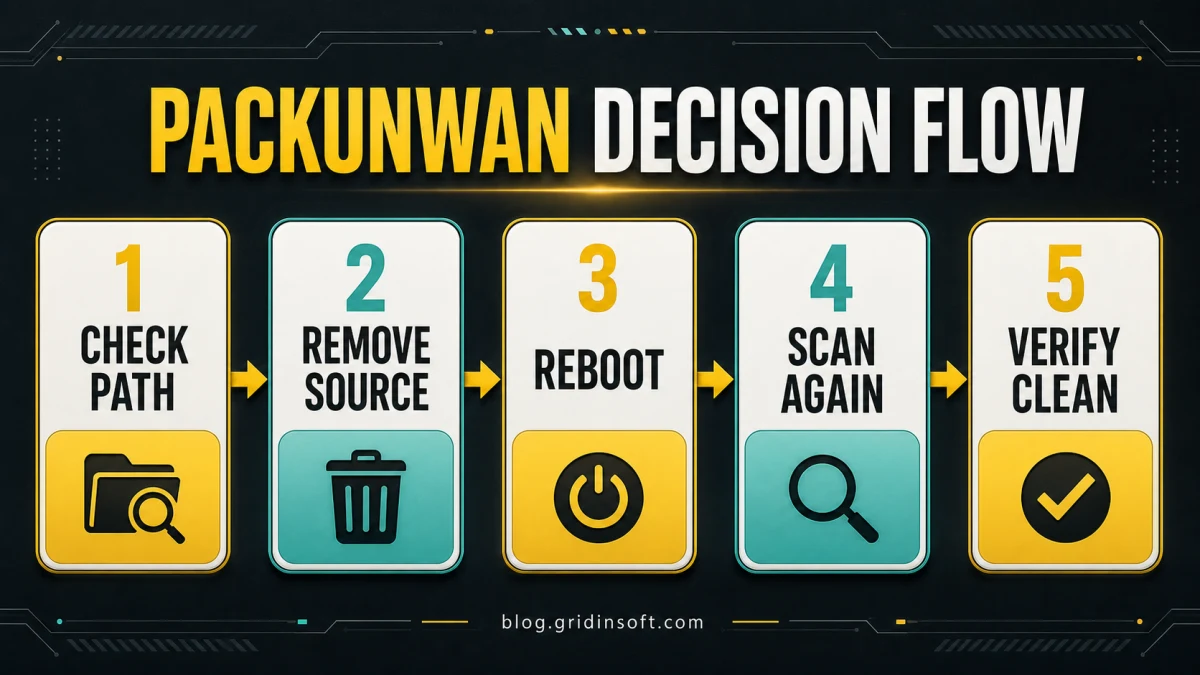
- Open Windows Security and go to Virus & threat protection then Protection history.
- Open the Packunwan or Adsunwan entry and note its status, detection time, and exact affected item path.
- Use the available Remove or Quarantine action for an unwanted item. If there is no action button, check the status as described below; do not restore the file just to remove it again.
- Remove only the identified unwanted file and its dedicated source package, such as that installer or archive and its own extracted folder. Do not delete the whole Downloads, Temp, browser profile, or game library.
- If the affected file belongs to an installed unwanted app, uninstall that actual app through Windows Settings. Packunwan is a detection label and may not appear as an app name; installation date alone is not a reason to uninstall an unrelated program.
- Check browser extensions, notification permissions, download folders, and temporary folders for the same source name.
- Review Startup Apps and Task Scheduler for entries created near the detection time.
- Restart Windows, update Defender, and run a full scan.
- Run Gridinsoft Anti-Malware as a follow-up cleanup scan to check bundled apps, browser changes, startup entries, scheduled tasks, hidden files, and leftovers that can trigger repeat alerts.
If Packunwan returns after reboot or appears from Downloads, Temp, a browser cache, Startup, Task Scheduler, an r2modman cache, or a bundled installer, Defender may have removed the visible file while the source package, scheduled task, browser change, or bundled module still recreates it. A full Gridinsoft Anti-Malware scan checks those leftovers together instead of making you hunt each location manually.
Defender can quarantine the visible file, but repeated alerts may mean a loader, scheduled task, service, browser change, or bundled component is recreating it. Scan the PC before trusting the cleanup.
Scan Packunwan leftoversWhat if Packunwan keeps coming back?
Compare the detection time, status, and affected item before treating a repeated Packunwan card as reinfection. A new event can come from an original download that remains, a browser or launcher fetching the same package again, or an installed component recreating it. For a file in Downloads, Temp, a browser cache, or an extracted archive, remove the exact unwanted item and only the dedicated package it belongs to, then scan again. A shared folder containing that item is not the removal target.
If the path identifies an installed unwanted program, use its normal uninstall entry. Do not guess the app name from the Packunwan label or delete entire Program Files, AppData, or ProgramData folders. If the same file returns with a new timestamp, keep the path and scan report for a targeted persistence check.
No Remove button? Expand the event and read its state [4]:
- Blocked/removed: check the time and a fresh scan; there may be no current file left to act on.
- Quarantined: keep it quarantined and use Remove if offered. Do not restore it to expose a missing button.
- Action needed or remediation incomplete: follow the card’s available action or additional steps. If cleanup fails, retain the exact error and affected path for support.
- Previously allowed: remove the item from Allowed threats, then rescan.
- An unwanted app is still installed: identify it from the affected path and uninstall that app normally.
Clearing Protection History is not malware removal. Do not delete Defender service/history folders, take ownership of protected folders, or disable protection to make an event disappear.
What not to do
- Do not download random Packunwan removal tools from videos or forum replies.
- Do not delete Defender history first; it may remove the path evidence you need.
- Do not keep the crack, activator, game cheat, or installer because “only one file” was quarantined.
- Do not restore or allow the alert unless you can prove the file came from a trusted vendor and you understand the risk.
FAQ
What is Packunwan?
Packunwan is a Microsoft Defender PUA detection name. It usually points to a potentially unwanted package, installer, archive, or bundled app rather than a normal Windows component.
Is PUA:Win32/Packunwan safe?
Do not assume it is safe. It may be less severe than a Trojan label, but it can still come from risky downloads and can include unwanted browser changes, bundled apps, or persistence.
Is Adsunwan the same as Packunwan?
No public Microsoft page confirms they are the same alias. Treat Adsunwan as a related Defender PUA detection with similar cleanup steps, but keep the exact detection name from your alert.
Can I allow PUA:Win32/Packunwan?
On a personal PC, allowing it is not recommended. Only consider allow-listing in a controlled test environment or after you verify a trusted vendor file through an official source.
Why does Packunwan come back after removal?
First check whether this is a new detection or an old history event. A remaining download or a component that recreates it can trigger a new alert. Remove the exact unwanted package, preserve shared folders and unrelated data, and scan again after reboot.
References
- Microsoft Security Intelligence. “PUA:Win32/Packunwan threat description.” Microsoft, published May 28, 2021, accessed June 13, 2026. https://www.microsoft.com/en-us/wdsi/threats/malware-encyclopedia-description?Name=PUA%3AWin32%2FPackunwan
- Microsoft Security Intelligence. “PUA:Win32/Adsunwan threat description.” Microsoft, published May 28, 2021, accessed June 13, 2026. https://www.microsoft.com/en-us/wdsi/threats/malware-encyclopedia-description?Name=PUA%3AWin32%2FAdsunwan&ThreatID=298190
- Thunderstore / NotNet. “GDWeave.” Thunderstore WEBFISHING Mod Database, accessed June 19, 2026. https://thunderstore.io/c/webfishing/p/NotNet/GDWeave/v/2.0.14/
- Microsoft Support. “Protection History in the Windows Security App.” Accessed October 1, 2026. Protection History states and actions