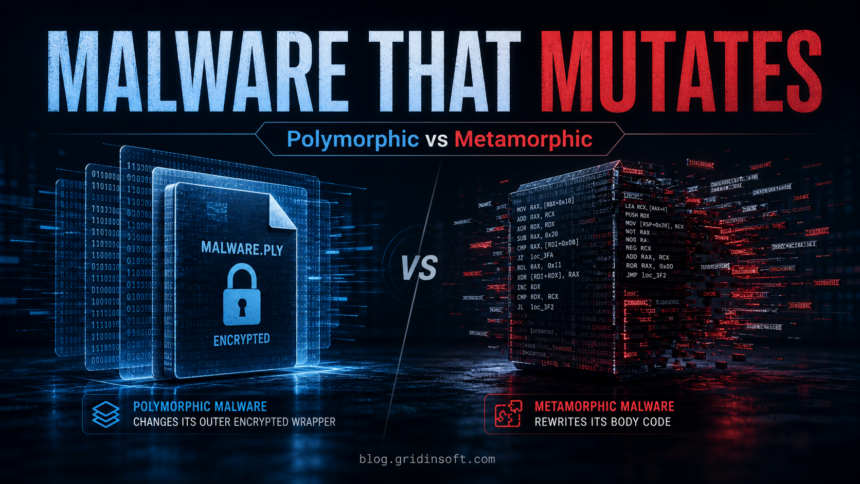
Polymorphic malware changes the visible pattern of its file, usually by encrypting the malicious body with a different wrapper or key. Metamorphic malware goes further: it rewrites its own code so each generation can look structurally different while doing the same malicious work. The practical difference is simple: polymorphic malware hides the same core under a changing cover, while metamorphic malware rebuilds the core itself.
That difference matters because old signature-only scanning can miss a file whose hash, byte pattern, or instruction order changes. Modern protection has to combine signatures with behavior monitoring, heuristics, reputation checks, sandboxing, and manual cleanup checks.
Polymorphic vs Metamorphic Malware: Quick Difference
| Question | Polymorphic malware | Metamorphic malware |
|---|---|---|
| What changes? | The encrypted wrapper, decryptor, keys, or surface byte pattern. | The malware body itself: code blocks, instruction order, equivalent commands, and structure. |
| What stays similar? | The main malicious payload usually stays functionally the same after decryption. | The final behavior stays similar, but the code can be rebuilt in many forms. |
| Main goal | Break simple hash and static signature matching. | Break deeper code-pattern matching and make reverse engineering harder. |
| Typical detection lane | Emulation, unpacking, generic signatures, reputation, and behavior rules. | Code-similarity analysis, control-flow analysis, sandboxing, heuristics, and behavior rules. |
| Difficulty for attackers | Harder than ordinary malware, but common with packers and loaders. | More complex because the malware needs a reliable code-rewriting engine. |
What Is a Polymorphic Virus?
A polymorphic virus is malware that creates copies with a different visible file pattern. The payload can remain the same, but each copy may use a new encryption key, a changed decryptor stub, altered padding, or a different packed wrapper. Two downloads from the same malicious campaign can therefore have different hashes even when they perform the same infection.
This is why the term is often used with packed trojans, file infectors, malicious downloaders, and ransomware loaders. The file may not look identical to the previous sample, but the behavior after execution is still suspicious: persistence, process injection, credential theft, unwanted downloads, encryption activity, or attempts to disable protection.
What Is a Metamorphic Virus?
A metamorphic virus rewrites its own code instead of only changing an encrypted cover. It can reorder instructions, replace one instruction sequence with an equivalent one, insert harmless-looking filler code, split and rebuild functions, or change control flow while preserving the same malicious result.
Metamorphic malware is harder to build and harder to analyze because the malware body itself keeps changing. A scanner that only looks for one byte pattern may fail, and even code-pattern rules can become noisy if the malware keeps producing equivalent but different versions.
Why This Article Was Not a Top-5 Match Before
The old version answered the comparison query, but it did not fully satisfy the broader searches people use, such as polymorphic virus, polymorphic malware, metamorphic virus, and how to detect polymorphic malware. The first screen was slow to define the terms, the excerpt was empty, the comparison lived inside an image instead of indexable text, and removal/prevention advice was too short.
The update fixes that by putting the answer first, adding a crawlable comparison table, explaining real-world symptoms, adding modern detection methods, and giving practical cleanup steps.
How These Threats Appear on a Real PC
- A suspicious installer changes hash after each download, but the same security warning or behavior returns.
- An executable is heavily packed or obfuscated and tries to run from Temp, Downloads, AppData, or a newly created folder.
- The file drops another payload, creates startup persistence, injects into trusted processes, or contacts a command-and-control server.
- Security tools show generic or heuristic names instead of one exact family name because the sample has no stable static signature.
- The same infection comes back after deleting one file because another loader, task, service, or registry entry restores it.
A changed hash alone does not prove that a file is polymorphic or metamorphic. Legitimate installers also change after updates, regional builds, or repackaging. The safer test is to combine file origin, signature, path, reputation, behavior, and repeat symptoms. For a deeper explanation of generic detection logic, see our guide to heuristic virus detection.
How Modern Protection Detects Mutating Malware
- Generic signatures look for stable family traits rather than one exact hash.
- Emulation and unpacking run or unpack the file in a controlled way to expose the payload hidden behind a changing wrapper.
- Behavior monitoring catches actions such as persistence, injection, suspicious PowerShell use, credential access, encryption, or unwanted network traffic.
- Cloud reputation checks whether a file is new, rare, unsigned, or associated with known malicious infrastructure.
- Machine-learning and heuristic rules compare structure, intent, and execution patterns instead of relying only on static bytes.
- Sandbox analysis observes what the file actually does before trusting it on a real system.
This is also why a layered anti-malware tool is stronger than a simple hash checker. Static scanning is useful, but mutating malware is designed to make static-only detection unreliable. If you want the broader difference between protection categories, read antivirus vs anti-malware.
How to Check and Remove a Suspected Polymorphic or Metamorphic Infection
- Disconnect risky activity first. Stop opening the suspicious installer, archive, crack, attachment, or script that triggered the alert.
- Check the file origin. Look at the download source, digital signature, file path, creation time, and whether the file appeared without a clear reason.
- Scan the system, not only one file. Mutating malware often uses a loader or persistence component, so deleting the visible file may not be enough.
- Review startup locations. Check Startup apps, Task Scheduler, Services, browser extensions, and recently created AppData or Temp folders.
- Remove detected items and reboot. After cleanup, scan again to make sure the same warning does not return.
- Change passwords if the malware ran. If the file executed and the system showed credential-theft, browser, or network symptoms, change important passwords from a clean device.
- Restore only clean backups. Do not restore executables, scripts, or installers from a backup unless you know they were clean before the infection.
If Windows security tools are blocked, Safe Mode can help you run cleanup with fewer malicious processes active. Use the checklist in our Safe Mode malware removal guide when normal scanning is interrupted.
After uninstalling the suspicious app or deleting the visible threat, use Gridinsoft Anti-Malware to check hidden files, startup entries, scheduled tasks, bundled apps, browser changes, and other persistence points that can restore malware.
Download Anti-MalwarePrevention Checklist
- Keep Windows, browsers, document readers, and archive tools updated.
- Avoid cracks, fake installers, unofficial game mods, and password-protected archives from untrusted sources.
- Do not allow Office macros, scripts, or PowerShell commands unless you understand why they are needed.
- Prefer signed software from the vendor’s official site or a trusted store.
- Use layered protection that includes behavior monitoring, cloud reputation, and cleanup scanning.
- Keep offline or versioned backups so ransomware-style payloads cannot rewrite every copy.
For a broader threat overview, see common types of malware and how they usually reach Windows systems.
FAQ
Is polymorphic malware the same as metamorphic malware?
No. Polymorphic malware usually changes its outer wrapper or encryption while keeping the payload logic similar. Metamorphic malware rewrites the payload code itself while preserving the same malicious behavior.
Are polymorphic viruses still common?
Yes. The exact term is older, but the technique is still relevant. Modern trojans, loaders, and packed malware often change hashes, wrappers, or code patterns to avoid simple static detection.
Can antivirus detect polymorphic malware?
Yes, but reliable detection needs more than one static signature. Strong protection combines signatures with behavior monitoring, emulation, reputation checks, heuristics, and cloud analysis.
Does a different file hash mean the file is malware?
No. A different hash can also come from a normal update, a different build, or repackaging. Treat it as one signal and check the file source, signature, behavior, and security-tool verdicts.
Should I add a screenshot to identify this malware?
Usually no. Polymorphic and metamorphic behavior is a code-mutation technique, not a specific Windows alert or fake website. A comparison table and cleanup checklist are more useful than a generic screenshot unless a real detection alert or campaign artifact is available.
References
- NIST Computer Security Resource Center, Malware, Glossary, accessed June 2, 2026. https://csrc.nist.gov/glossary/term/malware
- MITRE ATT&CK, Obfuscated Files or Information: T1027, accessed June 2, 2026. https://attack.mitre.org/techniques/T1027/
- Peter Szor and Peter Ferrie, Hunting for Metamorphic, Virus Bulletin Conference, 2001, accessed June 2, 2026. https://crypto.stanford.edu/cs155old/cs155-spring09/papers/viruses.pdf
- Mohamed R. Chouchane and Arun Lakhotia, Using Engine Signature to Detect Metamorphic Malware, Proceedings of the 4th ACM Workshop on Recurring Malcode, 2006, listed by University of Louisiana at Lafayette, accessed June 2, 2026. https://cybersecurity.louisiana.edu/node/21516