

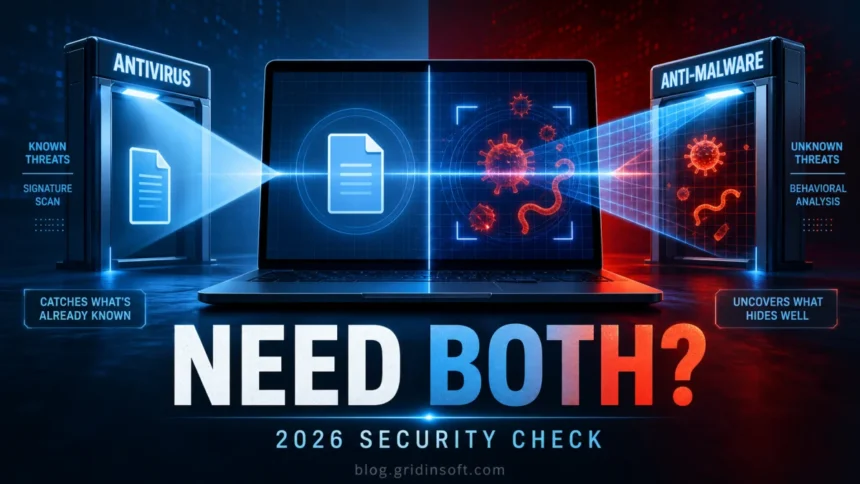
Antivirus and anti-malware are no longer two completely separate categories. In 2026, most modern security products detect viruses, trojans, spyware, ransomware, adware, browser hijackers, and other unwanted software. The practical difference is in the workflow: one tool may focus on real-time protection, another on cleanup, second-opinion scanning, web blocking, or behavior detection. For most Windows users, the safe setup is one main real-time protection layer plus an on-demand second-opinion scan when something looks wrong.
Antivirus vs anti-malware in practice
- Antivirus is the older, familiar label. Today it usually covers far more than classic file-infecting viruses.
- Anti-malware is the broader technical label for software that detects and removes malicious or unwanted programs.
- You usually do not need two full real-time antivirus engines. They can compete for the same files, slow the PC, or create duplicate alerts.
- A second-opinion anti-malware scan is useful after pop-ups, browser redirects, suspicious downloads, cracked software, repeated security alerts, or incomplete cleanup.
| Question | Practical answer |
|---|---|
| Is anti-malware better than antivirus? | Not by label alone. Compare detection, real-time protection, behavior analysis, web blocking, quarantine, updates, and cleanup. |
| Is Microsoft Defender enough? | It is a reasonable baseline for many Windows users, but extra scanning helps when symptoms persist or the PC was exposed to risky downloads. |
| Can I run both? | Use one real-time protection product. Add a second scanner only if it is on-demand or explicitly designed to coexist. |
| Why did one scanner find more? | Tools use different signatures, cloud rules, heuristics, and behavior checks, so a second scan can expose adware or persistence leftovers. |
What Changed Since the Old Antivirus Era?
Classic viruses were only one malware type. Modern attacks often arrive as trojans, loaders, stealers, ransomware, phishing downloads, malicious scripts, fake installers, or unwanted browser components. That is why the word malware became the more accurate umbrella term, while antivirus stayed popular as the name users recognize.
Microsoft’s Windows protection documentation uses both antivirus and antimalware language for the same security area [1]. CISA also groups malware with phishing and ransomware because real infections rarely fit one neat label [2]. Independent real-world testing has moved in the same direction: AV-Comparatives’ 2026 factsheet tests products against live malicious URLs and malware delivery paths, not just old-style virus samples [3].
Antivirus vs Anti-Malware: The Real Difference
The useful difference is not the word on the box. It is what the tool can do after a threat appears.
- Real-time protection: watches downloads, opened files, scripts, and running processes before they can damage the system.
- On-demand scanning: checks selected files, folders, archives, or the whole PC when you suspect something was missed.
- Behavior detection: flags suspicious actions such as persistence changes, credential theft behavior, or ransomware-like file activity.
- Web protection: blocks malicious URLs, phishing pages, fake update prompts, and scam download pages before the file lands on the PC.
- Cleanup and verification: removes files, startup entries, scheduled tasks, browser changes, and other leftovers, then lets you scan again.
If a product includes these layers, it can be useful whether the vendor calls it antivirus, anti-malware, endpoint protection, or a security suite. For a fuller product-focused overview, see Gridinsoft’s antivirus software guide.
Do You Need Both Antivirus and Anti-Malware?
Most home users should keep one real-time security product active. Running multiple real-time engines can cause high CPU usage, repeated quarantine prompts, locked files, duplicate detections, or failed cleanup actions. This is especially common when two products try to scan the same download or browser cache at the same time.
Where a second tool helps is as a manual check. If Defender or your main antivirus says the system is clean but the symptoms continue, run a second-opinion anti-malware scan. That gives you another detection database and another cleanup workflow without forcing two products to fight over every file operation.
When Extra Anti-Malware Helps
People usually search this topic when they are not casually comparing definitions. They are worried because something on the PC feels wrong. Extra anti-malware is most useful in these situations:
- browser redirects, fake search results, or a homepage that keeps changing;
- persistent pop-ups, fake antivirus alerts, or scam notifications;
- a cracked installer, game mod, driver updater, or free tool was installed recently;
- Microsoft Defender or another antivirus keeps detecting the same threat after quarantine;
- unknown startup entries, scheduled tasks, browser extensions, or suspicious processes appear;
- one scanner reports adware, a PUA, or a suspicious script while another scanner does not.
In those cases, the goal is not to collect more security products. The goal is to confirm whether the PC still has active malware or leftovers. A tool such as Gridinsoft Anti-Malware can be used as a second-opinion Windows scan and cleanup pass when the issue looks broader than a single quarantined file.

How to Choose the Right Protection in 2026
- Start with the problem. If you only need everyday prevention, a well-maintained real-time product may be enough. If you already see symptoms, prioritize cleanup and follow-up scanning.
- Check what the tool detects. It should cover trojans, spyware, ransomware, adware, browser hijackers, unwanted apps, suspicious scripts, and malicious URLs.
- Look for behavior and web layers. Signature scanning alone is weaker against fresh installers, phishing downloads, and threats that change quickly.
- Review quarantine and logs. A good tool should show what it found, where it found it, and what action was taken.
- Avoid overlapping real-time engines. Keep one main active protection layer and use other tools as manual or compatible second-opinion scanners.
What to Scan First If the PC Looks Infected
If the search started because of a real warning or symptom, use a simple order: update your main protection, run a full scan, then run a second-opinion anti-malware scan if anything still feels off. After cleanup, check browser extensions, startup apps, scheduled tasks, and recently installed programs. Change important passwords only after the device is clean, otherwise a stealer may capture the new credentials too.
Related guides: virus protection tips, what anti-malware detects, how to report a false positive.
FAQ
Is anti-malware better than antivirus?
Not automatically. Anti-malware is the broader term, but a modern antivirus can also detect malware. The better choice is the product with stronger protection features, frequent updates, clear quarantine controls, and reliable cleanup.
Do I still need antivirus on Windows?
Yes, Windows still needs active malware protection. Microsoft Defender gives many users a baseline, but suspicious downloads, repeated alerts, pop-ups, redirects, and risky software installs justify a second-opinion scan.
Can two antivirus programs slow down a PC?
Yes. Two real-time scanners can inspect the same file at the same time, causing performance drops, duplicate alerts, or conflicts. Use one main real-time product unless the vendors explicitly support the combination.
Why did anti-malware find something my antivirus missed?
Different tools use different signatures, cloud rules, heuristics, and behavior checks. One tool may be better at adware, PUAs, browser hijackers, or persistence leftovers, while another focuses on blocking active execution.
Should I uninstall antivirus before running anti-malware?
Usually no, if the anti-malware tool is used as an on-demand scanner. If both products enable real-time protection, check their compatibility settings and disable overlapping real-time modules when needed.
References
- Microsoft Support. “Antivirus and antimalware software: FAQ.” Microsoft, accessed June 7, 2026. https://support.microsoft.com/en-us/windows/antivirus-and-antimalware-software-faq-31f2a46e-fad6-b713-45cf-b9db579973e6
- Cybersecurity and Infrastructure Security Agency. “Malware, Phishing, and Ransomware.” CISA, accessed June 7, 2026. https://www.cisa.gov/topics/cyber-threats-and-advisories/malware-phishing-and-ransomware
- AV-Comparatives. “Real-World Protection Test Feb-Mar 2026 – Factsheet.” AV-Comparatives, release date April 15, 2026, accessed June 7, 2026. https://av-comparatives.org/tests/real-world-protection-test-feb-mar-2026-factsheet/



i am trying to get it for two computers