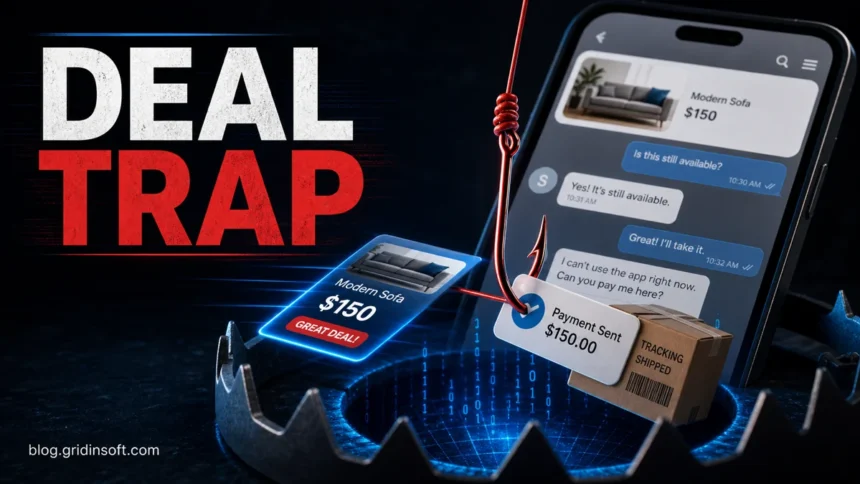
OfferUp scams usually start when a buyer or seller pushes you away from normal OfferUp protections. Treat the deal as unsafe if someone asks for a verification code, sends a login or payment link, wants a deposit before you inspect the item, asks for Zelle, Cash App, Venmo, gift cards, wire transfer, crypto, or says the app is broken and you must continue by text. Keep the conversation in OfferUp, inspect local items before paying, and do not release an item until the payment method is settled.
The most useful rule is simple: if the other person is trying to remove proof, payment protection, or inspection time, pause the deal. The FTC recommends checking the seller and item, using safer payment methods, and not paying outside a marketplace payment system when that removes site protection [1]. For sellers, the FTC also warns about fake payment notices, bogus refund requests, fake checks, and verification-code tricks [2].
Fast OfferUp Scam Checklist
- They send a link. Do not sign in, pay, or “verify” through a link sent in chat, text, or email. Open OfferUp yourself from the app or typed domain.
- They ask for a verification code. Never share one-time codes. This is often an account-takeover attempt, not a buyer check.
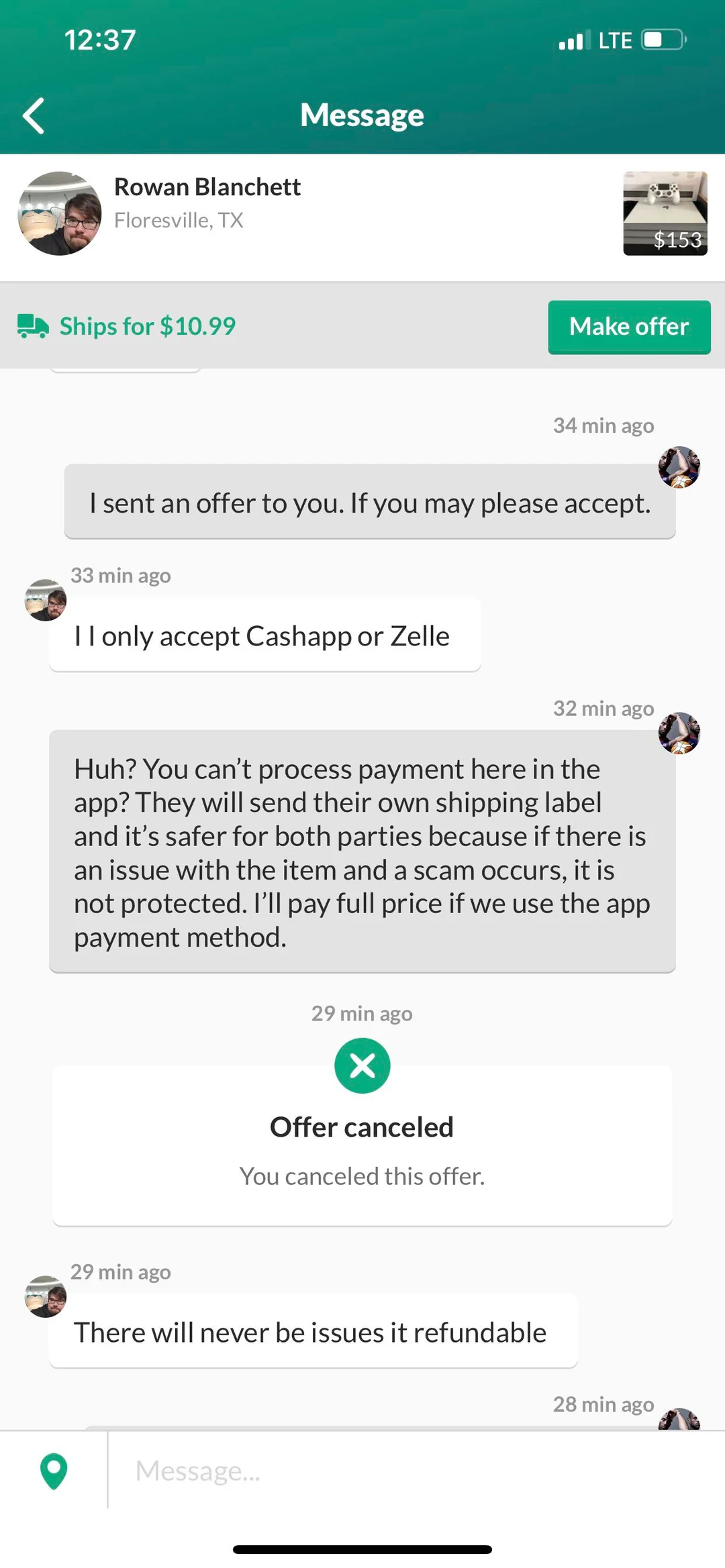
- They want payment outside the app. Zelle, Cash App, Venmo, PayPal friends-and-family, gift cards, wire transfer, crypto, and checks remove practical recovery options.
- They need a deposit first. Do not send money before you inspect a local item or before the platform’s shipping/payment flow is in place.
- They say shipping or payment is broken. Fake labels, payment screenshots, pending-payment emails, courier fees, and “the app will not let me pay” excuses are common ways to move the deal off-platform.
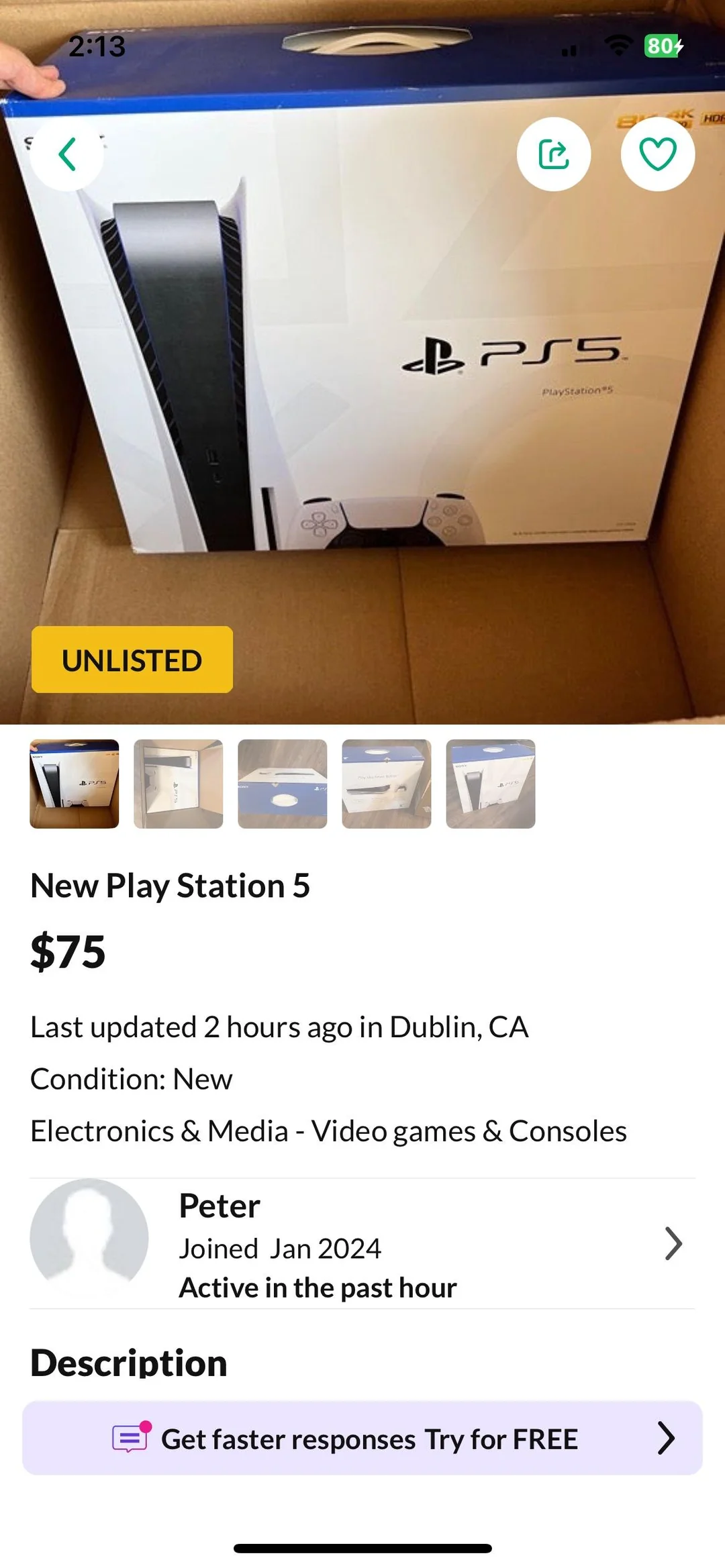
- The price is unreal. A new console, phone, GPU, camera, or designer item far below market price is usually a bait listing, stolen-photo listing, empty-box trick, or fake-shipping setup.
- The buyer overpays. Do not refund the “extra” money. Fake payment notices and overpayment tricks are common seller scams [2].
Common OfferUp Scams
Fake OfferUp links and login pages
A scammer may send a link that looks like an OfferUp payment, shipping, support, or account-verification page. The page can copy OfferUp branding but collect your password, card details, bank data, or email login. Do not click the link. Open the app directly, check your notifications there, and verify that any domain is exactly offerup.com. If a message asks you to “click to get paid” or “click to verify,” treat it as phishing.
If you already entered credentials on a suspicious page, change your OfferUp password from a clean browser session, change the password for the email account tied to OfferUp, enable two-factor authentication, and check whether the same password was reused elsewhere. Our phishing email red flags guide covers the same link-checking workflow for email and SMS scams.
Verification-code scams
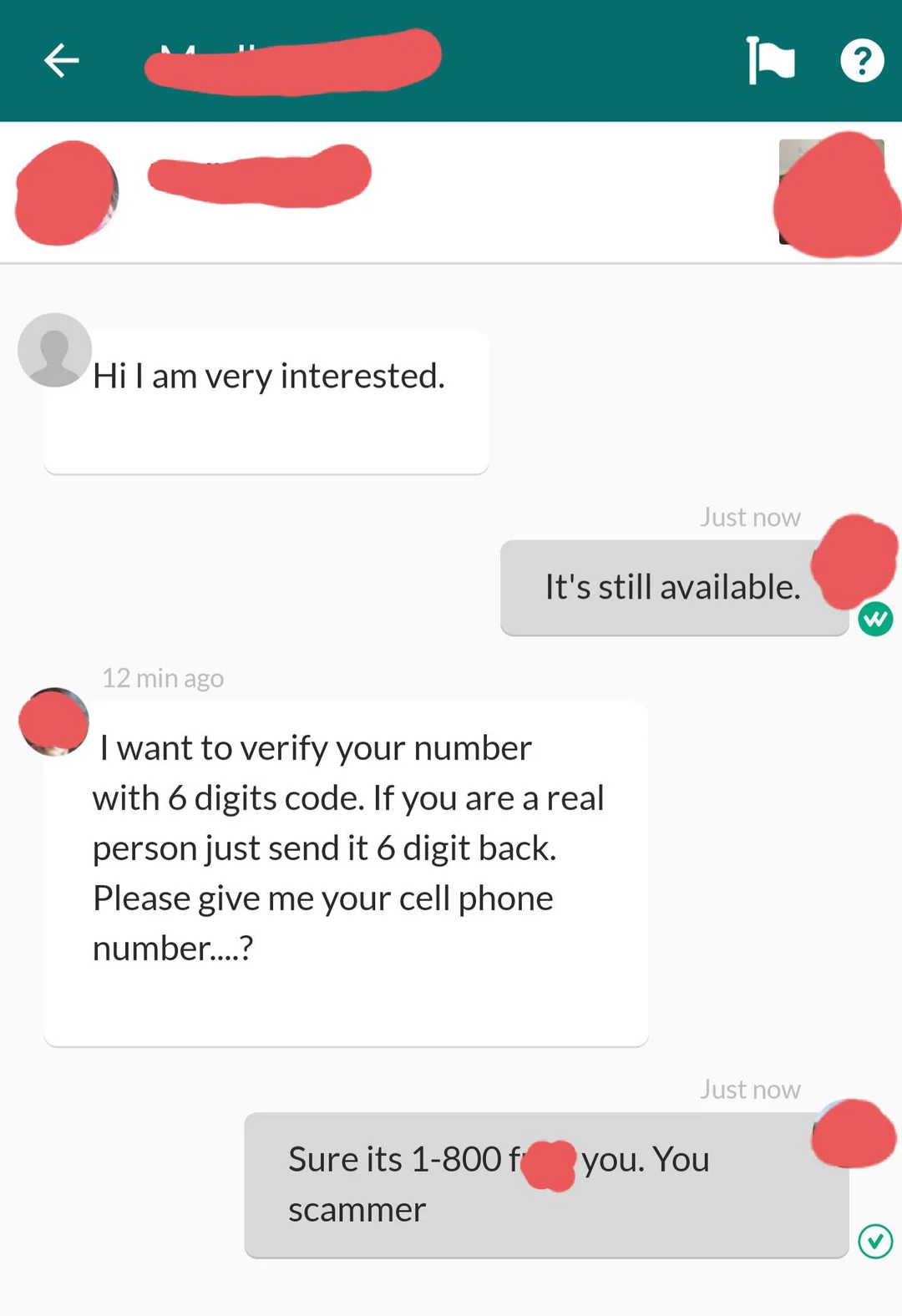
In this scam, a buyer claims they need to confirm that you are real, then asks you to read back a code sent to your phone or email. That code may be for Google Voice, your email, a payment app, or another account. If you share it, the scammer can pass a login challenge or connect a service to your phone number. The FTC describes this as a common online-selling scam [2].
Payment outside the app
Off-app payment pressure is the biggest red flag for shipped purchases. A scammer may say OfferUp payments are broken, shipping is too heavy, their card will not work, or the deal will be cheaper through Zelle, Cash App, Venmo, PayPal, wire transfer, gift cards, or crypto. Once you pay outside the protected flow, the marketplace may have little evidence to investigate, and your bank or payment app may not reverse the transfer [1].
For local deals, agree on the payment method before meeting, receive payment before handing over the item, and avoid checks, gift cards, wire transfers, and cryptocurrency. For shipped deals, stay inside the platform’s official payment and shipping flow.
Deposit and delivery scams
A local seller may claim they can deliver a sofa, appliance, console, or other large item but need a small deposit first. Another version says the item is nearby but shipping or courier payment must happen privately. Do not pay before you can inspect the item or before the official marketplace process is in place. A small deposit can be the entire scam.
Fake shipping labels and payment screenshots
A scammer may claim the OfferUp payment flow is down, the shipping label failed, a courier needs insurance, or a payment screenshot proves the money is on the way. Treat screenshots, tracking labels, pending-payment emails, and courier-payment requests as claims, not proof. Confirm the payment or shipping status inside the official app before you ship an item, release an item, or send money.
Too-good-to-be-true listings and empty boxes
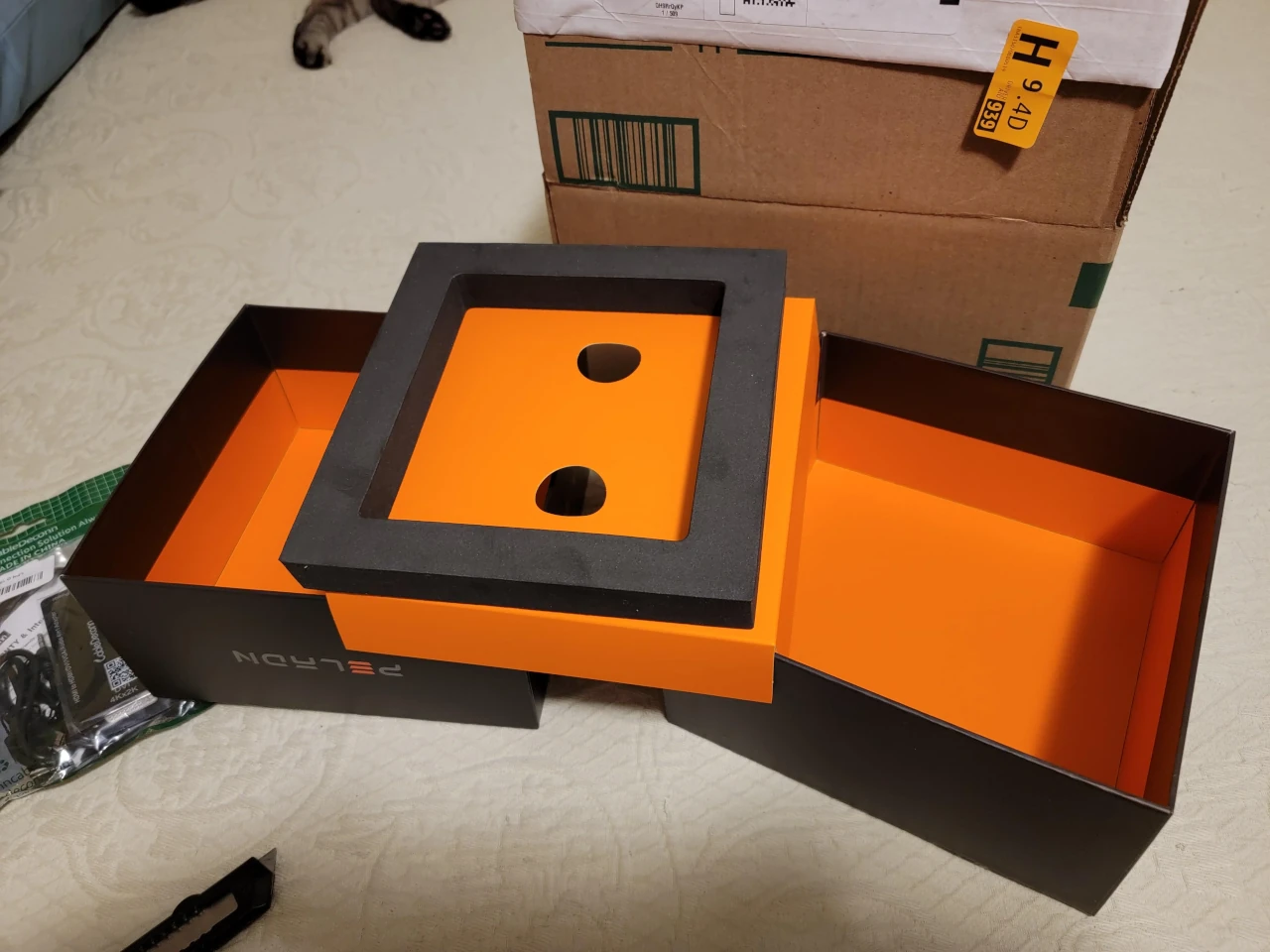
Scammers use low prices to make you act fast. Watch for stock photos, copied descriptions, brand-new seller accounts, no local inspection option, and listings that hide wording such as “box only” or “photo of item” in the description. Ask for fresh photos from specific angles, compare the price against normal resale value, and walk away if the seller will not show the actual item.
Overpayment, fake payment, and refund scams
Sellers are targeted too. A buyer may send a fake payment email, claim they paid twice, offer more than the asking price, or say you must upgrade a payment account before funds arrive. Do not ship an item based on a screenshot or email. Check the payment directly in the payment service, do not refund an overpayment, and do not pay a fee to receive money.
How to Buy Safely on OfferUp
- Stay in OfferUp chat until the transaction is complete.
- Use the official app or website, not links sent by the other person.
- Check the seller profile, ratings, item history, photos, and description.
- Ask for fresh photos when the item is expensive, rare, or commonly counterfeited.
- For local pickup, meet in a public place, inspect the item first, and avoid deposits.
- For shipped items, use the official marketplace payment and shipping process.
- Search suspicious domains with the Gridinsoft Website Reputation Checker before entering credentials or payment details.
How to Sell Safely on OfferUp
- Do not move to SMS, email, Telegram, WhatsApp, or another app just because the buyer asks.
- Never share verification codes, account links, or password reset links.
- Do not accept checks, gift cards, wire transfers, cryptocurrency, or payment screenshots as proof.
- For in-person sales, receive the agreed payment before handing over the item.
- For shipped sales, confirm the platform payment status inside OfferUp before shipping.
- Keep screenshots and chat records if anything starts to look suspicious.
What to Do If You Already Got Scammed
- Stop communicating with the scammer. Do not send a second payment to “unlock” shipping, refunds, or account recovery.
- Collect evidence. Save listing URLs, usernames, chat screenshots, payment receipts, shipping numbers, phone numbers, email addresses, and domains.
- Report the account in OfferUp. If the deal involved illegal activity or theft, also report it to local law enforcement.
- Contact the payment provider quickly. Card and debit disputes have deadlines. Bank transfer, gift card, crypto, and friends-and-family payments are much harder to recover.
- Secure your accounts. Change passwords, revoke unknown sessions, enable two-factor authentication, and check whether your email or phone number was used for another account.
- Scan the device if you opened files or installed anything. Marketplace scams sometimes move into phishing, fake shipping documents, or malware downloads. Use a trusted scanner and avoid running any file sent by the other user.
If the scam involved Cash App, our Cash App scams guide explains fake payment screenshots and refund pressure. For broader shopping red flags, see the online shopping scams guide. If money, documents, or account access were exposed, the what to do after being scammed checklist is the better next step.
OfferUp scams overlap with other marketplace fraud patterns, but eBay has its own buyer and seller evidence flow. For auction listings, fake tracking, payment-confirmation tricks, and item-swap returns, see our dedicated eBay scams guide.
FAQ
Is OfferUp itself a scam?
No. OfferUp is a legitimate marketplace, but scammers use the platform to contact buyers and sellers. The danger usually appears when a user is pushed into links, payment methods, shipping arrangements, or verification-code exchanges outside the normal flow.
Is it safe to pay with Zelle, Venmo, Cash App, or PayPal on OfferUp?
It is risky when a stranger asks you to use those methods outside the marketplace flow. Some payments cannot be reversed easily, and screenshots or emails can be faked. Use the official payment process for shipped items and cash for local in-person sales when appropriate.
Why would an OfferUp buyer ask for a verification code?
Usually to take over or connect an account. A real buyer does not need a code sent to your phone or email. If someone asks for one, stop the conversation and report the account.
Can an OfferUp payment or shipping screenshot be fake?
Yes. A screenshot, tracking label, or email can be edited or spoofed. Check the transaction status in the official app or payment service yourself. Do not ship an item, hand over an item, or send a refund because a stranger sent a screenshot.
What is the safest way to meet for a local OfferUp sale?
Meet in a public, well-lit place, bring another person when possible, inspect the item before paying, and agree on payment before the meetup. Do not pay a deposit just to get the seller to show up.
References
- [1] Federal Trade Commission. “Buying From an Online Marketplace.” Consumer Advice, November 2024, accessed June 6, 2026. https://consumer.ftc.gov/articles/buying-online-marketplace
- [2] Alvaro Puig. “Selling stuff online? Here’s how to avoid a scam.” Federal Trade Commission Consumer Advice, July 27, 2022, accessed June 6, 2026. https://consumer.ftc.gov/consumer-alerts/2022/07/selling-stuff-online-heres-how-avoid-scam