

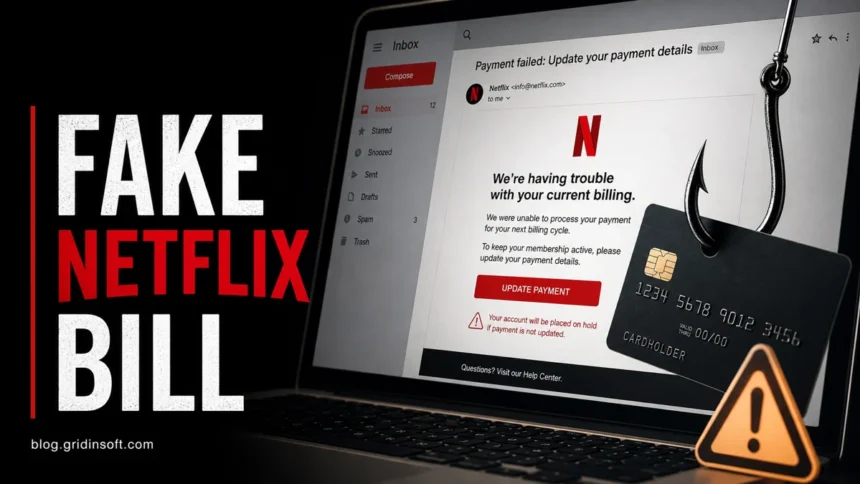
Netflix scam emails and texts usually claim your payment failed, your account is on hold, your subscription will be cancelled, or a new device signed in. Do not use the button in the message. Open the Netflix app or type netflix.com yourself, then check your account and billing status there. If the real account page does not show the same problem, treat the message as phishing.
How do you check a Netflix email?
- Do not click the email or text link. Open Netflix manually from the app, bookmark, or typed address.
- Check the real account page. Billing holds, payment updates, and device activity should be visible inside Netflix.
- Never enter a card, password, or bank code on a page opened from an urgent message.
- Forward suspicious Netflix messages to
[email protected], then delete the message. - If you downloaded a file, app, or extension, remove it and scan the device before signing in again.
| Common lure | Payment failed, account on hold, billing update, subscription cancelled, new device sign-in |
| Main risk | Netflix password theft, card theft, bank-code theft, or a phishing download |
| Safe check | Open Netflix manually and compare the message with your real account status |
| Report | Forward the email, text, link, phone number, or suspicious app to [email protected] |
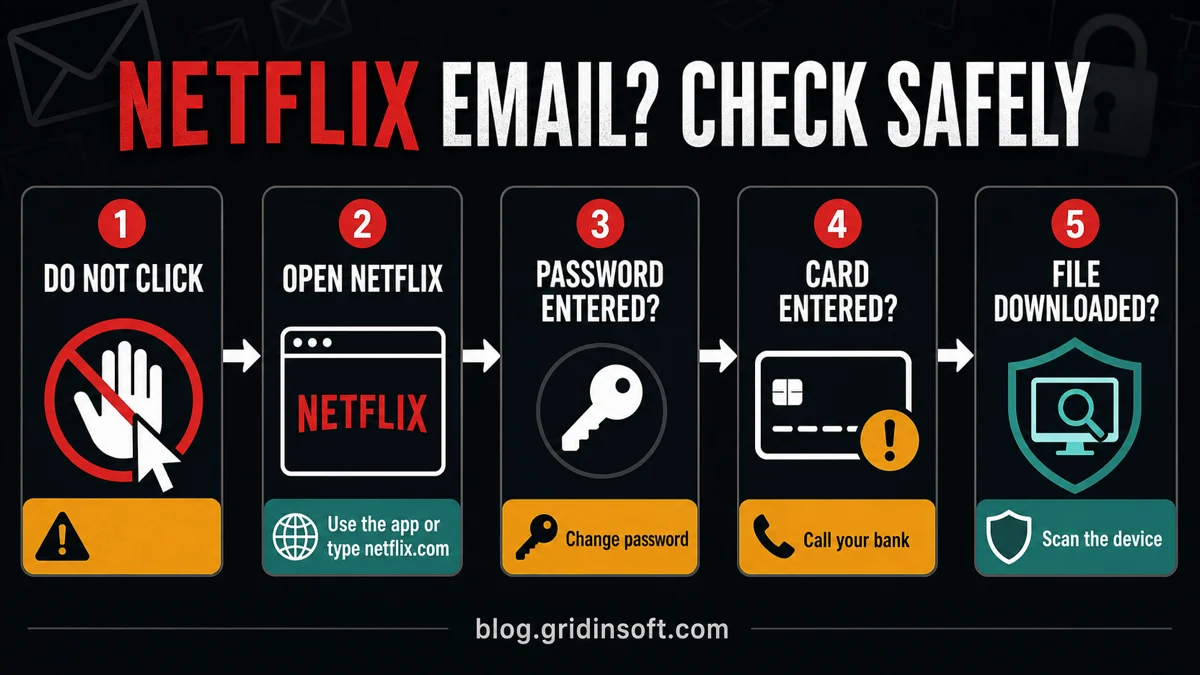
Check the message without touching the link
The safest test is independent verification. A polished Netflix-style email can still be fake, especially when it pushes an urgent billing button. Open Netflix separately, check whether the same alert exists in the real account, and only then decide whether any action is needed.
Real Netflix email or phishing?
A real Netflix notice should still be verifiable without using the message link. That is the safest test. Open Netflix separately, sign in, and check account status, billing, recent device activity, and profile changes from the real site or app.
| What you see | Safer interpretation |
|---|---|
| Payment failed, update billing, or account on hold | Could be real or fake. Verify only inside Netflix, not through the email button. |
| A link goes to a domain that is not clearly Netflix | Treat it as phishing. Do not sign in, even if the page looks identical. |
| The page asks for a password, card, billing address, and bank code in one flow | High-risk phishing pattern. Close it and secure any data already entered. |
| Attachment, browser extension, APK, support tool, or desktop app | Netflix billing messages should not require a download. Scan the device if anything ran. |
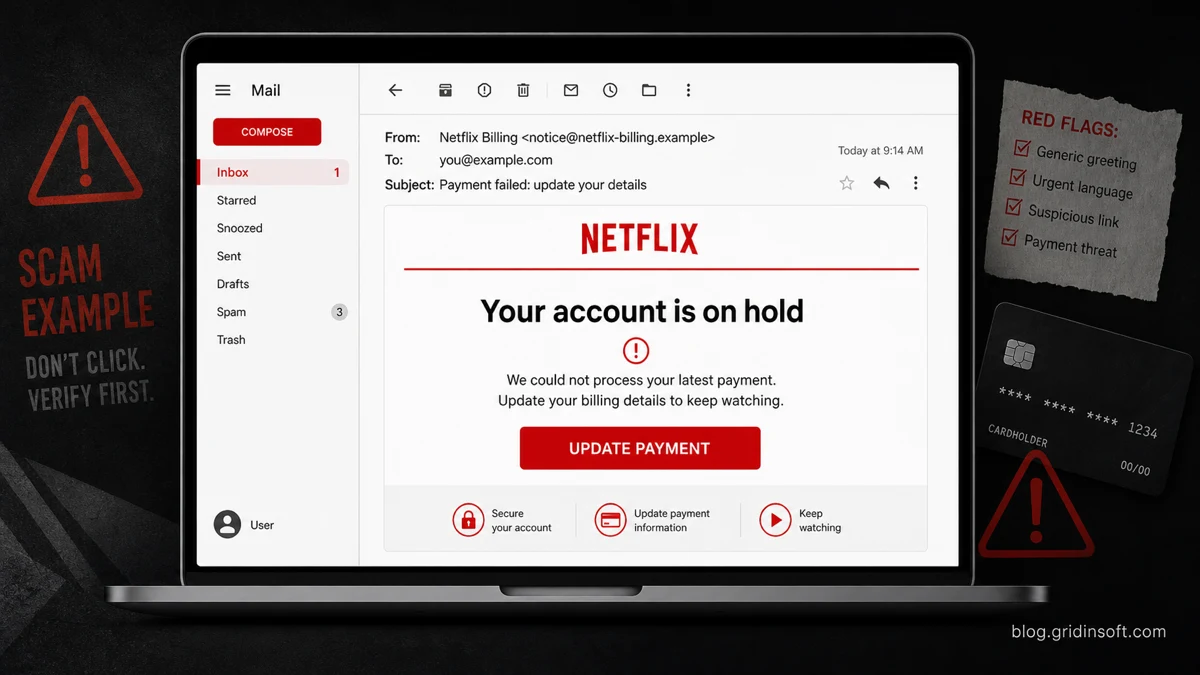
Example
One newer Netflix-themed variant does not claim a payment failed. It says streaming access needs to be reactivated, then adds a countdown timer and a “REACTIVATE NOW” button. Do not use that button. Open Netflix manually and check the account from the real site or app.
- Subject: Action needed to keep your streaming access
- Display name: Subscription Support
- Sender shown: Netflix@kabillaraos[.]shop
- Message hook: “Your Entertainment Is Waiting” and “Reactivate your streaming access today.”
- Button: REACTIVATE NOW
- Hidden destination: getyourstar[.]online, not netflix.com
The suspicious sender domain, non-Netflix button link, countdown pressure, and generic support branding are enough to treat the message as phishing.
Netflix phishing red flags
- Urgent wording such as “payment failed,” “account suspended,” “account on hold,” or “last warning.”
- A button that hides the destination until you hover over it, or a shortened link in a text message.
- A login page that looks like Netflix but has a strange domain, typo, extra word, or non-Netflix subdomain.
- Requests for full card details, security code, billing address, bank one-time passcode, or identity documents.
- Generic greeting, odd formatting, spelling mistakes, mixed languages, or a sender address that does not match the claimed brand.
- A download, “security check,” browser extension, VPN, video player, invoice file, or support tool attached to the message.
What if you clicked the Netflix scam link?
- If you only opened the page, close it. Do not enter anything and do not reuse the link. You can still forward the message to Netflix.
- If you entered your Netflix password, change it from the real Netflix site and sign out of unknown devices. Change the same password anywhere else you reused it.
- If your Netflix email or password changed, secure the email account first, then use official Netflix support from the real site.
- If you entered card details or a bank code, call the card issuer or bank. Tell them the card data was entered on a phishing page and watch for unauthorized charges.
- If you downloaded or installed anything, disconnect from suspicious pages, remove the file/app/extension, and scan the device before logging back into sensitive accounts.
If the email made you download something
A Netflix-themed message that pushes a file, app, extension, “video player,” invoice, remote support tool, or security update is no longer just an account scam. Treat it as a phishing-download case. Check Downloads, browser extensions, installed apps, startup entries, and any security-tool alerts that appeared after the click.
Gridinsoft Anti-Malware is useful here because the visible download may not be the only change. A phishing installer can leave hidden files, startup entries, scheduled tasks, bundled apps, browser changes, or persistence that brings the symptom back after a reboot. Run a full scan, remove detections, reboot, and scan again if pop-ups, redirects, or account warnings return.
If the page or email made you download an invoice, coupon, tracking app, browser extension, or support tool, scan the PC before opening it again or logging into sensitive accounts.
Scan after a phishing downloadHow the Netflix scam email works
The scam works by borrowing a familiar subscription problem: billing failed, account hold, password reset, unusual sign-in, or free reward. The fake page first captures the Netflix login. Many campaigns then continue into card data, billing address, phone number, identity details, or a bank verification code.
| Message theme | What the scam wants |
|---|---|
| Payment failed or update billing | Netflix login, card number, billing address, and sometimes a bank one-time code. |
| Account suspended or on hold | A fast click before you verify the real account page. |
| New device or unusual login | Password capture through a fake security page. |
| Reward, survey, or free subscription | Personal data, card details for a fake fee, or subscription-trap enrollment. |
Where to report a fake Netflix email or text
Netflix asks users to forward suspicious emails, texts, links, phone numbers, or apps pretending to be Netflix to [email protected]. If money, card data, or identity information was exposed, also report the incident through the appropriate bank, card issuer, or consumer-fraud channel in your country.
For broader email-safety checks, use Gridinsoft’s guide on how to spot a phishing email. If you already sent money, shared a code, installed a support tool, or lost account access, follow the first-response checklist in How to Know If You Got Scammed.
How to avoid the next Netflix phishing message
- Use the Netflix app, a saved bookmark, or a typed address for billing and password changes.
- Do not trust a message just because it uses a real logo, correct colors, or a familiar support footer.
- Hover over links on desktop and inspect the domain before you click. On mobile, avoid long-pressing links from suspicious texts unless you know how your app previews them.
- Use a unique password for Netflix so one stolen entertainment account does not unlock email, banking, or shopping accounts.
- Keep the email account tied to Netflix secure, because a compromised mailbox can help attackers reset other accounts.
FAQ
Does Netflix send billing emails?
Yes, but scammers imitate them. The safe move is to open Netflix manually and check whether the same billing issue appears inside the real account.
Can a Netflix email be fake if the page looks real?
Yes. Phishing pages often copy Netflix colors, layout, logos, and help links. The domain and how you reached the page matter more than the design.
What if I entered only my Netflix password?
Change the Netflix password from the real site, sign out of unfamiliar devices, and change the same password anywhere else it was reused.
Where do I report a fake Netflix message?
Forward suspicious Netflix emails, texts, links, phone numbers, or apps to [email protected], then delete the message.
Is opening the email itself dangerous?
Usually the bigger risk is clicking the link, entering data, downloading a file, or allowing content from the message. If a file or extension was downloaded, remove it and scan the device.
References
- Netflix Help Center. “Phishing or suspicious emails or texts claiming to be from Netflix.” Netflix, accessed June 14, 2026. https://help.netflix.com/en/node/65674
- Colleen Tressler. “Netflix phishing scam: Don’t take the bait.” Federal Trade Commission Consumer Advice, December 26, 2018, accessed June 14, 2026. https://consumer.ftc.gov/consumer-alerts/2018/12/netflix-phishing-scam-dont-take-bait
- Federal Trade Commission. “How To Recognize and Avoid Phishing Scams.” FTC Consumer Advice, accessed June 14, 2026. https://consumer.ftc.gov/articles/how-recognize-avoid-phishing-scams



Feels a like scammers became more active that previously was.