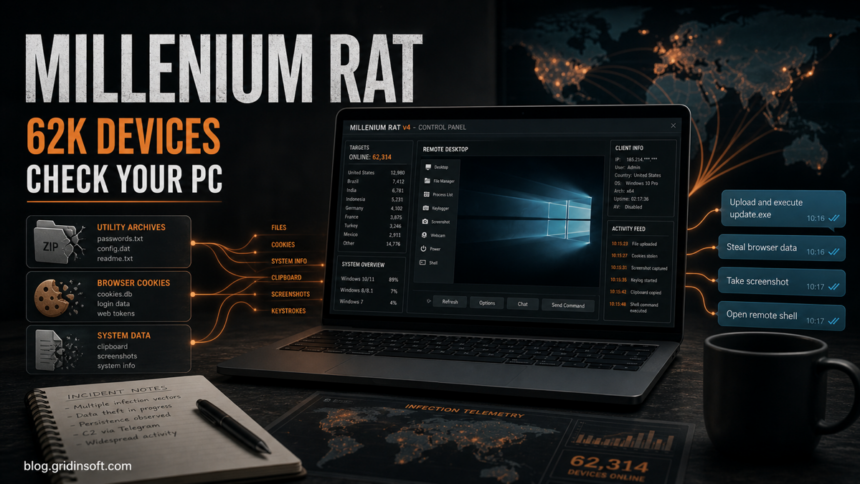
Group-IB has documented a sharp rise in Millenium RAT version 4 infections, with more than 62,000 compromised Windows endpoints tied to the latest C++ build and nearly 40,000 of them infected during the first quarter of 2026. The practical risk is not only remote control: the RAT can collect browser and system data, capture screenshots and audio, log keystrokes, and download additional executables.
The campaign matters for home users because the lures are familiar: cracked software, fake utilities, hacking-tool bundles, Roblox-related tools, and other downloads that look useful enough to run once. If one of those files was launched, treat the case as a possible account and device compromise rather than a simple bad installer.
What Group-IB Found
Group-IB describes Millenium RAT 4.* as a native C++ remote access trojan that uses the Telegram Bot API for command and control. The malware is sold as Malware-as-a-Service and is connected in the report to the developer name ShinyEnigma and the Y2K Operators activity cluster.
| Confirmed detail | Why it matters |
|---|---|
| 62,289 compromised endpoints observed for Millenium RAT 4.* | The campaign is broad enough that suspicious downloads should not be treated as isolated one-off files. |
| 39,730 infections in Q1 2026 | Recent infection velocity gives the story a current response angle. |
| Telegram Bot API command channel | The attacker does not need a dedicated C2 server, which can make blocking and attribution harder. |
| Fake utilities, cracks, OSINT tools, and Roblox-related lures | The infection path overlaps with downloads many users search for outside trusted stores. |
Who Should Check Their PC
Check the machine if you recently ran a cracked utility, a tool advertised for Roblox, a KYC bypass, a bulk-mailer crack, a hacking bundle, or any executable from a Telegram channel, forum post, file-sharing page, or GitHub repo you did not already trust. The same advice applies if you saw a brief console window, a new startup entry, browser sessions suddenly logging out, unknown Telegram activity, or security-tool alerts after a download.
Millenium RAT belongs in the same response family as remote access trojan cleanup and infostealer after a game or mod download: the file may be gone, but credentials, cookies, startup entries, and follow-on payloads still need attention.
What To Do Now
- Disconnect from untrusted networks if the system is still showing suspicious activity.
- Remove the downloaded archive, installer, crack, or utility and do not run it again to “test” it.
- Run a full malware scan from a trusted security tool. If the download already ran, also check startup apps, scheduled tasks, browser extensions, and recently created files in Downloads, Temp, AppData, and startup folders.
- Change passwords from a clean device, starting with email, banking, gaming, crypto, work, and Telegram accounts. Sign out active sessions where the service allows it.
- Review browser sync and saved payment data. A RAT with browser-data access can turn a local infection into account takeover.
- Keep copies of suspicious filenames, paths, and alerts before deleting everything; they help confirm whether the case is Millenium RAT, another stealer, or a generic PUA.
If the suspicious file ran or alerts keep returning after quarantine, use Gridinsoft Anti-Malware to check for leftover loaders, startup entries, scheduled tasks, hidden files, bundled apps, and browser changes. A scan cannot reverse stolen passwords, but it can help remove local persistence before you restore normal account use.
If a token stealer ran here, logging back in can hand the attacker your new Discord session, email cookie, Steam token, or wallet access. Scan this Windows PC first, then reset passwords from a clean device.
Scan this PC for RAT leftoversFAQ
Is Millenium RAT only a Telegram problem?
No. Telegram is used as the command channel in the reported version, but the infection usually starts with a Windows download that the victim runs.
Can home users be affected?
Yes. Group-IB’s lure examples include cracks, fake utilities, and gaming-related tools, which are common consumer download paths.
Should I change passwords if I only ran the file once?
Yes, if the file executed. Change passwords from a clean device and revoke active sessions because the RAT can collect browser and system data.
References
- Group-IB. “Millenium: A RAT Rewritten, A Threat Multiplied.” Group-IB Blog, June 2026, accessed June 29, 2026. https://www.group-ib.com/blog/millenium-rat-maas/