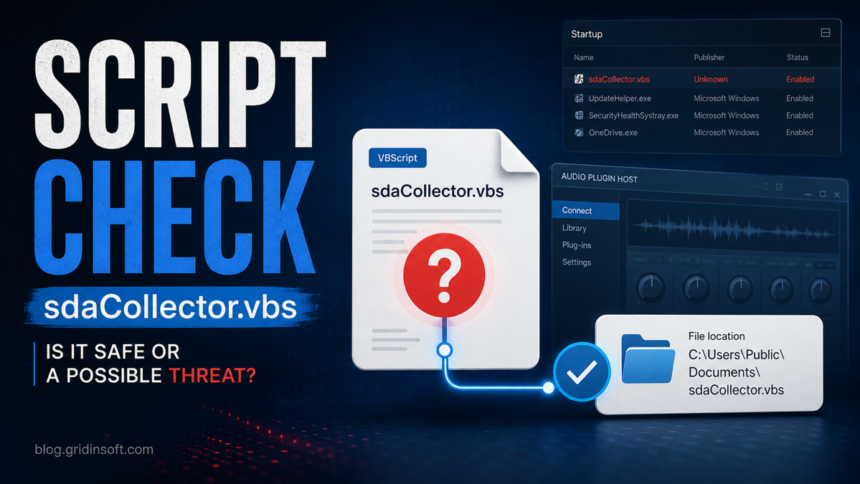
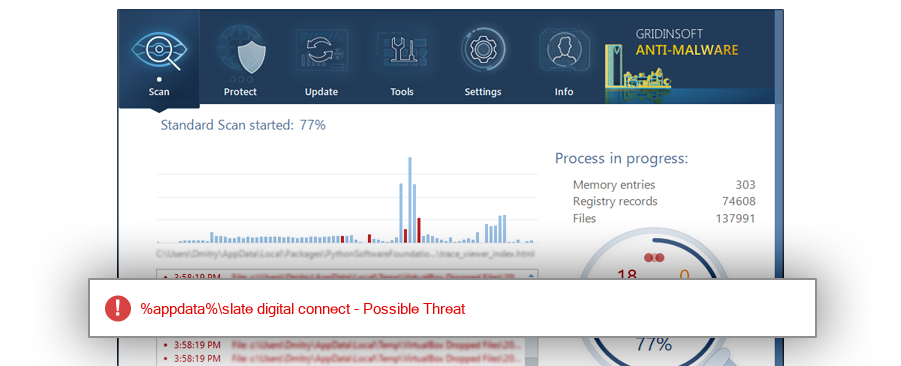
sdaCollector.vbs is not a Windows system file. It is usually connected with Slate Digital Connect or Complete Access Hub when it sits under %AppData%\Slate Digital Connect\SDACollector\ and you actually installed Slate Digital, SSL, or Harrison audio software. Treat it as suspicious when the path, startup entry, file size, hash, or timing does not match that story, especially if a security tool reports sdacollector.vbs as Possible Threat.
What Is sdaCollector.vbs?
sdaCollector.vbs is a small VBScript startup item seen with the Slate Digital Connect ecosystem. The important detail is that this does not make every copy malicious and it does not make every copy safe. A VBS file can be a legitimate helper script, but scripts are also easy to rename, move, and launch from Windows startup locations.
The expected benign story is narrow: you use Slate Digital or related Complete Access audio plugins, the file lives in the Slate Digital Connect user profile folder, and the startup entry points to that same folder. If those conditions are not true, investigate before allowing it to run.
Quick Safety Checklist
| Check | Likely OK | Suspicious |
|---|---|---|
| Location | %AppData%\Slate Digital Connect\SDACollector\sdaCollector.vbs |
C:\Windows\, C:\Windows\System32\, Temp, Downloads, random public folders |
| Software context | You installed Slate Digital Connect, Complete Access Hub, SSL, or Harrison plugin tools | No Slate/Complete Access software is installed or you never used audio plugins |
| Startup entry | One user-level startup entry named like Slate analytics | Multiple entries, hidden scheduled tasks, misspelled names, or entries that recreate themselves |
| Security result | No alert, or a single detection that matches the known Slate path and hash | Gridinsoft or another security tool detects it in an unexpected path, or the file keeps coming back |
How To Verify The File
- Open the file location. In Task Manager or Startup Apps, right-click the entry if available and open its location. If Windows only shows the command, copy the path carefully.
- Compare the path. A Slate-related copy should be under your user profile, usually
AppData\Roaming\Slate Digital Connect\SDACollector. A copy in Windows, System32, Temp, or a random download folder deserves a scan. - Check whether the software is still installed. If you migrated to Complete Access Hub and no longer use Slate Digital Connect, the VBS startup entry may be an orphan even if it is not malware.
- Check the hash when there is an alert. Use PowerShell
Get-FileHashor the file properties from your security tool, then compare it with the report or submit the file for analysis. - Review autostart locations. Microsoft Sysinternals Autoruns is useful because it shows Run, RunOnce, Startup folder, scheduled task, and other auto-start entries in one view.
When You Should Remove It
Remove or disable the startup entry if Slate Digital Connect is no longer installed, the path points outside the expected folder, the file has an unexpected size or hash, or the entry causes script errors at login. If you still use the audio software, update or reinstall the official Complete Access Hub first instead of deleting random files one by one.
If the file is detected as Possible Threat, run a full scan with Gridinsoft Anti-Malware and remove the detected object only after confirming that the scan is acting on the suspicious copy, not a known-good application folder you still need. A second useful check is whether related files in the same folder are also flagged.
After uninstalling the suspicious app or deleting the visible threat, use Gridinsoft Anti-Malware to check hidden files, startup entries, scheduled tasks, bundled apps, browser changes, and other persistence points that can restore malware.
Download Anti-MalwareFalse Positive Or Real Threat?
A false positive is possible when a small script belongs to a legitimate app but lacks strong publisher metadata or launches from a user startup key. That is why the final verdict should combine four signals: install history, exact path, hash/detection result, and behavior after reboot.
A real threat becomes more likely when sdaCollector.vbs appears without Slate software, launches from a suspicious path, arrives after a cracked plugin or unknown installer, or returns after you delete it. In that case, treat the VBS file as one indicator and scan the full system, because the startup script may only be the visible part of a larger unwanted installation.
Related Gridinsoft Guides
If your alert looks like a broader script or startup problem, compare it with Gridinsoft guides on checking an unknown executable safely, reading mixed scanner results without overreacting, and removing script-launched malware from Windows startup.
FAQ
Is sdaCollector.vbs a virus?
Not automatically. It can be associated with Slate Digital Connect, but any unexpected copy of sdaCollector.vbs should be checked because VBS files are often abused by malware.
Why does it start with Windows?
Known reports show it can be launched from a user startup entry related to Slate analytics. If the software is no longer installed, the startup entry may be leftover and safe to disable after checking the path.
Should I delete sdaCollector.vbs?
Do not delete it blindly if you still use Slate Digital or Complete Access tools. Disable or remove it when it is outside the expected Slate folder, flagged by security software, or no longer tied to installed software.
What if Gridinsoft detects it as Possible Threat?
Compare the file path and hash with the detection report, then run a full scan. If the file is in an unexpected location or keeps returning, remove the detection and inspect related startup entries.
References
- Gridinsoft ThreatInfo. “sdacollector.vbs Possible Threat Detection.” ThreatInfo, latest analysis shown on the report page, accessed May 29, 2026. https://threatinfo.net/files/sdacollector.vbs-95fd388839ebf578d320feb4f28e4565
- Slate Digital Support. “Complete Access Hub — Getting Started & Legacy App Migration.” Slate Digital, April 15, 2026, accessed May 29, 2026. https://support.slatedigital.com/hc/en-us/articles/43819908914451-Complete-Access-Hub-Getting-Started-Legacy-App-Migration
- Complete Access. “Complete Access Hub – Installer & Downloads.” Complete Access, accessed May 29, 2026. https://app.completeaccess.audio/installers
- Microsoft Learn. “Autoruns for Windows.” Microsoft Sysinternals, accessed May 29, 2026. https://learn.microsoft.com/en-us/sysinternals/downloads/autoruns