

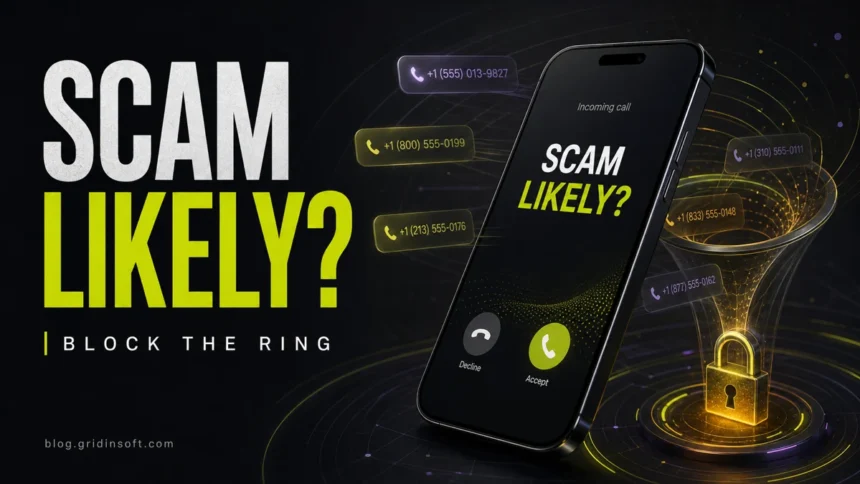
Scam Likely calls are carrier warnings for calls that look like spam, robocalls, spoofed caller ID, or fraud. To block them, start with your carrier’s spam-blocking tool, then add iPhone or Android call filtering. Do not answer urgent unknown callers, do not press keypad options, and never give verification codes, card numbers, passwords, or remote access on an unexpected call.
The label is useful, but it is not a perfect verdict. A real business can be mislabeled, and a scammer can spoof a number that looks local or familiar. The goal is to reduce ringing and risk, not to trust every unlabeled call. For broad spam-call settings, use our spam calls blocking guide; for reported number patterns, see the scammer phone numbers list.
How to block Scam Likely calls
- Turn on carrier-level blocking first. If you use T-Mobile or Metro, enable Scam Block in T-Life/Scam Shield or dial #662# from the T-Mobile line.
- On iPhone, silence or screen unknown callers. Use the Phone settings to silence unknown numbers when you can afford to send them to voicemail.
- On Android, enable caller ID and spam protection. In the Google Phone app, use Caller ID & spam and report mistaken labels when needed.
- Block repeat numbers, but do not rely on that alone. Spoofed numbers rotate, so one-by-one blocking is only a cleanup step.
- Report the call if it asked for money or data. Reports help carriers and regulators spot patterns.
| What the label means | Your carrier believes the call resembles spam, fraud, robocalling, or spoofing. |
| Best first move | Let the call go to voicemail, then verify through an official number or app. |
| Best blocking layer | Carrier network blocking, then iPhone/Android filtering, then manual blocks. |
| Biggest limitation | Scammers spoof caller ID, so the next call may use a different number. |
| Never share | 2FA codes, passwords, card data, gift cards, crypto payments, or remote access. |
What does Scam Likely mean?
“Scam Likely” is a caller ID warning, most commonly associated with T-Mobile and Metro by T-Mobile. It means carrier filters detected signals that match unwanted or fraudulent calls. Other carriers may show similar labels such as “Spam Risk,” “Potential Spam,” or “Suspected spam caller.”
The warning can be triggered by robocall patterns, high-volume calling, suspicious reputation data, spoofed caller ID, or previous reports from users and networks. It does not prove who is calling. Treat the call as untrusted, but verify important calls through a clean route instead of assuming every warning is automatically criminal.
Why do I keep getting Scam Likely calls?
Most victims are not being personally targeted. Scammers buy or scrape phone-number lists, test active numbers, and rotate caller IDs to avoid blocks. If you answer, press a keypad option, or call back, your number may be treated as active and may receive more calls.
The FTC’s FY 2025 Do Not Call data shows the scale of the problem: more than 2.6 million Do Not Call complaints and more than 258 million active registrations. That does not mean the registry is useless; it means illegal callers and spoofed robocalls still need carrier, device, and reporting layers.
How to block Scam Likely on T-Mobile or Metro
If the phone actually says “Scam Likely,” carrier-level blocking is the most important setting because it can stop flagged calls before they ring your phone.
- Open the T-Life or Scam Shield experience for your T-Mobile or Metro line and turn on Scam Block.
- Or dial #662# from your T-Mobile device to enable Scam Block.
- Use the app’s activity or blocked-call view to check whether a wanted call was filtered.
- Add important contacts, doctors, schools, banks, delivery contacts, and work numbers to contacts or allowed lists when possible.
Be careful with the tradeoff: stronger blocking can catch legitimate calls. If you are waiting for a callback from a clinic, delivery driver, recruiter, repair service, or bank fraud department, temporarily use voicemail screening instead of aggressive unknown-call blocking.
How to block Scam Likely calls on iPhone
iPhone cannot know every scam number by itself; it depends on carrier labels, contact history, call identification apps, and your Phone settings. Use these steps after enabling carrier protection.
- Open Settings, then find Phone. On newer iOS versions it may be under Settings > Apps > Phone.
- Use Silence Unknown Callers when it fits your workflow. Unknown callers are sent to voicemail instead of ringing.
- Block repeat callers from Phone > Recents by tapping the info button next to the number and choosing Block this Caller.
- Keep important numbers in Contacts so they are less likely to be silenced.
- Review voicemail before calling back. A real caller should explain who they are and why they called.
Do not turn on strict unknown-caller filtering right before a medical appointment, delivery, job interview, school callback, or account-recovery call unless those numbers are already saved.
How to block Scam Likely calls on Android
Android steps vary by manufacturer and carrier, but Google Phone users should check caller ID and spam protection first.
- Open the Phone app.
- Open Settings, then Caller ID & spam or a similarly named spam protection section.
- Turn on caller ID and spam protection. If a Filter spam calls option is available, enable it if you want stronger filtering.
- From Recents, block and report numbers that were clearly spam.
- If a legitimate caller is mislabeled, use the app’s “Not spam” or feedback option when available.
Samsung, Motorola, carrier-branded dialers, and regional Android builds can place these settings in different menus. If you do not see Google Phone’s filter, check the carrier app or your phone maker’s call settings.
What if your carrier shows Spam Risk or Potential Spam?
The same logic applies even when the label is not literally “Scam Likely.” AT&T, Verizon, UScellular, and other carriers use different names for suspected spam and scam calls. Look for the carrier’s call filtering app or account setting, then combine it with iPhone or Android filtering.
Do not install a random “scam call remover” from an ad or pop-up. Use your carrier’s official app, your phone’s built-in settings, or a known call-identification app from the official app store. Caller ID apps handle sensitive call data, so avoid unknown developers and apps that demand unrelated permissions.
What not to do when Scam Likely calls
- Do not press “1” to be removed from a robocall list.
- Do not call the number back just to check who it was.
- Do not confirm your name, address, account number, or phone number.
- Do not read one-time verification codes to anyone who called you.
- Do not install remote support apps because a caller says your phone or computer is infected.
- Do not pay with gift cards, crypto, wire transfers, payment apps, or “refund” transfers.
If the caller claims to be your bank, carrier, delivery company, toll agency, tax office, police department, or tech support provider, hang up. Open the official app or type the official website yourself. If you need to call, use a number from the official site, card, statement, or trusted contact record.
What to do if you answered or shared information
Answering by itself is usually not a disaster, but sharing information or following instructions can be risky. Use the response that matches what happened.
| You only answered | Hang up, do not call back, block/report the number, and watch for more calls. |
| You gave a verification code | Change the account password, sign out of other sessions, and contact the service immediately. |
| You shared card or bank data | Call the bank using the number on the card, freeze or replace the card, and dispute suspicious activity. |
| You installed an app or remote tool | Disconnect from the session, uninstall the tool, change passwords from a clean device, and scan your computer or phone. |
| You paid money | Contact the payment provider immediately and report the fraud to the FTC or your local cybercrime channel. |
If the call led you to a website, invoice, browser pop-up, or downloaded file, scan the link or file before opening it again. Gridinsoft’s Online Virus Scanner can check suspicious files and URLs, and Gridinsoft Anti-Malware can help clean a Windows device if the call pushed software installation or remote-access tools.
Related phone-call guides
Use this page for carrier and phone-app labels such as “Scam Likely,” “Spam Risk,” and “Potential Spam.” If the problem is broader than a label, use the neighboring guide that matches the next action:
- How to stop spam calls covers the general spam-call workflow, Do Not Call limits, and carrier/device filtering.
- Scammer phone numbers list covers reported number patterns, risky area codes, spoofing caveats, and lookup habits.
- Spam phone calls revenge explains why trying to retaliate usually backfires and what legal reporting steps are safer.
FAQ
Does Scam Likely mean the call is definitely fraud?
No. It means your carrier flagged the call as suspicious. Treat it as untrusted, but verify important calls through an official number instead of assuming every flagged call is fake.
Can a legitimate call show as Scam Likely?
Yes. Automatic call filters can make mistakes, especially with businesses, call centers, shared phone systems, and numbers that were previously abused or spoofed.
Why do Scam Likely calls continue after I block a number?
Scammers often spoof or rotate caller ID. Blocking one number helps with repeats, but carrier-level filtering and unknown-caller screening usually reduce more calls.
Does #662# block all Scam Likely calls?
On eligible T-Mobile and Metro lines, #662# enables Scam Block. It can reduce flagged calls at the network level, but no filter blocks every scam and some wanted calls may be caught.
Should I use Silence Unknown Callers on iPhone?
Use it if you can safely send unknown callers to voicemail. Avoid it, or add important numbers to Contacts first, when you are waiting for a doctor, delivery, employer, school, or support callback.
Is Scam Likely the same as Spam Risk?
They are similar warning labels from different carriers or filtering systems. The wording changes, but the safe response is the same: do not answer under pressure, verify through official channels, and use carrier/device blocking.
References
- Federal Trade Commission. National Do Not Call Registry Data Book for Fiscal Year 2025. FTC, December 2025. Accessed June 7, 2026.
- Federal Trade Commission. Unwanted Calls, Emails, and Texts. FTC consumer guidance. Accessed June 7, 2026.
- T-Mobile. How to turn on Scam Block. T-Mobile Support. Accessed June 7, 2026.
- Apple. Screen and block calls on iPhone. Apple Support. Accessed June 7, 2026.
- Google. Use caller ID and spam protection. Phone app Help. Accessed June 7, 2026.


Thank you Stephanie. These calls stress me out! Anything that curbs the volume of scam calls i recieve is awesome!