
A regular installed app gained root on a stock OnePlus 15 in Rasmus Moorats’s September 24 research. No special app permissions were needed. His updated report confirms a fix for that model in OxygenOS 16.0.10.500(EX01); the complete affected-device list remains unknown. [1]
Two services passed the same app upward
AtlasService accepted an untrusted app’s input; an audio-debug helper inserted it into a shell command. That produced root inside the restricted dumpstate domain. The app then reached olc2, whose root-only caller check now passed, gaining a shell with broader Linux capabilities. SELinux still applied. [1]
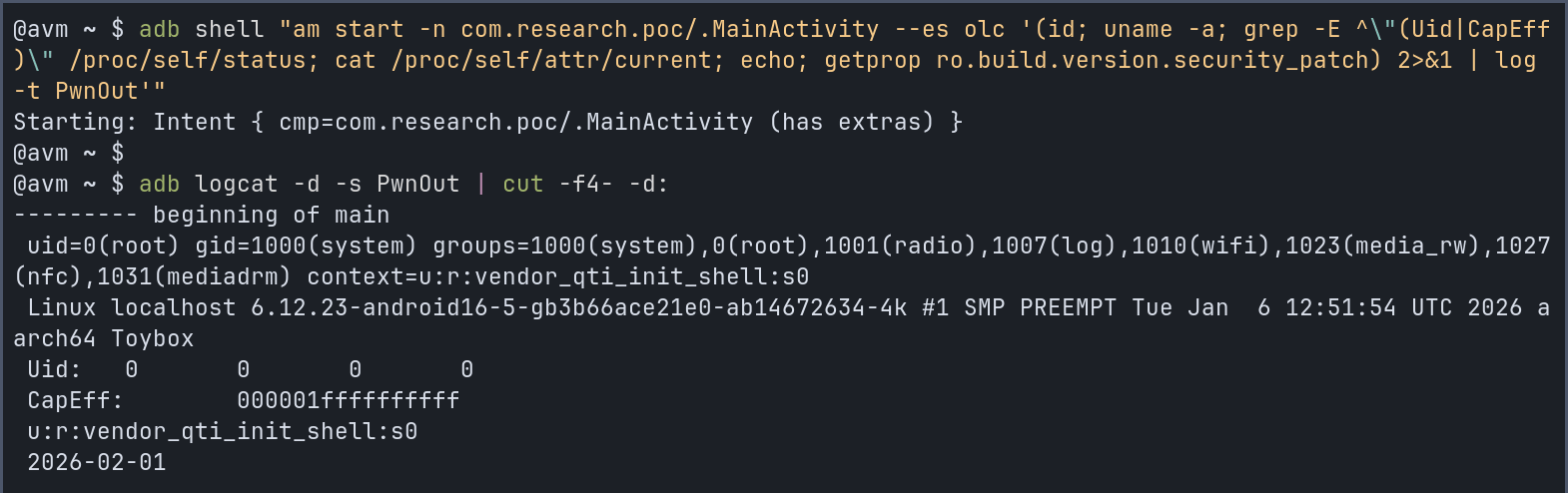
The distinction matters: a permission prompt and an operating-system security boundary are different controls. Android normally gives each app a separate user identity and process. The kernel limits what that identity can reach, while SELinux adds mandatory restrictions. An app should not inherit a system service’s authority simply because it can send that service a request. [2]
Our reading of the chain is a trust problem: the second service trusted a privileged identity without establishing how the caller acquired it. Checking an app’s requested permissions remains useful, but an empty list is not a certificate of safety.
Check the build, not just the Android label
This is an installed-app attack, not evidence that visiting a page compromises a phone. The screenshot documents a test, not victims.
Open the phone’s Settings and check the build number under its device/version information. Use the built-in software updater; menu names and update availability vary by manufacturer and carrier. A broad label such as “Android 16” does not identify the installed vendor build. Google’s update guide explains where to find both version and security-update information. [3]
If an unfamiliar APK is already installed, treat app investigation as a separate task from updating: use our Android malware checks. Gridinsoft Trojan Scanner for Android can provide an on-device malware check; a scan does not patch firmware or certify that exploitation never occurred.
The practical lesson is to combine app-source checks with system updates. Neither a quiet installation nor a clean-looking permission screen proves that the software stayed within its intended boundaries.
References
- Rasmus Moorats. “Getting root on OnePlus 15 from an untrusted app, via an audio debug service and a vendor HAL.” September 24, 2026; accessed September 26, 2026. Research report.
- Android Open Source Project. “Application Sandbox.” Accessed September 26, 2026. Android security model.
- Google. “Check & update your Android version.” Accessed September 26, 2026. Android update instructions.