

You can get a Frnds of Frnds invite text even if you’ve never installed the app. According to the service’s privacy policy, a member can sync an address book, and the service can use those contacts to invite people by SMS. An anonymous invitation alone can’t tell you who supplied your number or whether this particular text came from the service. Leave the link alone. If you’re curious, open the App Store yourself and look for Frnds of Frnds from FRNDS LLC.
How could they have my number?
Think of a friend who saved your number years ago. If that person later gives the app access to their contacts, your number could reach the service through their phone. Frnds of Frnds says it collects names and phone numbers from synced contacts, looks for mutual connections and may invite people outside its membership. The company says it does not first seek separate permission from each person in the address book.
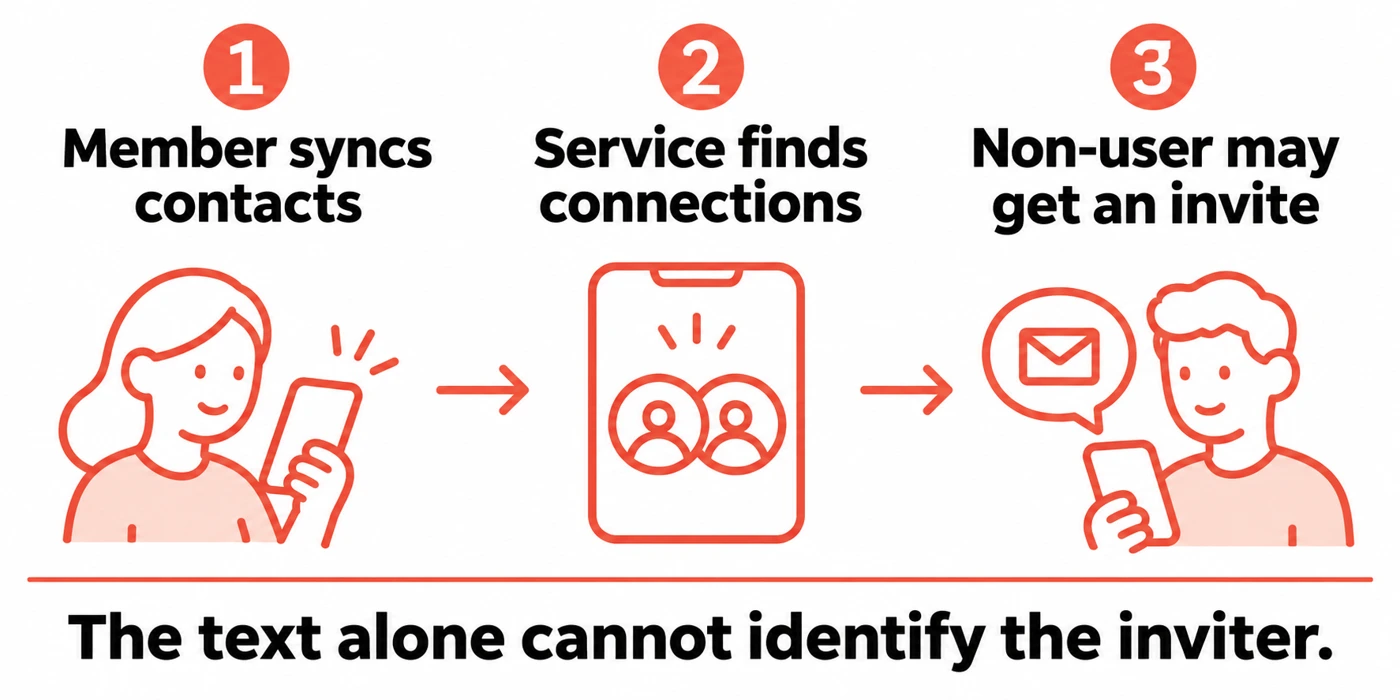
That explains a route an invitation can take. It leaves two questions open for any individual recipient. Whose address book contained the number? Did anyone deliberately select that number for an invitation? A message mentioning “mutual friends” answers neither. You can ask a friend you already know through your usual conversation. There’s no need to install the app or upload your own contacts to investigate.
How to check a Frnds of Frnds invitation
In Apple’s US listing, check the Seller under Information. It reads FRNDS LLC. The Developer Website link leads to frndsoffrnds.com. Starting from the store gives you a route to the operator even if the text points somewhere else. A familiar name in a message or a copied app description is easy to reproduce.
| What you can establish | What to do |
|---|---|
| You found the real app. The SMS sender is still unknown. | Leave the message unanswered. If you want the operator to check it, use the contact form reached through the developer’s website. Keep personal contact lists and verification codes out of the inquiry. |
| You independently confirmed the message came from the service and want the texts to stop. | The service’s terms say to reply STOP to its SMS. To ask about access to or deletion of your information, use the contact form in its privacy policy. Unsubscribing from texts and asking for deletion are separate requests. |
| The text asks for an email password, a sign-in code or a payment to reveal a name. | Close the page or conversation. Use the report-junk or spam option in your messaging app and block the sender. In the US, you can also forward a suspicious text to 7726 (SPAM). |
If you simply don’t want the invitation, you can delete it. For repeated messages from changing numbers, our guide to blocking and reporting spam texts covers phone and carrier options.
What if I already tapped the link?
Opened the page only. Close it. If you didn’t enter anything, approve a sign-in, install software or grant permissions, the click alone gives you no reason to assume someone has your password. If you did approve a permission or install an app, review that change in your phone’s settings and remove anything you don’t recognize.
Entered a password. Open the affected account using its usual app or a saved bookmark. For example, if the invite page asked for your email password, start with your email provider. Change the password, sign out other sessions and check that the recovery address and phone number still belong to you. Replace the password anywhere else you reused it.
Shared a verification code or approved a login. Read the original code or approval notification to identify the account involved. Go straight to that provider, review recent sign-ins and revoke unfamiliar sessions or devices. If you’re locked out, use its recovery process. Our account recovery guide walks through securing access and checking for changes after sign-in.
References
- FRNDS LLC. Frnds of Frnds. Apple App Store, US listing. Accessed November 18, 2026.
- Frnds of Frnds. Privacy Policy. May 13, 2026. See contact collection, invitations and data requests.
- FRNDS, LLC. Terms of Service. May 13, 2026. See Communications and Consent.
- Federal Trade Commission. How to Recognize and Report Spam Text Messages. FTC Consumer Advice. Accessed November 18, 2026.